eCommerce Sales Tracking: What to Track, Why It Matters, and How to Turn Sales Data Into Revenue

Summarize with


Last Updated:
Running an ecommerce store without tracking sales data is like driving without a dashboard. You might be moving, but you have no idea how fast, how far, or whether you’re running out of fuel.
Most store owners only check revenue when something feels off, but by then, it’s already cost money. eCommerce sales tracking gives real-time visibility into what’s selling, who’s buying, and where revenue leaks, turns raw data into actions that drive repeat purchases and growth.
What is eCommerce Sales Tracking?
eCommerce sales tracking is the process of collecting, monitoring, and analyzing transaction data from your store, across products, channels, and customer segments, and tying that data to individual customer profiles.
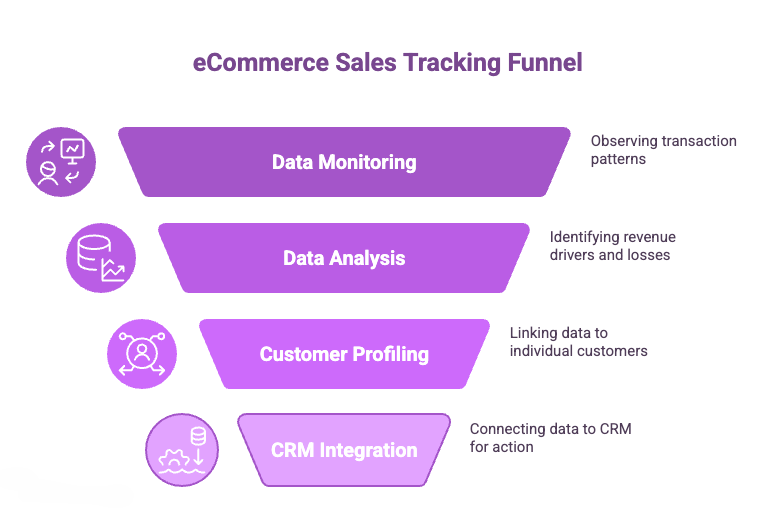
Unlike basic order reports that only show totals, sales tracking gives you context. It helps you understand not just how much you’re making, but where that revenue is coming from, what’s driving it, and where it’s being lost.
It answers questions that directly impact growth:
- Which products drive revenue vs. just volume
- Which channels bring in customers who actually convert
- How customer spending changes over time
- Which customers are likely to return
- Which are at risk of dropping off
This shift from totals to behavior is what makes the data useful.
When sales data is connected to a CRM, it stops being static information. It becomes a working system where every purchase, pattern, and drop-off can trigger a response, whether that’s a follow-up email, a targeted campaign, or a retention effort.
Why eCommerce Sales Tracking Matters
Tracking sales isn’t just about knowing how much you made. It’s about understanding the patterns behind that number so you can make smarter decisions.
- Real-Time Visibility Into Revenue: See which products are selling, which campaigns convert, and if revenue is on track, instead of reacting late.
- Early Detection of Revenue Problems: Spot drops in conversion, spikes in refunds, or stalled products before they drain profits.
- Profit-Focused Decision Making: Track performance by product, margin, channel, and customer type to invest in what actually grows your bottom line.
- Customer Behavior Insights: Identify patterns, first-time buyers, high-value combos, and one-time purchasers, to optimize bundling and retention campaigns.
- Improved Marketing ROI: Understand which campaigns and channels actually drive revenue, so you can scale what works and cut what doesn’t.
- Better Inventory Planning: Use sales trends to forecast demand, avoid stockouts, and reduce overstock on slow-moving products.
- Stronger Customer Retention: Identify repeat buyers and at-risk customers early to run targeted retention and win-back campaigns.
- Higher Conversion Opportunities: Pinpoint friction points in the funnel and optimize pages, offers, and checkout to increase conversions.
Key eCommerce Sales Metrics to Track
Not every number deserves your attention. Focus on metrics that connect directly to revenue, profitability, and customer value. Check out these key ecommerce sales metrics to track here:
| Name | Definition | What It Does |
|---|---|---|
| Total Revenue | Total income from all completed orders across channels. | Tracks overall growth, campaign performance, and helps set sales targets. |
| Average Order Value (AOV) | Average spend per transaction (Total revenue ÷ Number of orders). | Identifies upselling, bundling, and pricing opportunities to increase revenue per order. |
| Sales Conversion Rate | Percentage of visitors who complete a purchase. | Measures how effectively traffic converts into paying customers. |
| Cart Abandonment Rate | Percentage of users who add items to the cart but don’t complete the purchase. | Highlights lost revenue and identifies checkout friction or objections. |
| Customer Lifetime Value (CLV) | Total revenue a customer generates over their lifecycle. | Helps determine acquisition budget and long-term customer value. |
| Customer Retention Rate | Percentage of customers who return to make another purchase. | Indicates loyalty and profitability; improving it boosts long-term revenue. |
| Refund & Return Rate | Percentage of orders refunded or returned. | Signals product, expectation, or quality issues affecting profitability. |
| Email Revenue Attribution | Revenue generated directly from email campaigns. | Measures email ROI and identifies high-performing campaigns and email automations. |
How eCommerce Sales Tracking Works
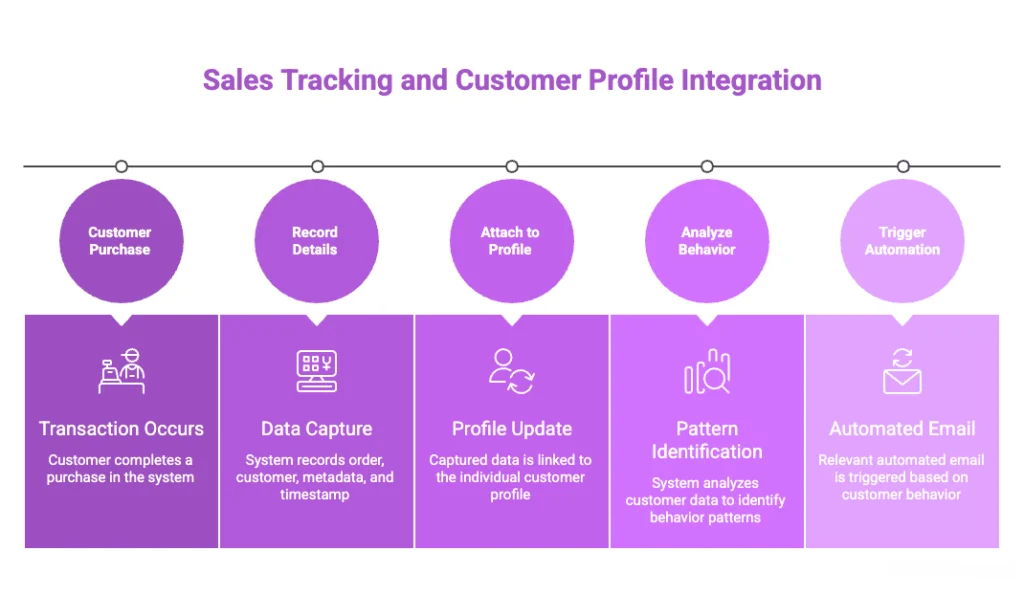
Sales tracking captures transaction events and stores them against customer profiles. When someone completes a purchase, the system records:
- Order details (products, quantities, prices, discounts applied)
- Customer information (name, email, order history)
- Transaction metadata (payment method, channel, device)
- Timestamps (date and time of purchase)
This data flows into reports and dashboards, but its real value comes from connecting it to individual customer profiles. In a flowchart, the tracking system looks like:
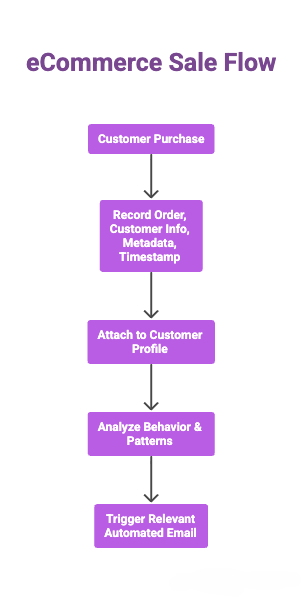
Customer Purchase → Record Order, Customer Info, Metadata, Timestamp → Attach to Customer Profile → Analyze Behavior & Patterns → Trigger Relevant Automated Email
When you know what a customer bought, when they bought it, and how much they spent, you can trigger automated follow-ups that are relevant to their specific behavior.
How eCommerce Sales Tracking Works Across Different Systems
eCommerce sales tracking only matters if the data leads to action. That’s where FluentCRM fits in. It doesn’t try to replace every analytics tool; it connects the sales data to real contacts so you can segment, follow up, and automate.
WooCommerce
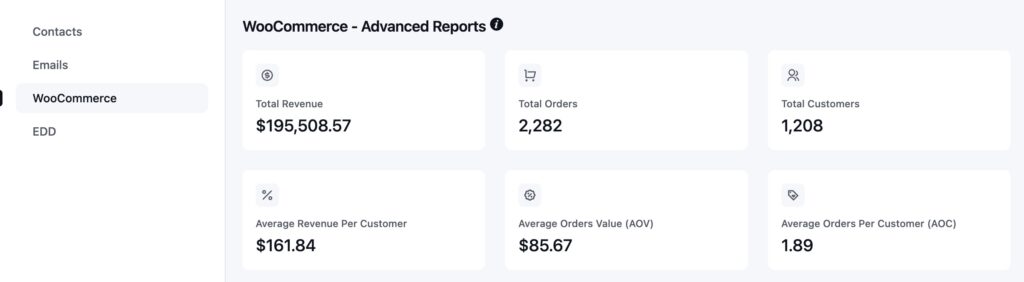
WooCommerce gives you the basics: orders, products, customers, and coupons. FluentCRM takes that data and turns it into usable customer profiles. So instead of just seeing a sale in a report, you can see who bought, what they bought, how much they spent, and what to do next.
FluentCart
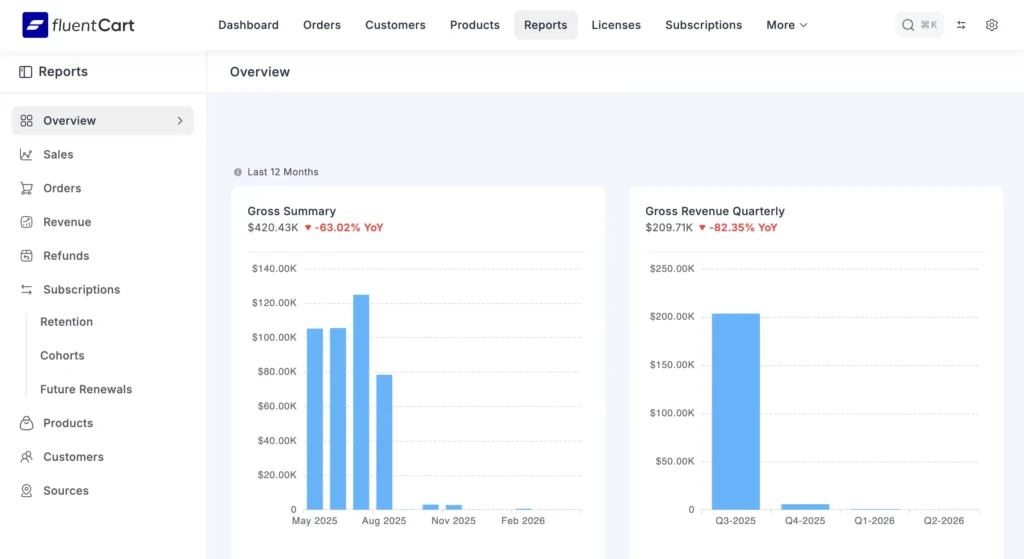
FluentCart gives WordPress stores a tighter native setup. You can track purchases, order status changes, product revenue, and customer history without messy syncs. That makes sales-driven automation a lot easier.
Easy Digital Downloads
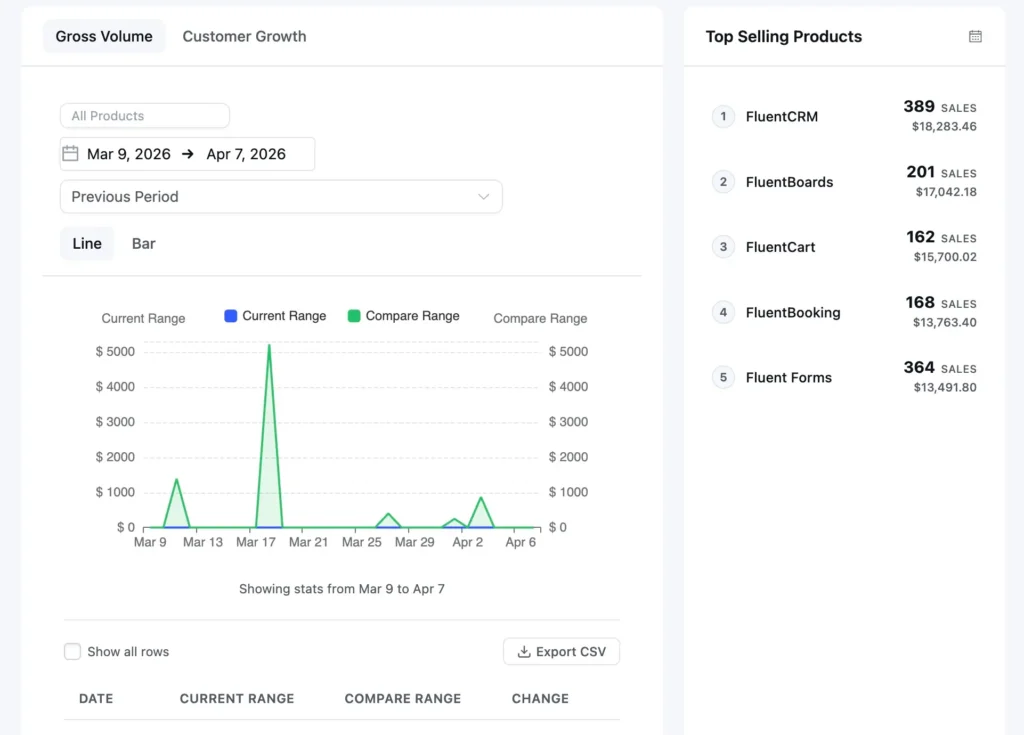
Easy Digital Downloads works well for software, courses, and downloads. You can track purchases, renewals, and customer activity, then use that data for onboarding, upsells, and renewal reminders.
So the real workflow is simple: track the sale, understand the customer, then use FluentCRM to act on both.
How to Use eCommerce Sales Data for Automated Revenue
Sales tracking gives you control over what happens next. When purchase data is tied to individual contacts, you’re no longer sending emails to a list. You’re responding to behavior.
Here’s how that plays out across your campaigns:
Increase Repeat Purchases with Post-Purchase Email
The biggest benefit of post-purchase emails isn’t confirmation, it’s momentum. You’re building on an already successful conversion.
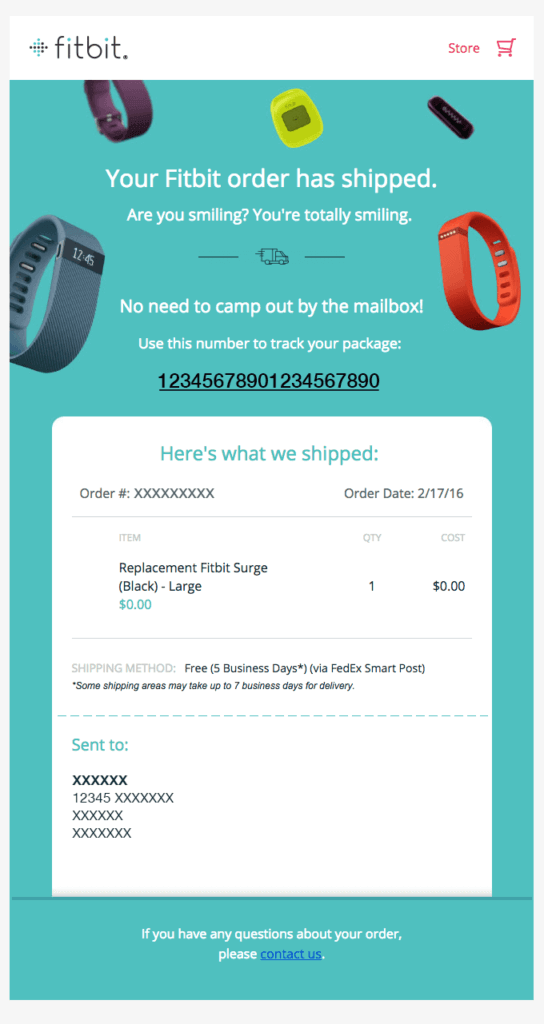
By guiding customers with relevant follow-ups, usage tips, complementary products, and timely review requests, you reduce friction, build trust, and create a natural path to the next purchase.
Abandoned Cart: Recover Lost Revenue
Abandoned carts aren’t failed conversions; they’re delayed ones. The benefit here is immediate revenue recovery without additional traffic.
With sales data, your follow-ups are precise: the exact product, the right timing, and messaging that removes hesitation. This turns missed opportunities into completed purchases, often at a higher ROI than any acquisition campaign.
Pro-Tip: If you are seeing an increase in lost cart numbers, you can recover your abandoned cart with FluentCRM. Check out this blog to implement the process properly.
Browse Abandonment: Capture Early Intent
Not every interested visitor adds to the cart. Many browse, compare, and leave without taking action.
Sales tracking helps you capture this early intent. By following up with viewed products, related recommendations, or category-based emails, you bring users back before interest fades.
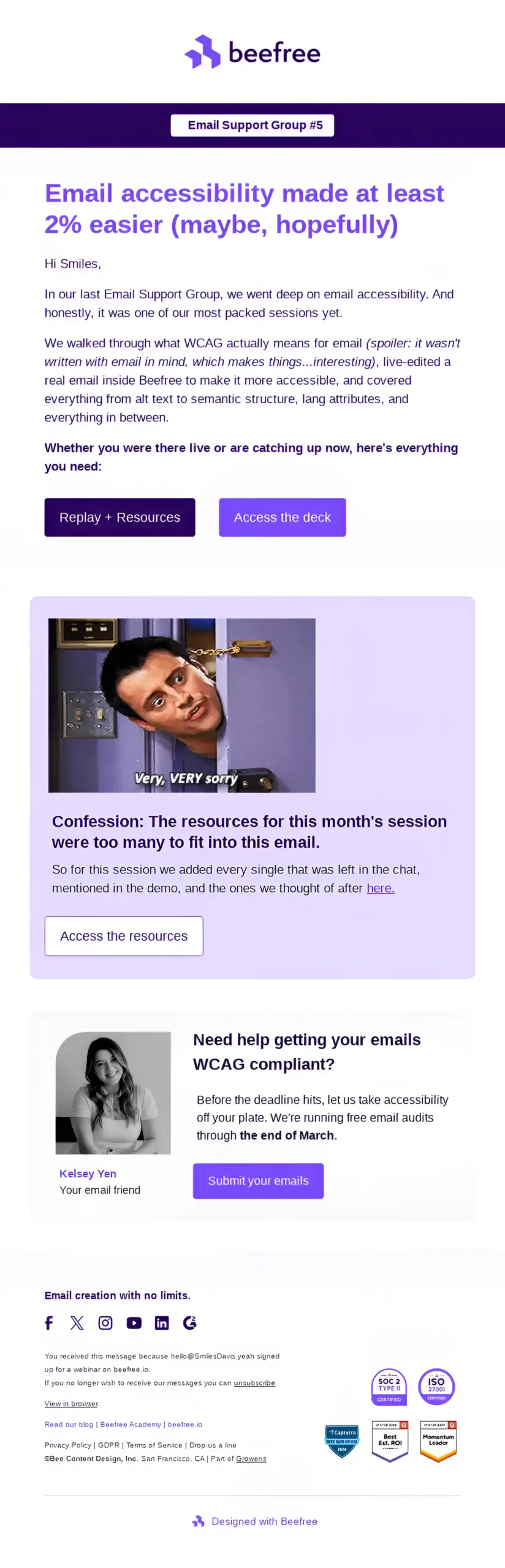
The benefit is simple: you convert attention into revenue, instead of letting it disappear.
Pro-Tip: Browse abandonment can be prevented with properly written and well-timed emails. For inspiration, check out these browse abandonment emails from top brands.
Increase Order Value with Cross-Sell and Upsell
Some of the easiest revenue comes from increasing how much each customer spends. Sales data lets you recommend products that actually make sense based on past purchases.

That relevance improves cross-sell and upsell performance, increases acceptance, lifts average order value, and does it without feeling like a push because it aligns with what the customer already wants.
When Activity Slows, Improve Retention
Customer drop-off isn’t random; it’s trackable. The real advantage of sales tracking is catching churn early and triggering re-engagement through email automation.
Instead of generic win-back campaigns, you’re using customer segmentation and purchase history to send personalized emails that feel timely and relevant. This turns re-engagement into a continuation of the customer journey, not a reset.
Pro-Tip: If you need to look at customer retention emails and strategies, you can check out this blog.
Maximize High-Value Customers
A small segment of customers often drives a large share of revenue. Sales tracking helps you identify and prioritize them.
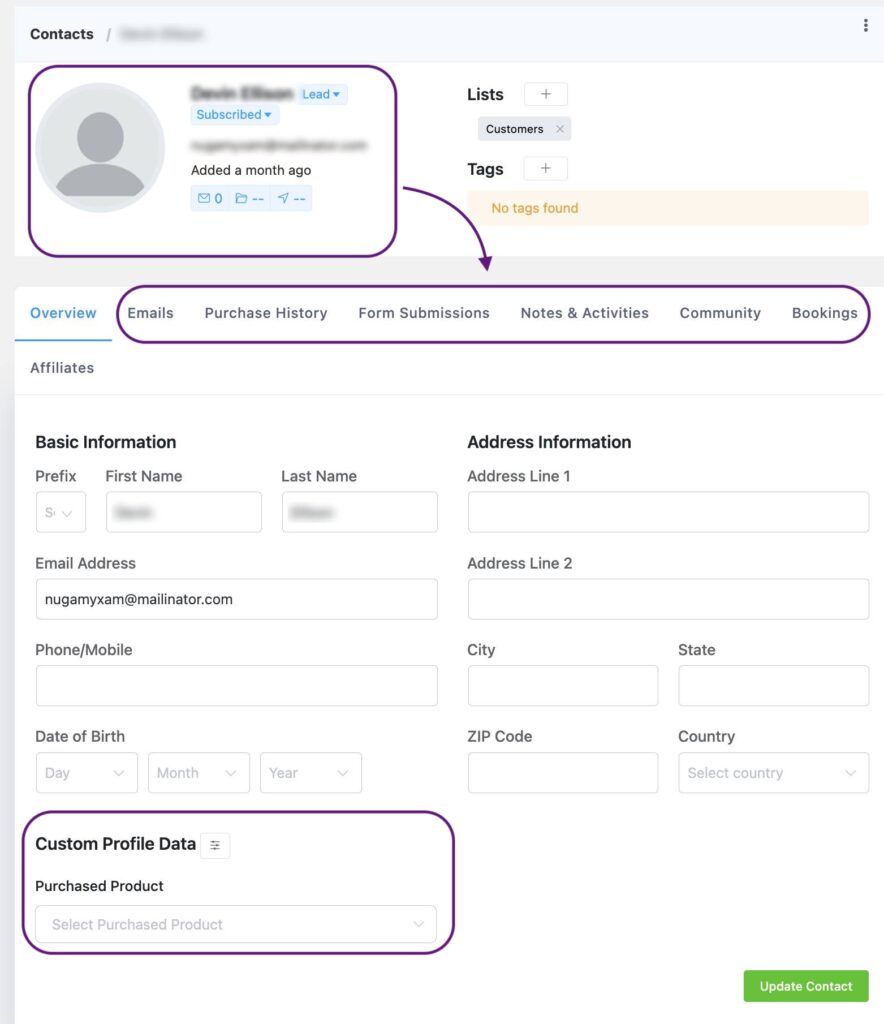
The benefit is long-term: stronger loyalty, higher lifetime value, and more referrals. By recognizing and rewarding these customers with exclusivity and early access, you reinforce the behaviors that matter most to your business.
At its core, the benefit is simple: sales data makes your email campaigns timely, relevant, and revenue-focused. Instead of sending more emails, you send the right ones, at the exact moment they matter.
Common eCommerce Sales Tracking Mistakes
Here are some common ecommerce sales tracking mistakes you should avoid. Even skipping a few of these intentionally can pull up your revenue a long way:
- Tracking only completed orders: Misses funnel drop-offs (browse, cart, checkout) where revenue is actually lost.
- Not connecting sales data to customer profiles: Limits you to totals instead of actionable, behavior-based targeting.
- Ignoring revenue attribution: Prevents you from knowing which channels and campaigns actually drive sales.
- Tracking without action: Data becomes noise unless it triggers recovery, retention, or upsell campaigns.
- No segmentation by behavior: Treats all customers the same, reducing relevance and conversion.
- Overlooking repeat purchase patterns: Misses predictable reorders and easy revenue from existing customers.
- Not tracking customer lifecycle stages: Leads to poorly timed emails that don’t match intent.
- Focusing on vanity metrics: Traffic and opens mean little without revenue impact.
- Ignoring refund and return signals: Hides product or expectation issues that hurt profitability.
- Delayed or infrequent data review: Slows down decision-making and compounds revenue loss.
Getting Started With eCommerce Sales Tracking
Sales tracking isn’t about collecting more data; it’s about understanding what each action means and knowing exactly how to respond. Every purchase, abandoned cart, and pause in activity is a signal, not just a number.
The real power comes when that information guides action: sending the right message to the right customer at the right moment. It turns one-time buyers into repeat customers, missed opportunities into recovered revenue, and transactions into lasting relationships.
When tracking becomes insight, and insight becomes timely action, growth stops being accidental. It becomes inevitable.
Samira Farzana
Once set out on literary voyages, I now explore the complexities of content creation. What remains constant? A fascination with unraveling the “why” and “how,” and a knack for finding joy in quiet exploration, with a book as my guide- But when it’s not a book, it’s films and anime.
Table of Content
Related Articles and Topics
-
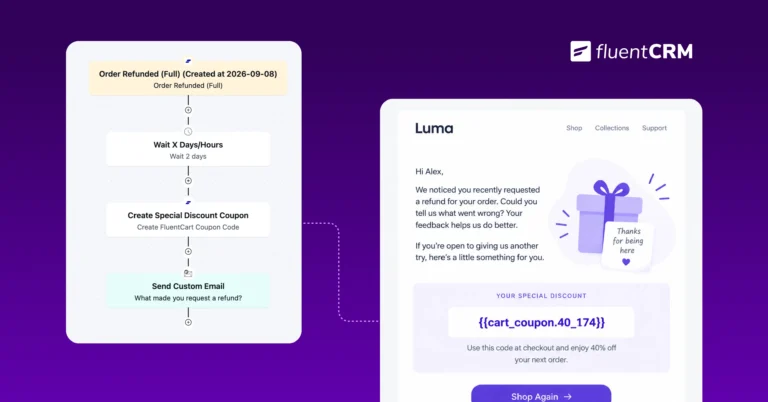
Automated Discounts: How to Increase Conversions Without Constant Promotions
Picture a Monday morning checking your store’s sales report. Numbers look decent after last week’s…
-
E-commerce Email Marketing: The Complete Guide to Driving Revenue in 2026
Email marketing for e-commerce is about responding to what shoppers actually do. Let it be…