
eCommerce Customer Segmentation: Everything You Need to Know for Your Business


Two customers visit your store today.
One finds exactly what they need and checks out within minutes. Another browses, adds a few items to the cart… then disappears. Meanwhile, a past customer hasn’t opened your emails in months.
If all three receive the same message tomorrow, they won’t respond the same way. One might buy again. One might ignore you. And one might decide they’ve heard enough.
eCommerce customer segmentation is: recognizing these differences and responding with intention. When you align your message with customer behavior, growth stops feeling accidental and starts becoming predictable.
What is eCommerce Customer Segmentation?
eCommerce customer segmentation is the practice of dividing your customer base into distinct groups based on shared behaviors, characteristics, or lifecycle stages and using those groups to deliver more relevant, timely, and personalized marketing that drives revenue.
Rather than guessing what customers want, segmentation uses what they actually do:
- What they browse
- What they buy
- How often do they return
- How much do they spend
- When they go quiet.
The goal is to send the right message, to the right person, at the right time, based on real data, not assumptions.
Done correctly, segmentation is also the foundation of every high-performing automation in your store. Without it, you’re firing automations at the wrong people and wondering why conversions stay flat.
Why Batch-and-Blast Marketing Fails
Batch-and-blast marketing is a broad, one-size-fits-all approach where the same generic message is sent to an entire email list at once, without considering individual customer behavior, preferences, or purchase history.
But here’s what actually happens. A loyal customer who buys every month gets a “we miss you” win-back email and wonders if you’re even paying attention. A first-time buyer still on the fence gets a recommendation for something completely unrelated to what they browsed. A discount-sensitive shopper gets a full-price upsell. None of it lands.
Email algorithms now filter promotional content based on engagement patterns. If your emails consistently go unopened across large portions of your list, deliverability suffers across the board, even for the subscribers who would have engaged.
The result is lower open rates, rising unsubscribes, and a growing slice of your list that quietly becomes unreachable. Segmentation isn’t a nice-to-have. It’s the difference between an email that earns a click and one that trains customers to ignore you.
Benefits of Customer Segmentation in eCommerce
When segmentation is built into your email strategy, the impact shows up quickly and compounds month over month. Here’s the benefit of customer segmentation in ecommerce:
- Increases revenue without increasing sends: Relevant emails convert at a higher rate. You’re not emailing more, you’re emailing smarter, and the difference in revenue per email is significant.
- Protects your margins: When you know who only buys on discount versus who buys at full price, you stop offering unnecessary incentives. Discounts go to customers who actually need them to convert, not to everyone on your list.
- Improves deliverability: Engaged segments protect your sender reputation. A healthier reputation means more of your emails reach the inbox, not just for segmented campaigns, but for every send you make.
- Builds stronger customer relationships: Customers notice when an email makes sense for them specifically. That relevance builds trust, and trust is what turns a one-time buyer into a repeat customer.
- Connects directly to retention: Segmentation lets you identify who is at risk of churning before they disappear — and act on it early enough to matter. Waiting until a customer has been silent for 90 days is often too late.
- Raises customer lifetime value: The more accurately you communicate based on lifecycle stage and behavior, the longer customers stay engaged and the more they spend over time.
Types of eCommerce Customer Segmentation
Segmentation works because different signals reveal different kinds of intent. Each type serves a distinct purpose, and the most effective stores layer multiple models together over time.
Demographic Segmentation
Demographic segmentation segments based on who your customer is, not what they want to do next.
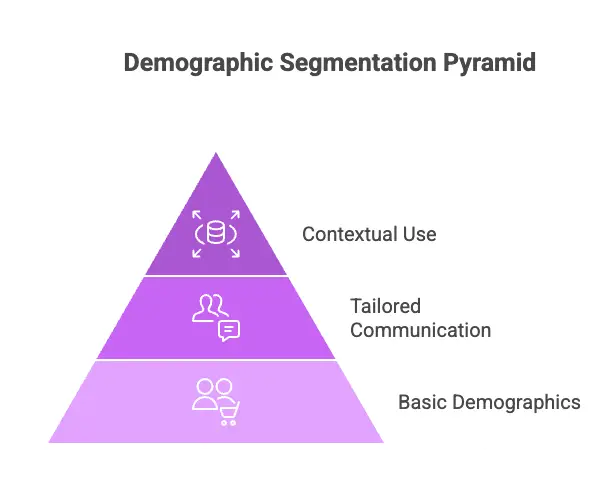
It’s the most basic layer. Age, location, gender, and device type help tailor timing, tone, and layout. A customer in a different timezone shouldn’t receive emails at 3 AM local time. Use them as context, but not as your primary decision driver.
Behavioral Segmentation
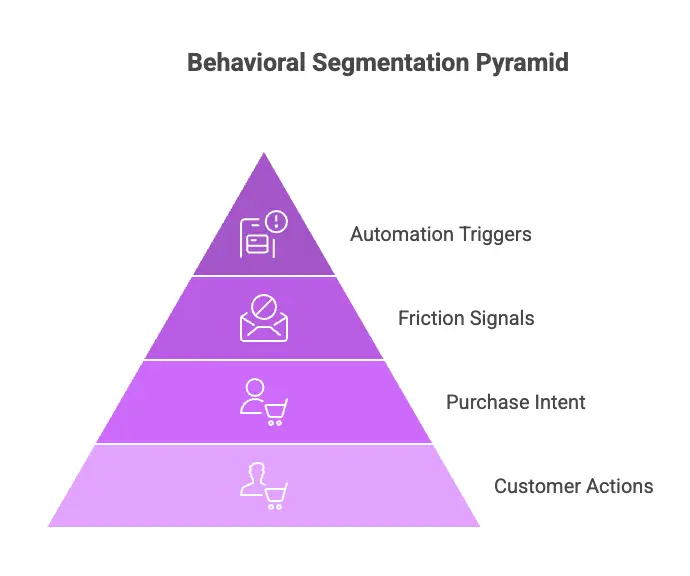
Behavioral segmentation groups customers by what they actually do inside your store: pages visited, products viewed, categories browsed, cart actions, and email interactions.
For example:
- A customer who viewed the same product three times in a week is showing clear purchase intent.
- A customer who opens every email but never buys is signaling friction worth addressing
Behavioral data drives every high-performing automation: browse abandonment, cart recovery, post-purchase sequences, and win-backs all run on behavioral triggers.
Pro-Tip: Many business confuses difference between demographic segmentation vs behavioral segmentation vs psychographic segmentation. You can check out this detailed guide to know the distinct difference between them
Geographic Segmentation
Geography does more than set a timezone. Customers in different regions have different climates, currencies, cultural contexts, and buying seasons. A winter apparel store sending the same campaign to customers in Canada and Australia in December is either missing one or confusing the other.
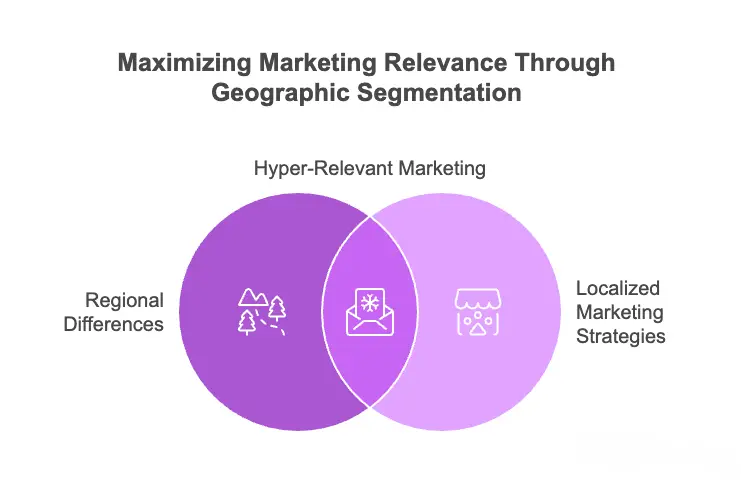
Used well, geographic segmentation lets you localize offers, time sends accurately, and run region-specific promotions that feel relevant, not like they were designed for someone else and forwarded to you.
Psychographic Segmentation
Psychographic segmentation groups customers by motivations, values, and purchase drivers. It’s not just what they bought, but why.
A customer buying a bullet journal will respond to completely different messaging than one driven by personal curiosity.
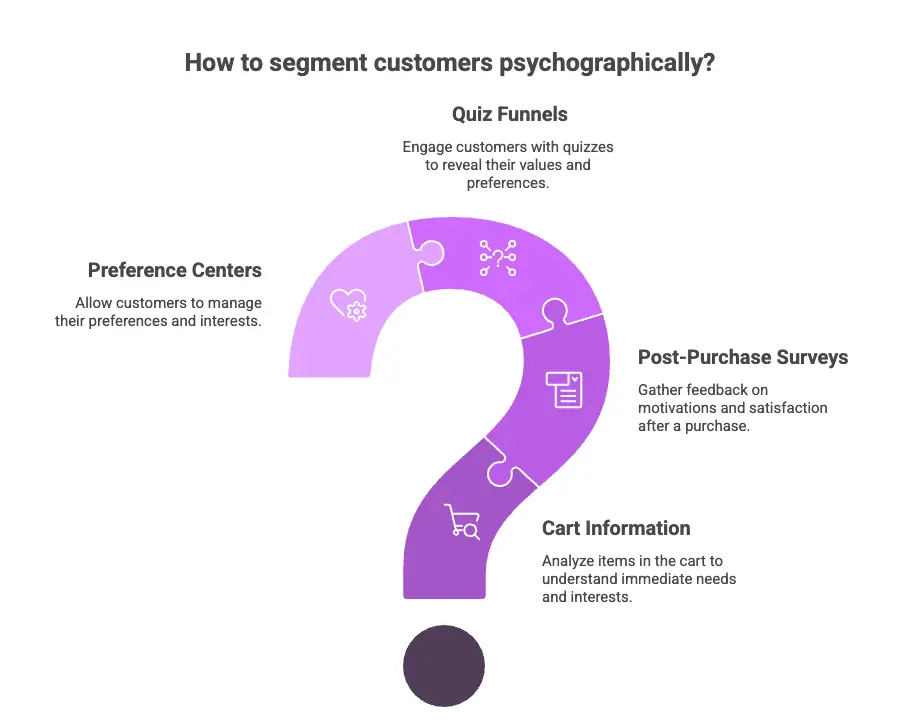
Psychographic signals come from cart information, post-purchase surveys, quiz funnels, and preference centers. They require intentional data collection and in-depth analysis.
Lifecycle Segmentation
Lifecycle segmentation groups customers by where they are in their journey: new subscriber, first-time buyer, repeat customer, VIP, and lapsed.
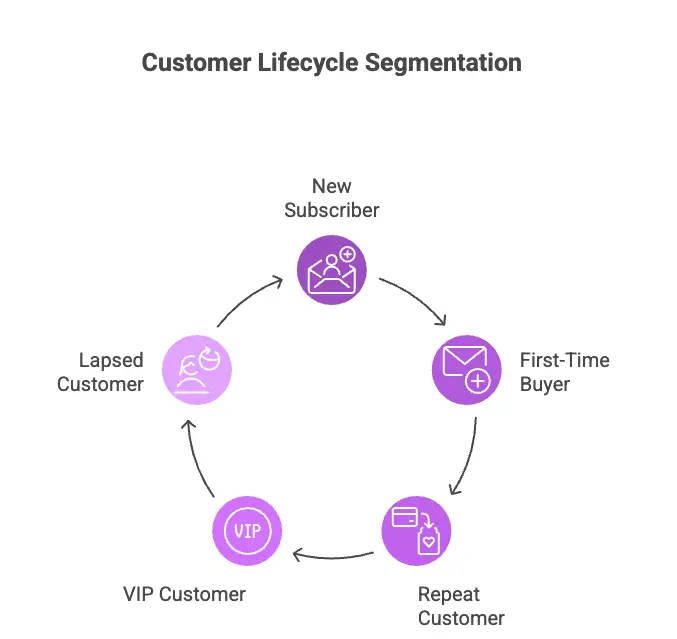
Each stage has a distinct communication goal. For example:
- New subscribers need a welcome that earns their first purchase
- First-time buyer needs a reason to return
- Repeat customer is a loyalty opportunity
- Lapsed customer needs re-engagement before they’re gone
Mapping the right email to where the customer actually is, not where you wish they were, makes lifecycle segmentation immediately impactful.
Technographic Segmentation
Technographic segmentation divides your audience by technology usage, online behavior, and platform preferences, going beyond traditional segmentation to understand how customers interact with your store.
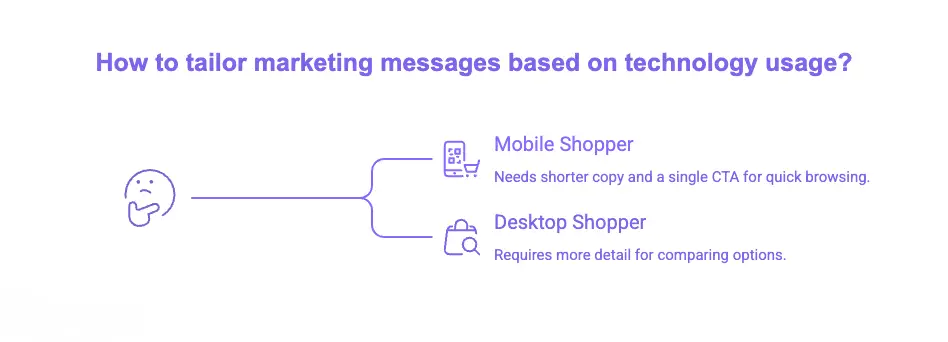
In eCommerce, that means knowing whether customers are mobile or desktop shoppers, which platforms they use, and how those habits shape buying behavior. A phone browser at 11 PM needs shorter copy and a single CTA. A desktop shopper comparing options at lunch needs more detail.
Engagement Based Segmentation
Engagement-based segmentation separates active clickers from consistent non-openers. Keeping permanently inactive contacts inflates your list while dragging down deliverability. Pay particular attention to customers who open everything but never buy.
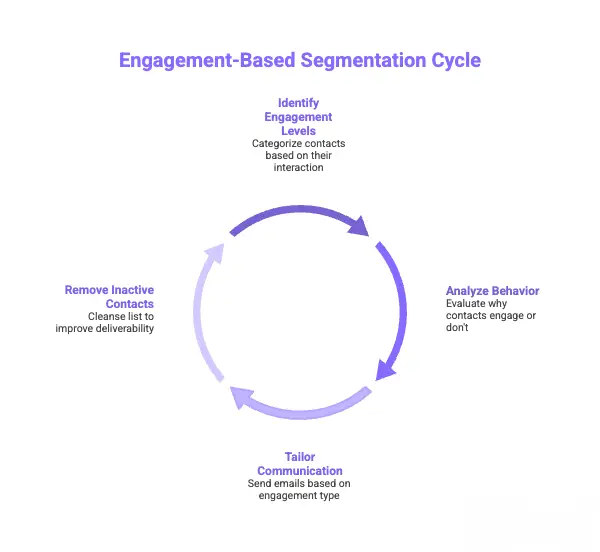
Analyze whether that behavior is friction or not. Send these contact emails based on their engagement type. If necessary, remove them. You can automate your email list cleaning with FluentCRM.
Discount Sensitivity Segmentation
Discount sensitivity is the margin-protection layer most stores skip entirely.
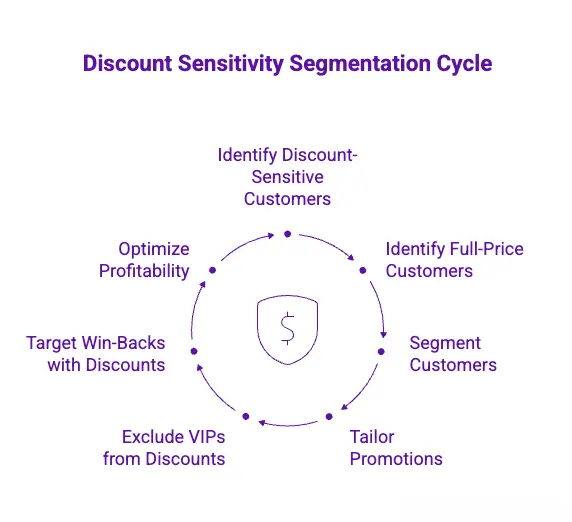
Track which customers only buy during promotions versus those who buy at full price, regardless. Your VIP customers should never receive the same 20%-off promotion you send your win-back list; that’s margin erosion dressed up as personalization.
Pro-Tip: Suppressing VIP customers from discount-heavy sends is as strategically valuable as targeting win-back subscribers with one. Most stores use segmentation only to include. The best stores use it to exclude as well.
How to Segment Your eCommerce Customers
Knowing the types is half the work. The other half is applying them in the right order — so you build something that runs, not a system that looks good on paper and gets ignored in practice.
Start With a Goal, Not a Segment
Before touching your data, define what you’re trying to achieve: recover more abandoned carts, increase repeat purchase rate, or improve CLV?
That goal determines which segments you build first and what success looks like.
Then audit what you already have. In WooCommerce, your native data includes order history, purchase dates, cart activity, browsed categories, and purchase frequency. What you can segment depends entirely on what you’re tracking.
Pro-Tip: Don’t try to collect everything at once. Use progressive profiling, one data point at a time, through sign-up forms, post-purchase surveys, and loyalty programs. Customers share information far more willingly when it’s incremental.
Build a Proper Data Infrastructure
The segments above only work if your CRM reads customer behavior instantly, not hours later through a third-party sync. A cart abandoned at 3 PM needs to trigger a recovery email within the hour. A customer who just purchased needs to exit the at-risk segment immediately.
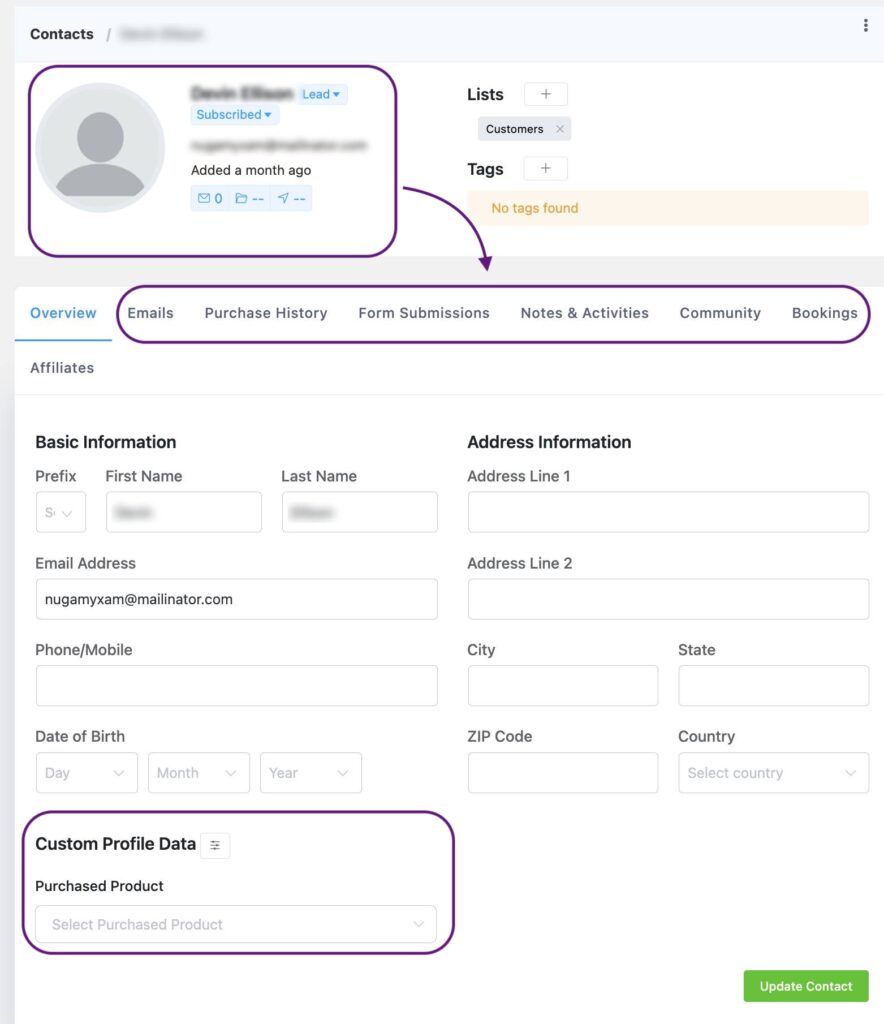
When your store data and your CRM live in separate systems stitched together by APIs, that timing breaks, and so does your segmentation.
The stronger setup is a CRM that connects directly to your store database, so behavioral triggers fire in real time and segment membership updates automatically without manual intervention. For WordPress and WooCommerce stores, FluentCRM is built on exactly this architecture.
The difference is, your automations run on what customers did today, not what your CRM learned about them yesterday. That gap, small as it sounds, is where most eCommerce email revenue is lost.
The Segments That Increase Revenue First
Build these segments before anything else. They produce the highest impact from the data you already have.
| Segment | Email Sequence and Email Suggestion | What to Send |
|---|---|---|
| Abandoned cart (high value) | Cart value of your set high price range | Free shipping offer, personalized reminder, direct incentive |
| Abandoned cart (low value) | Cart value under your set low range | Simple, well-timed reminder, no incentive needed |
| First-time buyers | Just completed their first purchase | A sequence of order confirmation, delivery update, review request, next product suggestion |
| VIP and Champions | Top buyers by RFM score | Early access, loyalty recognition, personalized recommendations — never generic promos |
| At-risk (Day 45) | No purchase or engagement in 30–45 days | A sequence of order confirmation, delivery update, review request, and next product suggestion |
| Dormant (90+ days) | No response to day-45 check-in | Direct win-back with one clear reason to return, remove after 2–3 sends with no response |
| Category interest | Consistently browses or buys from one category | Category-specific campaigns, restock alerts, and new arrivals in that category only |
Pro-Tip: Check out these ecommerce email automation examples that can boost your business revenue by 33%. You will get inspiration on how to automate your ecommerce email based on your users’ actions.
Connect Every Segment to an Action
A segment without a connected workflow is just a filtered list. At-risk feeds win-back. VIP feeds loyalty. First-time buyers feed post-purchase. No segment should exist without a corresponding automation attached to it.
Keep segments dynamic, not static. Customer behavior changes daily. Dynamic segments update automatically, so your targeting stays accurate without manual maintenance.
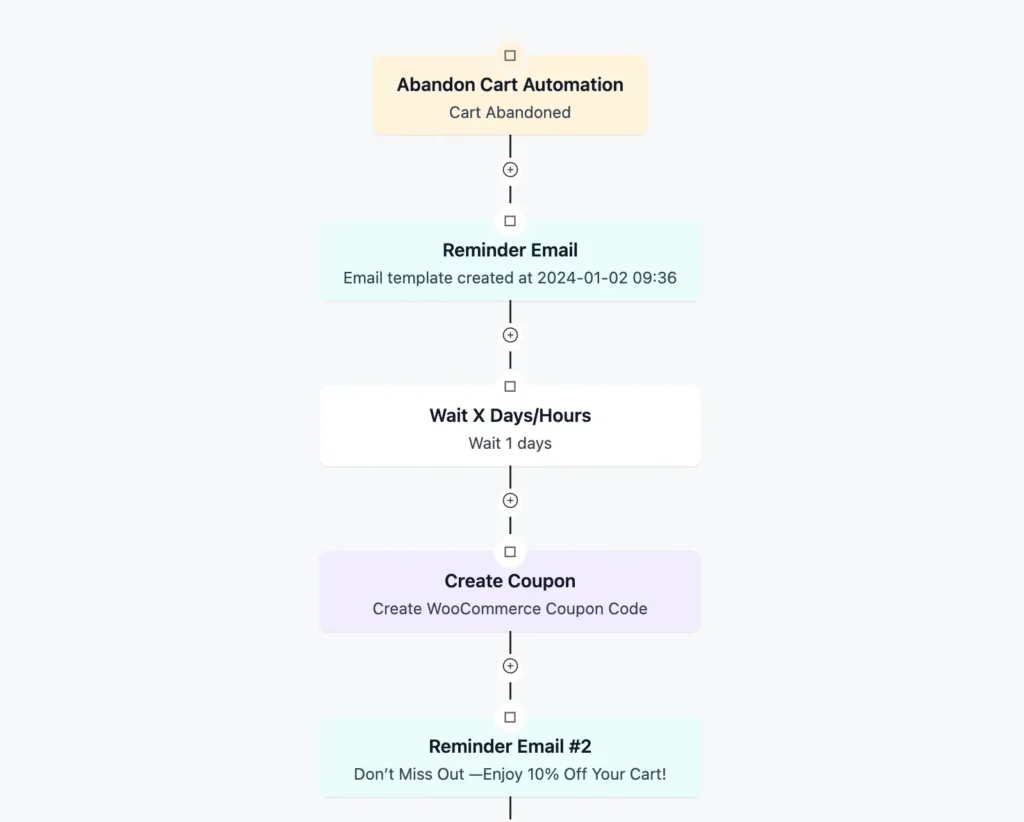
And use suppression as deliberately as targeting. Keep VIP customers out of discount-heavy sends. Exclude recent purchasers from acquisition campaigns. Suppression is half the strategy, and most stores skip it entirely.
Your Segments Should Be Dynamic as Your Customers
Most stores build a segment once, run a campaign, and leave it alone. The list sits there, accurate for about a week, then quietly becomes wrong as customer behavior keeps changing. That’s static segmentation, and it’s the most common reason automations fire at the wrong people.
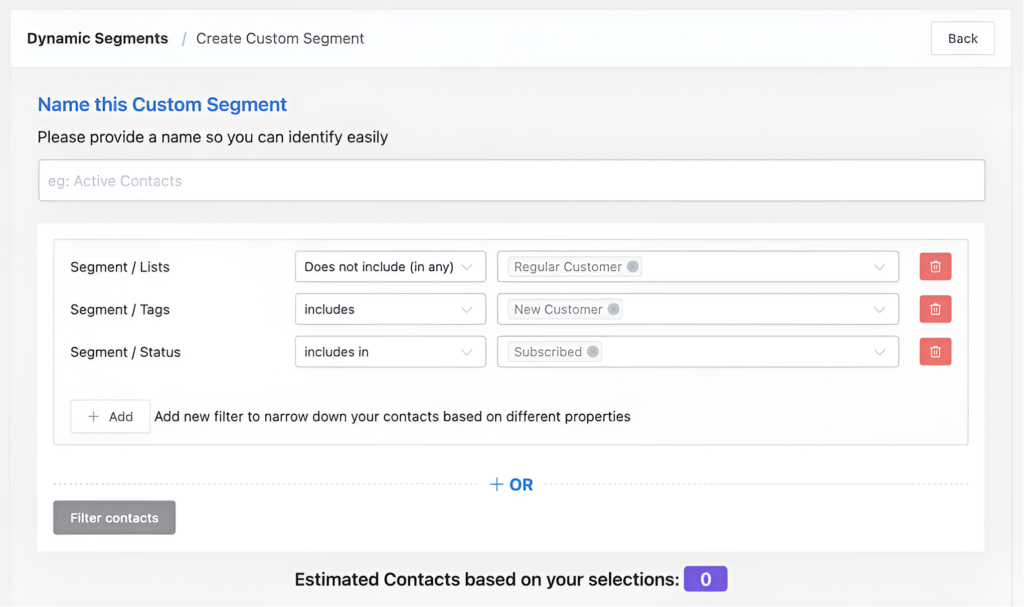
Dynamic segmentation works differently. A customer belongs to a segment as long as they meet the criteria and exits the moment they don’t. The segment isn’t a list you manage. It’s a condition that manages itself.
In practice, that distinction matters more than most stores realize:
- A customer who purchases moves out of the at-risk segment immediately, so your win-back sequence will never reach someone who just bought
- A new subscriber enters the welcome flow the moment they sign up, not when you next update the list
- A dormant customer who opens an email pauses out of the re-engagement sequence automatically
- VIP status shifts as spending behavior shifts, not what they did when you first built the segment
Dynamic segmentation makes sure your automation flow is correct and targeting the correct audience from your contact list.
Measure What You Need to Track for Your Business
Open rates and click rates are incomplete signals, as security filters pre-scan emails and inflate click data by as much as 20 to 60%. These numbers can look healthy while revenue stays flat.
Track metrics tied to outcomes instead:
- Revenue per email: Which segments generate results, and which just receive messages
- Conversion rate by segment: Who is actually purchasing, and who opens but never buys
- Repeat purchase rate: Check for the clearest signal that lifecycle segmentation is working
- Segment migration rate: Are customers moving in the right direction, or drifting toward churn
Pro-Tip: Track revenue per email per segment from day one. Even rough numbers reveal which automations are working and which need attention. For the full breakdown of email marketing KPI’s you must measure, check out this blog.
Common eCommerce Segmentation Mistakes You Must Avoid
Even stores with solid strategies fall into these traps. These are the steps you must avoid:
- Over-segmentation: Too many narrow groups become impossible to maintain and produce send volumes too low to generate useful data. Start with five to seven segments and add specificity only once the core is running.
- Static segments: A segment built once is wrong within weeks. Customer behavior changes daily, and every segment should update automatically from live data, not reflect a snapshot from last month.
- Segmenting without suppression: Who you exclude from a campaign matters as much as who you include. Sending VIP customers discount-heavy promotions isn’t a neutral omission.
- Segments without automations: A win-back segment that isn’t feeding a win-back workflow is just a filtered list. Every segment needs a corresponding action, or the segmentation produces organization without revenue.
- Leading with discounts: Offering an incentive too early trains customers to wait for promotions. Start re-engagement sequences without a discount and introduce one only if earlier sends produce no response.
- Ignoring segment migration: Open rates tell you who clicked. Tracking whether at-risk customers move back to active tells you whether your strategy is actually working. One is activity. The other is progress.
- Building segments before your data is clean: Segmentation accuracy depends entirely on the behavioral signals feeding it. Unreliable data produces confident-looking results from the wrong inputs.
Pro-Tip: eCommerce is a very sensitive topic, where a simple mistake can cost your revenue. To avoid those mistakes and to multiply your revenue, check out this complete ecommerce email marketing guide.
What’s Next for Your Business
eCommerce customer segmentation is not a one-time setup. It grows with your store, your data, and your understanding of your customers.
Start with RFM and lifecycle. Build dynamic segments for your highest-priority stages. Connect them to your core automation flows. Track metrics that connect to revenue, not just activity.
Then refine. Layer in behavioral signals. Add psychographic data from surveys and quizzes. Implement discount sensitivity tracking. Build suppression rules that protect your best customers from irrelevant offers. Let the system learn your customers as thoroughly as you do.
Start segmenting your eCommerce customers today. Your best customers are already on your list. It’s time to treat them like it.
Frequently Asked Questions
Here are some frequently asked questions about ecommerce customer segmentation you might be wondering about:
Samira Farzana
Once set out on literary voyages, I now explore the complexities of content creation. What remains constant? A fascination with unraveling the “why” and “how,” and a knack for finding joy in quiet exploration, with a book as my guide- But when it’s not a book, it’s films and anime.
Table of Content
Related Articles and Topics
-
How to Send WooCommerce Abandoned Cart Email [+ Examples & Templates]
Every WooCommerce store has the same hidden problem: customers who were ready to buy…but didn’t…
-
eCommerce Email Marketing: The Complete Guide to Driving Revenue in 2026
Email marketing for ecommerce is about responding to what shoppers actually do. Let it be…



Leave a Reply