How to Send WooCommerce Abandoned Cart Email [+ Examples & Templates]

Summarize with


Last Updated:
Every WooCommerce store has the same hidden problem: customers who were ready to buy…but didn’t finish the checkout.
Cart abandonment isn’t rare; it’s a common behavior in modern ecommerce.
Shoppers get distracted, compare prices, rethink shipping costs, or simply run out of time. And when they leave, you miss out on potential revenue.
But here’s what most stores miss:
- Abandoned carts aren’t lost customers; they’re interrupted buyers
- When you send an abandoned cart email, you’re not convincing someone new
- You’re reconnecting with someone who has already made a decision
That’s the reason why abandoned cart emails work so well.
A well-timed cart recovery email does three things:
- Reminds the customer of what they wanted
- Removes the hesitation that stopped them
- Makes it easy to return and complete the purchase
Done right, this becomes one of the highest ROI automations in your entire ecommerce lifecycle.
What is a WooCommerce Abandoned Cart Email?
A WooCommerce abandoned cart email is an automated email sent when a customer adds a product to their cart but leaves without completing the purchase.
Unlike general marketing emails, the WooCommerce abandoned cart email is a behavior-driven email. It’s triggered after a defined period of inactivity and is designed to bring the customer back to finish checkout.
The email typically includes:
- The product(s) left in the cart
- A direct link to return to checkout
- Supporting information to help complete the purchase
At its core, an abandoned cart email is not about starting a conversation; it’s about continuing one that already began.
Why Abandoned Cart Emails Work So Well?
Abandoned cart emails work because they target customers at the highest-intent stage before purchase. Unlike most marketing emails, you’re not trying to create demand or re-engage interest here. You’re responding to their existing intent.
| Stage | Behavior | Intent Level | Email Goal |
| Browse abandonment | Viewed product(s) only | Low–medium intent | Re-engage interest |
| Cart abandonment | Added product(s) to cart | High intent | Recover purchase |
Cart abandoners have already:
- Explored your product
- Understood its value
- Added it to their cart
At this point, the decision to buy is mostly made.
What stops them is usually minor interruptions such as unexpected shipping costs, payment hesitation, distractions, comparison with alternatives, etc.
This isn’t a lack of interest. It’s a pause.
And that’s exactly why abandoned cart emails work. You can easily send a well-timed reminder that brings the customer back, answers their hesitation, and helps them complete the purchase.
The Core Elements of a High-Converting WooCommerce Abandoned Cart Recovery Email
A high-converting abandoned cart email does one thing well: help the customer complete a decision they already made.
It doesn’t try to do too much; it follows the intent:
Remind> reduce hesitation> make completion easy
That’s what makes it work.
There’s no need to add unnecessary elements just to make the email look “complete.” The goal is simple:
- Remind the customer what they left behind: When customers see the product again, its image, name, or price, the buying context comes back immediately. This is where email personalization plays a key role in making the message feel relevant and timely. They don’t have to remember or re-evaluate.
- Make it easy to return and complete the purchase: A clear return-to-cart link removes effort. The fewer steps between the email and checkout, the higher the chance of conversion.
- Reassure they’re making the right decision: Once the intent is clear and the path is easy, most drop-offs come from hesitation. Small trust signals help reduce that doubt: customer reviews or ratings, return or refund clarity, secure checkout reassurance.
- Handle any final objections: Sometimes, the purchase is delayed by unanswered questions. Shipping costs, delivery timelines, or return conditions can create just enough friction to stop the checkout. Addressing these directly helps bring the decision back into focus.
How Abandoned Cart Emails Fit Into Your eCommerce Lifecycle?
Abandoned cart emails are not standalone. They are part of a larger ecommerce lifecycle, one that moves a customer from interest to purchase.
A typical journey looks like this:
Browsing> Product interest> Cart created> Purchase completed> Post-purchase experience
But in reality, many journeys don’t reach completion. They break here:
Browsing> Product interest> Cart created> Cart abandonment
At the browsing stage, the customer is still exploring. They may be comparing options or just discovering your product. At the cart stage, the customer has already taken a meaningful step toward buying.
The intent is clear, but the process was interrupted.
That’s where abandoned cart emails come in. They sit right between intent and revenue.
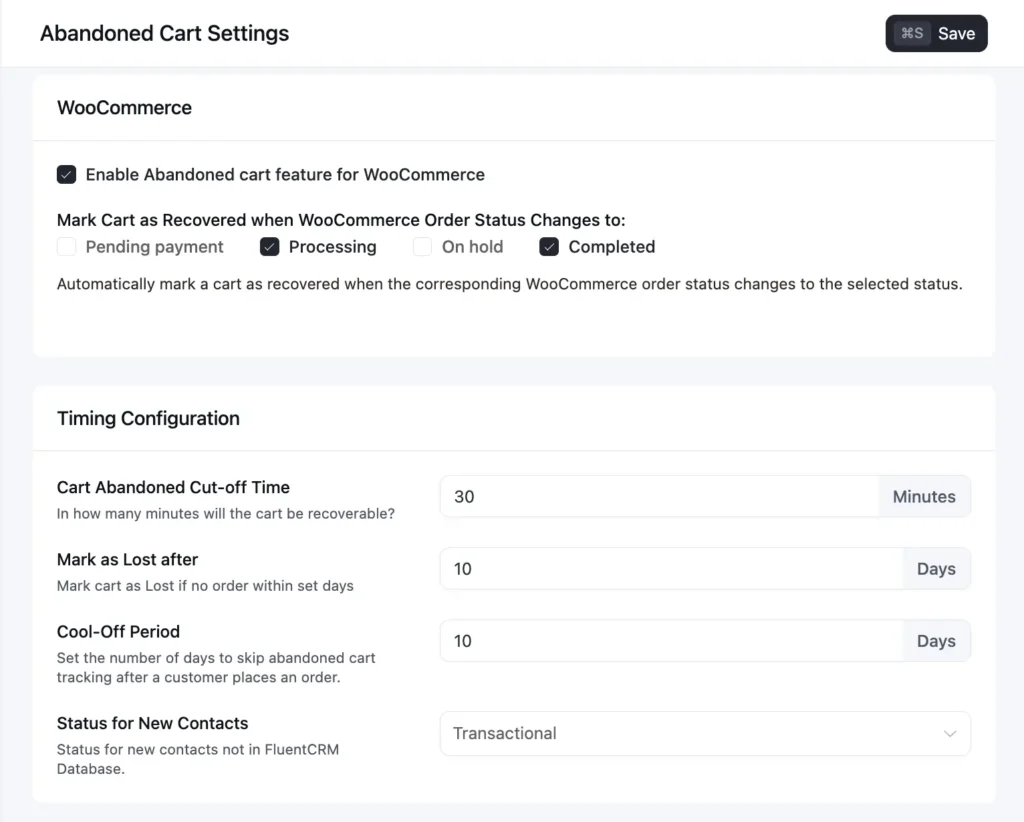
For this to work, this stage needs to be visible. You need access to reliable customer data, know when a cart is created, when a customer leaves, and whether they return to complete the purchase.
This is where FluentCRM comes in, giving you visibility into cart activity so you can track when a purchase starts, when it’s abandoned, and when the customer comes back.
Abandoned cart emails don’t introduce the product or educate the customer. They simply continue a journey that already started. That’s what makes abandoned cart emails so much more effective compared to other lifecycle emails.
When you look at it as a system, it becomes clear:
- Browse abandonment emails try to bring attention back.
- Post-purchase emails focus on retention and repeat sales.
- Cart recovery emails focus on finishing the purchase that almost happened.
That’s why this stage is so valuable. It’s the closest point to revenue without an actual purchase.
WooCommerce Abandoned Cart Email Examples & Templates
Once you understand where abandoned cart emails sit in the lifecycle, the next step is to see how they actually look in practice, and what types of messages work best depending on the situation.
However, there’s no single “perfect” abandoned cart email. What works depends on what stopped the customer from completing the purchase.
Instead of looking at generic templates, let’s look at some real emails that drove results:
Google Store’s Simple Reminder with Urgency Push
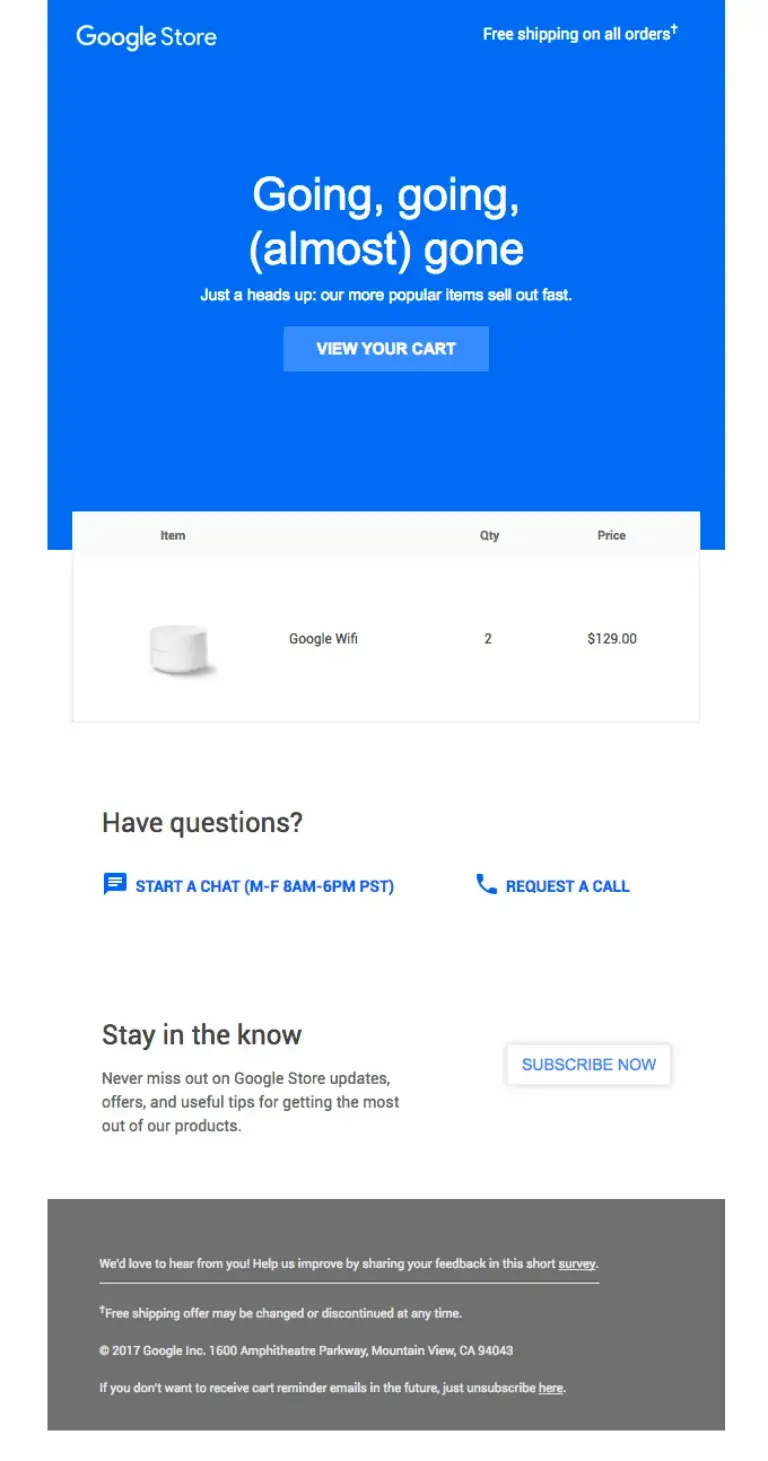
Google Store uses a clean design with a strong headline and subtle urgency. It reminds customers their items are still in the cart while reinforcing:
- quick return to checkout
- free shipping
- “popular items sell out fast” messaging
This works because it combines reminder, convenience, and urgency inside a simple, yet effective email.
Rudy’s Barbershop’s Gentle Reminder with Humor
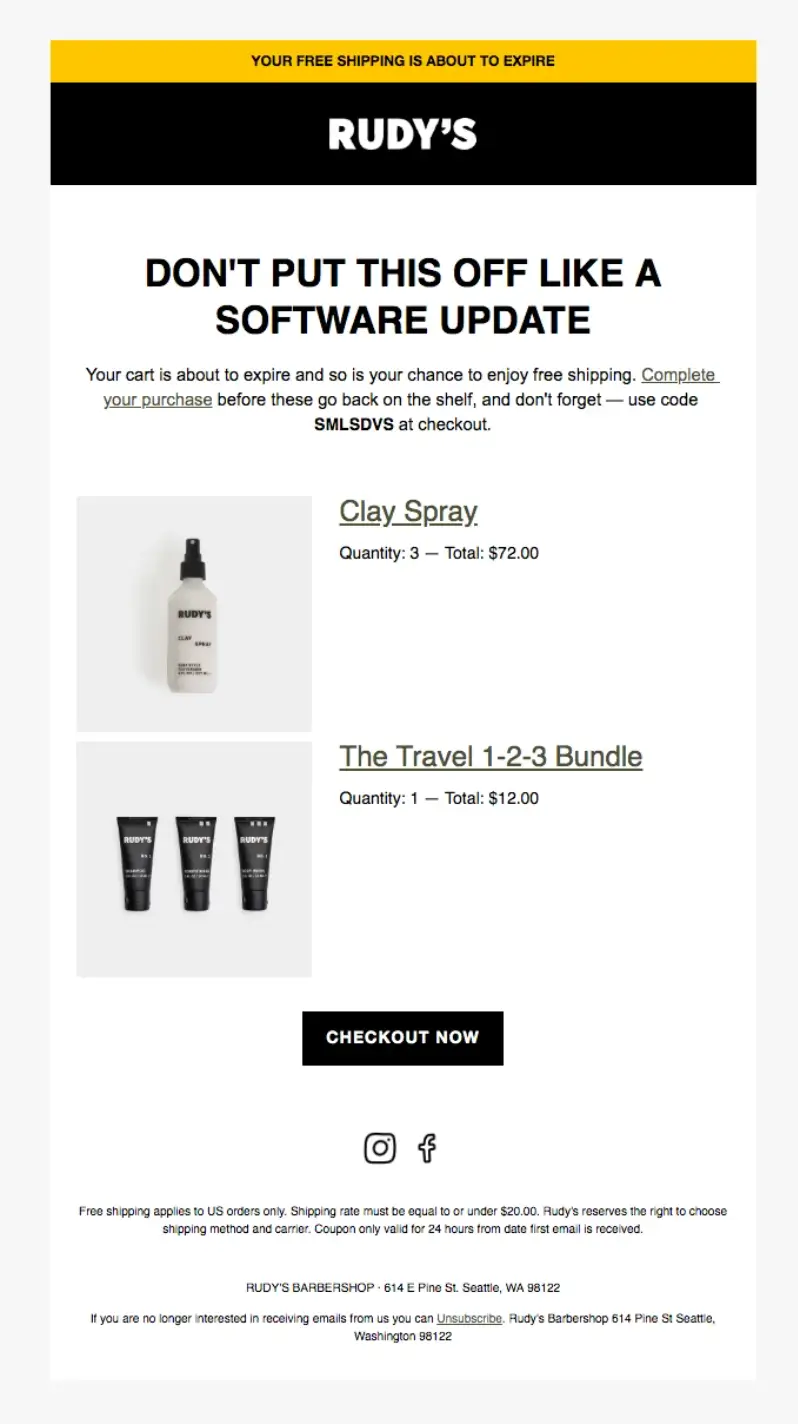
Brands like Rudy’s Barbershop take a different approach.
Instead of pushing the sale directly, they use humor to re-engage the customer. This makes the email feel less like marketing and more like a friendly nudge.
When does it work?
When the drop-off was caused by distraction rather than hesitation.
ColdCulture’s Incentive-Based Recovery
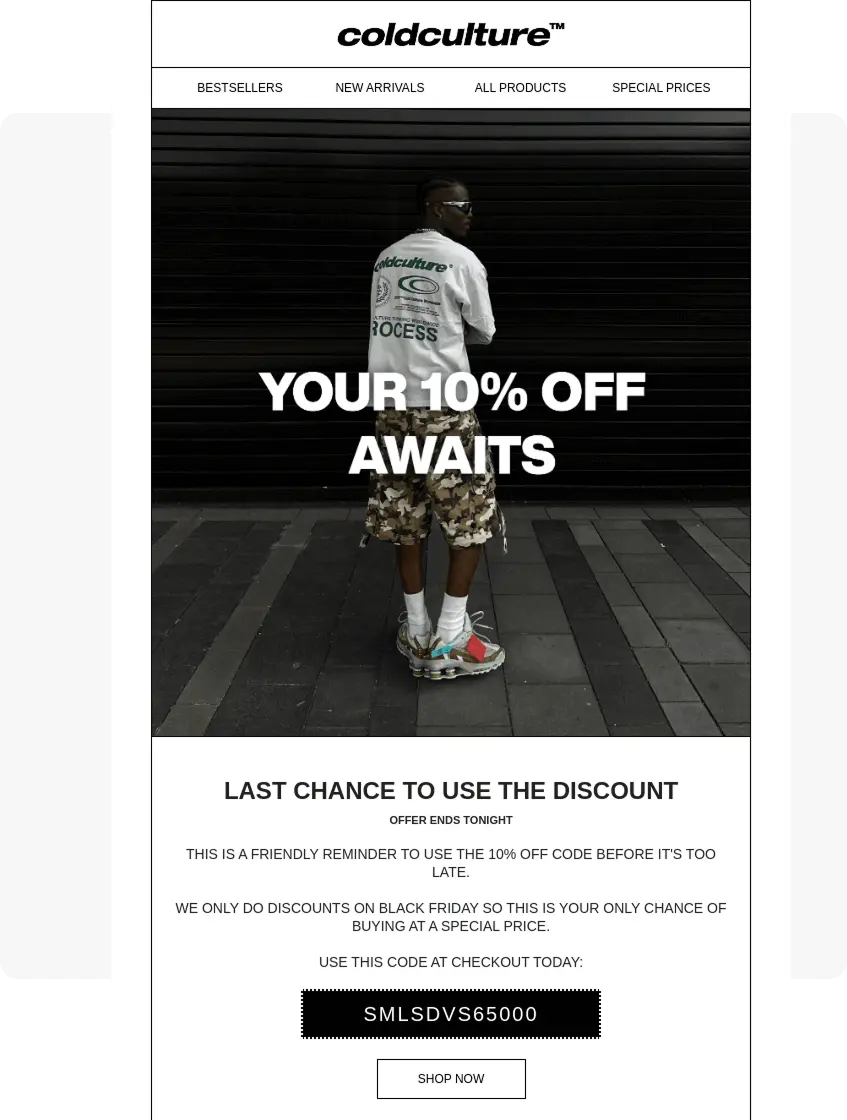
In some cases, brands introduce a discount or offer to bring the customer back.
This is usually not the first email. It appears later when the customer hasn’t returned, giving them a clear reason to complete the purchase.
Dollar Shave Club’s Urgency Push
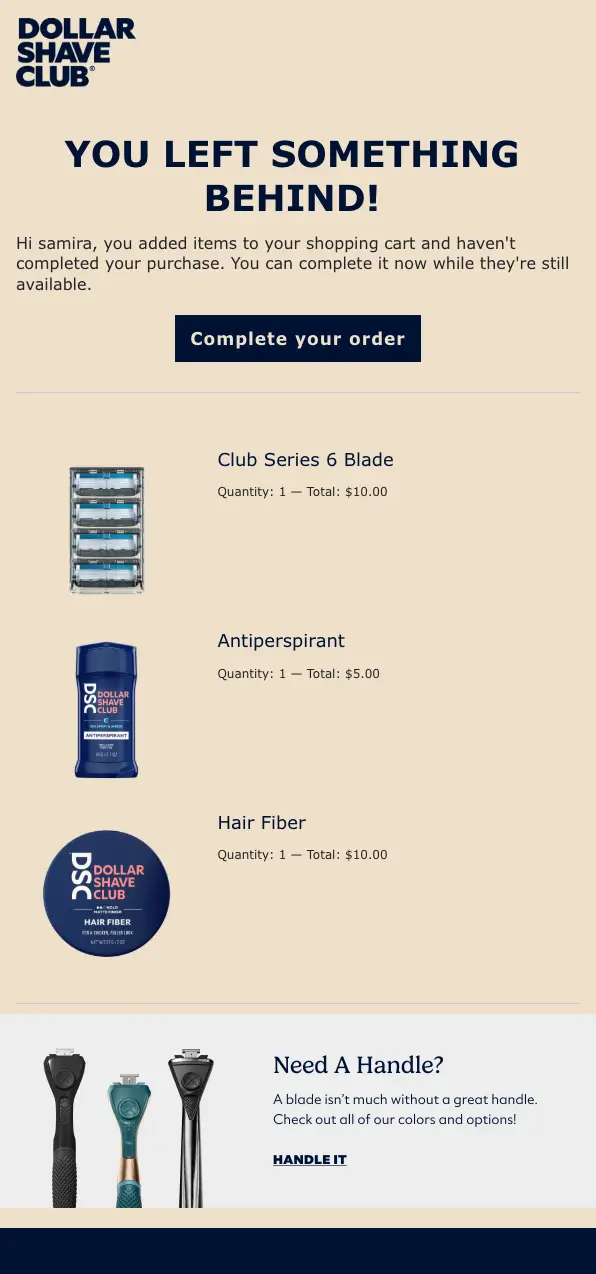
In later-stage cart abandonment emails, urgency can become more direct. Messaging can focus on:
- Limited availability
- Time sensitivity
- “Don’t miss out” framing
This helps bring the decision back into focus.
What These Examples Show?
Across these examples, one thing becomes clear: Abandoned cart emails work when they respond to what the customer needs next.
Some emails bring attention back, some reduce hesitation, some push the decision forward. That’s why no single email tries to do everything.
In practice, this means keeping the focus on completion, not restarting the sale.
- Show exactly what the customer left behind.
- Make it easy to return and finish checkout.
- Address the most likely hesitation clearly.
- Introduce incentives only when they’re actually needed.
At the same time, a few mistakes can reduce effectiveness quickly.
- Sending discounts too early can train customers to abandon carts.
- Long promotional emails add friction instead of removing it.
- Ignoring why the customer dropped off leads to the wrong message.
- Using the same email every time breaks the flow of the sequence.
A good abandoned cart email doesn’t try to be perfect. It just moves the customer one step closer to completing the purchase. If you want to explore more real-world abandoned cart email examples, you can check out our detailed breakdown.
How WooCommerce Abandoned Cart Emails Actually Work? (Flow + Automation)
To understand how abandoned cart emails actually work, you need to think sequences, not one-off messages.
Customers leave for all kinds of reasons. Some get distracted. Some hesitate. Some need a final push.
That’s why cart recovery works as a flow.
In most cases, that flow looks simple.
- The first email brings attention back.
- The second reduces hesitation.
- The final email introduces urgency or incentive.
The timing matters too. If you send the first email too late, and the intent fades. If you send too many emails too quickly, it feels pushy, which is why getting your email frequency right is important.
But timing alone doesn’t make this work. What actually makes this effective is automation.
This sequence isn’t sent manually. It’s triggered by behavior.
When a customer adds a product to their cart but doesn’t complete checkout, the system detects it and starts the recovery flow automatically.
For that to work, a few things need to happen together.
- The system needs to recognize when a cart is created.
- It needs to detect when the purchase doesn’t happen.
- It needs to trigger follow-ups based on that behavior.
- And it needs to stop the sequence the moment the purchase is completed.
When you put that together, the workflow becomes clear.
- Trigger: Customer adds a product to their cart
- Condition: No purchase is completed within a defined time
- Action: Send a reminder email with cart details
- Follow-up: If the customer doesn’t return, send a reassurance email. If they’re still inactive, send a final email with urgency or incentive
- Exit: If the purchase is completed at any point, stop the sequence immediately
This is where tools like FluentCRM come in.
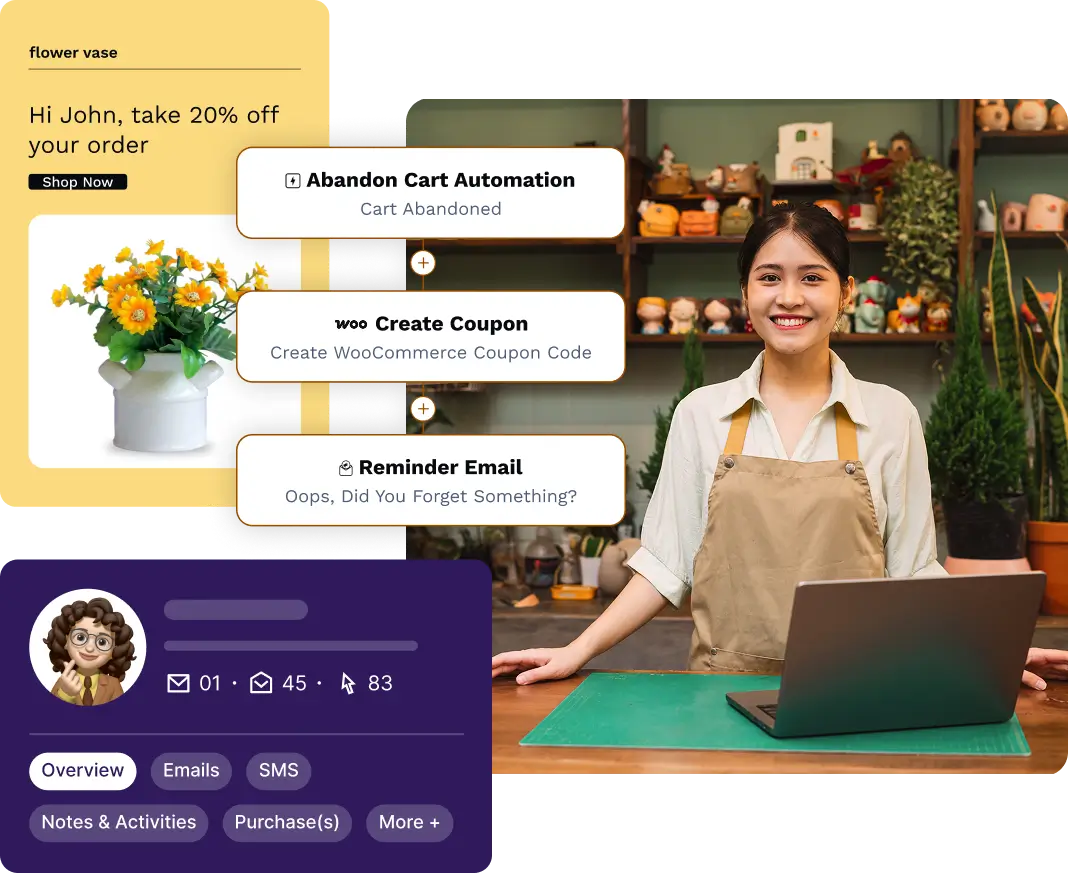
Instead of manually tracking carts or sending emails, you define this abandoned cart recovery workflow once and let the system handle the rest: triggering emails, managing delays, and adapting based on customer behavior. And once enabled, every cart follows the same recovery flow without manual effort!
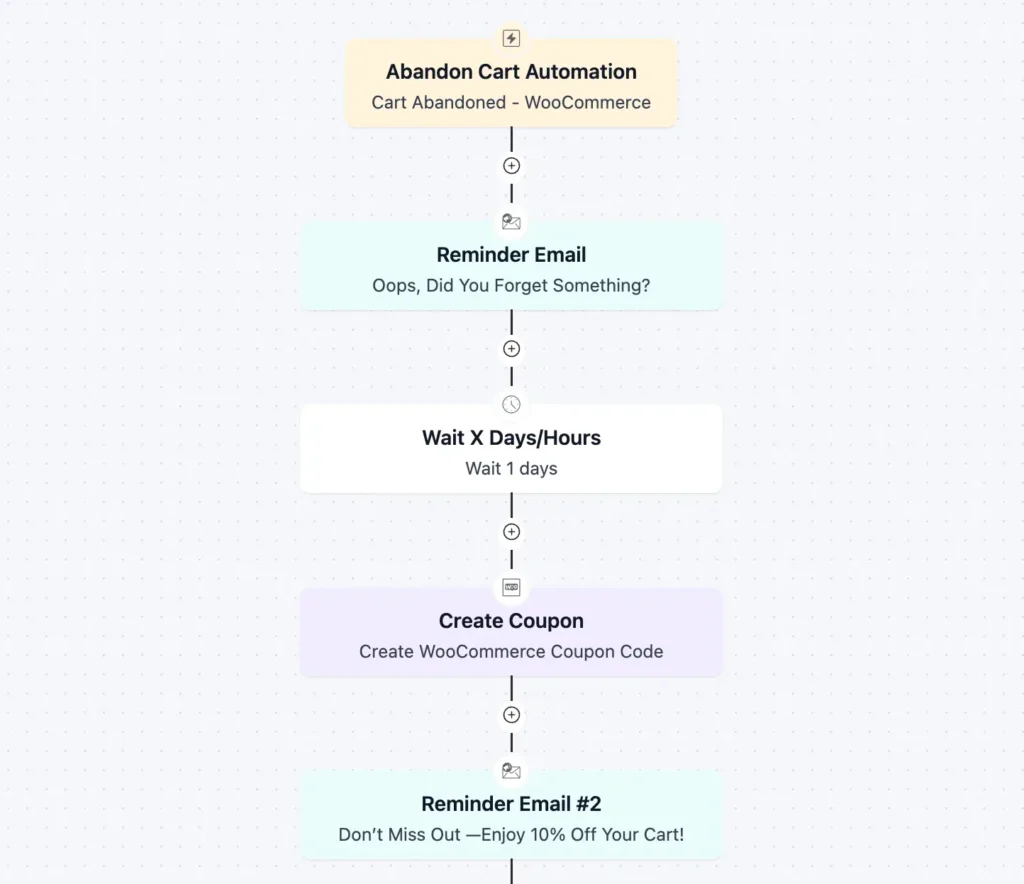
If you want to implement this workflow without building everything from scratch, you can use FluentCRM’s built-in WooCommerce abandoned cart automation.
Remember, a good WooCommerce cart recovery sequence doesn’t pressure the customer. It follows their intent, step by step, until the decision is complete.
Start Recovering Revenue You’ve Already Earned
Abandoned cart emails don’t create demand, they capitalize on the demand that already exists.
By the time a customer reaches the cart, the decision is already made. What’s missing isn’t interest. It’s completion.
When you combine the right message, timing, and a simple automated workflow, cart recovery becomes part of your system, not a manual task.
Start simple, set up the flow, and refine it based on how your customers behave. Because in most cases, the sale wasn’t lost. It was just interrupted.
If you already have traffic and carts coming in, setting up a simple recovery sequence can start bringing back lost revenue almost immediately. You don’t need a complex system, just the right trigger, timing, and message.

Nazir Himel
Product Marketing Lead
Hey! I’m an inbound marketing specialist focused on email marketing automation. I love turning complex features into clear, user-centric messaging and when I’m not shaping product stories, I’m experimenting with content frameworks, conversion journeys, and helping others communicate value without sounding salesy!
Table of Content
Related Articles and Topics
-
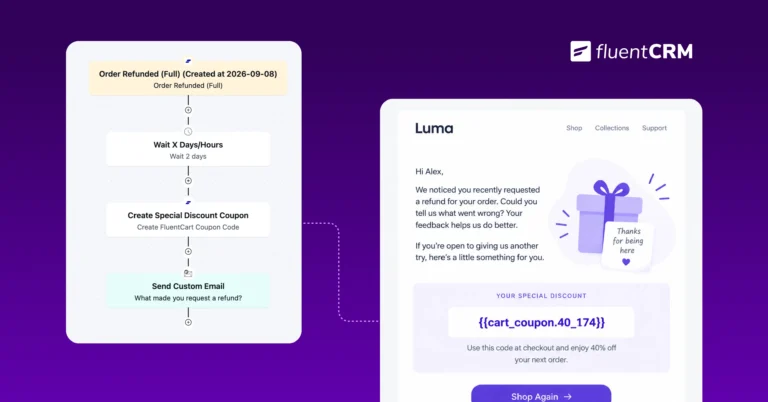
Automated Discounts: How to Increase Conversions Without Constant Promotions
Picture a Monday morning checking your store’s sales report. Numbers look decent after last week’s…
-
E-commerce Email Marketing: The Complete Guide to Driving Revenue in 2026
Email marketing for e-commerce is about responding to what shoppers actually do. Let it be…