How to Create a SaaS Free Trial Email Sequence That Converts

Summarize with


Last Updated:
Most SaaS companies treat trial onboarding like a fixed schedule rather than a behavioral journey, sending the same emails to everyone regardless of their activity.
This creates a disconnect where power users are pestered with basic tips they’ve already mastered, while inactive users are overwhelmed by advanced features they haven’t reached. When you ignore these real-time signals, you miss the window to provide genuine value.
True conversion happens only when your messaging adapts to each user’s specific progress and intent.
In this guide, we’ll break down the shift from static drips to behavior-triggered sequences. You’ll learn how to structure your emails to prioritize activation, handle objections, and ultimately turn cold trials into committed customers by focusing on outcomes over features.
Goals Your SaaS Free Trial Email Sequence Must Accomplish
Every email you send comes with an objective to accomplish. Saas free trial email sequences are not an exception. These are the goals saas free trial email sequence should achieve:
1. Drive activation within 48 hours: Users who complete a core action in the first two days are 3x more likely to convert. Your first two emails exist only to get them to that activation moment, whether that’s sending their first campaign, connecting an integration, or importing contacts.
2. Demonstrate value through use cases: Features don’t convert trials. Outcomes do. Your middle emails should show exactly how other customers solved specific problems using your product, with real metrics and concrete workflows.
3. Remove friction before the trial ends: Price objections, technical questions, and “I need to check with my team” delays kill conversions in the final 72 hours. Address these directly with comparison content, ROI calculators, and deadline-driven incentives.
SaaS Free Trial Email Sequence Framework that Converts
This framework balances activation urgency with value demonstration across a typical two-week trial. Each email serves a specific conversion goal and builds on the previous interaction to move users from signup to paid customer.
Email 1: Welcome + Activation Push (Day 0 – Immediate)
Purpose: Drive completion of one core action within the first 24 hours.
When to send: Immediately after trial signup (triggered automatically).
Why it works: Users who activate in the first 48 hours are 3x more likely to convert. This email exists only to get them to that first milestone, whether that’s sending a campaign, importing contacts, or connecting an integration.
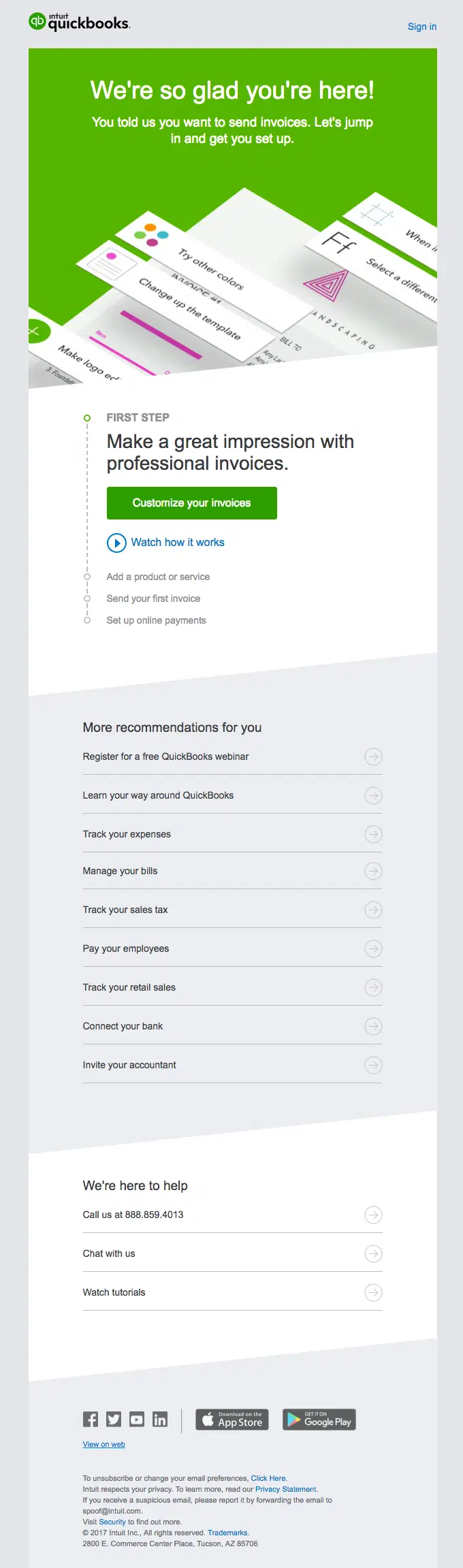
Subject line: "Your [Product] account is ready—here's what to do first."
Key elements your first email from the saas trail sequence should have:
- Single, specific action (not a feature tour)
- Expected outcome stated upfront
- Time estimate (5 minutes or less)
- Direct reply option for help
Email 2: Activation Follow-Up (Day 1)
Purpose: Recover non-activators with simplified help; reinforce activators with next steps.
When to send: 24 hours after signup, split based on activation status.
Why it works: This email acknowledges where users actually are in their journey. Non-activators get obstacle removal. Activators get momentum reinforcement.
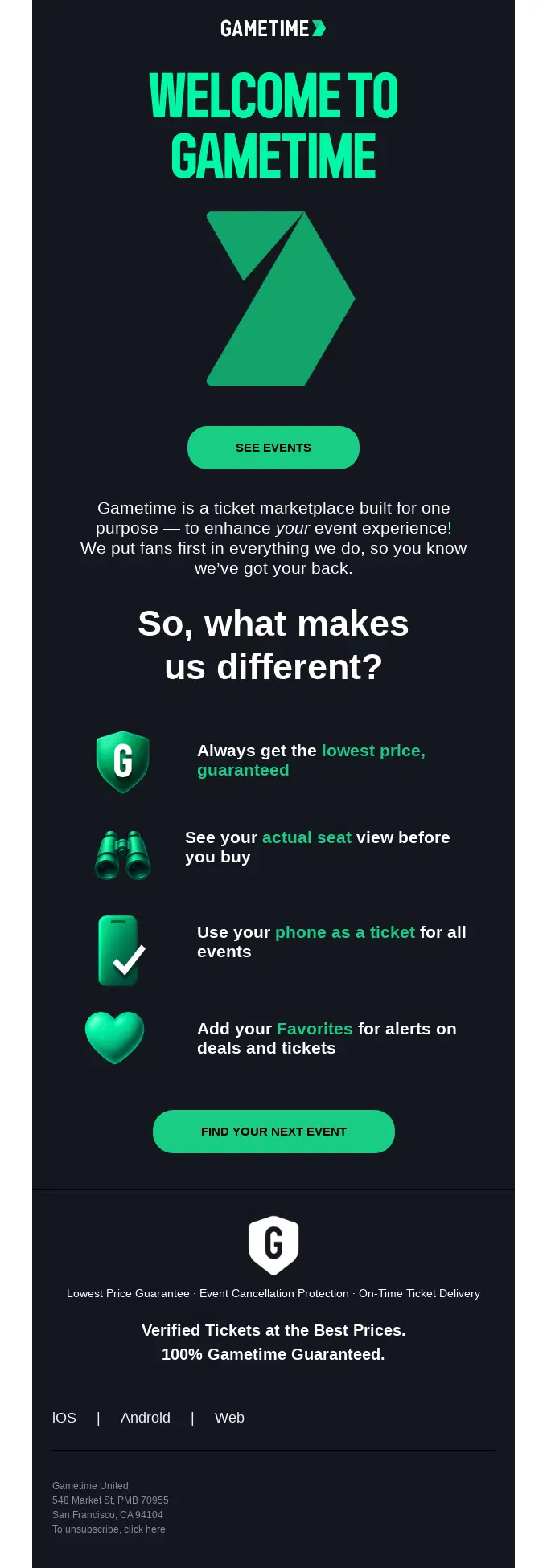
Subject line: "Quick question about your setup."
Key elements:
- For non-activators: Identify the common obstacle, provide a 2-minute workaround, offer live setup assistance
- For activators: Acknowledge their progress, suggest the logical next step, remind them of the trial end date
Email 3: Value Demonstration (Day 3-4)
Purpose: Show a concrete use case with real metrics that matches the user’s context.
When to send: Day 3-4, after activation window closes.
Why it works: Features don’t convert, outcomes do. A relevant case study with specific numbers proves the product works for companies like theirs.
Subject line: "How [Similar Company] used [Product] to [specific result]"
Key elements:
- Company profile that matches the recipient (industry, size, or stated goal)
- Problem statement, they’ll recognize
- Workflow explanation with specific steps
- Three concrete metrics showing results
- Link to replicable setup guide
Email 4: Advanced Feature Unlock (Day 6-7)
Purpose: Introduce power-user capabilities to engaged users only.
When to send: Day 6-7, only to users who have logged in 3+ times or completed multiple core actions.
Why it works: Advanced features separate good results from great ones, but only matter to users who’ve already proven engagement. Sending this to inactive users wastes the content.
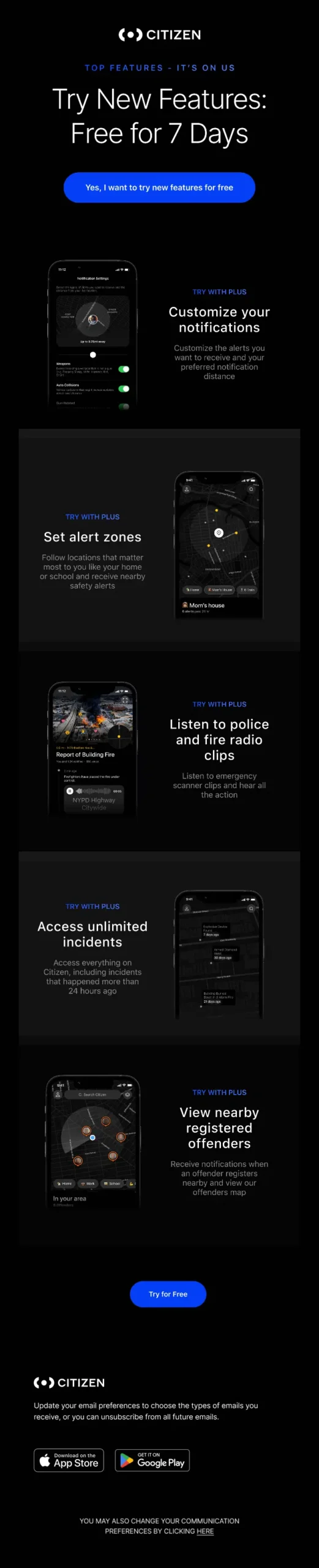
Subject line: "You're ready for [Advanced Feature]"
Key elements:
- Acknowledge their consistent usage
- Position feature as the next level (not just another option)
- Show ROI with specific metric improvement
- 3-step setup instructions with exact settings
- Video walkthrough link
Email 5: Hesitation Removing Email (Day 10-11)
Purpose: Address price justification, feature gaps, and data concerns before decision time.
When to send: Day 10-11, giving users time to process before the deadline.
Why it works: By day 10, users know if the product works. Remaining hesitation is about justification (budget approval, competitor comparison, migration risk), not capability.
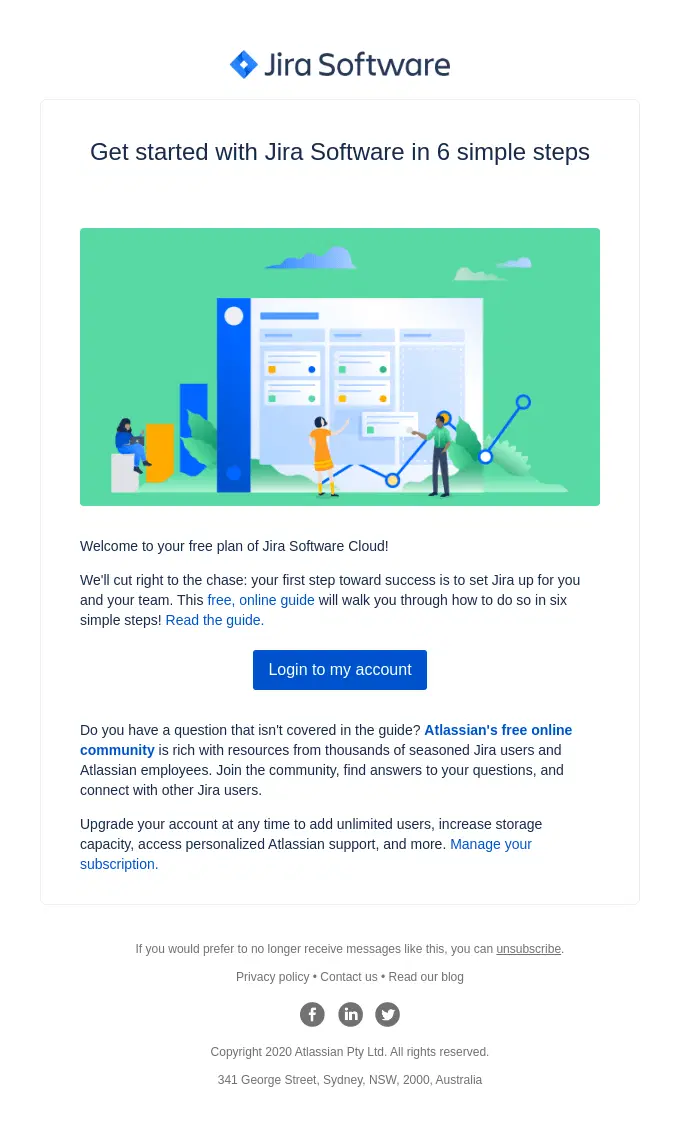
Subject line: "Common questions before upgrading."
Key elements:
- Countdown to trial end (creates urgency without pressure)
- Three most common objections answered directly:
- Competitor comparison with specific differentiators
- ROI justification with break-even timeframe
- Data export/retention policy
- Open invitation to ask unlisted questions
Email 6: Deadline and Incentive Email (Day 13)
Purpose: Convert fence-sitters with urgency and a time-limited offer.
When to send: 24 hours before trial expiration.
Why it works: This is the final touch before access ends. Clear deadline, concrete incentive, and explicit consequence create decision pressure.
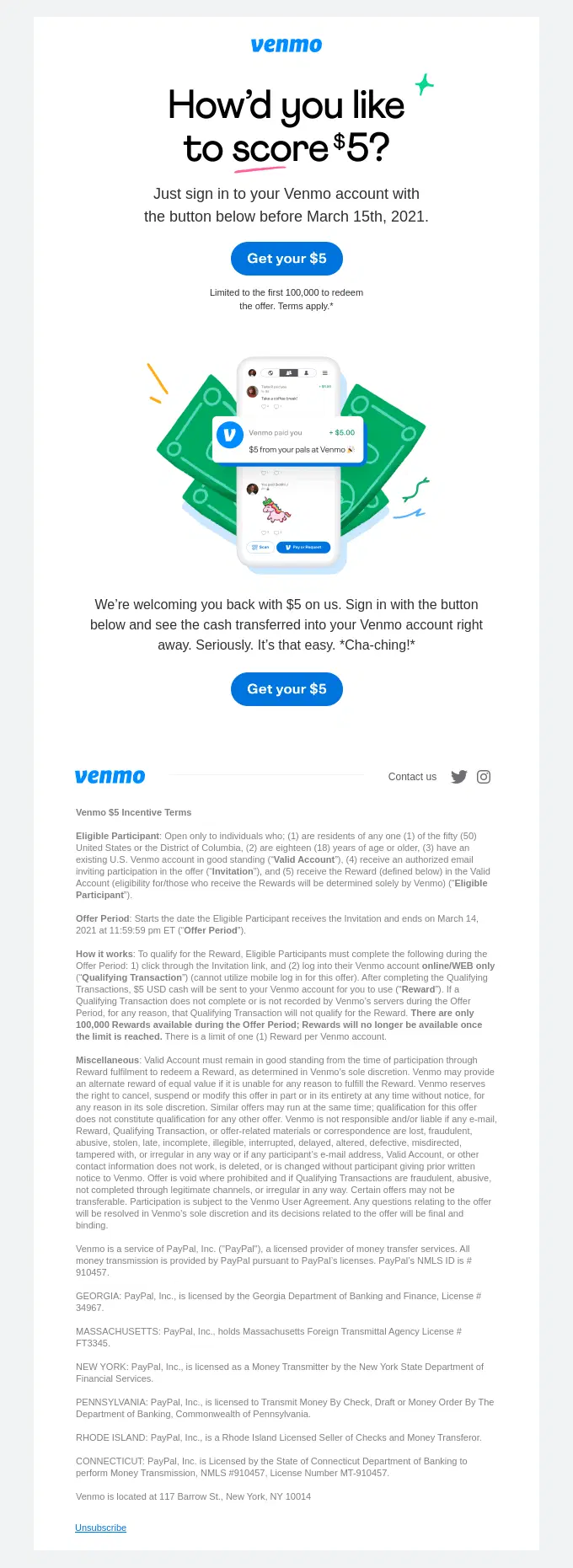
Subject line: "Your trial ends tomorrow—here's what happens next."
Key elements:
- Exact expiration time
- Limited-time upgrade incentive (discount, migration help, or extended trial)
- Clear statement of what happens after expiration (read-only access, data retention period, feature loss)
- Upgrade link
- Reply option for those not ready (keeps conversation open)
How to Personalize Your SaaS Free Trial Sequence Based on User Behavior
Static drip sequences ignore what users are actually doing. Behavior triggers convert better because they respond to real engagement signals.
Segment by activation status
- Activated in 48 hours: Send advanced tutorials, case studies, and integrations
- Not activated: Send simplified onboarding email, offer live setup calls, reduce complexity
- Activated but inactive: Re-engagement emails focusing on quick wins
Segment by feature usage
If a user explores your automation builder three times but never publishes, send a “How to launch your first automation” email. If they’ve created five campaigns but haven’t used segmentation, show them how segments increase open rates.
Segment by engagement velocity
- Daily users: Fast-track to advanced features and team collaboration tools
- Weekly users: Focus on time-saving automations and templates
- One login only: Strip everything back to a single activation email
Pro-Tip: Find more about behavioral segmentation to implement it properly for your SaaS free trial email sequence.
SaaS Free Trial Email Sequence Best Practices
These are a few best practises you should maintain while sending a SaaS free trial email sequence:
- Send from a real person, not noreply: Emails from “Sarah from [Product]” get 40% higher reply rates than company@ addresses. Use your customer success manager’s name or your own.
- Keep emails under 150 words: Trial users are evaluating multiple tools simultaneously. Long emails don’t get read. Say one thing per email.
- Use plain text formatting: Heavy HTML templates with headers and footers scream “automated marketing.” Plain text with a single link feels like a real conversation.
- A/B test subject lines obsessively: A 5% subject line improvement compounds across your entire trial funnel. Test curiosity (“Quick question about your setup”) against urgency (“Your trial ends soon”) against value (“How [Company] hit 60% conversion”).
- Track reply rates, not just open rates: If nobody replies to your trial emails, your messaging is off. Aim for 5-10% reply rates on activation and objection-handler emails.
- Set up a trial expiration safety net: Send one final email 7 days after expiration to users who engaged but didn’t convert. 15-20% of conversions happen in this window when you offer a second trial or discount.
Generic vs. Behavior-Triggered Free Trial Sequences
Before sending email campaigns, find out which one will bring maximum input and is highly applicable for your system:
| Element | Generic Drip Sequence | Behavior-Triggered Sequence |
|---|---|---|
| Dynamic content based on features used, pages visited, and engagement level | Calendar-based (Day 1, Day 3, Day 7) | Action-based (After login, After first campaign, After 3 days inactive) |
| Personalization | Name merge tag only | Dynamic content based on features used, pages visited, engagement level |
| Conversion rate | 12-18% average | 25-40% with proper segmentation |
| Email count | Same 7 emails for everyone | 4-12 emails depending on user path |
| Reply rate | 1-3% | 8-15% on key emails |
| Setup complexity | Low—build once, send forever | Medium—requires behavior tracking and conditional logic |
| Best for | Very early-stage products with <100 trials/month | Growth-stage SaaS with clear activation metrics |
Common Mistakes That Kill SaaS Free Trial Conversions
If your email sequence feels like a generic broadcast rather than a guided tour toward value, you’re likely leaving revenue on the table.
Avoid these five common pitfalls to keep your trial users engaged and moving toward a conversion:
1. Selling Features, Not Outcomes: Technical specs don’t convert; results do. Don’t just list “15 customizable widgets”. Show them how those widgets help them track exactly which campaigns drove revenue. Lead with the transformation, then back it up with the tool.
2. Over-Emailing Inactive Users: Quantity won’t fix a lack of interest. If a user hasn’t logged in after three prompts, stop the sequence. Send one final “We’re here when you’re ready” note to keep the door open without becoming spam.
3. Hiding the Price Tag: Waiting until the end of a trial to mention cost creates friction. Surface pricing by email 3 or 4. This gives users time to process the investment, clear it with stakeholders, and ask questions before the trial expires.
4. Ignoring High-Intent Signals: A user visiting your pricing page multiple times or adding a credit card without upgrading is an important lead. If you don’t send a targeted, personal outreach within an hour, you’re not using the lead nurturing process well enough to see revenue.
5. One-Size-Fits-All Messaging: Treating every signup the same ignores their specific pain points. Segment your users by company size or use case immediately at signup. Tailor the journey so the content matches the user’s unique goals and resources.
Setting Up Your SaaS Free Trial Email Sequence in FluentCRM
FluentCRM’s automation builder lets you create behavior-triggered sequences without Zapier or custom code. Here is how you can set up your SaaS free trial email sequence in FluentCRM:
Step 1: Create your email sequence:
Go to FluentCRM > Campaigns > Email Sequence and write your six core emails. Use merge tags like {{contact.first_name}} and {{contact.trial_end_date}} for personalization.
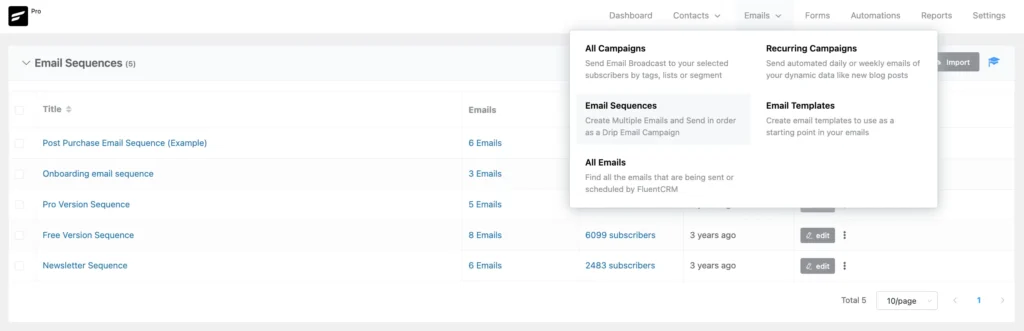
Save each as a template: “Trial Welcome,” “Trial Day 3 Value,” “Trial Objection Handler,” etc.
Step 2: Set up your automation funnel
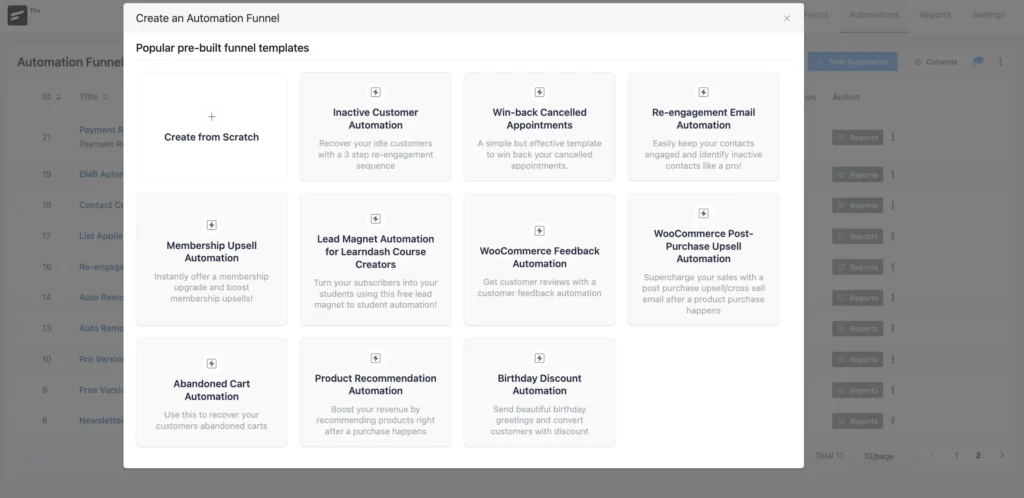
Navigate to FluentCRM > Automations > Create New Automation. You can choose from the existing automation funnel and edit it as you want. Then choose the trigger, “Tag Applied” (when someone starts a trial) or “Contact Created” (if you add trial users directly to FluentCRM).
Step 3: Add conditional logic for behavior splits

After Email 1, insert a Conditional Logic block:
- Condition: Has the contact visited [your product dashboard URL]?
- Yes path: Send Email 2 for activators
- No path: Send Email 2 for non-activators + tag as “Needs Activation Help.”
Step 4: Add wait timers between emails
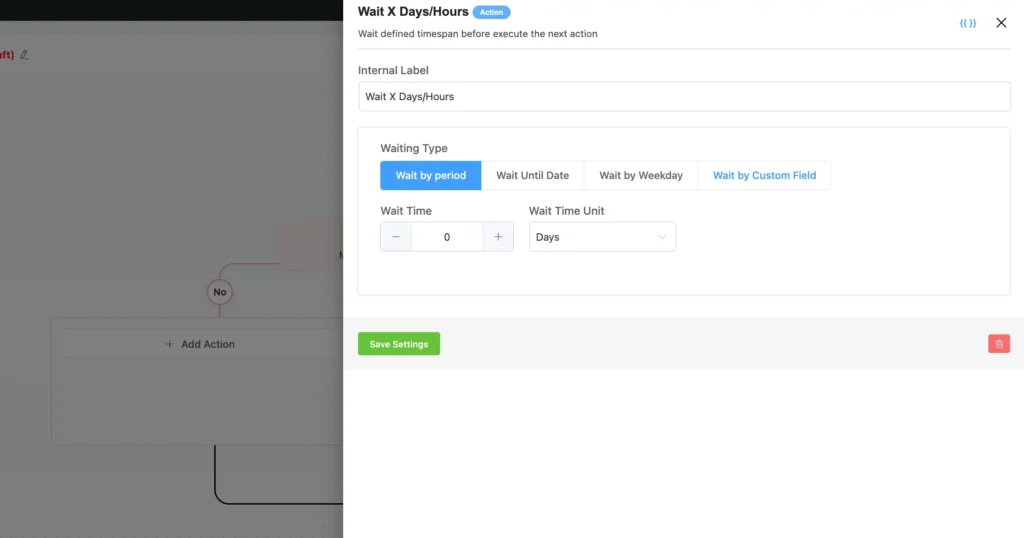
Insert Wait blocks between each email. Set these based on behavior, not arbitrary days:
- Wait 1 day after Email 1
- Wait until contact clicks the link in Email 2, or wait 2 days (whichever comes first)
- Wait 3 days before Email 3
Step 5: Tag based on engagement
As users move through the sequence, apply tags:
- “Activated” when they complete the core action
- “High Engagement” when they log in 3+ times
- “Needs Follow-Up” when they visit pricing but don’t convert
These tags let you build segments for retargeting, sales handoff, or custom offers.
Pro-Tip: You can organize your contacts list using lists, tags & custom fields in FluentCRM.
Run through the entire automation as a test contact. Check that emails fire at the right times, conditional logic routes correctly, and links work.
Stop Losing Trial Users to Generic Email Sequences
High-converting SaaS trial sequences prioritize activation, value, and objection handling. Unlike static drip campaigns, behavior-triggered sequences adapt in real time: active users receive advanced tutorials, while inactive users get simplified re-engagement prompts.
Most sequences fail by selling features instead of outcomes—like “15 widgets” instead of “revenue tracked.” Success requires a structure that moves from a welcome push to behavioral follow-ups and final incentives. FluentCRM simplifies this by automating behavior-based segmentation directly within WordPress, eliminating data delays and per-subscriber fees. Focus on user actions and tangible outcomes to turn more trials into paid customers.
Frequently Asked Questions
A few frequently asked questions you might be wondering about:
Samira Farzana
Once set out on literary voyages, I now explore the complexities of content creation. What remains constant? A fascination with unraveling the “why” and “how,” and a knack for finding joy in quiet exploration, with a book as my guide- But when it’s not a book, it’s films and anime.
Table of Content
Related Articles and Topics
-
How to Create a Newsletter Archive on WordPress within 5 Minutes!
You send a newsletter to your subscribers, once they reach their inboxes and read it…
-
New Gutenberg Editor: The Email Builder WordPress Users Always Wanted in FluentCRM
If you’re a WordPress user, isn’t it satisfying to write in Gutenberg? You click the…