

Your CRM and Projects, Finally Connected
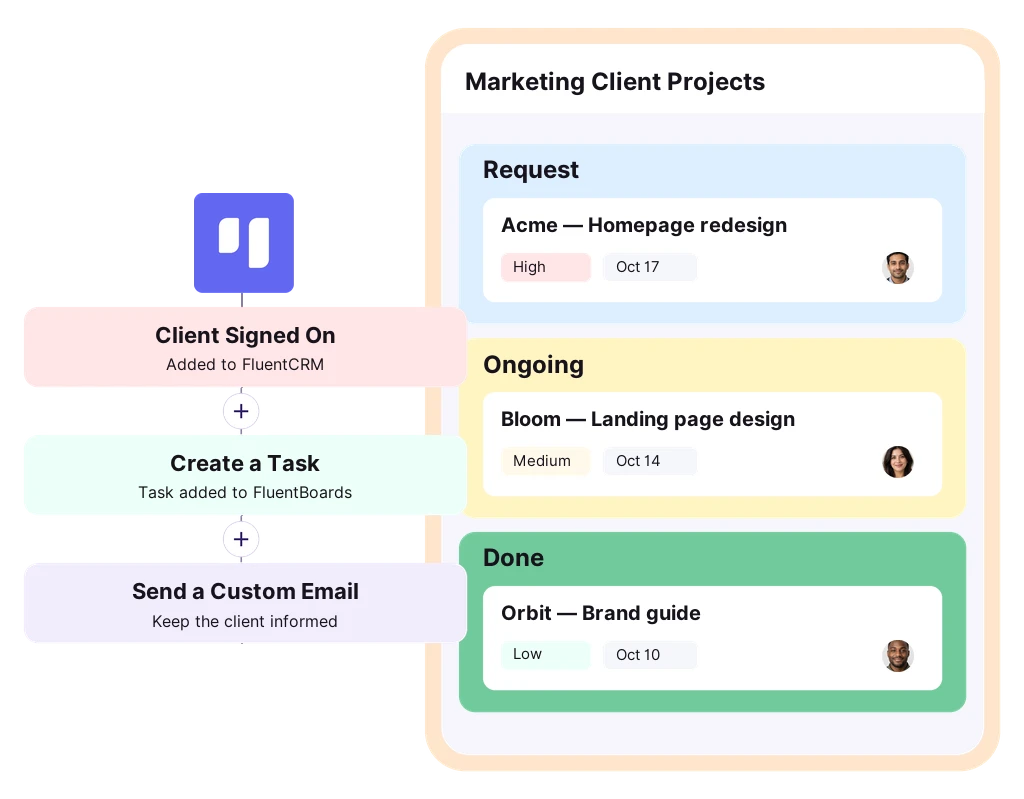
When a client signs on, FluentCRM sets up their project in FluentBoards. As each task moves to a new stage, the right update goes out on its own
Trusted By 80,000+ Businesses Worldwide






A Smarter Way to Manage Your Projects
Plan work on boards that feel simple to use yet powerful enough to keep every client project on schedule
No Per-seat Billing
Add every teammate and every client project. You pay per site, never per user
Five Project Views
See the same tasks as a board, list, table, calendar, or Gantt timeline
Time Tracking
Log hours on any task and see where your team’s time goes
AI and MCP
Get AI help on any task, or connect your own AI tools through MCP
Client Portal
Let clients follow their project from your website, with no WordPress admin access
Reusable Templates
Save any board, stage, or task as a template and reuse it on the next project
Connect Every Contact to the Work Behind It
Create tasks and projects from automations, see client work on every contact, follow up at each stage, and segment by progress
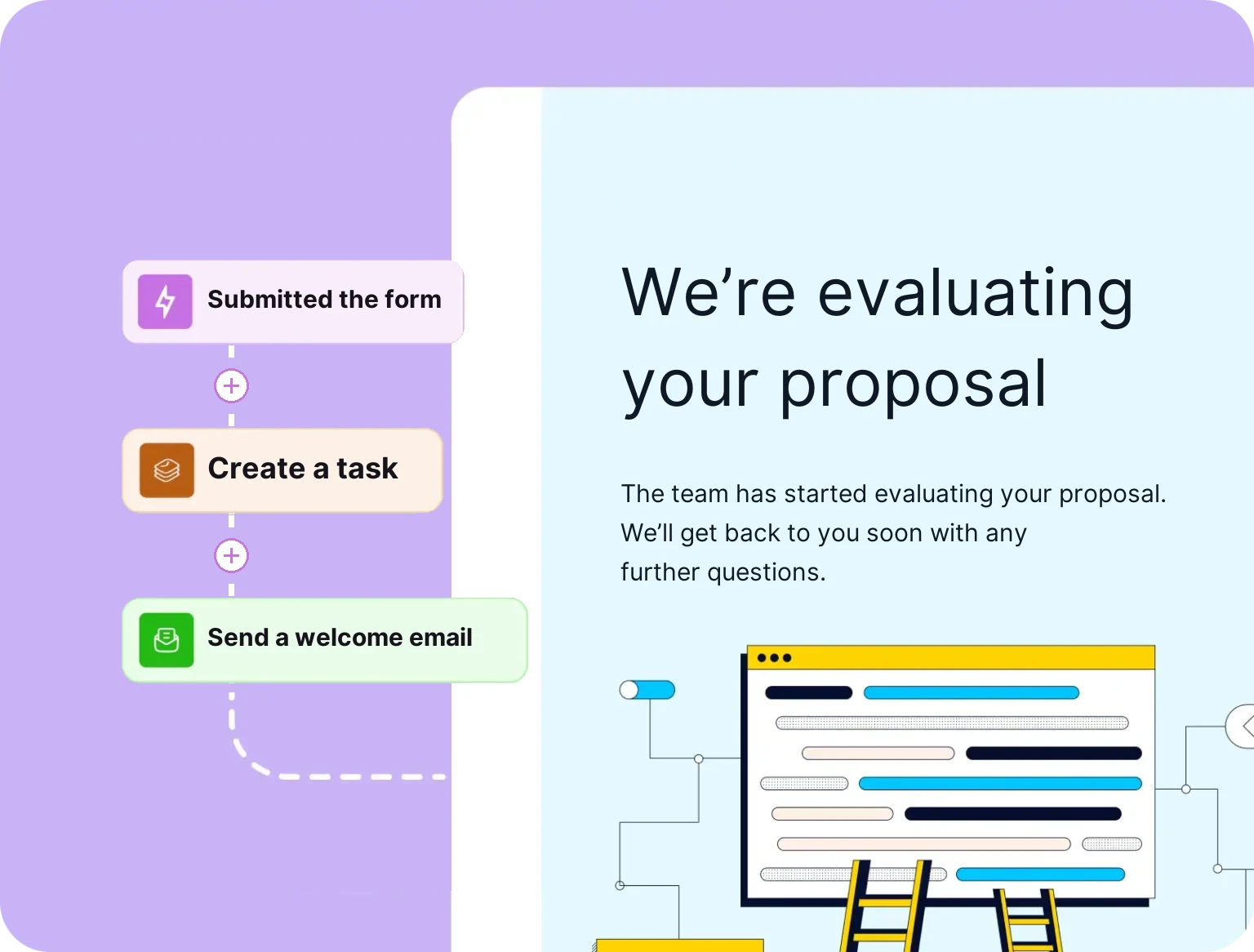
Turn CRM Events Into Tasks and Projects
When a contact buys, books, or submits a form, an automation creates a task in the right stage, or a project from a template
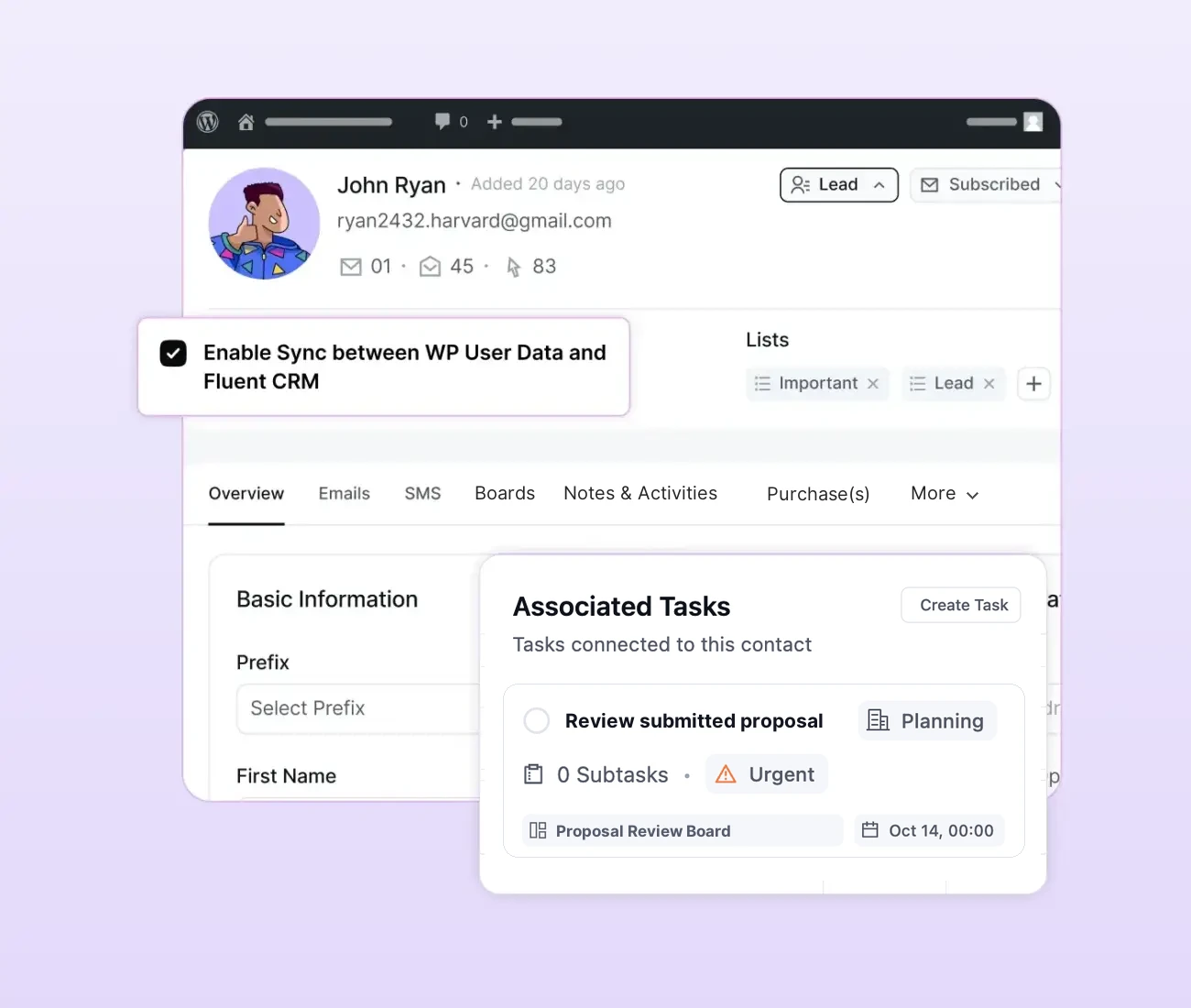
See Boards and Tasks in Contact Profile
Open any contact to see the boards and tasks linked to them. Create a task, change its status, or set dates without leaving FluentCRM.
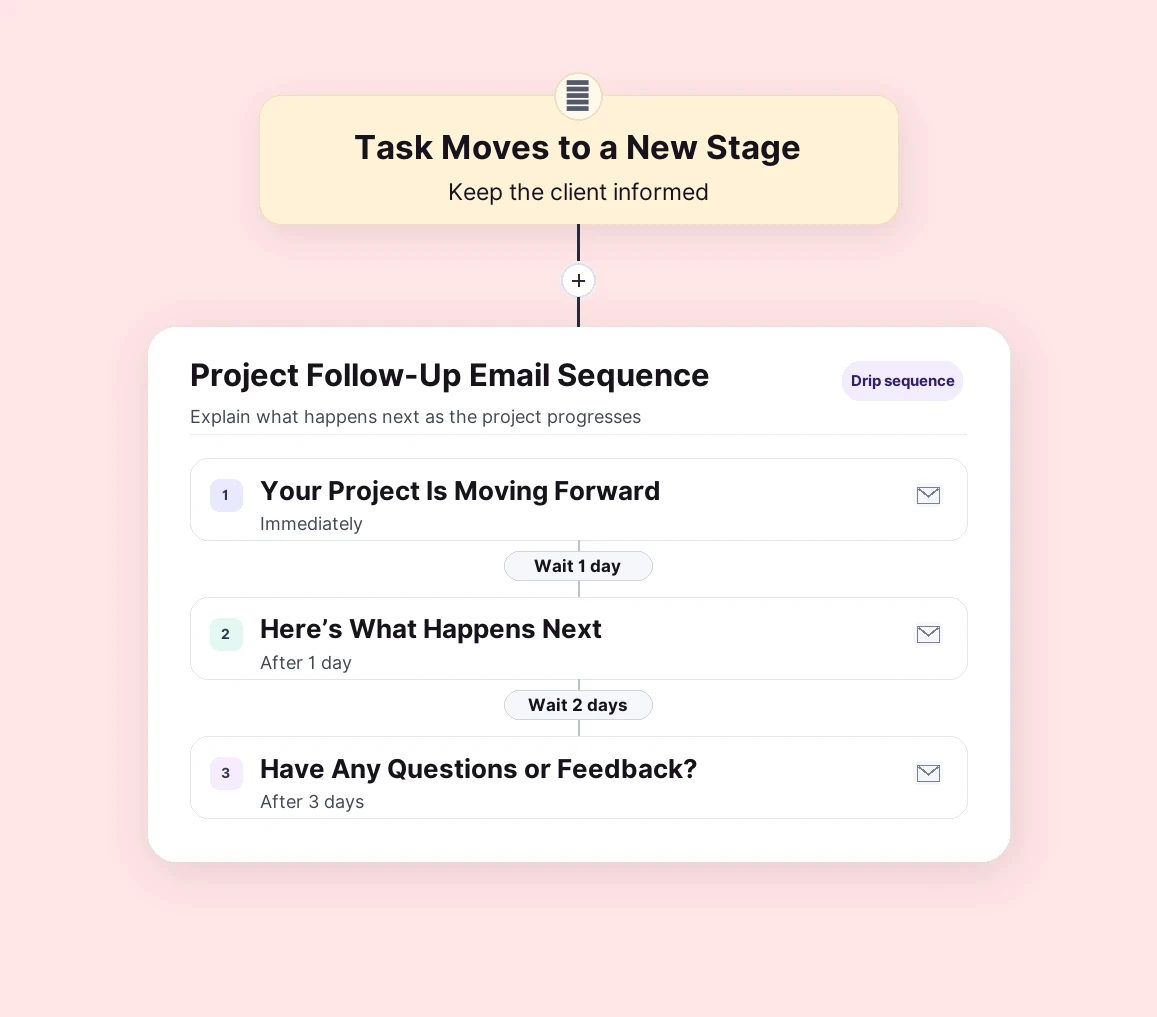
Follow Up When a Project Moves Forward
When a client’s task reaches a new stage, start an email sequence that explains what happens next
Segment Contacts by Project Stage
Apply a tag when a task reaches a stage, then filter contacts by where their project stands and message each group differently
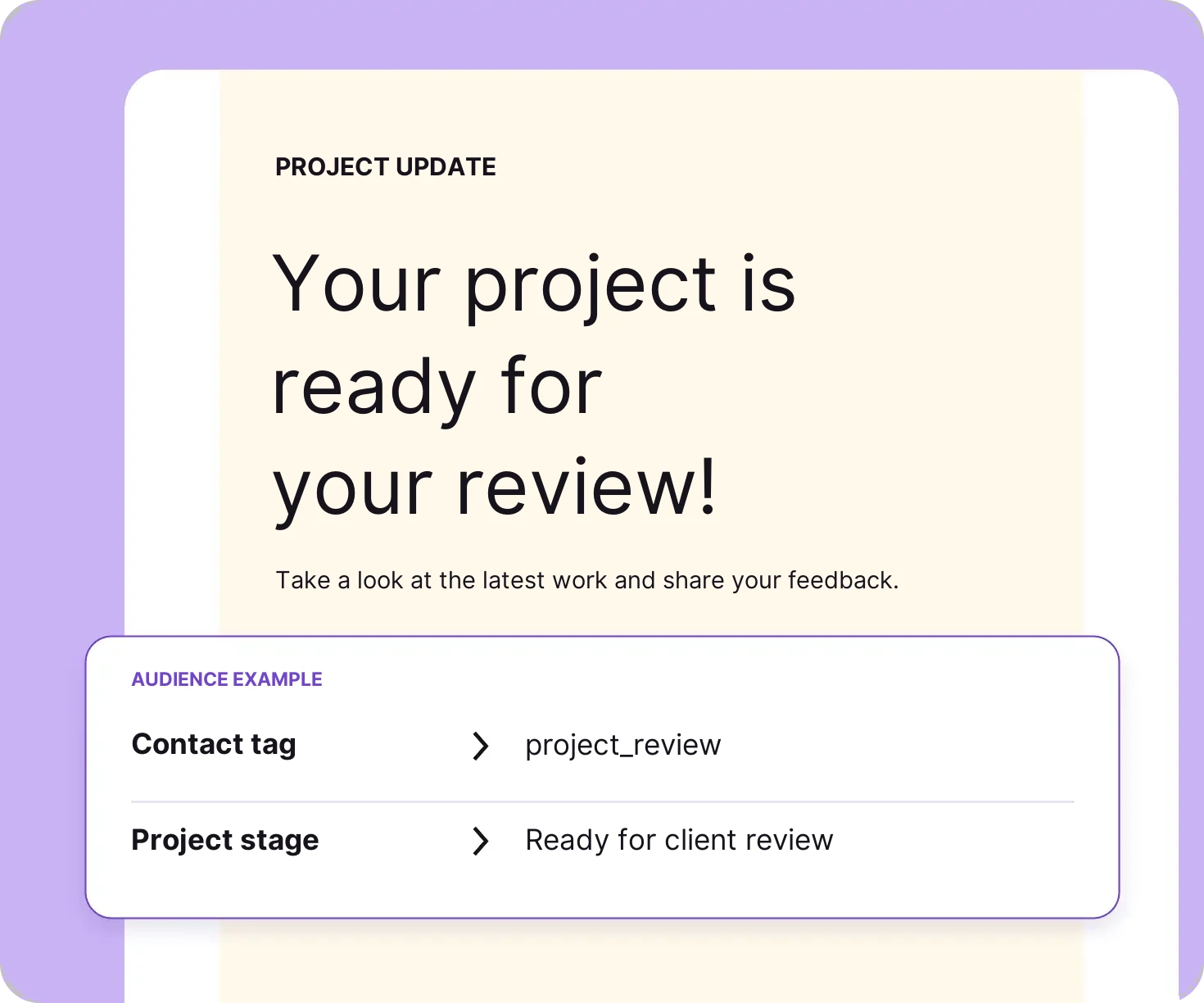
Personalize Every Task and Email
The smart codes that personalize your emails also work in task titles and descriptions, so every task names the client it is for
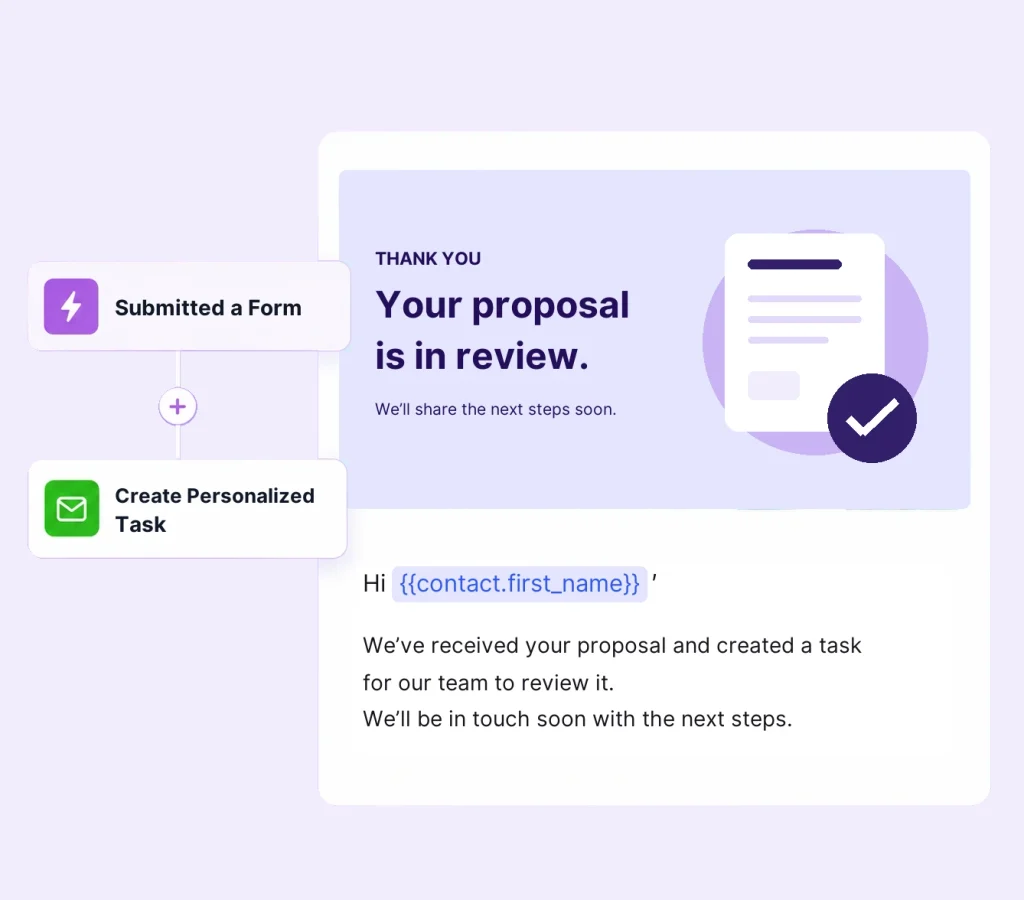
Link your CRM and your boards, then automate how work gets created, tracked, and followed up
Automation That Runs Both Ways
Board activity can start any FluentCRM workflow, and any FluentCRM workflow can create a task or a full project board
Contact Added to Task
Let a client know work has started the moment a task is linked to them, with a kickoff email covering next steps
Stage Changed
Send the right update when a task moves from one stage to another, such as from In Progress to Review
Create a Task
Pick the board and stage, then set assignees, a priority, and a due date or, create tasks from a saved template
Create a Board From a Template
Open a full project board for each new client from one of your saved templates, linked to that contact and titled with smart codes
Measure What’s Working and Improve Faster
Track email marketing performance, customer behavior, and conversions so you can make better decisions.
Campaign Performance
See which campaigns drive opens, clicks, and engagement so you can double down on what works

Contact Growth
Understand how your audience grows across lists, tags, location, and time to guide your strategy.

Automation Analytics
See which workflows move users forward so you can fix drop-offs and improve results.

eCommerce Tracking
See revenue, orders, and customer behavior across your ecommerce store

eLearning Growth
Track growth across courses and compare over different time spans


Ready to Run Your First Workflows?



Submits Form
Capture new leads from Fluent Forms and instantly deliver lead magnets via email.


Purchased Product
Track purchases from FluentCart and trigger upsell or cross-sell campaigns automatically.
Abandoned Cart
Detect abandoned carts and send timely reminders to recover lost revenue.

Booked Appointment
Turn new bookings from FluentBooking into automated follow-ups and repeat appointments.


Received Support
Convert support interactions from Fluent Support into retention and feedback campaigns.

Joined Community
Add new members from FluentCommunity into segmented onboarding and engagement sequences


Completed Task
Inform clients about their tasks and send a notification to team members once a task is complete.

Donation Received
Trigger a thank you email and request donors to become monthly donors to boost recurring donations

New Affiliate Joined
Trigger a tailored welcome sequence and add to private affiliate community for your business.
Build 10X Smarter Workflows with Natively Integrated Plugins
Connect your favorite WordPress plugins and trigger powerful automations from real user actions. No add-on needed!




































Trusted by Creators, Teams & Brands Worldwide!















This plugin replaced my subscription-based newsletter and saved me over 4000€ a year for my company. It is well integrated with WooCommerce (way better than the 6000€ solution) and other WP plugins that I use.

FluentCRM solves all 5 of my pain points! They charge a flat fee. I can tag, build lists, log interactions, add custom fields, and more! It was the tool for which I was searching!

Love the base functionality, and you can’t beat the price when comparing to other CRM’s out there. FluentCRM is a solid solution and doesn’t weigh down WordPress operations.

The free version is great, but the Pro version is well worth it and a fraction of the cost of other popular CRM’s. The support is excellent as well.

We send weekly newsletters to over 30k subscribers (via AWS SES) through FluentCRM and have tons of automations set up. FluentCRM integrates brilliantly with WooCommerce and some other plugins we use and makes it a reliable stack for us that enables to keep our data on premise!

Switched from Sugar and vtiger. made my life easier. uploaded 300,000 leads in next to no time. Support found the error, even on the weekends. thanks.

I always try to find tools to replace SaaS tools with WordPress plugins, to control all my data on my own server. Now with FluentCRM I can do it, keep my clients’ info in one place, and with email marketing abilities, no more need for tools like Mailchimp, etc.

So much better to keep your clients’ data on your own website and not be at the mercy of external email marketing providers. Plus, the interface is well thought out and intuitive.

FluentCRM is amazing – SO easy to send professional-looking emails, great segmentation and automation options, and a really supportive team who have been fantastic at answering any questions I had on how to get it all set up.

It’s a work of art. Perfectly coded, lightning fast, brilliantly thought out, beautifully designed, and made. Fluent CRM has become a very recognizable brand, associated with the highest possible quality.
We send weekly newsletters to over 30k subscribers (via AWS SES) through FluentCRM and have tons of automations set up. FluentCRM integrates brilliantly with WooCommerce and some other plugins we use and makes it a reliable stack for us that enables to keep our data on premise!

FluentCRM has replaced my old CRM that cost me hundreds per year. The free version is great, but the Pro version is well worth it and a fraction of the cost of other popular CRM’s. The support is excellent as well.
Goodbye Success Taxes!
Plans are priced by the number of websites you use FluentCRM on, not by the size of your list.
Solo/Blogger
Save 20%
Single Site License
Small Business
Save 20%
5 Site License
Agency License
Save 20%
50 Site License
*Grab a special discount on your first year with us!
Frequently Asked Questions
Everything you need to know about connecting FluentBoards with FluentCRM



