Student Inactivity Reminder Email
Automatically re-engage students who have gone quiet with a well-timed, empathetic nudge that brings them back to your course before they drop off for good.
- eCommerce
- Payment Emails
Get this template in your inbox
Thanks for sharing your email, please click below to download the template.
What is a Student Inactivity Reminder Email Template?
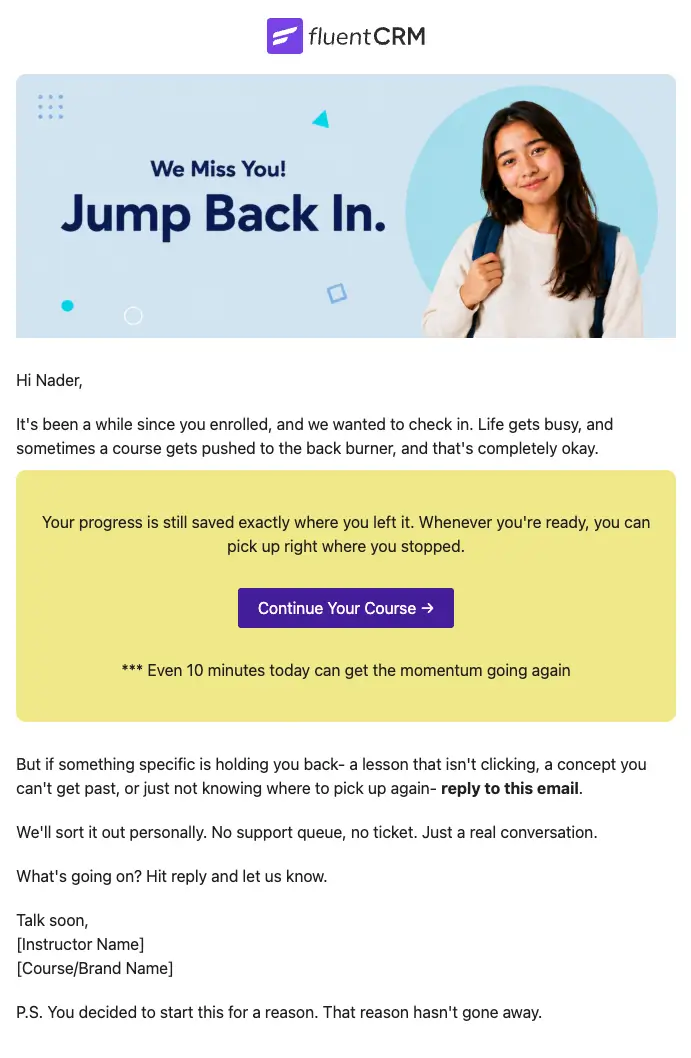
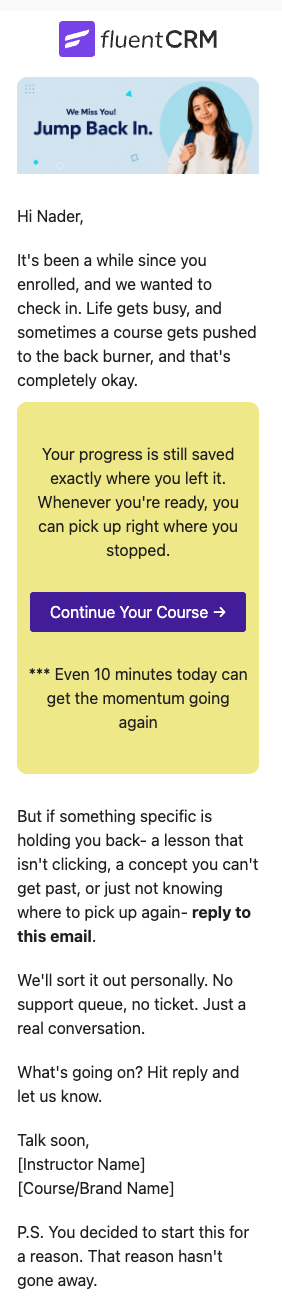
A student inactivity reminder email template is a pre-designed email layout that fires automatically when an enrolled student stops engaging with your course for a set number of days. It acknowledges the gap without pressure, reassures the student that their progress is saved, and gives them a single direct CTA to jump back in. Merge tags like {{contact.first_name}} keep the email personal even when it is sent at scale.
With FluentCRM, this student inactivity reminder is triggered automatically through your course enrollment automation, once the defined wait period passes and the course remains incomplete. It personalizes every detail with the student’s name and a direct link back to their course, without writing a single line of code.
Best for:
- Online course creators and educators
- eLearning platforms running LMS plugins (LearnDash, LifterLMS, LearnPress)
- E-learning businesses looking to improve completion rates
- Coaches running membership-based learning programs
- LMS operators who want to reduce silent student churn
How to Use the Student Inactivity Reminder Email Template?
This template is almost ready to be sent to your subscribers. Just follow these steps to use:
How do I Trigger this Email Automatically?
Step1: Go to Automations in FluentCRM and open your existing course enrollment automation
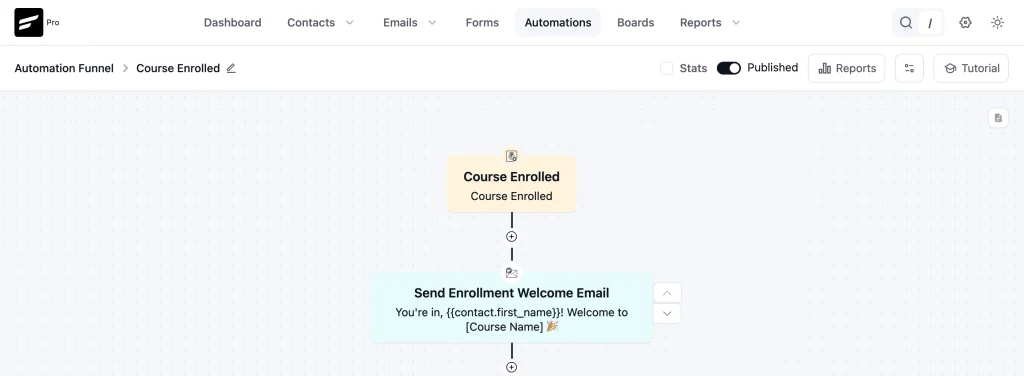
Step 2: Find the point in the sequence where you want the inactivity check to fire
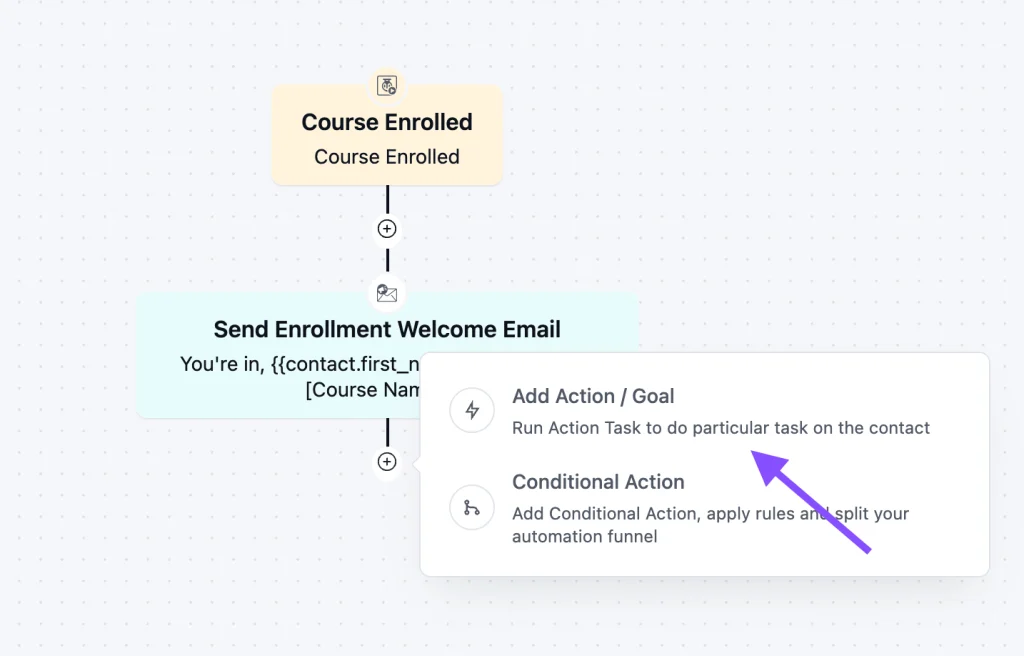
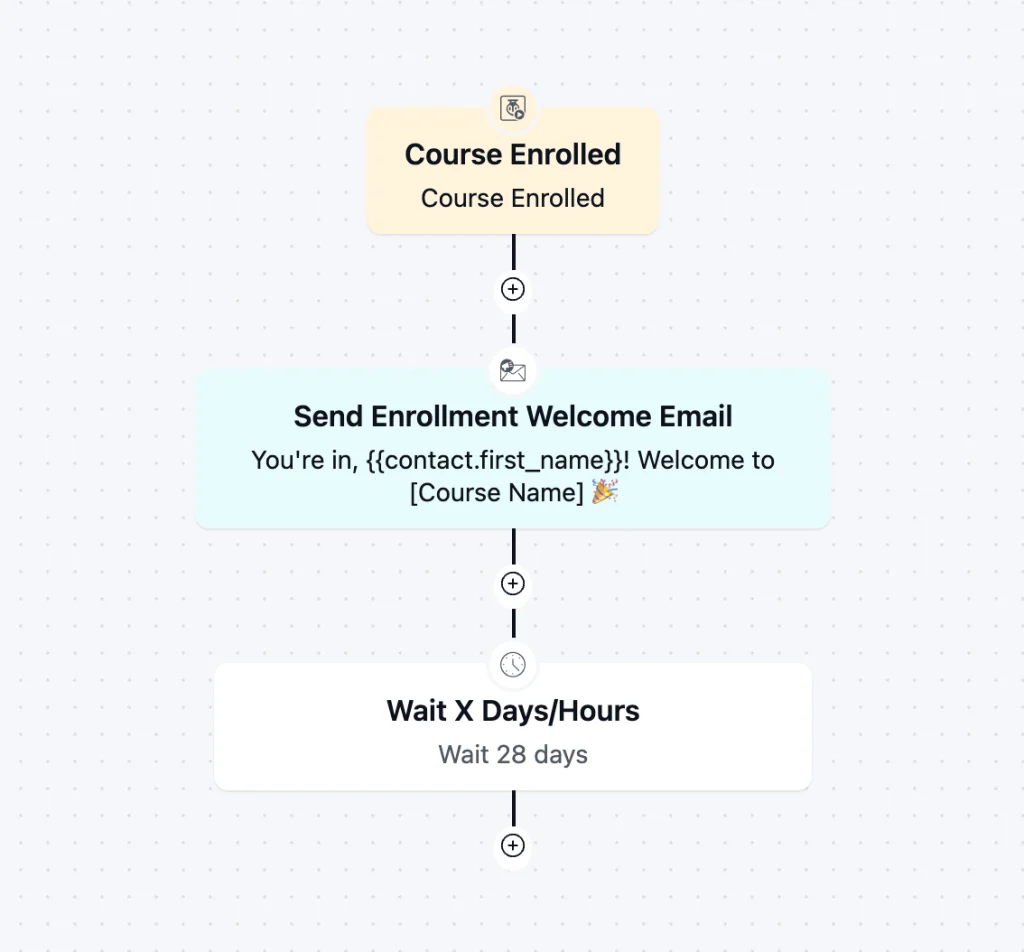
A good rule of thumb: take the average number of days it typically takes a student to complete your course, then add one week on top of that.
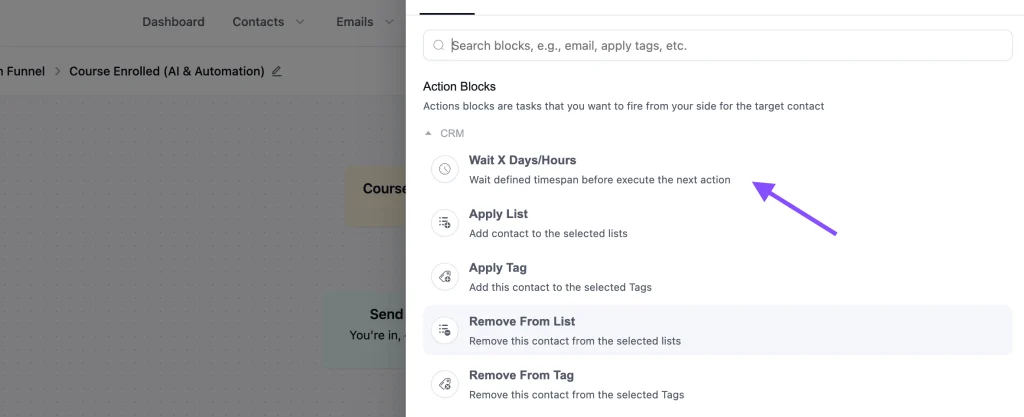
That gives students a fair window to finish before the email triggers.
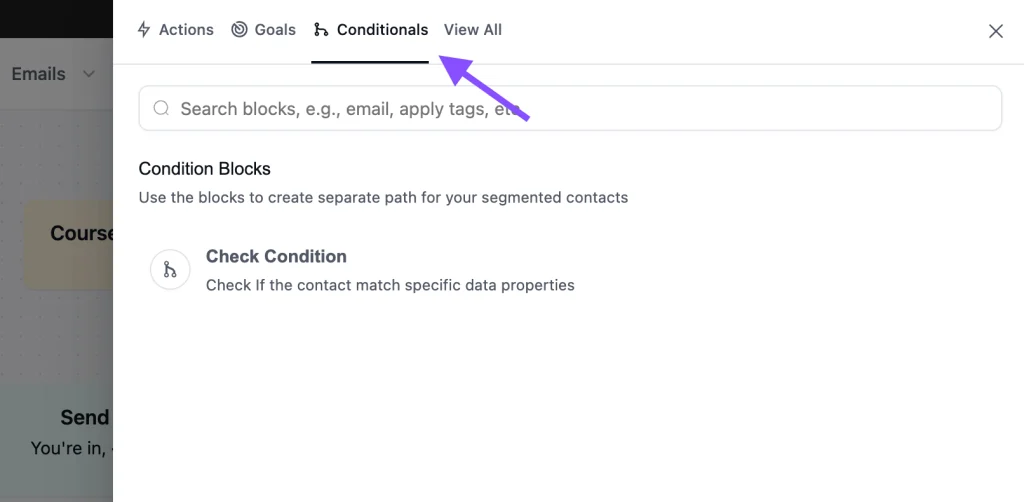
Step 3: Add a Check Condition action to confirm the student has not yet completed the course
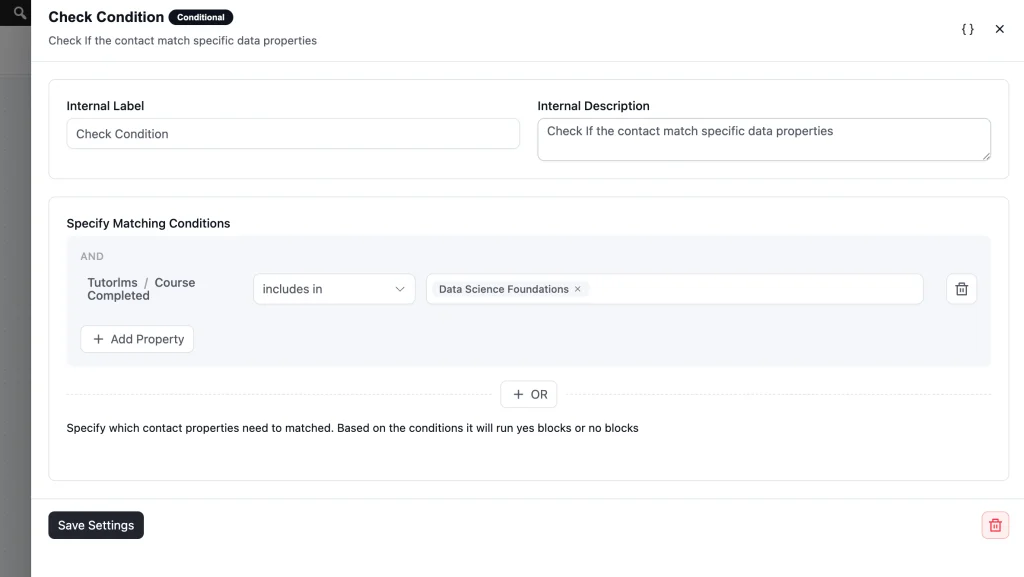
Step 4: Add a Send Custom Email action directly after and select this Student Inactivity Reminder template
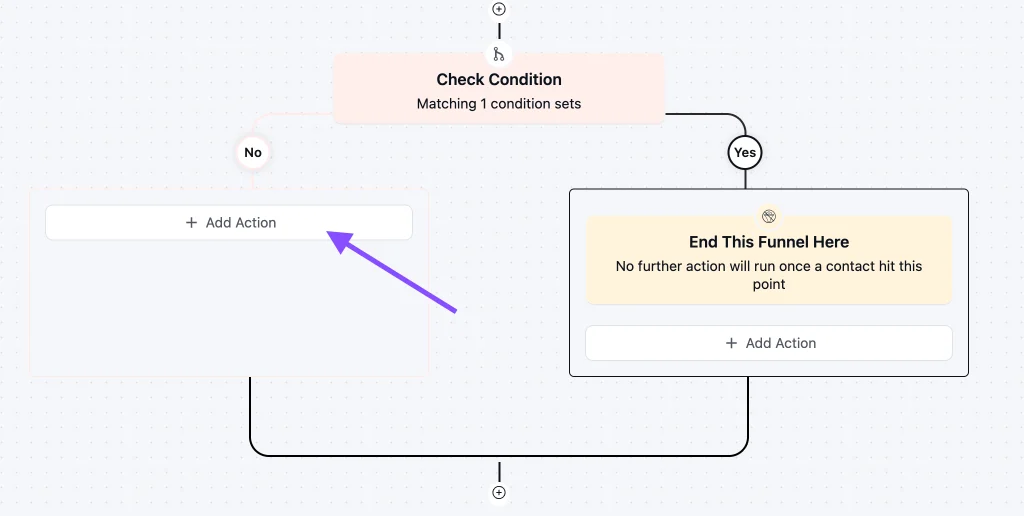
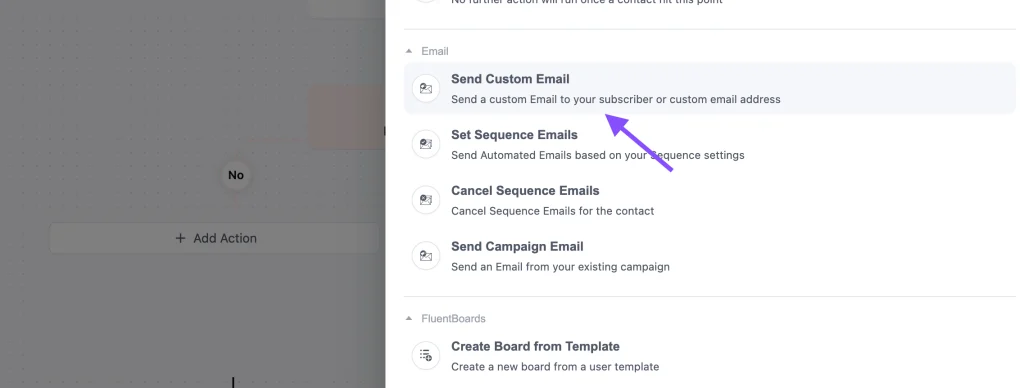
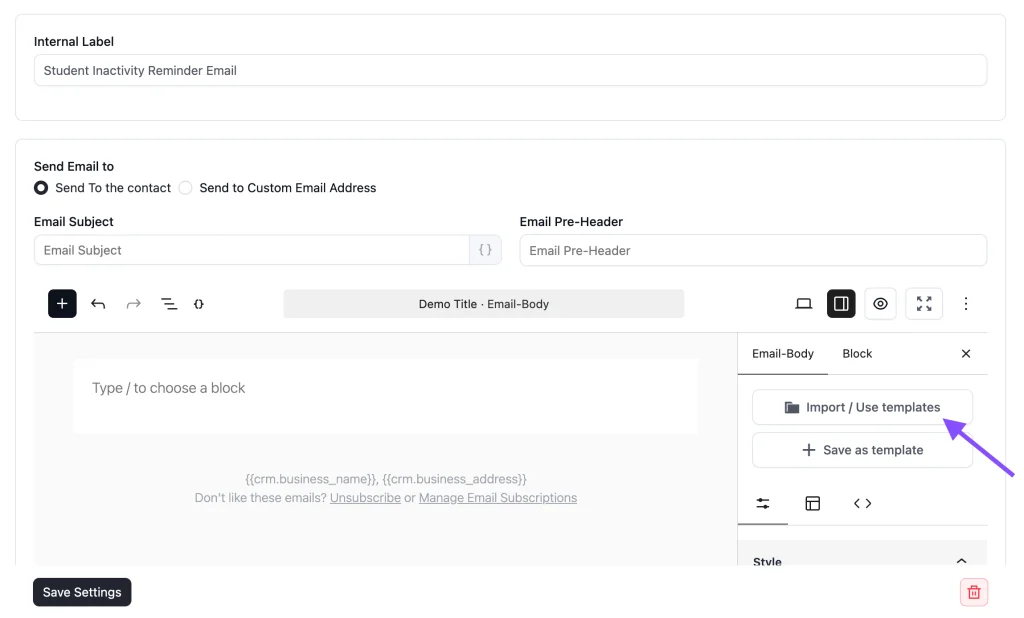
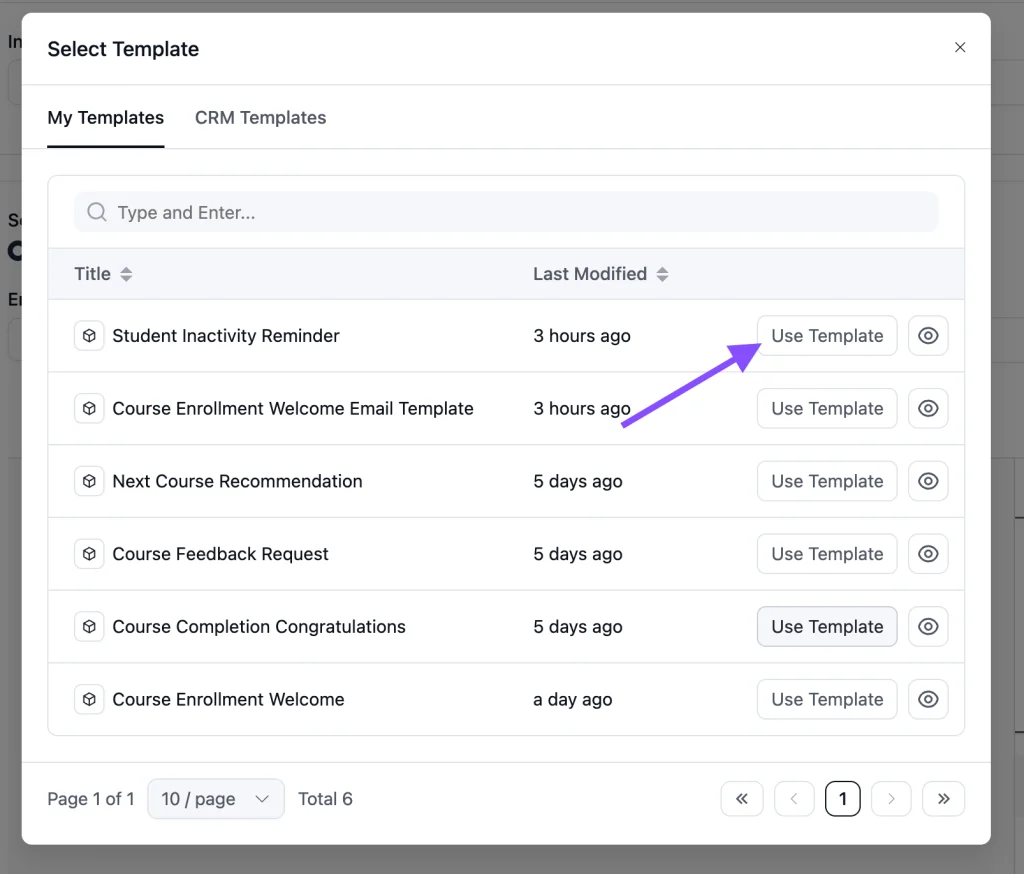
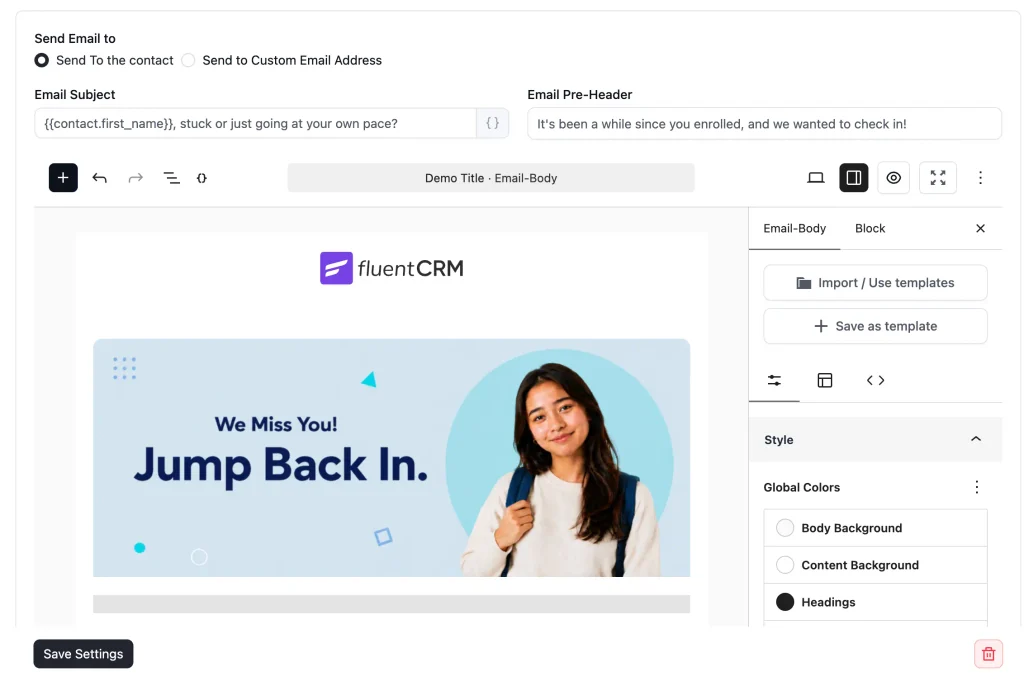
Step 5: Save and publish
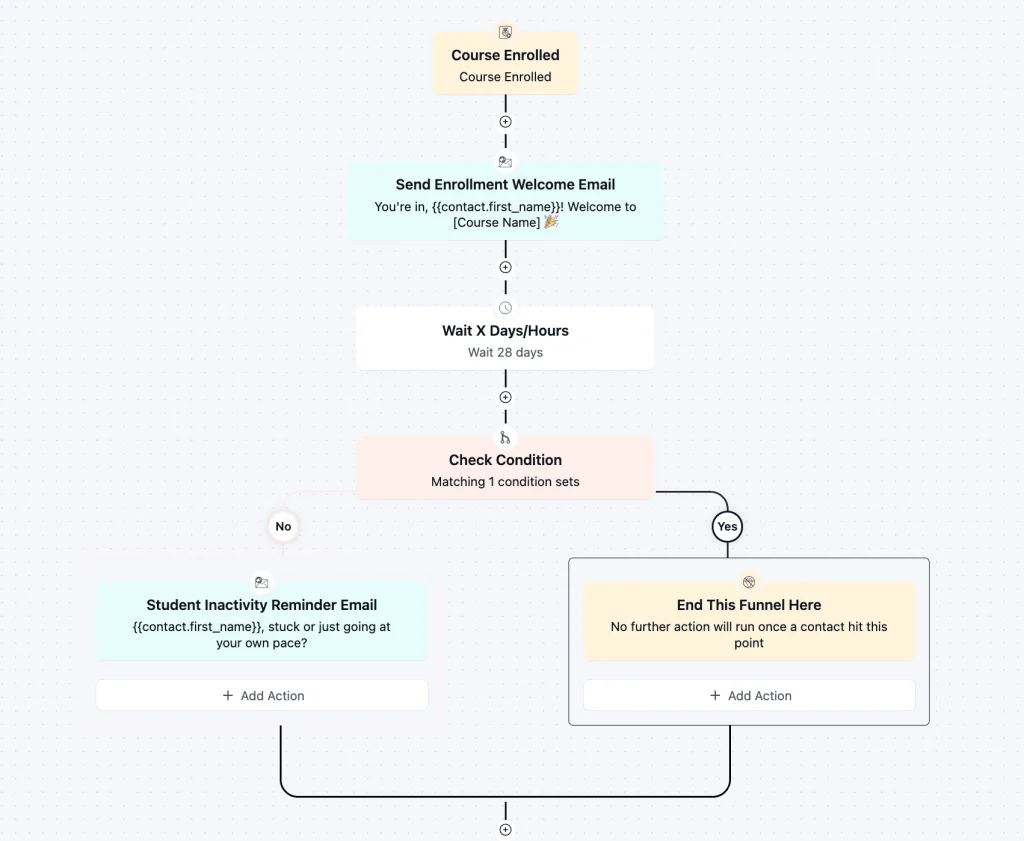
Any student who passes the wait threshold without completing the course will receive this email automatically as part of your existing enrollment flow.
Customization Tips
- Personalize the subject line and preview text with merge tags like {{contact.first_name}}
- You can also insert the course name using a dynamic merge tag
- Edit the instructor name and the brand colors
- Swap the CTA button color to match your brand palette directly in the FluentCRM email editor
- Change the banner image and logo to match your brand tone
- Edit the email footer to include your business address and social media links
- Don’t forget to add an unsubscribe link to stay compliant with standard email-sending guidelines
- Update the CTA button to link directly to the course dashboard
- Add your support email or community URL so students know where to go for help
Why Use a Student Inactivity Reminder Email Template?
Sending one well-timed email can be the difference between a student who completes your course and one who quietly disappears.
- Recover learners before they churn: Most students who go inactive do not intentionally quit. They got busy. A single, empathetic email sent at the right time is often all it takes to bring them back.
- Protect your course completion rate: Higher completion rates translate directly into better reviews, stronger word-of-mouth, and a more credible product to sell to future students.
- Remove the friction of returning: The template’s direct CTA removes the hesitation of “where do I even start again?” by sending students straight back to where they stopped.
- Run it without manual effort: Once the automation is live in FluentCRM, every inactive student gets the email automatically. You do not have to monitor enrolments or chase anyone manually.
- Keep a human tone at scale: First-name personalization and copy written to sound like a real person — not a system notification — means students actually read it rather than archive it.
Where this Fits in Your Automation?
This email sits at the entry point of a re-engagement sequence, triggered the moment a student crosses your defined inactivity window. Before it comes the normal course journey: enrolment welcome, onboarding emails, and early lesson reminders. If the student re-engages after receiving this email, the automation ends and the student continues through your regular flow. If they stay inactive, a follow-up email offering a content teaser or a personal check-in can fire 7 days later. This template handles the most important moment in that re-engagement arc.
Frequently Asked Questions
How do I know when to send this email?
A reliable method is to take the average number of days your students typically need to complete your course, then add one week on top of that. Set that number in the Wait step of your automation. This gives every student a fair window to finish before the email fires, so you are only reaching out to those who have genuinely stalled rather than those who are still progressing.
Can I customize this template without knowing how to code?
Yes. The template is built with Gutenberg blocks and imports directly into FluentCRM. You can edit all text, change the button color, and update the CTA link from within the FluentCRM email editor with no coding required.
What should I include in the email to maximize re-engagement?
Keep it short. Acknowledge the gap without guilt, remind the student their progress is saved, and give them one clear button to return. Avoid overloading the email with content. The goal is a low-friction return, not a newsletter.
How is this different from a general re-engagement email?
A general re-engagement email targets contacts who have gone quiet on your list as a whole. This template is specifically designed for enrolled students who have stopped accessing course content. The copy is written around learning continuity and motivation, not marketing messaging.
Can I use this template with LearnDash, LifterLMS, or LearnPress?
Yes. FluentCRM integrates natively with LearnDash, LifterLMS, and LearnPress..

Related Templates
-
- eLearning
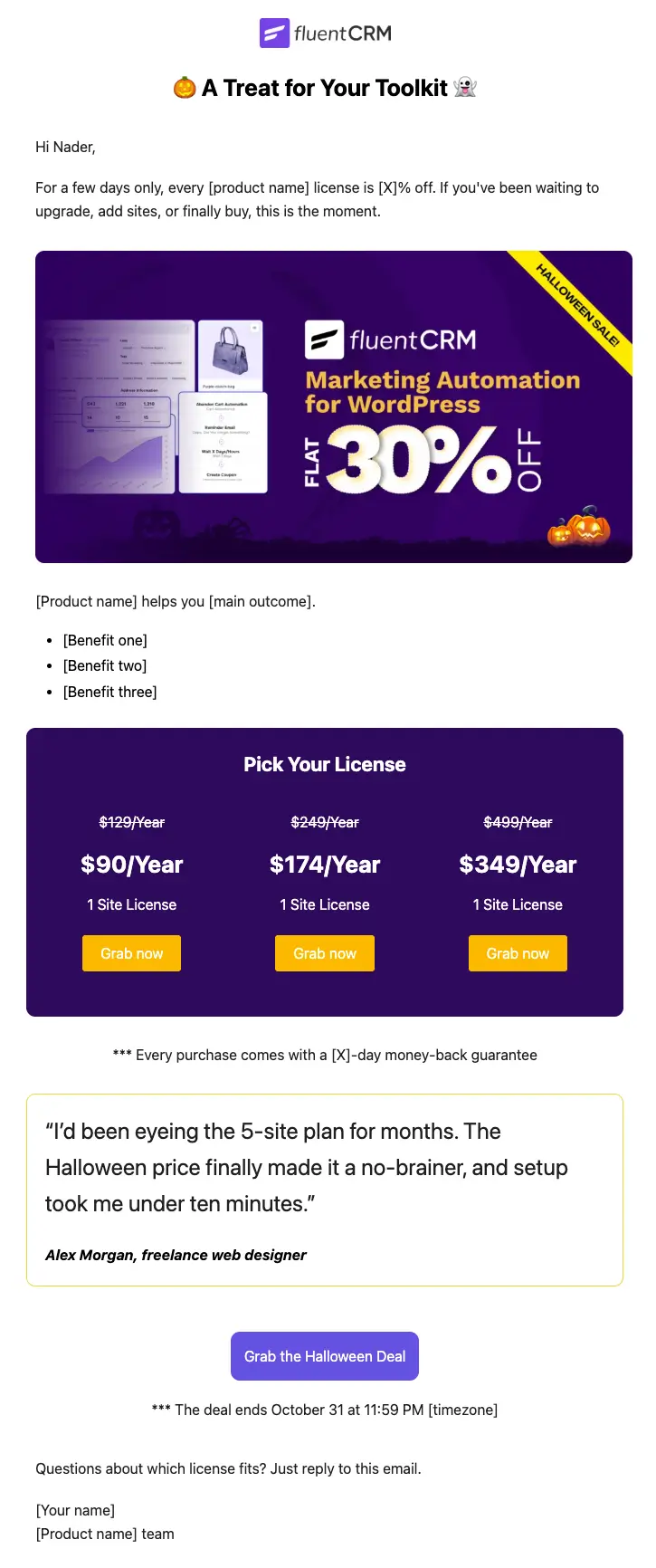
Halloween Email Template for Digital Products
Announce your Halloween license sale with a ready-to-send email built for plugins, themes, SaaS, and online courses
-
- eLearning
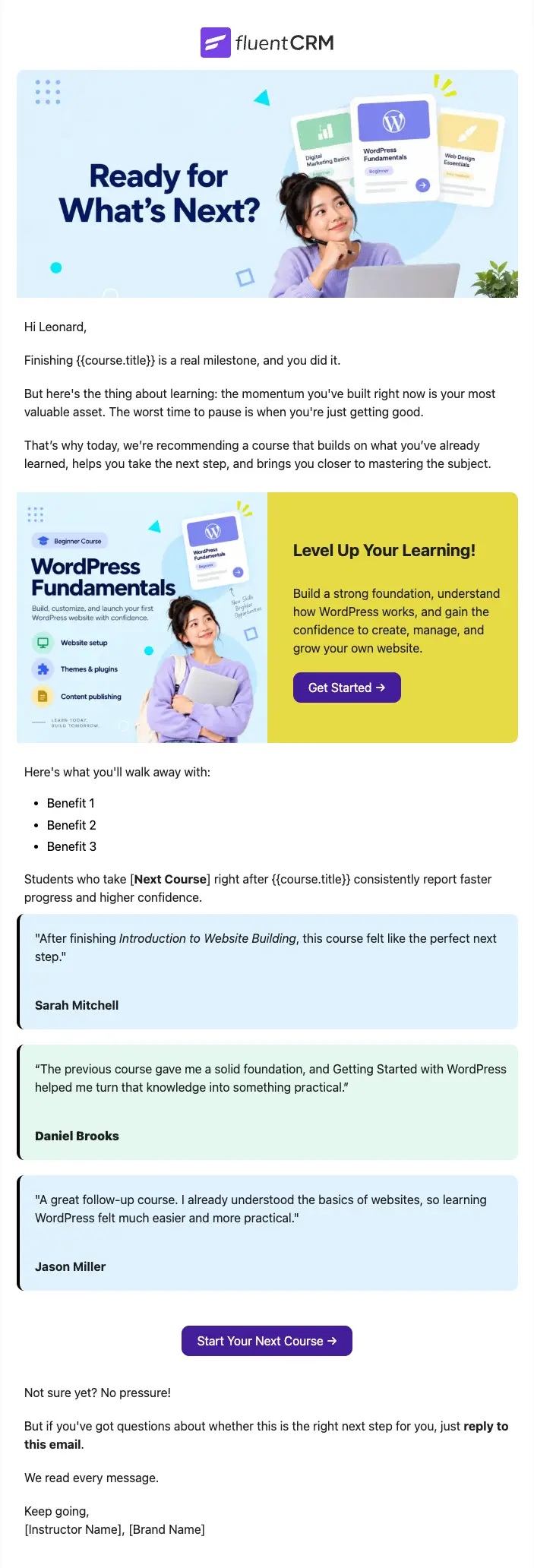
Next Course Recommendation Email
Use this free course recommendation email template to re-engage students after course completion and drive repeat enrollments with FluentCRM automations
-
- eLearning
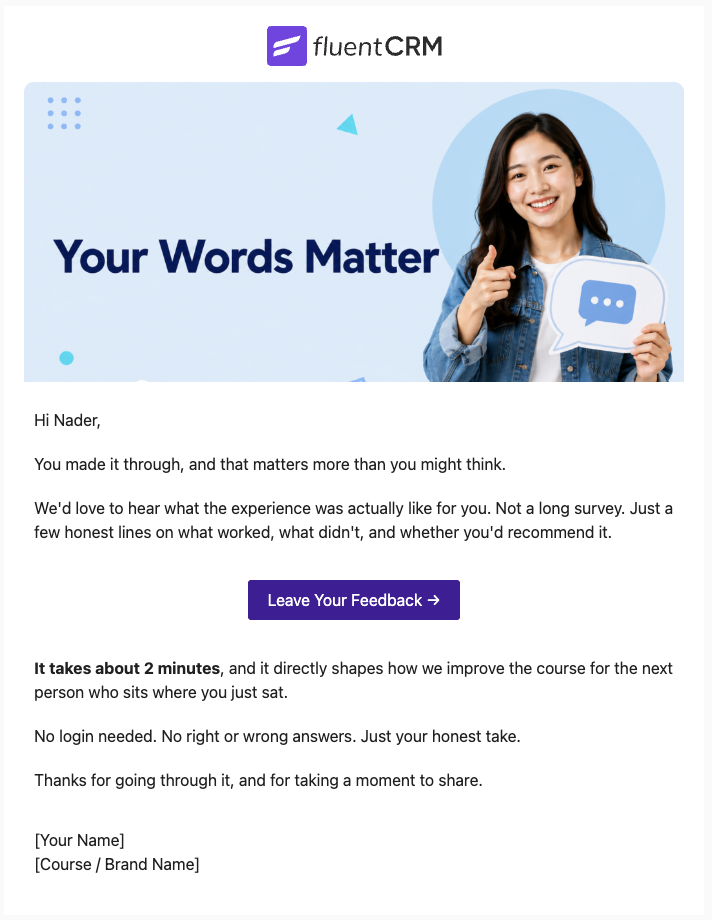
Course Feedback Email
Collect honest student reviews automatically and turn course completions into the insights that make your next launch better.
Want More Resources?
Access resources to start faster, decide smarter, and grow your revenue with less complexity.