Course Completion Congratulations Email
Automatically celebrate every student who finishes your course, and turn that momentum into the next enrollment
- eCommerce
- Payment Emails
Get this template in your inbox
Thanks for sharing your email, please click below to download the template.

What is a Course Completion Congratulations Email Template?
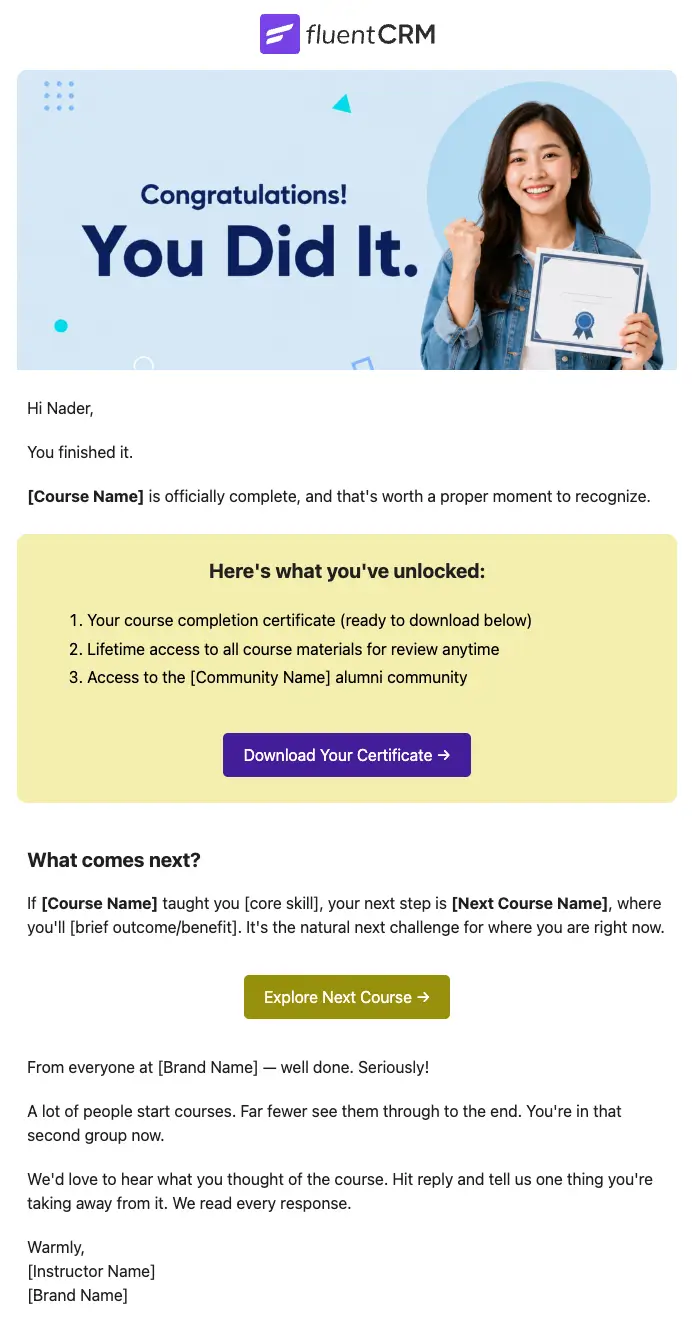
A course completion congratulations email template is a pre-designed email layout that fires automatically the moment an enrolled student finishes your course.
With FluentCRM, this congratulatory email is automatically triggered by your course completion automation the moment your LMS reports 100% progress. It personalizes every detail with the student’s name, a direct certificate download link, and a next course recommendation, without writing a single line of code.
Best for:
- Online course creators and educators
- LMS platforms integrated with FluentCRM (LearnDash, TutorLMS, LifterLMS, LearnPress)
- Coaching programs and bootcamps with defined completion milestones
- Membership sites with structured learning paths
- Course businesses looking to increase repeat enrollments
How to Use the Course Completion Congratulations Email Template?
This template is almost ready to be sent to your subscribers. Just follow these steps to use:
Where this Fits in Your Automation?
This email sits at the entry point of a post-completion sequence, triggered the moment a student’s LMS progress reaches 100%. It follows the natural course journey — enrollment, onboarding, and active learning — and fires as the final milestone in that arc. Think of it as the handoff email: it closes the chapter the student just finished and opens the door to what comes next.
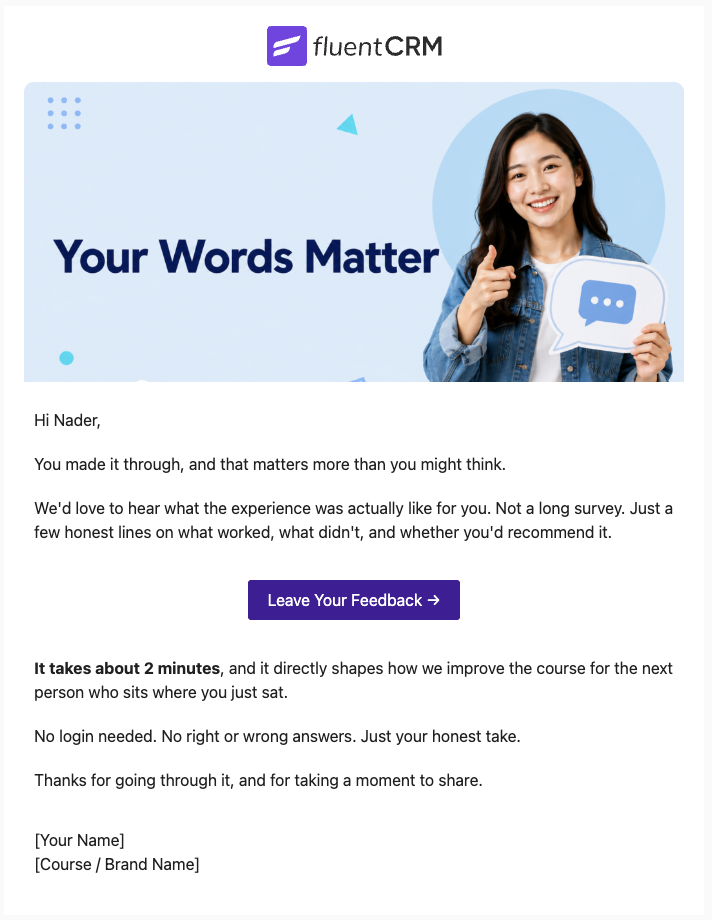
So basically, this email goes out after the welcome email, followed by the feedback email.
How do I Trigger this Email Automatically?
Step1: Go to Automations in FluentCRM and open your existing course enrollment automation
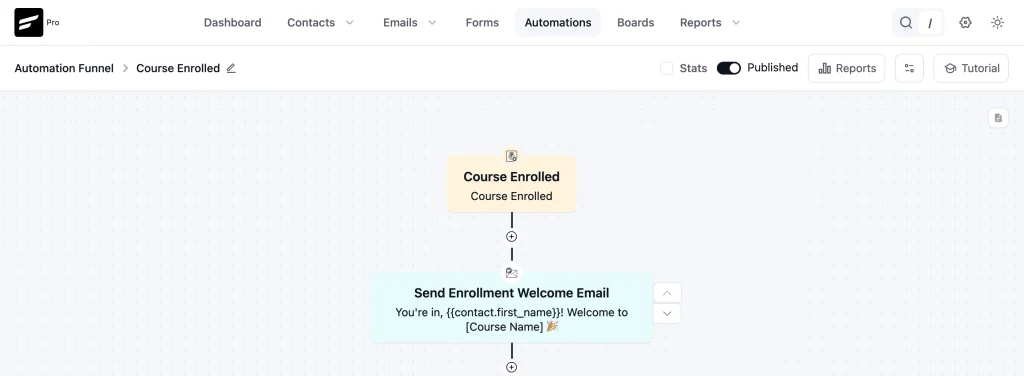
Step 2: Add a Check Condition action to confirm the student has fully completed the course
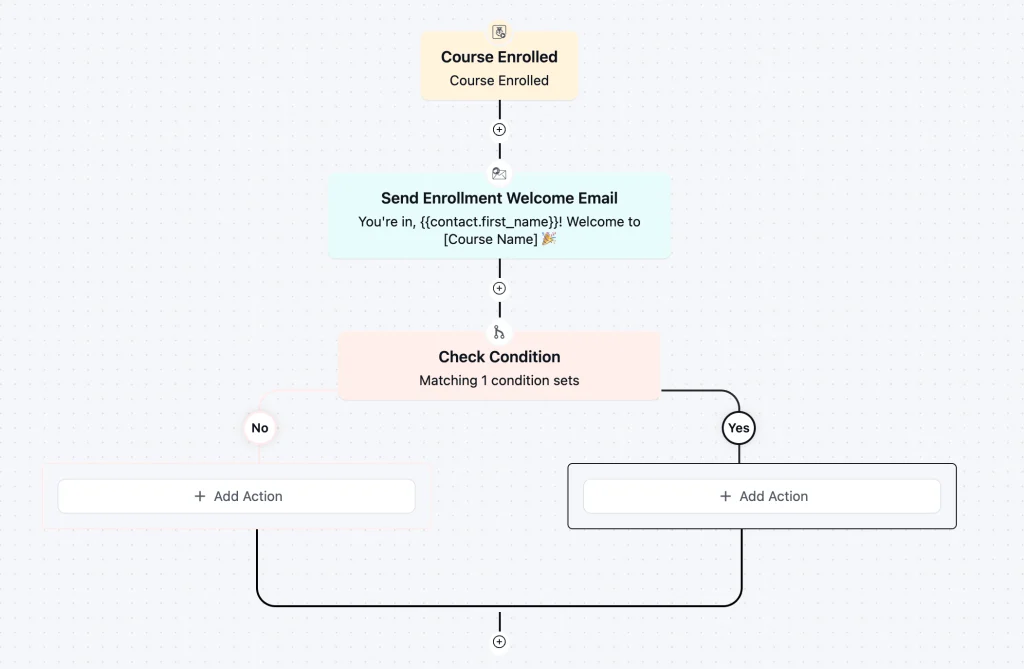
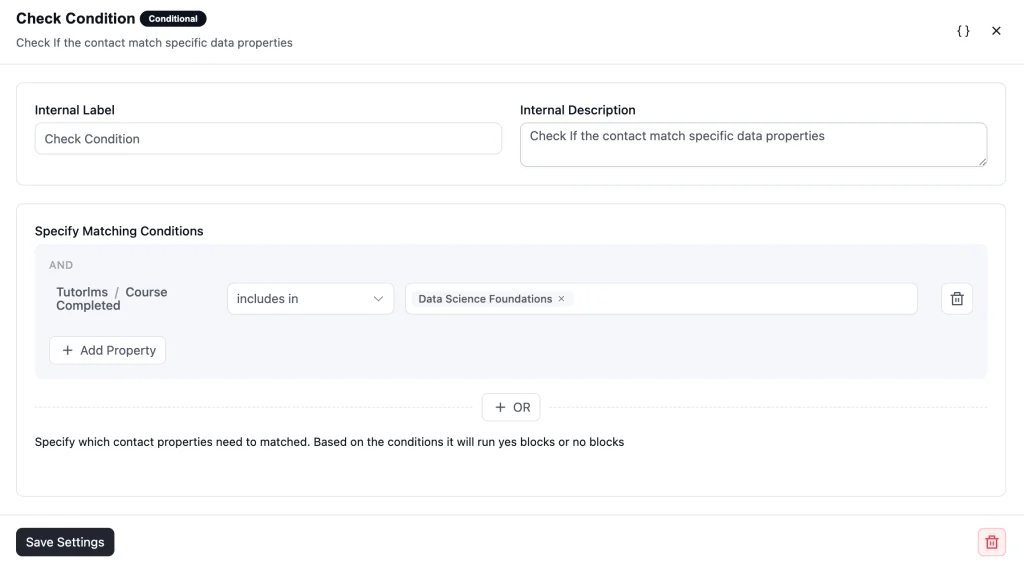
Step 3: Add a Send Custom Email action directly after and select this Course Completion Congratulations template
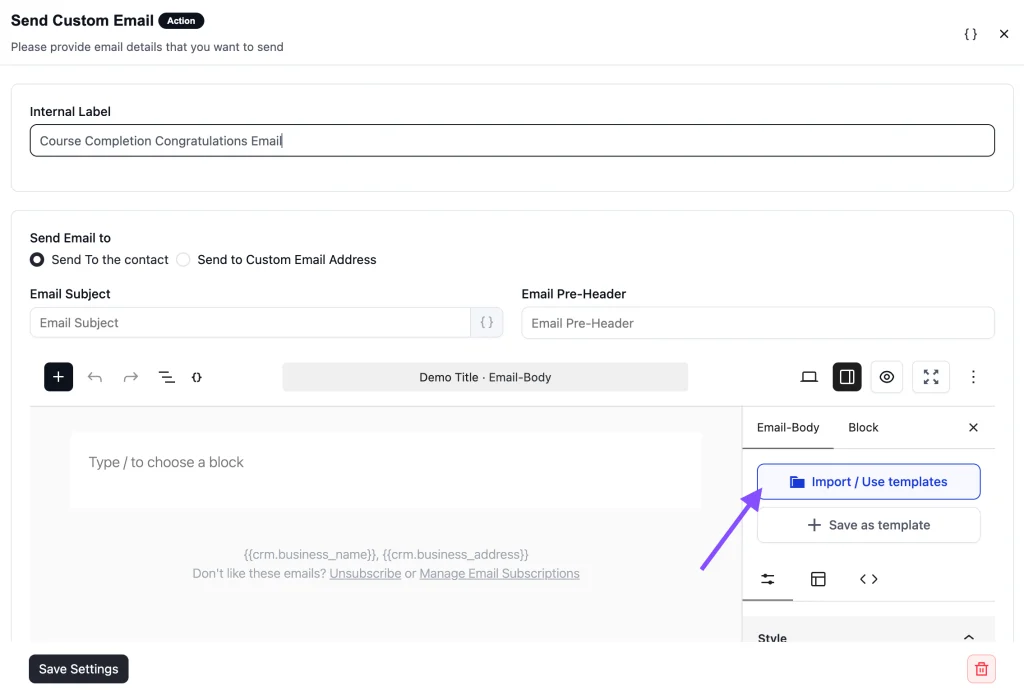
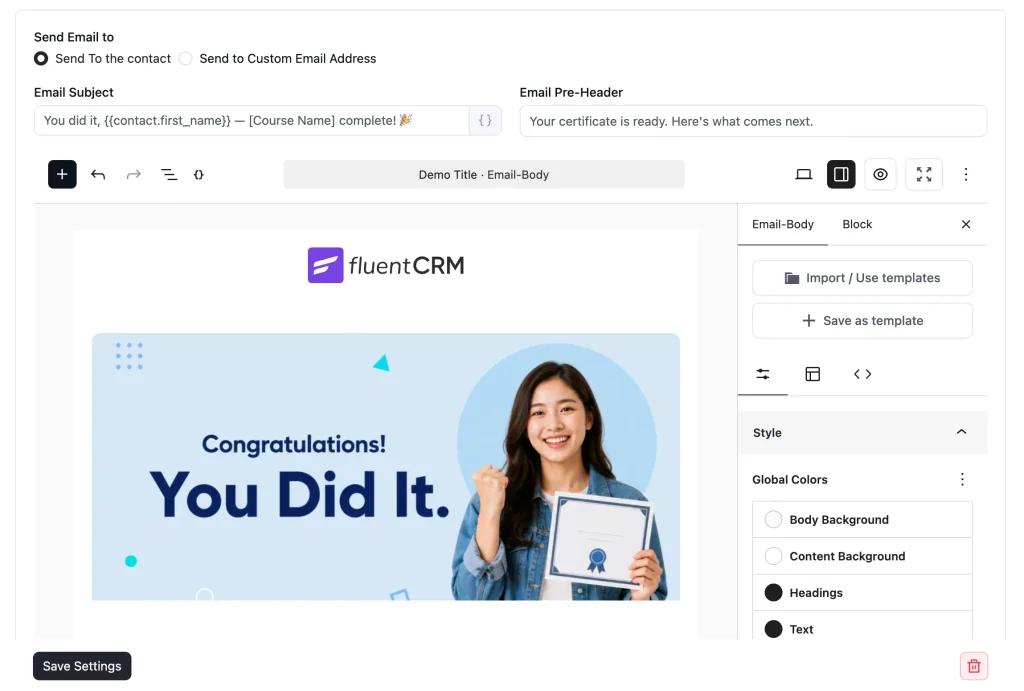
Step 4: Save and publish
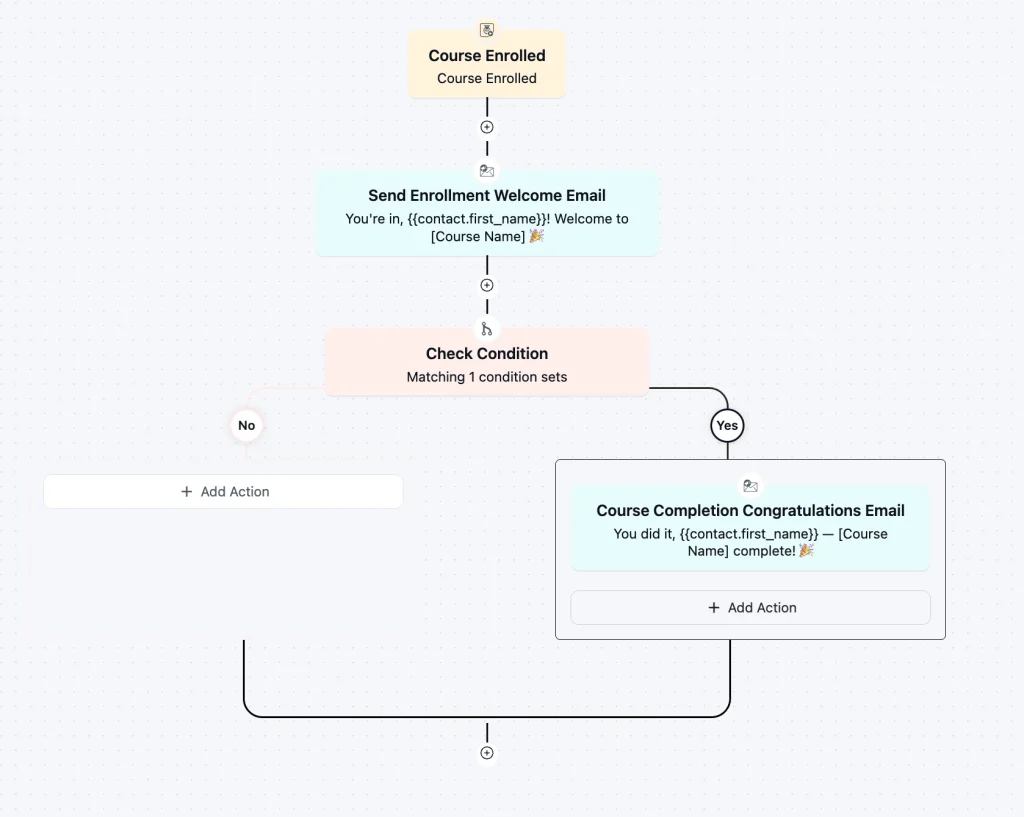
Any student who passes the wait threshold without completing the course will receive this email automatically as part of your existing enrollment flow.
Customization Tips
- Personalize the subject line and preview text with merge tags like {{contact.first_name}}
- Replace the course name placeholder using a dynamic merge tag from your LMS integration
- Update {{certificate.url}} to match your LMS’s certificate URL format or a static certificates page link
- Swap {{next_course.url}} with the enrollment URL of your recommended next course
- Edit the instructor name and brand colors directly in the FluentCRM email editor
- Swap the CTA button color to match your brand palette
- Change the banner image and logo to match your brand tone
- Remove the next course section entirely if you are not ready to upsell
- Edit the email footer to include your business address and social media links
- Add an unsubscribe link to stay compliant with standard email-sending guidelines
- Add a community URL for additional engagement
- Add your support email or community URL so students know where to go for help
Why Use a Course Completion Congratulations Email Template?
“Sending one well-timed congratulations email can be the difference between a student who enrolls in your next course and one who quietly moves on.”
- Celebrate students at their most motivated moment: Most students feel a rush of pride when they finish a course. A congratulations email that arrives at exactly that moment reinforces that feeling and deepens their connection to your brand.
- Deliver certificates without a support ticket: Linking directly to the certificate in the email means students get their certificate instantly, with no chasing and no inbox full of “where’s my certificate?” messages.
- Reduce post-completion churn: Completion is the best time to recommend the next course. Students who just finished are far more likely to enroll again than a cold lead, and this template captures that window before it closes.
- Run it without manual effort: Once the automation is live in FluentCRM, every student who crosses the finish line gets the same polished, on-brand email automatically.
- Keep a human tone at scale: First-name personalization and copy written to sound like a real instructor mean students actually read it, reply to it, and share their achievement.
Frequently Asked Questions
When should I send this email?
Send it immediately on course completion, within minutes if possible. The emotional high of finishing is at its peak right after completion, and a fast congratulations email feels like a real response rather than an automated afterthought.
Can I customize this template without knowing how to code?
Yes. The template is built with Gutenberg blocks and imports directly into FluentCRM. You can edit all text, change the button color, and update the CTA link from within the FluentCRM email editor with no coding required.
What if I don’t have a next course to recommend?
Remove the ‘What comes next?’ section and the second CTA button entirely. Certificate delivery with a genuine well done is enough on its own. You can always add the upsell section later when you have a follow-on course ready.
Can I use this template with LearnDash, LifterLMS, or LearnPress?
Yes. FluentCRM integrates natively with LearnDash, TutorLMS, LifterLMS, and LearnPress, and each supports a course completion trigger for automations.
Related Templates
-
- eLearning
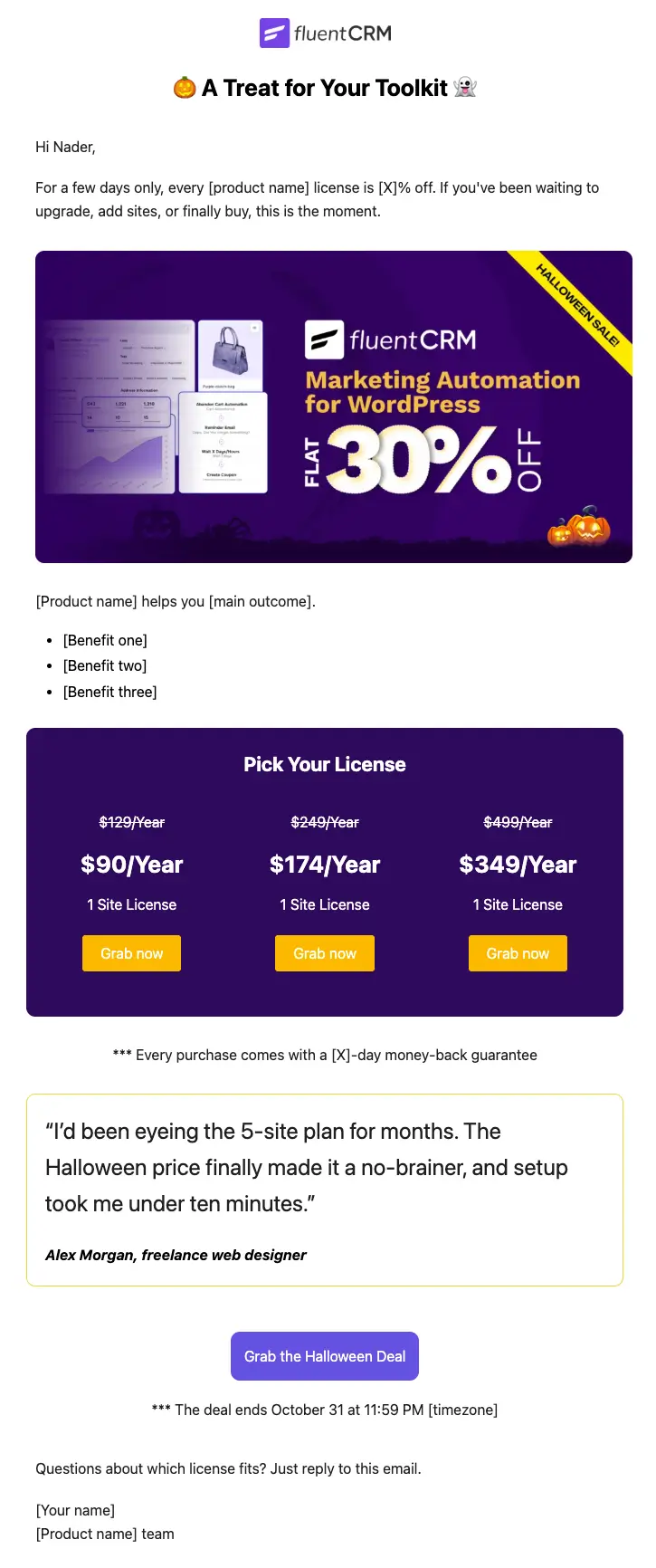
Halloween Email Template for Digital Products
Announce your Halloween license sale with a ready-to-send email built for plugins, themes, SaaS, and online courses
-
- eLearning
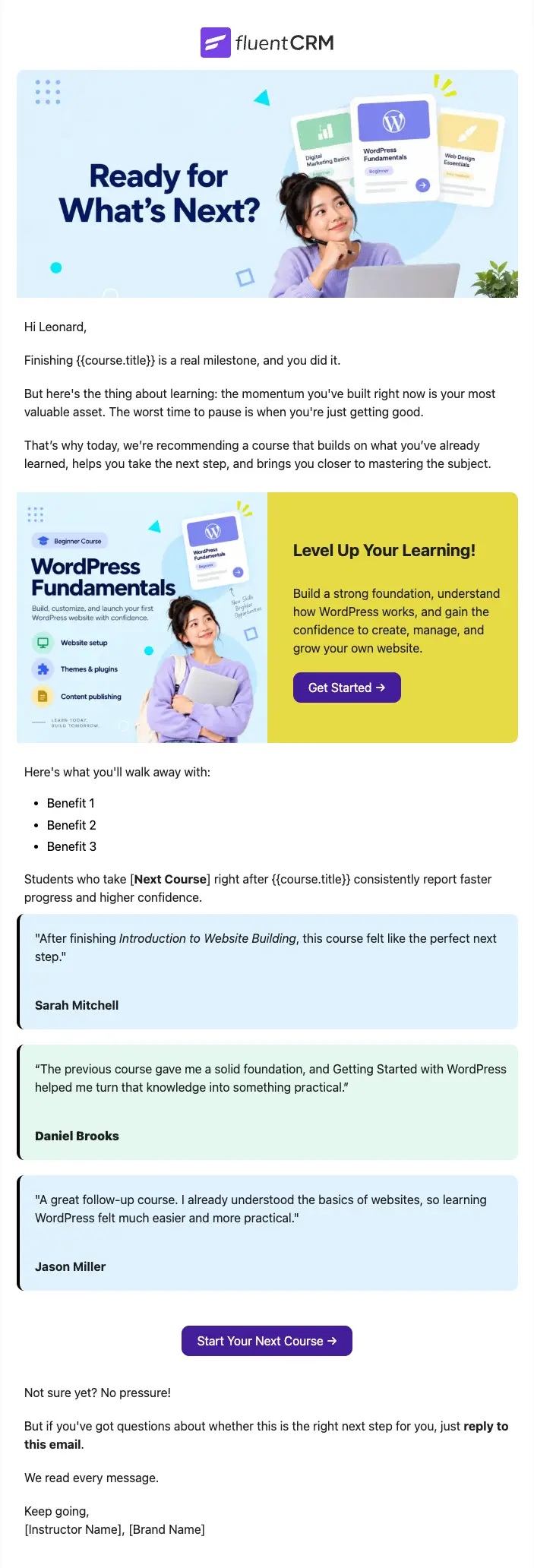
Next Course Recommendation Email
Use this free course recommendation email template to re-engage students after course completion and drive repeat enrollments with FluentCRM automations
-
- eLearning
Course Feedback Email
Collect honest student reviews automatically and turn course completions into the insights that make your next launch better.
Want More Resources?
Access resources to start faster, decide smarter, and grow your revenue with less complexity.