

FluentCRM 3.2.6: Stronger Security, Better Contact Workflows, and Important Developer Updates

Summarize with


Last Updated:
Your contacts, your email history, and your store data live in your own WordPress install. That’s why many of you chose FluentCRM. It also makes us responsible for the code that guards that data.
As FluentCRM turned six, that responsibility stays at the center of what we build.
In this month, we paused feature work to audit our own code. We reviewed permission checks, how data appears in the interface, and how background requests run. We wrote failing tests for the issues we found before fixing them.
FluentCRM 3.2.6 is now available, bringing those fixes alongside improvements to contact management, email previews, and everyday workflows.
My advice is simple: update the sites you manage, including those running the free version. If you build integrations or add-ons, review the developer changes below as well.
What’s included in FluentCRM 3.2.6
- Safer smartcode personalization and stronger permission boundaries.
- Safer previews and signed background requests.
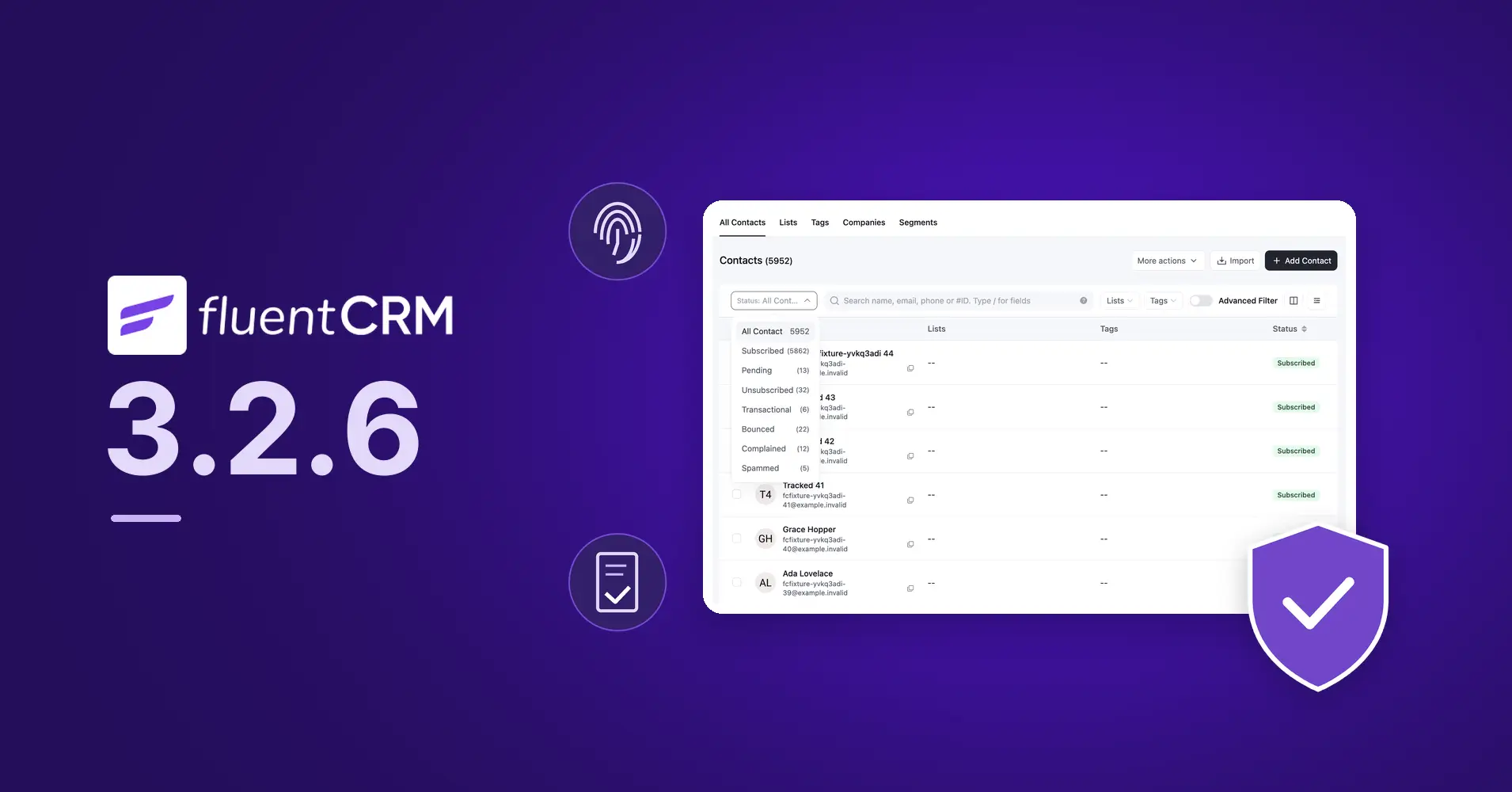
- Contact status quick filters, improved search, and clearer bulk actions.
- Email and confirmation-page previews for Double Opt-in Settings.
- Fixes across contact management, email sending, automations, and reporting.
- Stronger checks and more predictable data handling for integrations.
- Clearer American English wording and expanded translation coverage.
Safer Personalization, Stronger Permission Boundaries.
Smartcodes now respect where they are used, while additional permission checks protect sensitive WordPress-user actions. This makes it safer to delegate CRM work to your team.
- Sensitive smartcodes stay in the right context: Account-access links are withheld from public output and lower-privilege previews. Supported recipient-only flows can still use them where needed.
- CRM access does not grant unrestricted account control: Adding or changing automation steps that create WordPress users, change roles, or update user metadata requires additional WordPress permissions.
- Protection continues during execution: Runtime checks guard against administrator role replacement and changes to protected account metadata. Resolved contact values cannot become new smartcode instructions during later rendering.
What this means for your team: clearer boundaries around account access, while keeping permitted contact editing and email personalization available.
Clearer English, A Stronger Foundation for Translations
With 3.2.6, we are standardizing user-facing wording across Core and Pro to American English, with more consistent spelling, labels, and messages. We have also expanded translation coverage for text that was previously hard to translate.
- Your selected language stays the same: Because translations match the original wording, some revised or newly translatable text may appear in English until updated translations are available. Existing translations for unchanged text can continue to work.
- If you maintain custom translations: sync your translation catalog with the updated plugin strings, review changed or suggested matches, and translate any new entries. This long-overdue cleanup ships in 3.2.6 and gives translators clearer, more consistent text to work with.
Stronger Checks Around Access and Data
When you give someone access to one part of your CRM, that access should stay within its intended scope. This release tightens those boundaries.
CRM permissions are now cached per user. Email template queries are restricted to FluentCRM’s template post types. Adding or changing automation actions that modify WordPress users now requires the relevant WordPress capability, with checks covering saving, cloning, imports, and templates.
We also strengthened checks around form entries, contact emails, and sensitive email logs, and made contact profile actions reflect what the user is allowed to do.
Email previews now use sandboxed iframes, contact profile widgets go through a shared HTML sanitizer, and product blocks escape values before inserting them into email markup.
Background requests are now signed and no longer forward browser cookies. This also fixes outgoing webhook steps that could remain in “processing” when started through an application-password REST request.
Less Friction When Working with Contacts
Finding the right contacts and acting on them should take fewer steps.
Contact status quick filters now show counts. Search gains field-specific queries, custom field support, a field picker, and search tips.
Bulk actions have a floating toolbar and clearer selection scope, so it’s easier to see which contacts an action will affect. The first-run Contacts screen also provides shortcuts to import contacts, add a contact, and collect signups.
We fixed several search, filtering, export, selection, and profile-save inconsistencies along the way.
Preview More Before You Send
Double Opt-in Settings now offer previews for both the email and the confirmation page, in global and list-specific settings.
Email previews also show sender information and subjects in a familiar layout. Together with fixes to autosave, content recovery, and rendering differences, these changes make reviewing your email work more straightforward.
A Stronger Foundation for Integrations
We tightened the checks around automation actions that change WordPress users. These actions now require the relevant WordPress permission, so CRM access alone does not allow someone to add or change them.
Background callbacks now run without browser cookies, and their payloads arrive exactly as queued. This makes background processing independent of a logged-in session and avoids unwanted changes to the data being passed.
We restricted the Template model to FluentCRM email templates, keeping template operations separate from other WordPress posts and pages.
We also changed how the Contacts API handles unrecognized statuses. New contacts are now saved as pending rather than subscribed, so an invalid status does not become an assumption of consent. Existing contacts keep their status.
Finally, connected AI apps now receive instructions about the effects of CRM actions and how to handle contact-written text. This helps them distinguish customer data from instructions and recognize when an action can trigger further activity.
More Fixes from the Audit
Fluent Forms submissions shown on a contact profile now match the exact email address. Deleting a contact also removes their tracked events, and tracking requests no longer use a contact ID supplied in the request.
Invalid contact inputs now return clearer errors, and unknown tag and list IDs are discarded. We also fixed campaign scheduling, queue recovery, automation editing, and report calculations.
Full Changelog
Security
- Keyed the CRM permission cache per user to close a cross-site request forgery path.
- Restricted email template endpoints and autosave to FluentCRM template post types.
- Required matching WordPress capabilities when adding or changing automation steps that modify WordPress users.
- Escaped WooCommerce and FluentCart product block attributes in email rendering and previews.
- Sanitized contact profile widget HTML and sandboxed email preview iframes.
- Signed background job requests and stopped forwarding browser cookies.
- Strengthened form entry ownership checks, contact-email deletion permissions, and FluentSMTP log redaction; excluded administrators from WordPress user search.
- Required a verified, signed click for smart link auto-login.
- Declared WordPress user-changing automation actions as privileged and checked them again at runtime.
- Updated build and chart dependencies to address open Dependabot alerts.
New
- Added
fluent_crm/funnel_privileged_actionsandfluent_crm/mcp_server_instructionsfilters. - Added contact status quick filters with counts and pinned list/tag favorites.
- Added field-specific contact search, custom field support, a field picker, and search tips.
- Added first-run Contacts shortcuts for importing, adding contacts, and collecting signups.
- Added email and confirmation-page previews in global and list-specific Double Opt-in Settings.
Improvements
- Changed the Contacts API fallback for unknown statuses from subscribed to pending.
- Redesigned contact bulk actions with a floating toolbar and clearer selection scope.
- Added sender information and subjects to email previews.
- Refined email and double opt-in settings layouts and navigation.
- Made dashboard and report summary cards more consistent and improved dark mode readability.
- Clarified interface wording and expanded translation coverage.
- Improved MCP tools and reporting prompts, release packaging, and compatibility.
Fixes
- Matched profile form submissions to the contact’s exact email address.
- Fixed outgoing webhook background steps started over REST with an application password, including payload keys containing brackets.
- Fixed contact search, filtering, selection, export, and profile-save inconsistencies.
- Improved contact input validation and handling of unknown tag and list IDs.
- Removed tracked events when deleting contacts and escaped wildcard characters in search filters.
- Fixed email editor autosave, content recovery, and preview/rendering differences.
- Fixed campaign scheduling, queue recovery, unscheduling, and bounce handling.
- Fixed live automation edits, branch continuation, and delay preservation when cloning or importing.
- Corrected report calculations and anonymous email activity displayed as rates instead of totals.
- Fixed SMS/WhatsApp campaign failure feedback, sent counts, conversation matching, and opt-out handling.
- Fixed sequence sending and completion, queued-email cancellation, and recurring campaign duplicate or blocked runs.
- Fixed WooCommerce, EDD, membership, and LMS integration issues.
Keeping the Foundation Strong
The work behind this release is part of maintaining the trust you place in us. The tests added during the audit now run on every change, and we’re making this review work routine.
Please update FluentCRM on the sites you manage. If you extend it, give the developer changes above a closer look.
If you find a security issue, report it privately through our Vulnerability Disclosure Program.
Thank you to everyone who reports issues responsibly and helps us improve FluentCRM.
Shahjahan Jewel
Hello, this is Jewel, CEO & Head of Ideas at WPManageNinja. I am obsessed with WordPress since 2009. My aim is to be a user-centric developer first, and a serial entrepreneur second. You will find me discussing various tech issues and trying to come up with scalable solutions on different forums when I am not busy coding.
Table of Content
Related Articles and Topics
-
FluentCRM 3.2.5: Lesson-Based LMS Filter, New Campaign Archive Layouts, Massive System Improvements & Fixes
Not every improvement needs a headline feature. Sometimes, a few thoughtful changes within the existing…
-
FluentCRM 3.2.0: WhatsApp Messaging, Faster Campaigns, and Better Email Workflows
When we added SMS marketing to FluentCRM, one question kept coming back: “Can we do…




