

FluentCRM 3.2.5: Lesson-Based LMS Filter, New Campaign Archive Layouts, Massive System Improvements & Fixes

Summarize with


Last Updated:
Not every improvement needs a headline feature.
Sometimes, a few thoughtful changes within the existing system make the everyday experience feel a little smoother, a little faster, and a lot more intuitive.
That’s what FluentCRM 3.2.5 is about.
This release doesn’t come with one big feature designed to steal the spotlight.
Instead, it brings together a collection of smaller improvements and additions across FluentCRM, each designed to make the things you already do easier and more convenient.
These changes may seem subtle on their own. But together, they make FluentCRM feel better to use, day after day.
So, here’s what this release covers.
Filter Learners by Lesson Completion
Course sellers need more than a list of learners; they need to know where those learners are in their course journey.
When preparing email and automation templates for LMS users, we found that there was no dedicated way to distinguish learners who had completed specific lessons from those who hadn’t.
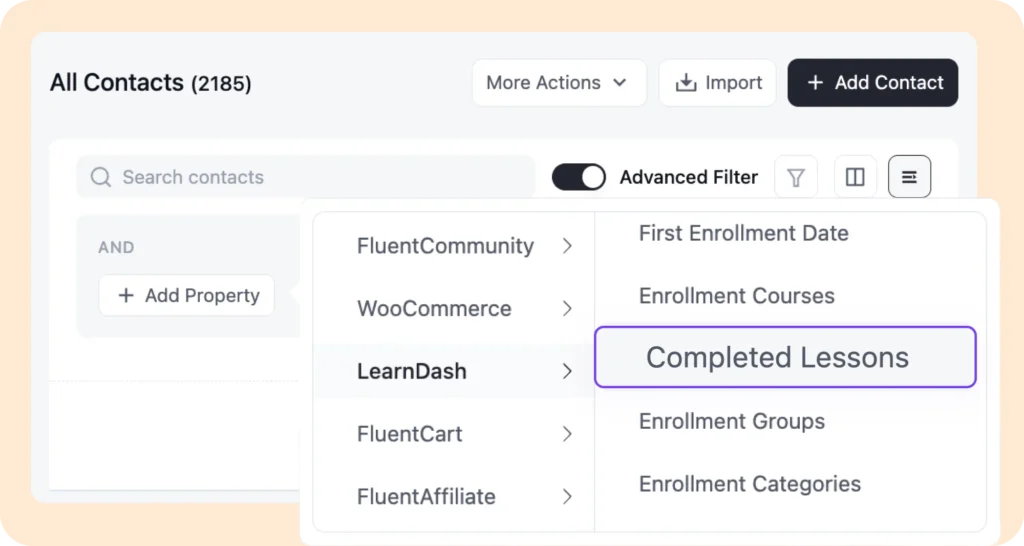
So, we added a “Completed Lessons” filter in Advanced Filter for supported LMS plugins to easily identify learners based on the lessons they’ve completed and use that information in targeted campaigns and automations.
That means course sellers can now follow up with learners who have completed a lesson, engage those who haven’t, or tailor communication to different stages of a course.
Showcase Your Best Archived Campaigns Your Way
We know for many users, the campaign archive is more than a list of past emails; it can be a way to showcase the best work.
With this release, you have more flexibility in how those campaigns are presented.
Previously, campaign archives were limited to a list view, giving you only one way to display your campaigns.
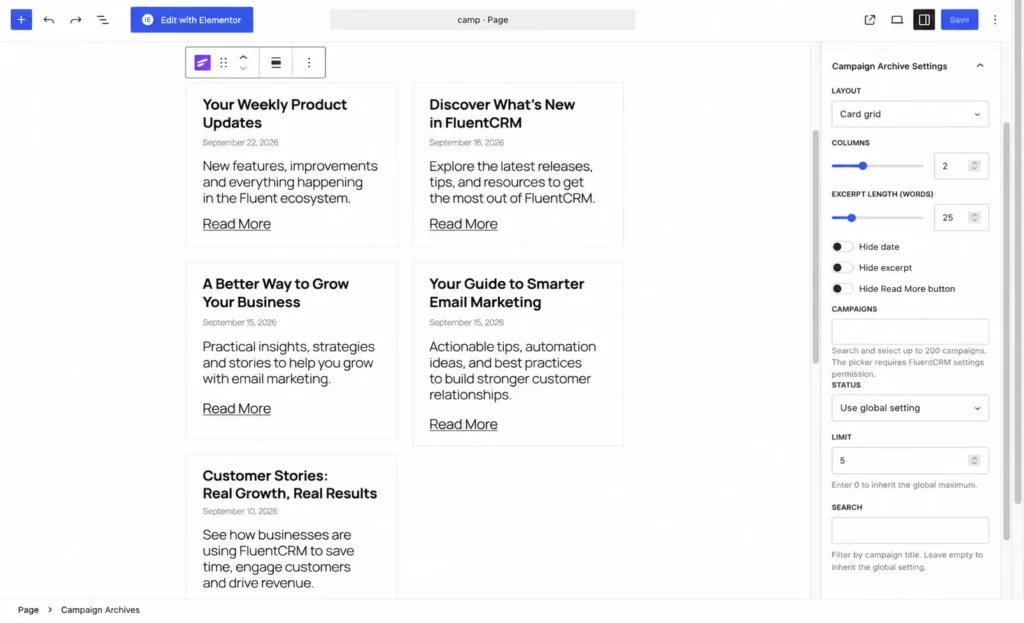
Now, you can choose between grid and list layouts to present your campaigns in the format that works best for your site.
Also, the archive customization is a lot easier to navigate. All the available controls are now brought together in the right-side panel, making it easier to find and adjust the settings you need.
Connect Leads to Their Companies via Form Submission
A new lead often comes with more context than just a name and email address. When someone submits a form on behalf of a business, that company information can be just as important as the contact itself.
With the new Create Company from Fluent Forms Entries option, FluentCRM can now use a mapped company field from a Fluent Forms submission to automatically associate a new contact with their company.
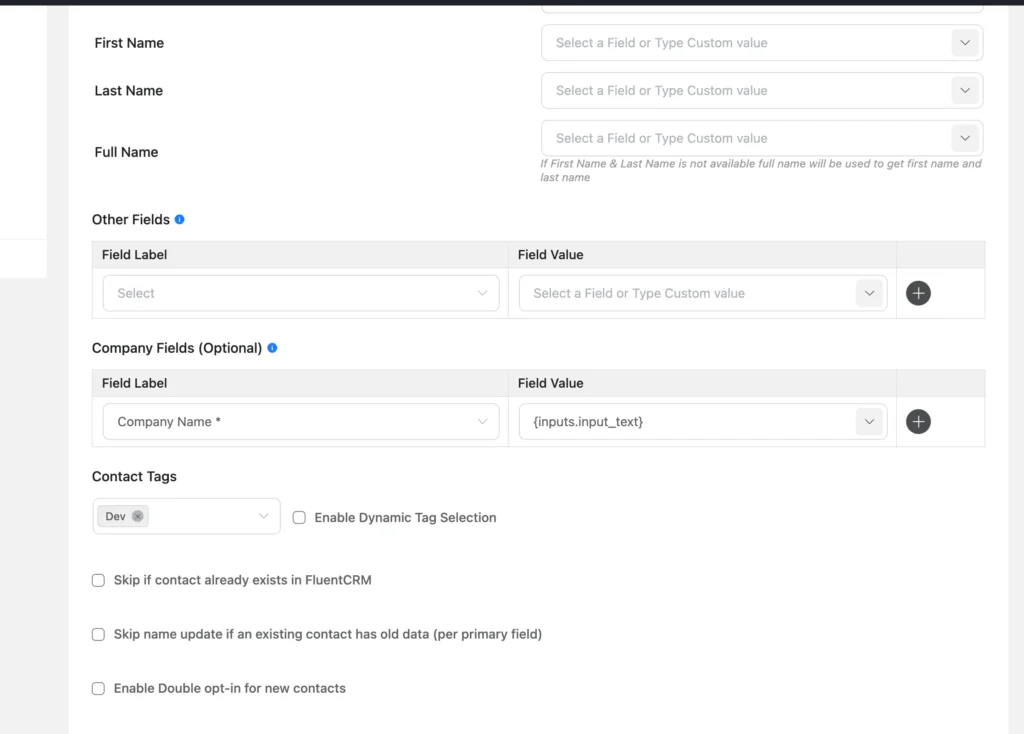
Once configured, when a visitor submits a form with their company information, FluentCRM checks whether that company already exists. If it does, the new contact can be associated with the existing company. If it doesn’t, FluentCRM creates a company profile and connects it to the newly created contact as their Primary Company.
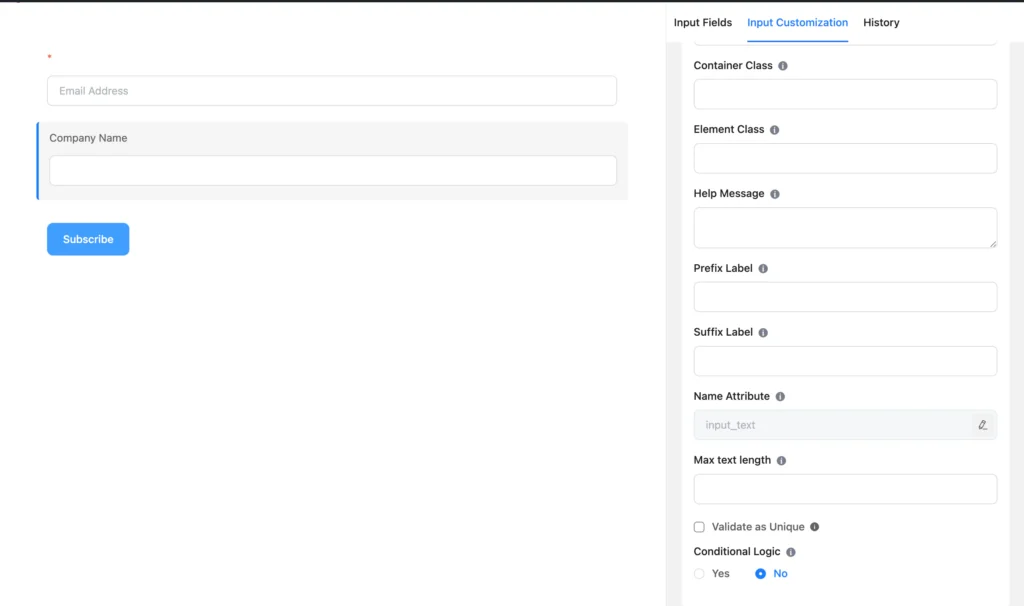
This means leads can enter your CRM with their company relationship already in place, giving you a more complete picture from the moment they become a contact.
It also keeps existing CRM data protected. Company synchronization only applies when the form submission creates a new contact, so existing contacts and their company associations aren’t unexpectedly changed.
More Control When Importing Contacts via CSV
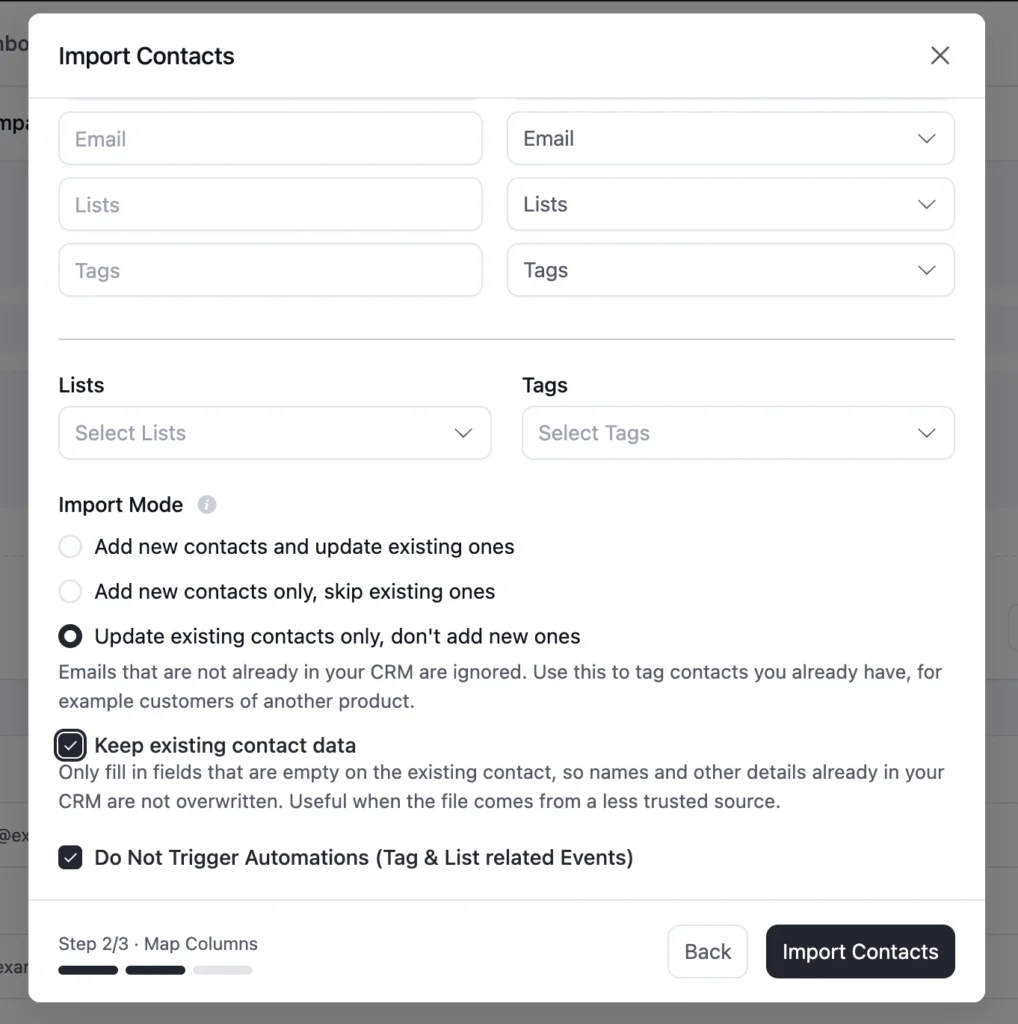
We’ve added some changes to the Update Subscriber options while importing contacts via CSV. It gives you more control over how existing contacts are updated.
Previously, you could choose whether to update existing contacts or skip them with a yes or no option.
Now, there is an additional option: “Update existing contacts only, don’t add new ones.”, it allows you to update contacts already in your CRM without importing new contacts from the CSV file.
When you select this, you will find some additional configuration options below. If you enable the Keep existing contact data option, FluentCRM will only fill in fields that are currently empty. Any existing contact information will remain unchanged, even if the CSV contains different values for those fields.
This is especially useful when you want to enrich existing contacts with missing information without accidentally overwriting data already stored in your CRM.
Additional Fixes and Improvements
As we said before, this release is more about polishing what we already have. So, we have made some major experience improvements and fixes within our system.
WooCommerce Product Variation Filter Now Works Reliably
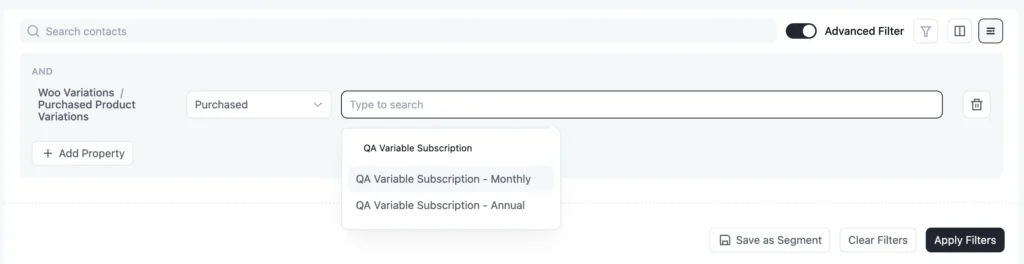
We’ve improved the WooCommerce Product Variation filter in FluentCRM’s advanced filters to make sure product variations load correctly.
Previously, some users couldn’t see their available product variations when setting up this filter. This made it difficult to create segments or automations based on a customer’s purchase of a specific variation.
With this update, we’ve added pagination to the product variation selector, allowing FluentCRM to load variations more reliably in the dropdown, including for products with a large number of variations.
You can now select the relevant product variation as expected.
Simplified Renaming for Campaigns, Automations, and Email Sequences
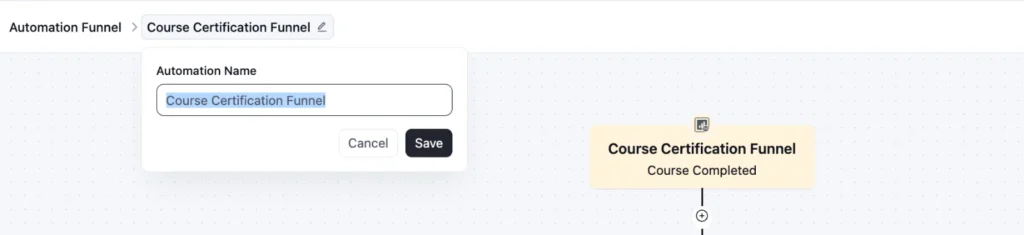
We’ve simplified the process of renaming campaigns, automations, and email sequences.
Previously, renaming directly from the list could sometimes cause minor UI issues. Now, clicking the rename option opens a dedicated pop-up where you can update the name and save your changes more reliably.
Track Campaign Revenue with New Revenue Badges

FluentCRM now displays a revenue badge next to each campaign in the Campaigns list, showing the revenue generated by that specific campaign.
The revenue is automatically fetched from the campaign reports and displayed alongside the respective campaign, so you can see its revenue contribution without opening the campaign report.
Other Key Enhancements
- FluentCart purchase dates now follow FluentCRM date preferences.
- Reports sidebar now supports integration sections.
- Unpublished WooCommerce products are now excluded from selectors.
- Improved WooCommerce purchase conditions for registered customers.
- Latest Posts layouts now support WordPress title filters.
- Messaging campaign batches now retain the correct order.
- Tag and list adders now show validation errors properly.
- WooCommerce HPOS compatibility improvement.
- Improved advanced filters to hide LMS filters when the LMS plugin is inactive.
- Faster campaign reports and company contact counts.
- URL encoding support for smartcode values.
- Added pagination to WooCommerce product variation selectors.
- Faster block editor startup and email template loading.
- Safer handling of FluentCRM smartcode values in Fluent Forms.
- Legacy Twilio webhook URLs are retired. Update older configurations to the URL shown in FluentCRM settings
Bug Fixes & Stability Improvements
- Fixed WhatsApp template variables and Twilio approval issues.
- Fixed WooCommerce subscription variations in segment filters.
- Fixed WooCommerce coupon expiry calculations.
- Fixed automation follow-ups with nested Email Sequence goals.
- Fixed trigger registry updates after trigger changes.
- Fixed: Re-applied automation steps not continuing after conditional branches.
- Fixed: MySQL 5.6 database installation compatibility.
- Fixed preference forms visibility for logged-in users.
- Fixed From/Reply-To names with commas breaking email delivery
- Fixed Latest Posts editor entity display.
- Fixed display-condition tag selection overflow in visual builder.
- Fixed missing automation API data validation.
- Fixed missing new FluentCRM custom fields in existing Elementor forms
- Fixed messaging database migration in some sites.
- Fixed cron cleanup and scheduler initialization.
- Fixed five-minute Cron Monitor targeting.
- Fixed scrolling issue in inbox conversations.
- Fixed: Contact creation after changing an automation trigger.
- Fixed: Trigger registration after publishing automations through the REST API.
- Fixed: Incoming SMS text losing its original capitalization.
- Updated contact-profile hooks with backward compatibility.
- Fixed: Double opt-in email padding.
- Fixed: Cleared company owners not staying cleared.
- Fixed: Visual Builder campaigns rendering incorrectly.
- Fixed: Refined contact email history visibility based on user permissions.
- Fixed: Subscriber meta index compatibility with MyISAM tables and database index repair.
- More Improvements & Bug Fixes.
In Case You Missed
Every release is connected to the others. Here’s what we introduced before:
FluentCRM 3.2.0
- Introduced a new messaging module, WhatsApp, with automation capabilities
- New Create Coupon action for FluentCart similar to WooCommerce
- Added theme colors customization to the email editor
- Added new Media & Text block support in emails
FluentCRM 3.1.9
- New MCP abilities for tags, lists, and contact filters, plus batch contact lookups and automation enrollment data.
- Sticky notes in the automation editor
- FluentCRM contact widget for the FluentCart customer page
- Empty / Not Empty operators for tags, lists, and companies in advanced filters.
FluentCRM 3.1.8
- Email sending now respects the configured maximum sending cap
- Abandoned cart totals, provider recovery notices, and FluentCart coupon fallback fixes.
- Reflected XSS issues fixed in admin flows.
FluentCRM 3.1.7
- Email sending cap centralized; funnel table sorting by created and updated dates.
- FluentCart checkout opt-in fixes for modal checkout and list names.
- Email footer, template import, and Gutenberg editor rendering fixes.
FluentCRM 3.1.5
- FluentCart checkout subscription opt-in with lists, tags, and double opt-in.
- CSV export for FluentCRM system logs / CRM logs with date range options.
- Global link color picker in the Gutenberg email editor, plus company quick-create in contact addition.
Shahjahan Jewel
Hello, this is Jewel, CEO & Head of Ideas at WPManageNinja. I am obsessed with WordPress since 2009. My aim is to be a user-centric developer first, and a serial entrepreneur second. You will find me discussing various tech issues and trying to come up with scalable solutions on different forums when I am not busy coding.
Table of Content
Related Articles and Topics
-
FluentCRM 3.2.6: Stronger Security, Better Contact Workflows, and Important Developer Updates
Your contacts, your email history, and your store data live in your own WordPress install.…
-
FluentCRM 3.2.0: WhatsApp Messaging, Faster Campaigns, and Better Email Workflows
When we added SMS marketing to FluentCRM, one question kept coming back: “Can we do…




