

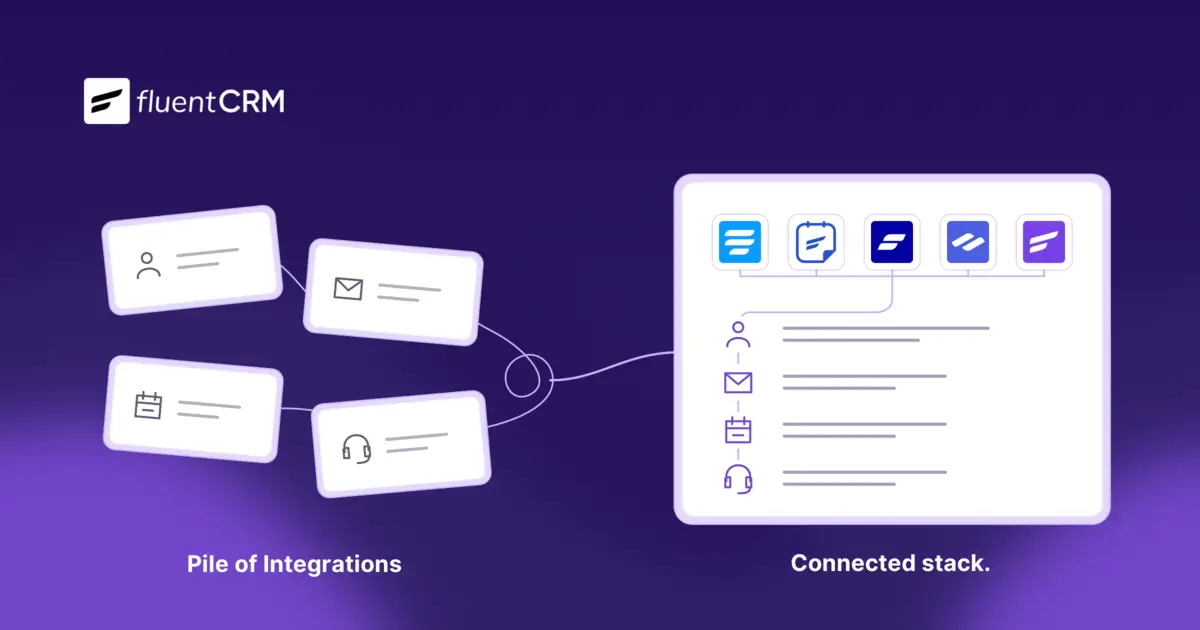
The Difference Between a Connected Stack and a Pile of Integrations

Summarize with


Last Updated:
An agency uses a CRM for one main reason: context.
You want to know how a lead entered, which pages and emails moved them along, and what finally turned them into a client. You also want that context to flow into your marketing, so the next email, offer, or follow-up fits where the person actually is, and you want to pull up any of that data the moment a client or teammate asks for it.
Now picture getting that context through a pile of integrations:
Every time customer data moves from your form to your CRM, from your CRM to your email tool, or from anywhere into a consent record, you need another connector, another platform, and another subscription.
Trust me, those small fees add up fast. But the context you’re paying still ends up scattered across tools instead of sitting in one place.
Jorge de los Reyes’s consultancy, En Busca del Fuego lived with exactly this setup for four years, and you’ll see what it cost him, what replaced it, and how to tell whether your own stack is just a pile of disconnected tools that need replacing.
Meet Jorge de los Reyes & En Busca Del Fuego
Jorge de los Reyes is the founder of En Busca del Fuego, a boutique business consultancy and online school based in Spain.
His firm works with entrepreneurs, creators, and companies in Spanish and English, advising them on company formation, contracts, intellectual property, and growth, while its e-learning platform teaches founders at every stage from first launch to exit.

The business runs on a small number of long-term client relationships, so one person might read an article, join a course, book a consultation, become a client, and later need support.
Jorge and his team ran that whole journey themselves, which is why the tools behind it mattered so much.
What Does a Pile of Integrations Look Like?
A pile of integrations is what you get when every exchange of customer data needs its own connector, platform, or fee. For about four years, Jorge’s setup looked like this:
| Part of the old setup | The job it was added for |
| ActiveCampaign | Email marketing and automation |
| Zapier and custom WordPress code | Moving data between the CRM, the website, and client workflows |
| Auxiliary compliance tools | Keeping consent records and audit trails |
| Conditional display tools | Showing different content to different contacts |
Each part held a slice of the customer journey, and every exchange between them carried a price.
The Cost of Having a Pile of Integrations
For Jorge, that price showed up in three ways, and each one grew as the business grew. Here’s how:
Every Connection Increases the Cost
The biggest line on Jorge’s bill was the CRM itself.
ActiveCampaign’s pricing rose with contact volume. Jorge estimated that reaching 50,000 contacts, including non-paying leads still in nurturing or trial stages, could cost between €14,000 and €18,000 a year. That was already a massive drawback as stated by Jorge de los Reyes.
“Even trial leads or pre-sale contacts counted toward the total, creating financial inefficiency for businesses aiming to scale.“
Jorge De Los Reyes, Founder – En Busca del Fuego
On the other hand, Jorge had to use Zapier, auxiliary compliance tools, conditional display tools as well as some custom add-ons to keep his business running. Paying and maintaining this stack of integrations cost more on top of Jorge’s already high monthly expense.
So the real cost of the pile was never the CRM line alone, but the CRM plus every connector it needed to talk to the rest of the business, and that total kept climbing with every new contact and every new tool.
At 10,000 contacts, ActiveCampaign costs $4,500 per year. FluentCRM costs just $129/year + the email service of your choice. Grow your list, not your bill!


Customer Context Ends Up in Pieces
When every tool keeps its own records, the story of how one contact entered, moved, and converted gets split across all of them.
For most businesses, that’s just an inconvenience they deal with. But for a consultancy that advises clients on legal structure and GDPR, where keeping consent records is one of the basic email compliance requirements, it turned into a compliance risk.
So a process that should have been simple to audit depended on the very connections that were hardest to see into. He described the effect on the people responsible for it directly:
"Maintaining GDPR-compliant consent trails across multiple tools required complex integrations…and managing GDPR consent records and audit logs outside of our own infrastructure increased compliance costs and reduced visibility for our legal team."
Jorge De Los Reyes, Founder - En Busca del Fuego
Every Platform is One More Thing to Maintain
Each connection is another place where data can arrive late, and another thing someone has to check whenever a form or offer changes. Jorge summed up what the old connections brought with them:
"Automations and data syncs required third-party tools like Zapier or Integromat, introducing latency, operational complexity, and limited control over data storage."
Jorge De Los Reyes, Founder - En Busca del Fuego
That upkeep rarely shows up on an invoice, which is why we named it The Automation Tax That Never Appears on an Invoice, along with a simple way to put a number on it for your own business.

Want every contact's history in one place?
Want every contact's history in one place ready for your next campaign? See how FluentCRM handles contact management and segmentation.
What a Connected Stack Looks Like Instead
When Jorge and his team chose what to move to, he named three drivers: "control, compliance, and coherence."
A connected stack is what coherence looks like in practice, because every tool works from the same customer records instead of passing copies of them back and forth.
His team rebuilt its setup on the Fluent Ecosystem, with FluentCRM Pro as the CRM and automation hub and seven other Fluent products, including Fluent Forms, FluentBooking, FluentBoards, and Fluent Support, working from the same records:
Here’s what it looks like now:
| Job | Old setup | New setup |
| CRM, email, and automation | ActiveCampaign | FluentCRM Pro |
| Moving data between tools | Zapier and custom WordPress code | Fluent products working with the same WordPress records |
| Consent records and audit logs | Auxiliary compliance tools | Stored in the firm's own WordPress infrastructure |
| Showing different content to different contacts | Conditional display tools | Handled using FluentCRM, for both emails and the site |
This is the practical difference between WordPress marketing automation and cloud-based tools, because when the automation runs where the customer data already lives, there is far less to sync and far less that can break.
Jorge described the difference in client work this way:
"FluentBoards and Fluent Support integrate directly with FluentCRM, giving us a complete real-time view of client journeys, communications, and progress."
The Result: €12,000+ Saved and 60% Less Setup Time
The move changed three things for Jorge's team, and each one answers one of the costs the pile had been charging them.
More Than €12,000 Saved Every Year
Because the old costs were spread across the whole pile, Jorge measured his saving against all of it rather than the CRM alone.
He put the savings at more than €12,000 a year compared with the combined cost of ActiveCampaign, Zapier, and auxiliary compliance tools, and he noted that the figure also covers the conditional display tools he no longer pays for.
60% Less Time on Campaign Setup and Maintenance
Jorge reported their campaign setup and maintenance time got reduced by 60%, as automations now run natively within WordPress without third-party connectors.
That is the upkeep from the third cost shrinking, because there are far fewer connections left to check whenever a form or offer changes.
Customer and Consent Records in One Place
He also reported less time spent on GDPR recordkeeping and audits, since consent records and audit logs now live in the firm's own WordPress infrastructure instead of being pieced together from several tools.
His own summary of the change was short: "The result: fewer tools, fewer integrations, faster responses, and total clarity."
Is Your Stack a Pile?
As you can already understand, having a pile of integrations can cost you in more ways than you can think of. But how do you know your stack is a pile and not a connected system?
Start with one test: Pick a recent client and try to pull up how they entered, the path they took, and how they converted. If it takes more than one tool, list every tool and connection the journey depends on and answer three questions for each.
| For each tool or connection | What to write down |
| What does it cost? | The yearly fee, and whether it rises with contacts, tasks, or usage |
| What data does it hold? | Whether contact history or consent records live only there |
| Who maintains it? | The person who notices when it fails and fixes it |
| Time spent | The time you/your team member spent gathering the information |
If several tools hold their own slice of a contact's history, nobody owns a connection, or takes a lot of time to run this task, you have a pile rather than a stack.
How the Fluent Ecosystem Turns Your Pile of Integrations Into a Connected Stack
The Fluent Ecosystem is built inside WordPress and is designed to work with FluentCRM. The tight integration between these plugins mean your forms, CRM, bookings, and support desk work with the same customer records on your own site instead of handing data to each other through external connectors.
Since every product runs inside your own WordPress site, each of the three costs of a pile gets a direct answer.
A Flat Cost Instead of a Bill for Every Contact and Connection
FluentCRM doesn't price by contact count, so growing your list, trial leads and pre-sale contacts included, never raises your CRM bill. On top of that, every connector the ecosystem replaces is one fewer subscription to renew. That combination is what let Jorge save more than €12,000 a year against the whole pile rather than the CRM alone.
One Record for the Whole Customer Journey
A lead can come in through Fluent Forms, move into FluentCRM for segmentation and behavior-based email automation, book a call through FluentBooking, and later get help through Fluent Support, while the history builds up on the same contact.
Your marketing then works from that context, so the next email can use dynamic email content to reflect how the person entered and what they did along the way. Consent records and audit logs sit in your own WordPress database too, so you can answer "what did they agree to, and when?" from one place.
Fewer Platforms to Run
With automations running inside WordPress, there are fewer outside services to watch, renew, and fix if something breaks. Every Fluent product also shares the same logic and interface, so your team learns one way of working instead of one per tool.
Integrate your WordPress site with 10+ popular SMTP/PHP mailers like Google Workspace, Microsoft Outlook, Amazon SES, Mailgun, Sendgrid, Elastic Email, and more.
Is Your CRM Giving You Context or Just Another Bill?
An agency doesn't pay for a CRM to own another tool, it pays for context.
If you’re running one, you want to be able to see how a lead entered, what moved them along, and what turned them into a client, and then put that knowledge to work in its marketing.
A pile of integrations sells that context back to you one connection at a time, while scattering it across platforms and adding upkeep with every new tool.
Jorge spent four years paying that price before rebuilding around a connected stack, and he came out of it with more than €12,000 a year back, 60% less campaign setup and maintenance time, and one place for his customer and consent records.
In his words, "Fluent didn't just save us money. It gave us ownership."
Ready to see the full story behind those numbers?
Read how Jorge de los Reyes rebuilt En Busca del Fuego's stack, including the cost breakdown and the work the move required.
If your agency runs on WordPress, you can bring your customer journey, marketing automation, and consent records together in one place with FluentCRM, and stop paying for every exchange of your own customer data.

Nazir Himel
Product Marketing Lead
Hey! I'm an inbound marketing specialist focused on email marketing automation. I love turning complex features into clear, user-centric messaging and when I'm not shaping product stories, I'm experimenting with content frameworks, conversion journeys, and helping others communicate value without sounding salesy!
Table of Content
Related Articles and Topics
-
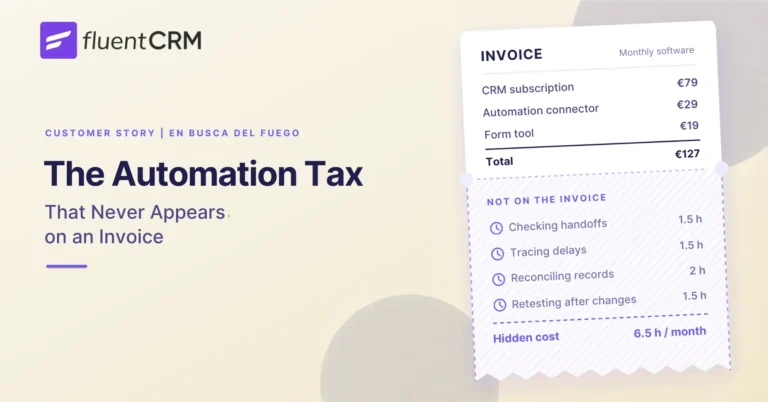
The Automation Tax That Never Appears on an Invoice
Imagine you run a business consultancy in Europe. Your clients care about GDPR, and your…
-
2X Revenue in 1 Year: How FluentCRM Quietly Became the Biggest Agency Growth Machine
Behind the curtain of glamour, the digital marketing agency landscape is fiercely unforgiving. Most agencies…




