


Customer Feedback Email Examples and Templates (+ How to Ask for Feedback)

Summarize with


Last Updated:
One of your customers has just bought something from a website or reached out to the support team. Your support team may have provided an excellent experience or it probably wasn’t.
This is the moment to ask how it went.
Feedback emails turn one-off transactions into a two-way relationship: they surface what is working, flag what is not, and give you the reviews and testimonials that win the next customer.
But a feedback request only works if it is easy to say yes to. Ask at the wrong time, in a vague way, or with too much friction, and it gets ignored.
Below are real feedback emails from brands that get it right, six copy-paste templates you can adapt today, and a simple way to send the whole thing automatically after every purchase.
What Makes a Great Customer Feedback Email?
Customer feedback emails are essential to any business’s communication plan because they help the company figure out how happy its customers are, where they can improve their business and how they can build a better relationship with customers.
Customers can use these emails to directly tell you about their experiences and give useful information that you can use to make your goods or services better. These emails are usually sent after a purchase or conversation with a customer. They promote open communication and show that a company is dedicated to always getting better.
Before the examples, here is what separates a feedback email people answer from one they delete:
- One clear ask. A single question or a single survey link, not five
- Right timing. Sent while the experience is fresh: just after delivery, a support interaction, or a milestone
- Low effort to answer. A one-tap rating or a short survey with a stated time cost (“takes 2 minutes”)
- A reason to bother. Either an incentive or an honest “this helps us improve,” which sets the expectation that the feedback matters
- Personalization. A name and a reference to what they actually bought or did
How to Ask a Customer for Feedback (Politely)
You do not need clever copy. You need to make the request respectful and effortless. A reliable structure:
- Thank them and reference the specific interaction. “Thanks for your order last week” beats “We value your business.”
- Ask one focused question. “How was the checkout experience?” gets better answers than “How did we do?”
- State the effort. Tell them it takes a minute or is a single tap.
- Give one link or one rating scale. Remove every other choice.
- Close with why it matters. A short line that their answer shapes what you do next.
That is the whole art of a polite feedback request: be specific, be brief, and make saying yes take one click.
7+ Excellent Customer Feedback Email Examples
A strong customer feedback email is clear and straightforward. It starts with a personalized greeting and asks specific questions about the customer’s experience.
Then there should be a link that leads to form or questions to share their thoughts, adding a NPS survey system can also work. That way you can gather valuable insights.
Looking for inspiration?
Find out a list of top customer feedback email examples from leading brands to help you create your own!
Slack – As Simple as it Gets
Subject line: Help us improve Slack by taking this short survey
Customer feedback emails are meant to be simple, and Slack did just that. Starting with the subject line, they showed that they value their users and that their feedback will help them improve.
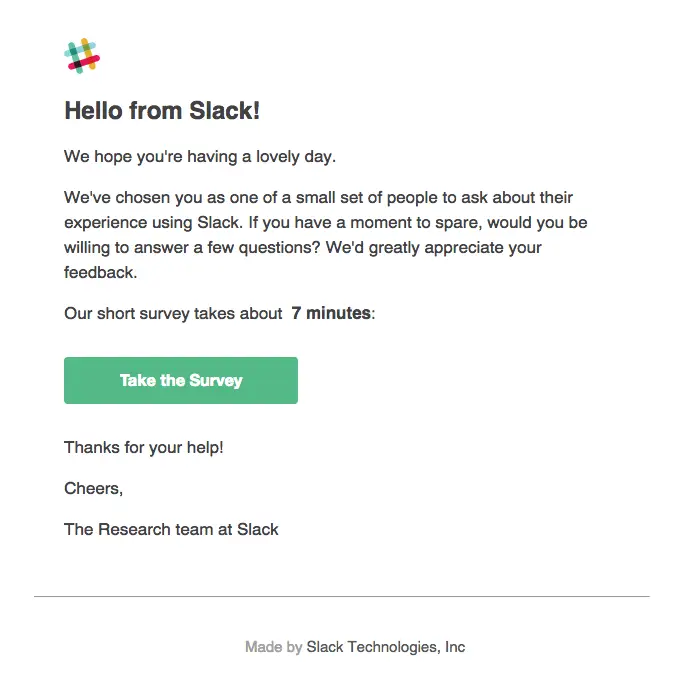
- Why it works: The ask is unmistakable and the time cost is stated up front, so nobody opens it fearing a 20-minute commitment.
- Key elements: Personal greeting, one clear survey CTA, an explicit “seven minutes” time estimate.
- Takeaway: Naming the time cost removes the biggest reason people ignore feedback emails.
Trello – Feedback Disguised as Value
Subject line: Trello automation: Cool and useful
Trello is one of the most popular task management software, if not the best. They came up with a bit of a twist with their customer feedback emails. Instead of sending a boring newsletter, they tweaked it into a feedback request email as well.
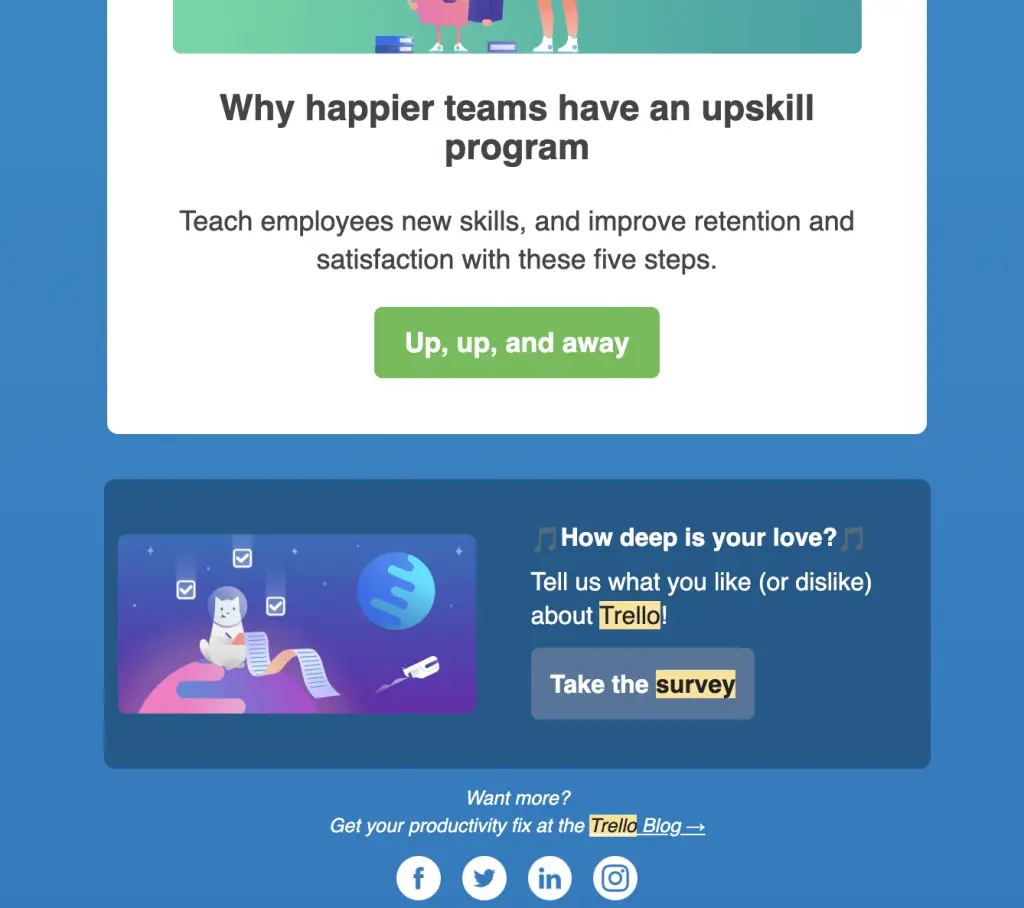
- Why it works: Instead of a dry survey, Trello wraps the request inside a genuinely useful tip, so the email earns attention before it asks for anything.
- Key elements: Distinct colors and a standout CTA button, value first and ask second.
- Takeaway: Bundling the request with something helpful lifts response rates.
Airbnb – Politeness as Strategy
Subject line: Respond now to a 10-15 minute survey
Words can make or break a deal; if we are talking about emails, words are all that we have. Since you’re asking your customers for feedback, there’s no option but to be polite. And that’s what Airbnb did with their email.
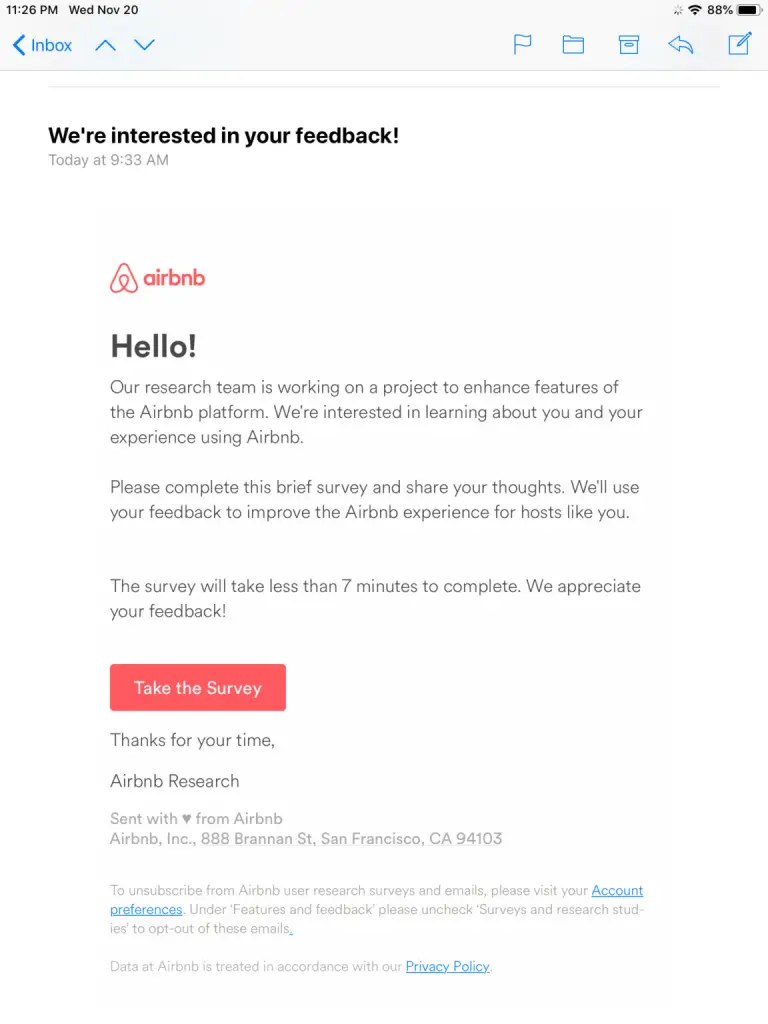
- Why it works: The tone is deferential and the brand explains it wants to improve the guest experience, which frames the survey as collaboration rather than a chore.
- Key elements: Polite framing, an on-brand CTA, a clear statement of purpose.
- Takeaway: When you must ask for more time, earn it with tone and a reason.
IKEA: An Incentive that Lands
Subject line: We need your feedback on your recent visit to IKEA
Let’s be real. All the sweet talks and personalization might work, but gifts, bonuses, and incentives top it all. When you offer something directly in return for customers’s feedback, they tend to do anything!
And that’s what Ikea did with this email below.
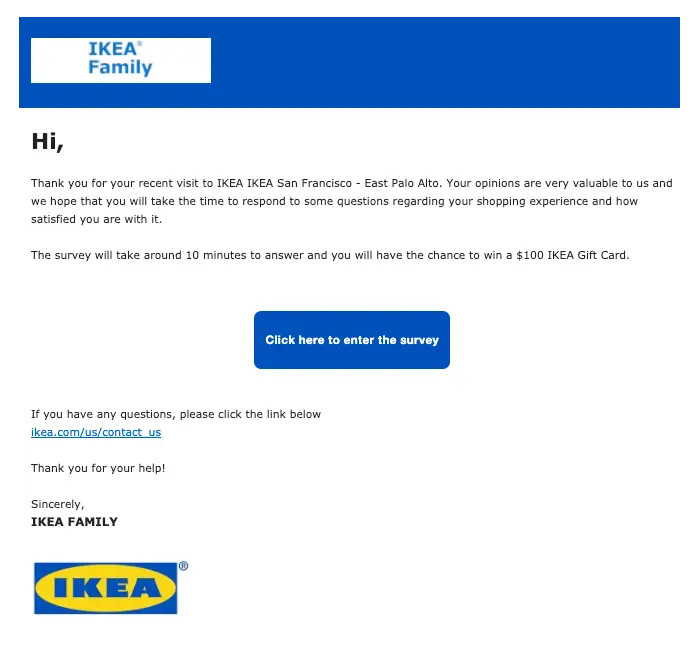
- Why it works: A meaningful reward (a gift card) plus a note on how the feedback helps makes the trade obvious and worthwhile.
- Key elements: Clear incentive, purpose statement, direct CTA.
- Takeaway: A real incentive is the most reliable way to raise response rates, if the economics work for you.
MailerLite – One-tap NPS
Subject Line: Rate us on a scale of 1-10.
NPS customer review emails simplified the feedback process, offering a quick and easy alternative to lengthy survey forms. With just a tap on a number, users can effortlessly rate their experience. And, MailerLite adopted that approach.
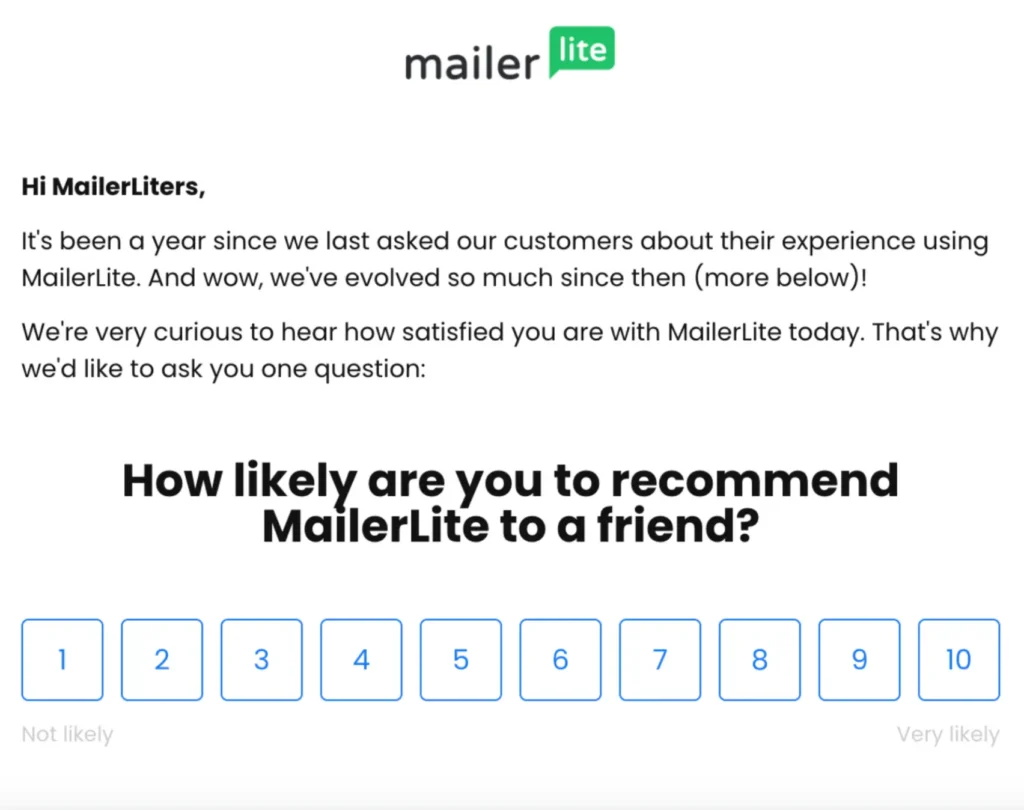
- Why it works: A single tap on a number is the lowest-friction feedback there is, and it still yields a usable score.
- Key elements: Clear headline, embedded rating scale, no form to load.
- Takeaway: For volume, a one-tap NPS beats a long survey almost every time.
Squarespace – Not Forgetting to Take Feedback on Customer Service
Right after you have provided your customer with great customer service is the perfect time to ask for feedback. And that’s what Squarespace has done.
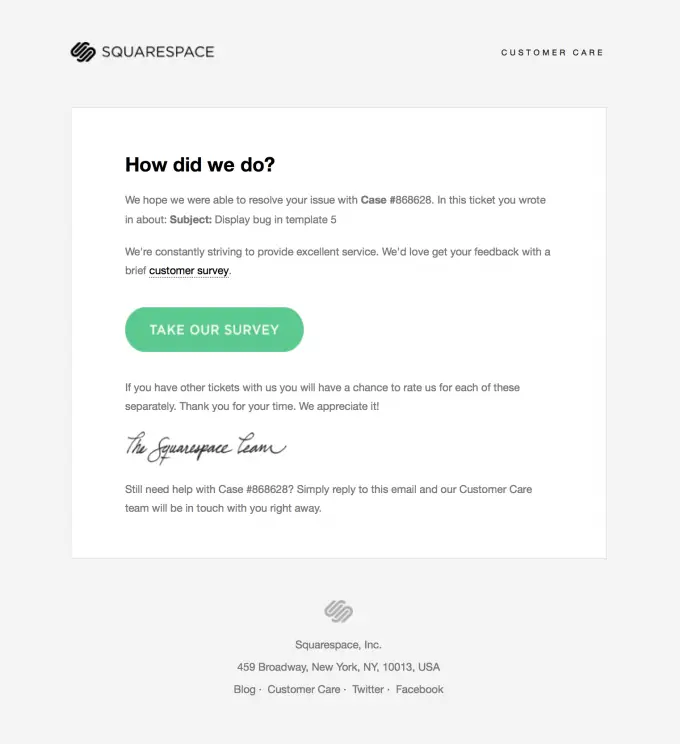
- Why it works: It arrives immediately after a support interaction, when the experience is freshest and the answer most accurate.
- Key elements: Perfect timing, short copy, a single question about the support experience.
- Takeaway: Trigger support feedback on ticket close, not on a schedule.
Foodpanda – Asking to Share Product Experience
Subject line: We’d love to get to know you better.
Personalizing emails is so important. A little personalization in the subject lines or in the email body can change the mood of your customers. And, for that, they’ll share their feedback spontaneously. Foodpanda did the same here.
Foodpanda valued their customer and asked them to share their experience with their app. With a more personalized tone in the subject line the customer will feel valued and entitled to share their experience.
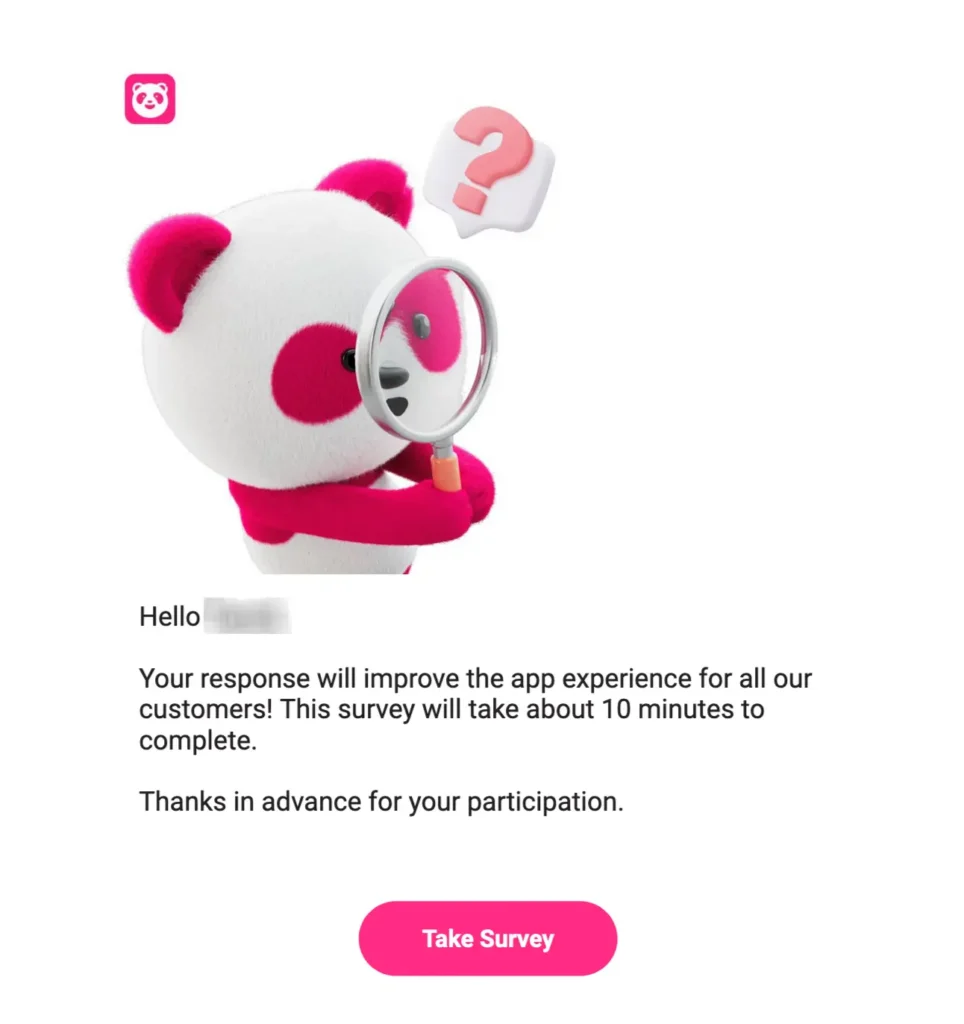
- Why it works: A warmer, personal subject line makes the customer feel seen, so they share more freely.
- Key elements: Personalized tone, app-experience focus, friendly CTA.
- Takeaway: A small amount of personalization changes how the ask feels.
TripAdvisor: A Review Request with Personality
Subject line: Let’s go back to the weekend, please
TripAdvisor’s email resonates with most working professionals who seek the long weekends they get once in a blue moon. This is why this email carries such a personality that most people would instantly click.
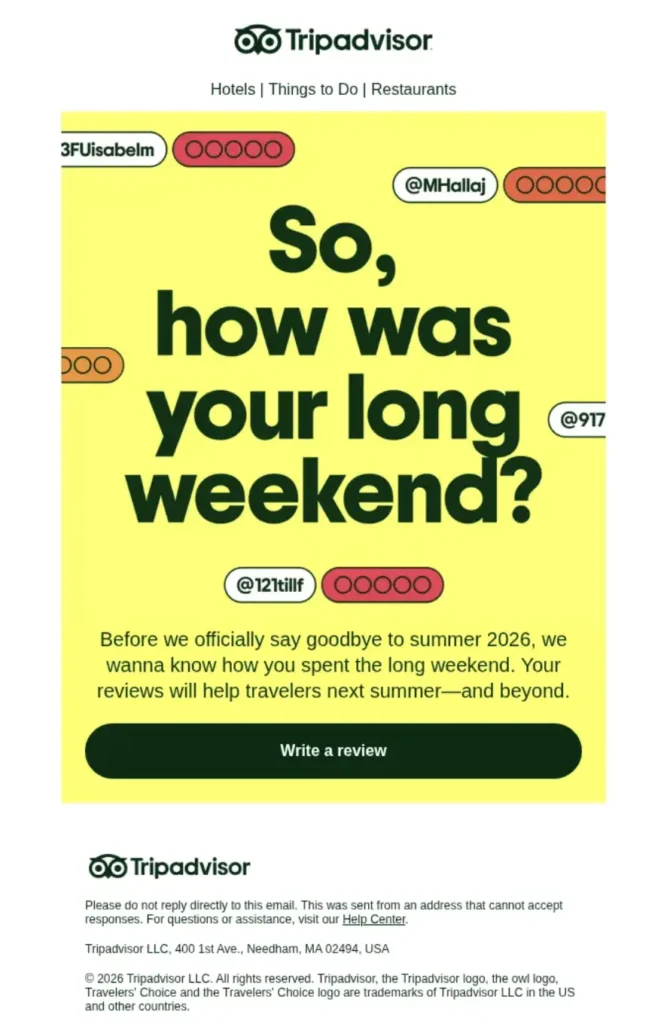
- Why it works: A warm, evocative subject line reconnects the traveler to the experience before asking for the review, so the request feels like a continuation of the trip rather than a chore.
- Key elements: Experience-led subject line, clear review CTA, travel imagery.
- Takeaway: Reconnect the reader to the moment you want reviewed before you ask.
Eventbrite: Rate it Right After the Event
Subject line: How was it? Rate Dwell Open House: Los Angeles!
Eventbrite’s email relies on timing and efficiency. They added the kind of simplicity and personalization you’d expect after visiting a place. And that’s what makes this email so effective.
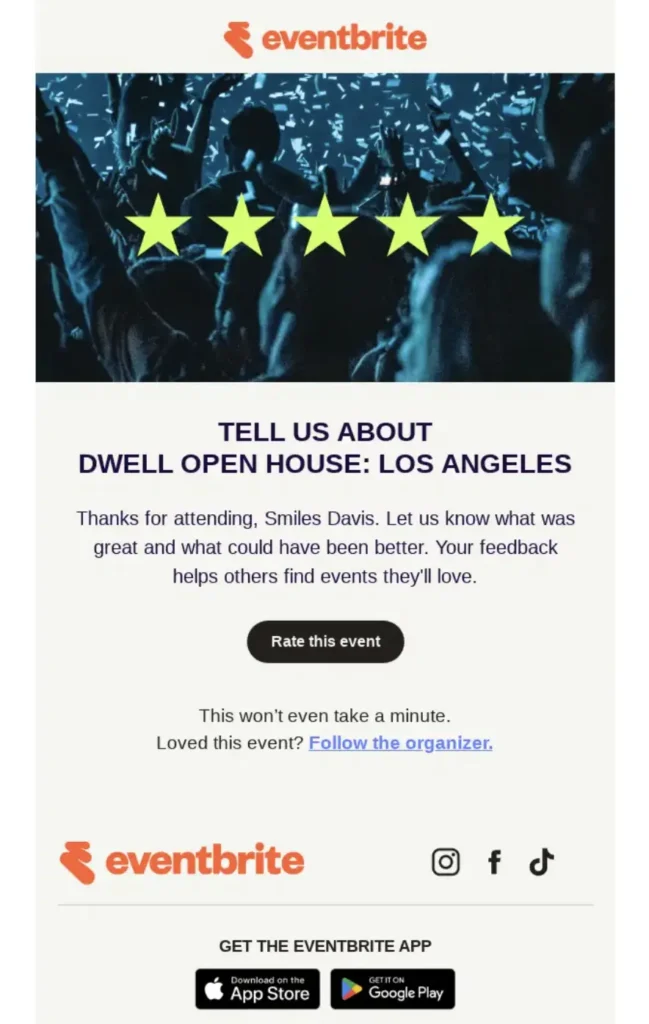
- Why it works: It is triggered by attendance and names the exact event, so the ask is specific and lands while the memory is fresh.
- Key elements: Event-triggered timing, named event, one-tap rating CTA.
- Takeaway: Tie the request to a specific completed event, not a generic “how are we doing.”
Patterns Across These Emails
Look across the nine and the same moves repeat:
- One ask, one link or one scale. None of them offer competing actions.
- Triggered by an event, not a calendar: a purchase, a delivery, a support ticket, a stay.
- A stated payoff: either a reward or an honest “this helps us improve.”
- Short copy and a personal reference to what the customer actually did.
If your feedback email has those four things, it is already ahead of most.
How to Write Your Own Feedback Email
You’ve seen a lot of examples so far. But, sending feedback emails to customers manually can consume time and resources. Considering this — FluentCRM made the process automated.
- Trigger: Decide the event that sends it (order complete, ticket closed, trial midpoint).
- Open: thank them and name the specific interaction.
- Ask: one focused question or one rating scale.
- Link: a single survey or reply path.
- Close: one line on why their answer matters, plus any incentive.
Automating the feedback request
Sending these by hand does not scale, and the timing is the whole point, so feedback emails should be triggered automatically by the event they follow: an order marked complete, a support ticket closed, a trial reaching its midpoint.
With FluentCRM, you can create an advanced automation funnel, allowing you to send multiple automated emails without any manual maneuver. Here’s an example of it:
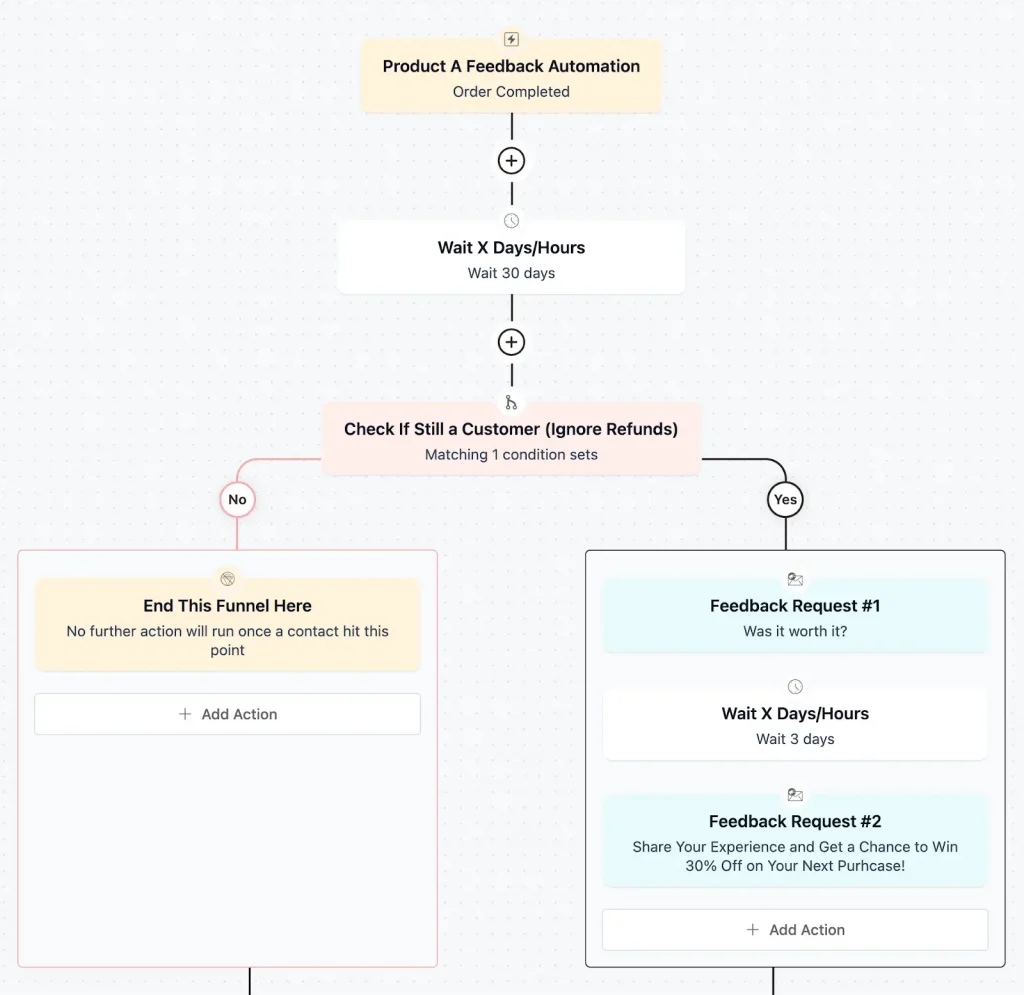
You can do this exactly as shown above.
Start it when an order is marked complete, wait some days so the customer has used the product, then send the feedback request.
From there you can branch on the response: route happy customers to a public review ask and unhappy ones to a personal support follow-up, so a single automation both collects feedback and protects your reputation.

Note: FluentCRM has many built-in automation templates (abandoned cart, feedback request email, etc), so if you don’t know how to build from scratch then you have templates to solve your needs.
Free Customer Feedback Email Templates
Now, you probably think you need email marketing experts to craft those valuable feedback emails. Well, let’s give you a head start with a few templates.
1. Post-Purchase Feedback Request Email
Subject Line: How Was Your Recent Purchase?
We Value Your Feedback!
Hi there, Thank you for choosing [Your Product]!
We hope you’re enjoying your recent purchase. We’d love to hear about your experience with us, from browsing to buying.
[Link to Survey]
All answers are confidential and will not be shared outside.
2. NPS Feedback Request Email
Subject Line: How Did We Do?
We Value Your Feedback!
We strive to provide the best service possible, and we’d love to know how we’re doing.
On a scale of 0-10, how likely are you to recommend us to a friend or colleague?
[Link to NPS Survey]
Your feedback is invaluable — thank you for helping us get better!
With love,
[Your Company]
3. Post-delivery Review Request
Subject Line: Quick review of your [Product]?
Hi [First name],
Your [Product] arrived a few days ago. Would you leave a quick star rating?
It takes seconds and helps other shoppers decide: [review link].
Best Regards,
[Your Company]
4. Service or Client Feedback Request
Subject Line: Quick question about working with us
Hi [First name],
We want to keep improving how we work together. What is one thing we could do better on [project or account]?
Just reply to this email, a sentence is plenty!
Best Regards,
[Your Company]
5. Abandoned or Churned Feedback
Subject Line: Mind telling us what happened?
Hi [First name],
We noticed you did not complete [action]. If you have a moment, what got in the way?
[one-question form].
Your answer helps us fix it, no strings attached.
Best Regards,
[Your Company]
6. Abandoned or Churned Feedback
Subject Line: Mind telling us what happened?
Hi [First name],
We noticed you did not complete [action]. If you have a moment, what got in the way?
[one-question form].
Your answer helps us fix it, no strings attached.
Best Regards,
[Your Company]
Let’s Turn Feedback into Growth Opportunities!
Feedback emails are only the start. Collect the responses, look for the patterns across them, and act on what you learn quickly. The examples and templates above make the asking easy; a customer-centric habit of actually closing the loop is what turns feedback into repeat business.
Frequently Asked Questions
Sakhawat Showrabh
Content Writer
From writing poems and short stories to writing technical stuff about WordPress and email marketing, plenty of things have changed. What didn’t change is my love for writing and wasting time. When I am not writing, I waste my time peacefully.
Table of Content
Related Articles and Topics
-
20 Monthly Newsletter Ideas for When You’re Out of Ideas [+ Real-life Examples]
Even the best ideas fail if your newsletter never lands. Many marketers freeze at a…
-
Real-Life Browse Abandonment Emails from Top Brands [and Why They Convert]
Most stores obsess over cart abandonment, but the real revenue leaks happen before a product…




Leave a Reply