Organization Welcome Email
Welcome every new hire to your organization before their first day. Tells them when they start and who they will work with, shows the clients they are joining, and sends them to your onboarding guide.
- B2b Emails
Get this template in your inbox
Thanks for sharing your email, please click below to download the template.
What is an Organization Welcome Email Template?
An organization welcome email template is a ready-made email your agency sends automatically when someone joins the team, whether they are a full-time hire, a contractor, or a freelancer. It confirms their start date, names the person they will work with, and gives them one place to go before day one.
This template is built for agencies that bring people on often and want everyone to start the same way. It opens with your logo and a bold “Welcome to [Organization Name]” headline, follows with a short intro and a link to your onboarding guide, and closes with a row of the client brands your team works with. With FluentCRM, each email is personalized with the new hire’s name using merge tags and sends automatically.
Best for:
- Marketing, design, and development agencies onboarding a new hire
- Agencies bringing in freelancers and contractors for client projects
- Remote and distributed teams with no in-person first day
- Growing teams that want one consistent welcome for every new joiner
- Agency owners who handle onboarding themselves, without an HR team
Where this Fits in Your Automation?
This template is the first email in a team onboarding automation, sent as soon as a new hire is confirmed. It is usually followed by a first-day agenda the evening before they start, an email covering tools and accounts during the first week, and a check-in from their manager at the end of the first month.
How do I Trigger this Email Automatically When Someone Joins the Team?
Set it up once, and every new team member gets the same welcome without anyone having to remember to send it.
Step 1: In FluentCRM, go to Automations → Create New Automation
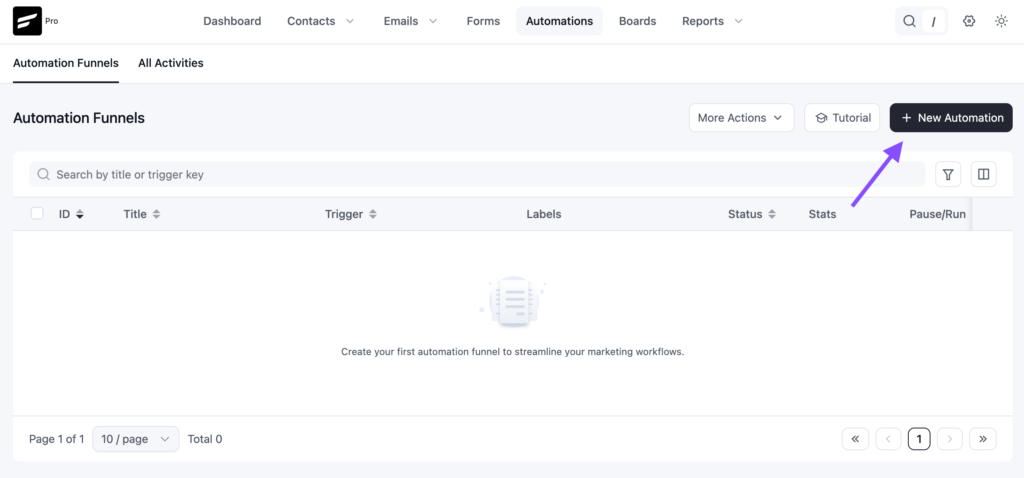
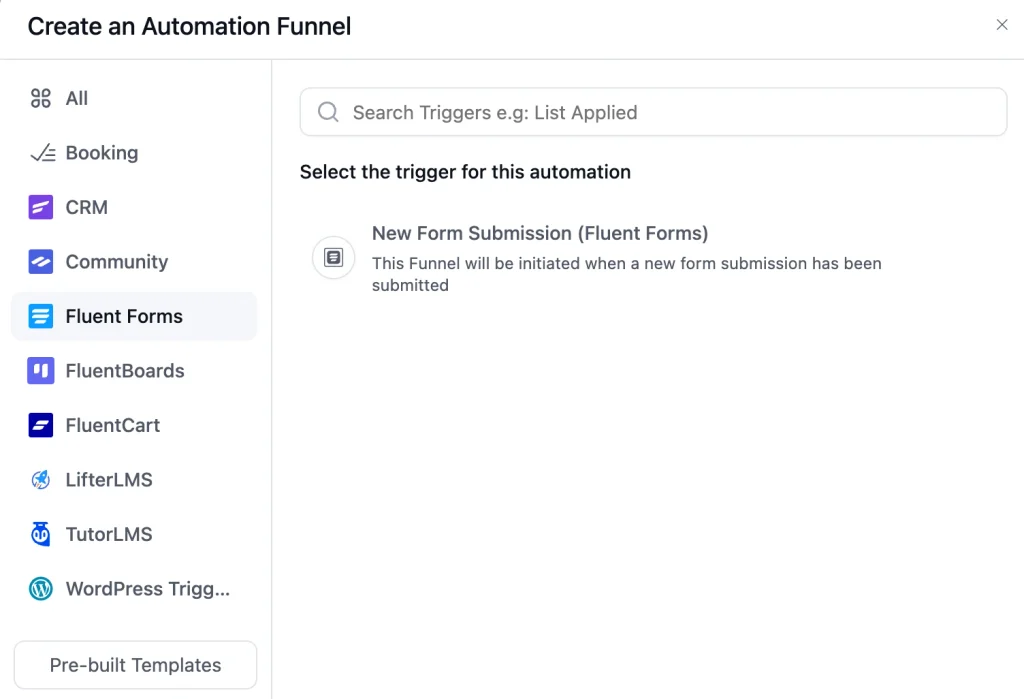
Step 2: Choose the trigger that matches how you add people. If new team members get a WordPress account on your site, use the WordPress user sign-up trigger and limit it to your team’s user role. If you collect their details through an onboarding form, use the Fluent Forms submission trigger. You can also use “Tag Applied” with a tag such as New Team Member.
Step 3: Add a “Send Custom Email” action, click Import / Use Templates, and pick the Organization Welcome Email template. Fill in your details and click Save.
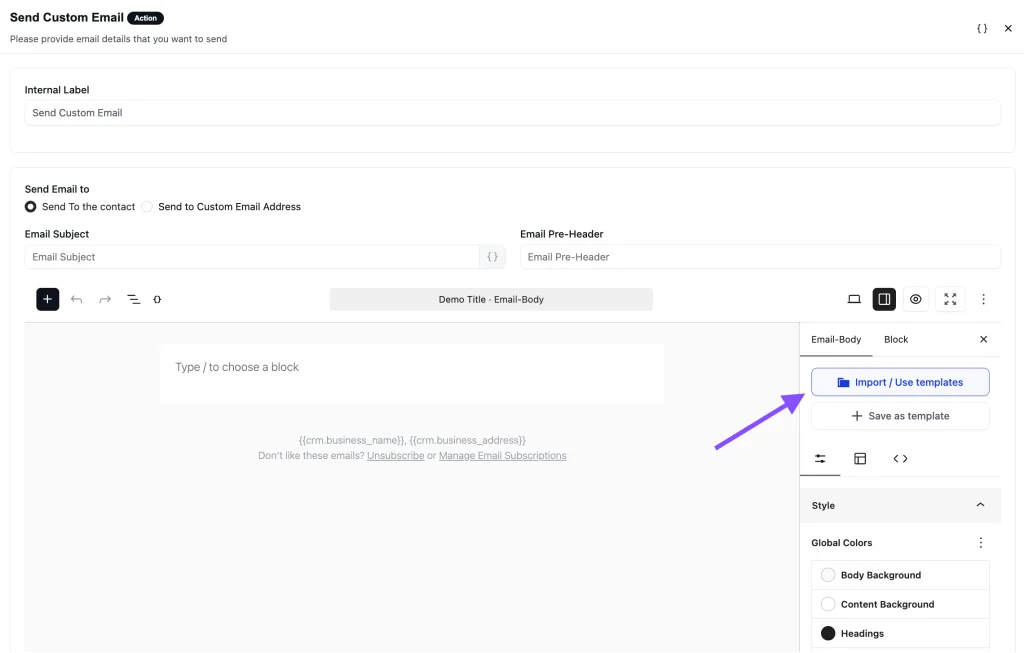
Step 4: Toggle the button to Published to activate the automation
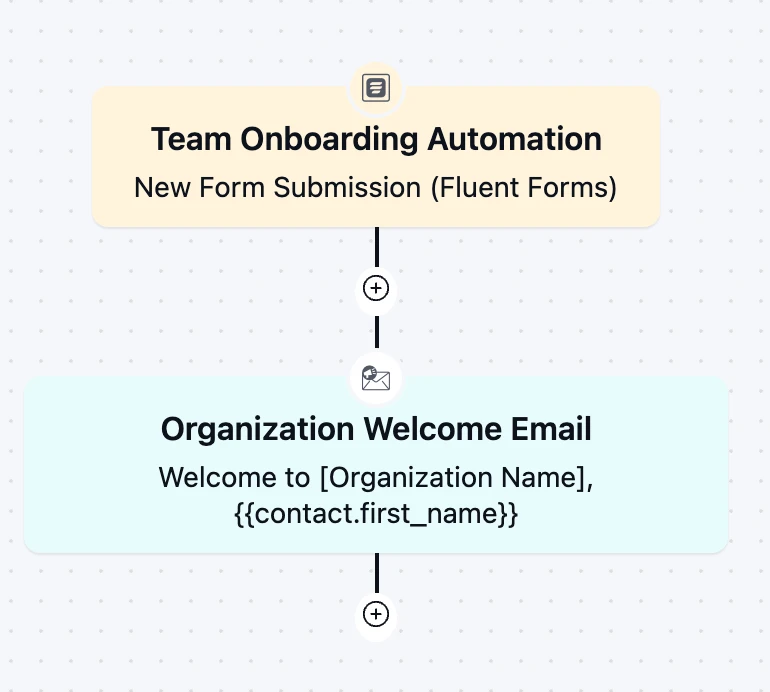
From then on, the automation runs in the background every time someone joins.
Customization Tips
- Replace the “Your Logo” placeholder with your agency’s logo, and [Organization Name] in the headline with your agency name
- Store the start date and manager name as custom contact fields and insert them with merge tags, so you never edit the email by hand
- Point “Read the Onboarding Guide” to one destination only: an onboarding board, a team handbook, or a first-week checklist
- Replace the three sample logos with real client logos, and only show clients the new hire is cleared to know about
- If you cannot share client names, swap the logo row for your services, a team photo, or your core values
- Link “See Our Work” to your case studies or portfolio
- Change the green accent color to match your brand palette
- Send it from a real person, such as the founder or the new hire’s manager, not a no-reply address, so the “just reply” line works
Why Use This Organization Welcome Email Template?
The days between accepting an offer and starting work are when new hires have the most questions and the least information. A good welcome email helps you:
- Calm First-Day Nerves: A start date, a named manager, and a clear next step tell new hires they are expected and that someone has a plan for them
- Show Them the Work Early: Seeing the clients your agency serves gives new team members context before their first project brief
- Get People Productive Faster: One link to your onboarding guide replaces a week of “where do I find this” messages
- Give Contractors the Same Start as Staff: Freelancers often get no onboarding at all. An automated welcome fixes that without extra effort
- Stop Relying on Memory: Every new joiner gets the same welcome, even in the week you are busy with a client launch
Frequently Asked Questions
When should a new employee welcome email be sent?
As soon as the hire is confirmed, and at least a few days before the start date. Sending it early gives new team members time to read the onboarding guide and ask questions before day one.
What should a welcome email to a new employee include?
A personal greeting, the start date, the person they will work with, and one link to everything else they need. Keep it short. The wording above covers all four.
Can I customize this template without coding?
Yes. You can change the logo, headline, text, links, images, and colors directly in FluentCRM’s email editor. No HTML knowledge is needed.
Can I use this template for freelancers and contractors?
Yes. Agencies often bring in freelancers for a single client or project. Use the shorter version above, and show only the client logos for the accounts that person will work on.

Related Templates
-
- eLearning Emails
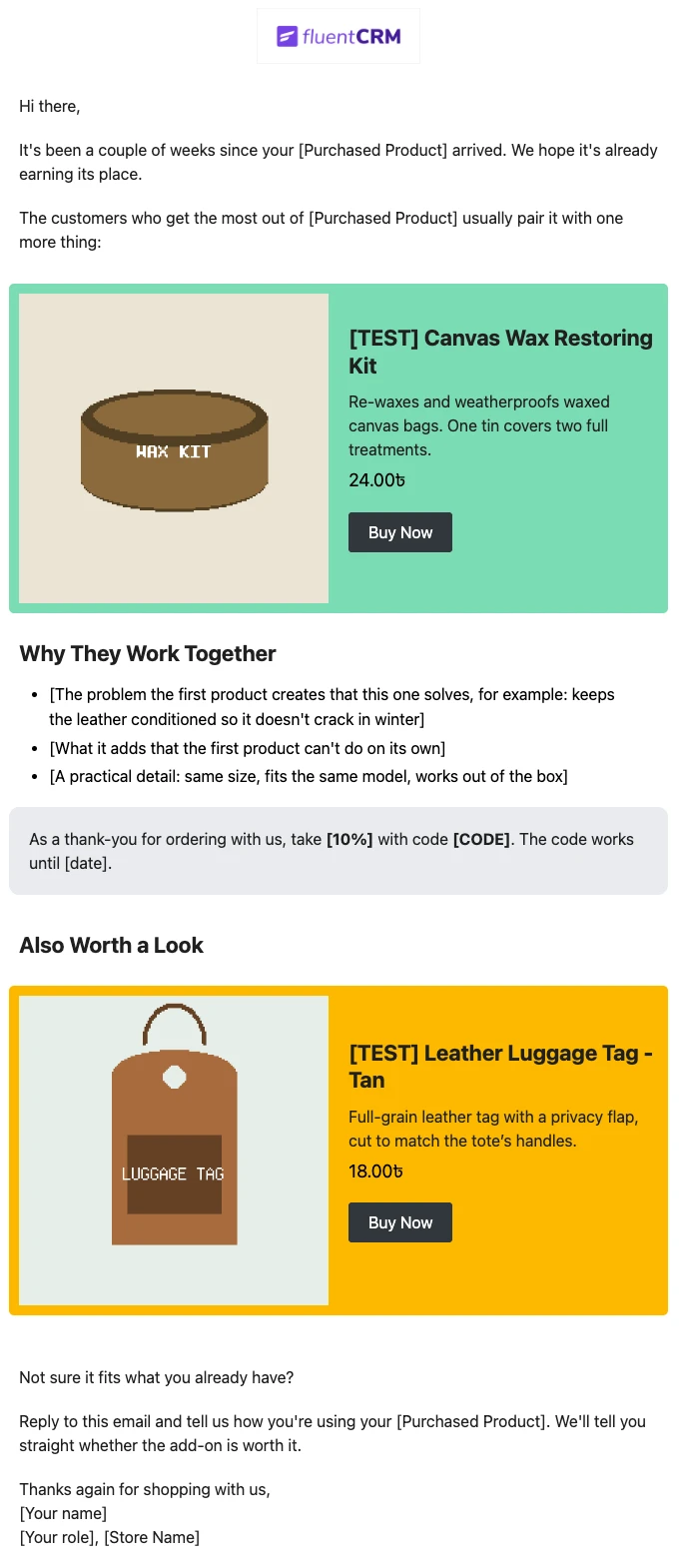
Product Recommendation Email for WooCommerce Cross-Sells
Recommend the one product that makes a customer’s last purchase better. Explain why the two products belong together, and sends customers straight to the add-on.
-
- eLearning Emails
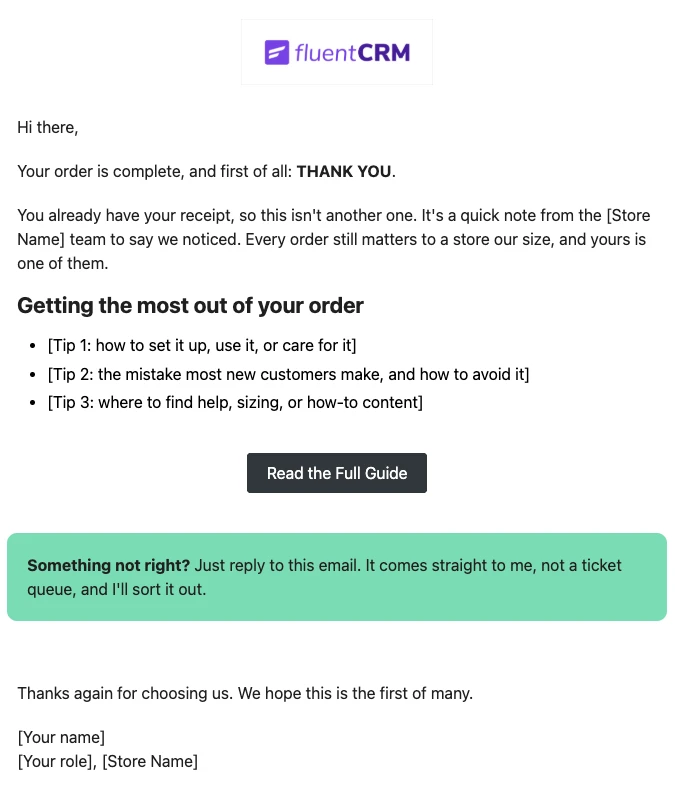
WooCommerce Post-Purchase Thank You Email
Thank customers like a person, not a receipt. Send a short, personal thank-you when a WooCommerce order is completed, with tips that help customers get real value from what they bought.
-
- eLearning Emails
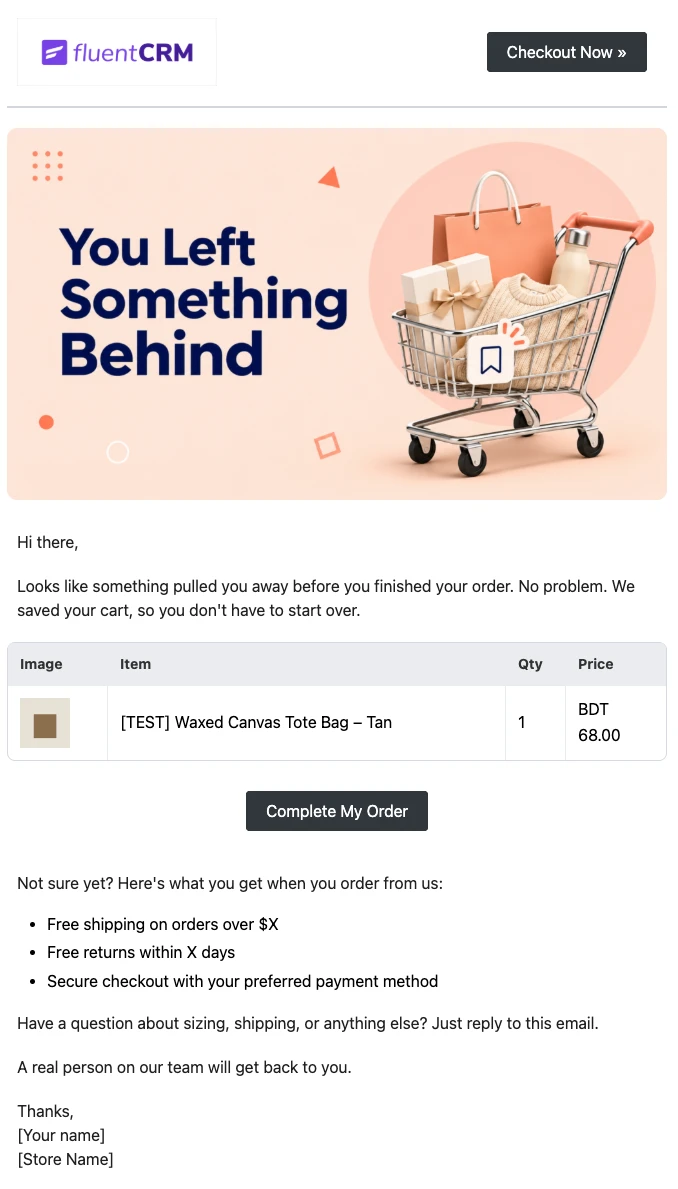
WooCommerce Abandoned Cart Email Template
Bring shoppers back to the checkout they left. Show each customer the exact products in their cart and send them back to a checkout that is already filled in, automatically.
Want More Resources?
Access resources to start faster, decide smarter, and grow your revenue with less complexity.