Black Friday Last Chance Email Template
Give shoppers who are still on the fence a final, visible deadline. Pair a live countdown timer with your discount and your best sellers, so the last hours of your Black Friday sale turn into orders.
Get this template in your inbox
Thanks for sharing your email, please click below to download the template.

What is a Black Friday Last Chance Email Template?
A last chance email template is a ready-made reminder you send in the final hours of a sale. It tells subscribers the offer is about to end, shows them exactly how much time is left, and gives them one direct way to buy before it does.
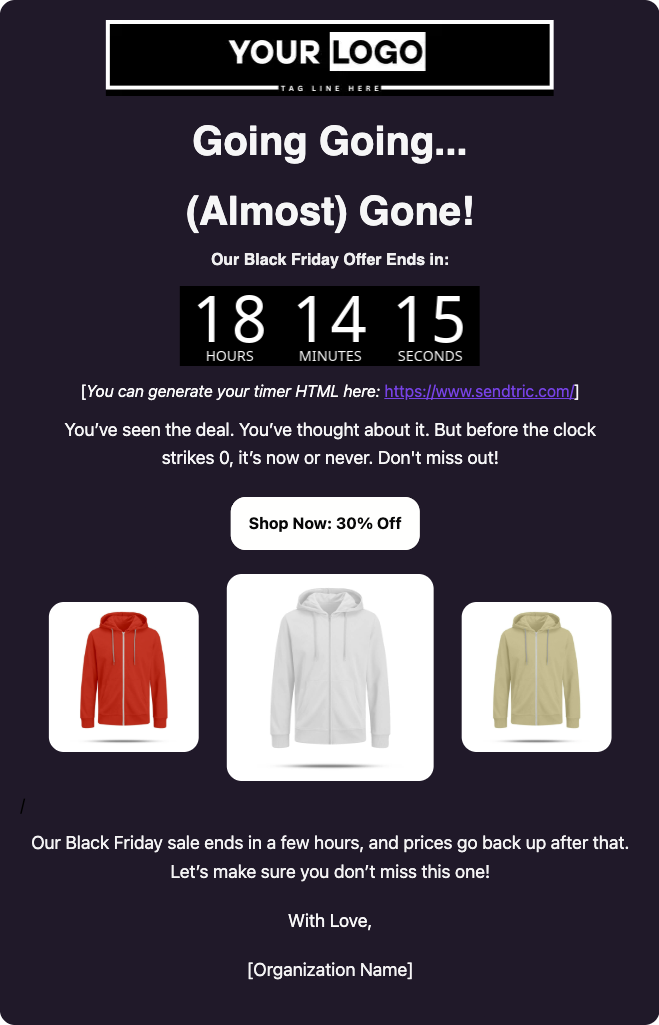
This one is built for the end of Black Friday. It opens with your logo and a “Going, Going… (Almost) Gone!” headline, then puts a countdown timer front and center, showing the hours, minutes, and seconds left in your sale. A short line speaks to people who saw the deal and did not act, followed by a “Shop Now: 30% Off” button and a row of three featured products. A closing line restates the deadline. With FluentCRM, you can personalize it with each subscriber’s name using merge tags and send it only to people who have not bought yet.
Best for:
- Fashion, apparel, and accessories stores running a sitewide Black Friday discount
- WooCommerce and FluentCart stores that want a final push on the last day of the sale
- Stores that sent a launch email and want a second shot at subscribers who did not click
- Brands running a Black Friday to Cyber Monday sale that ends at a fixed time
- Digital product sellers with one storewide discount who want a timer-led reminder
Where this Fits in Your Black Friday Campaign?
This template is the closing email of a Black Friday sale. A typical sequence starts with the Pre-Black Friday Warmup Email a week or two before, offers loyal customers first access with the Early Black Friday Offer Email, announces the sale to everyone with the Black Friday Sale Email, and ends with this reminder on the final day, sent only to people who have not bought.
How do I Send this Reminder Only to People Who Have Not Bought?
A sale reminder is a one-time campaign. The setup that matters is who you leave out: anyone who already bought during the sale should not get it.
Step 1: Create an automation that tags buyers, and publish it the moment your sale opens.
In FluentCRM, go to Automations → New Automation and pick the trigger for your store: “New Order (Processing)” under WooCommerce, or “Order Paid (Payment/Subscription)” under FluentCart.
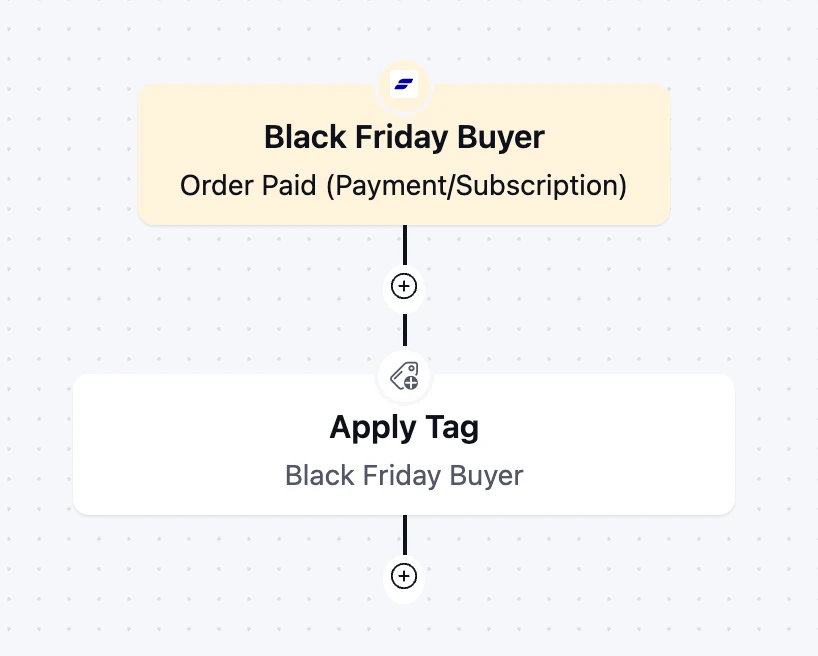
Add an “Apply Tag” action with a tag such as Black Friday Buyer. Publishing it any earlier tags people who bought before the sale, and they will miss your reminder
Step 2: Create your countdown timer with a timer tool and copy its HTML. Set the end time to the exact moment your sale closes, in your store’s timezone
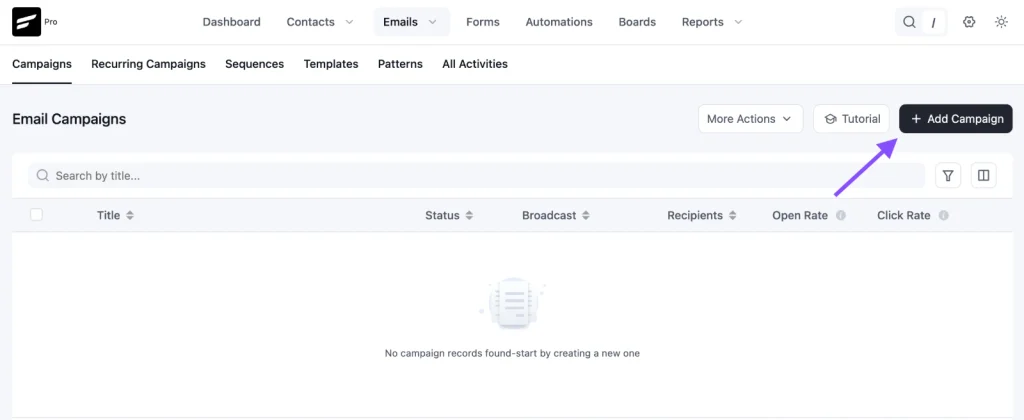
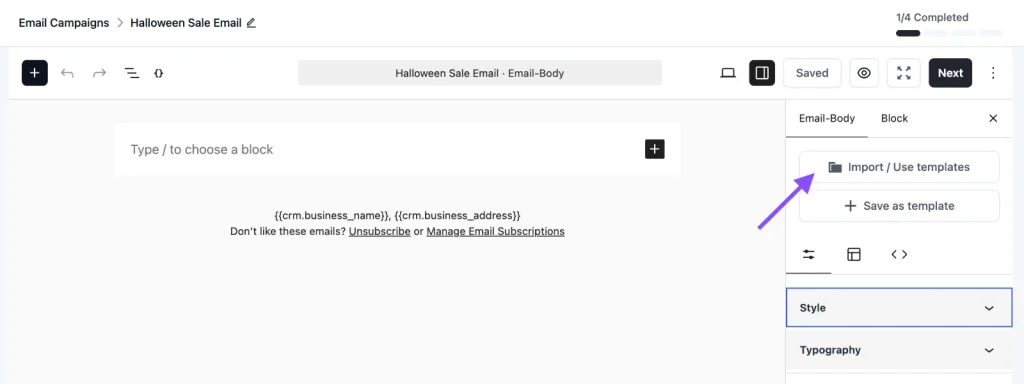
Step 3: On reminder day, go to Email Campaigns → Create New Campaign, click Import / Use Templates.
Step 4: Pick the Black Friday Sale Reminder Email template.
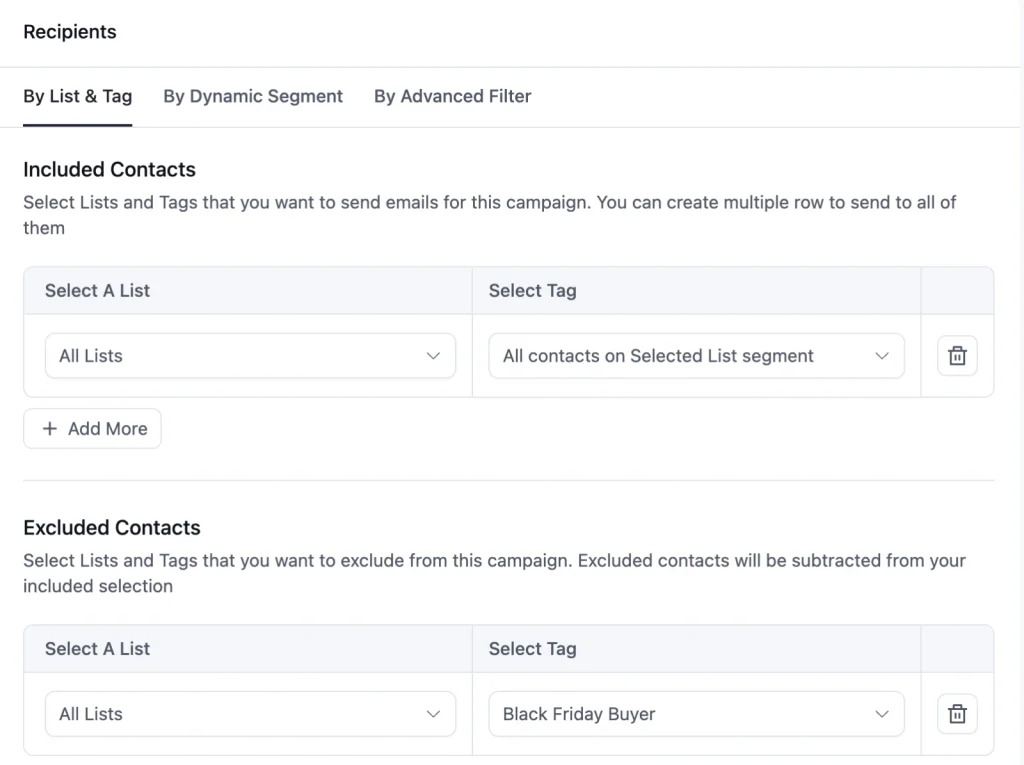
Step 5: Choose your recipients. Select the list you sent the launch email to, and exclude the Black Friday Buyer tag
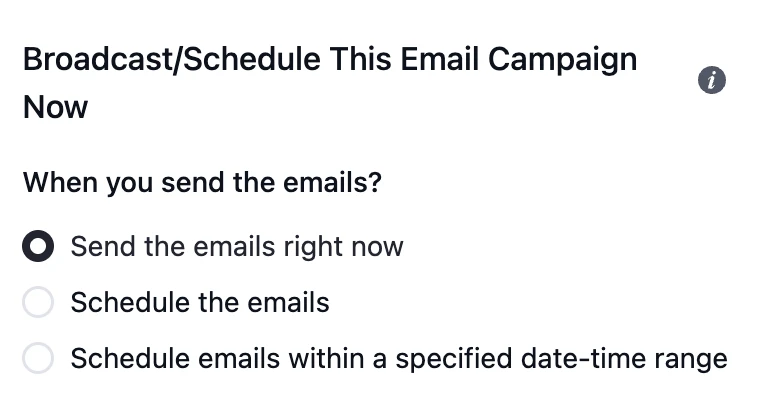
Step 6: Schedule the campaign for the morning of the last day of your sale, or send it right away
Customization Tips
- Replace the “Your Logo” placeholder and tagline with your own logo
- Replace the placeholder timer with a live one. Free tools such as Sendtric generate an animated countdown image you paste in as HTML. Sendtric’s free plan covers 10,000 views a month and adds a small watermark after that, so check the limit against your list size
- Set an “expired” image in your timer tool, so anyone who opens the email after the sale ends sees “This sale has ended” instead of a timer stuck at zero
- Keep the deadline in text as well as in the timer. Outlook on Windows shows only the first frame of an animated image, and some readers block images entirely
- Add a greeting with
{{contact.first_name|there}}above the headline, since the default design has no personal greeting - Change “30% Off” on the button to your real offer, and keep it identical in the subject line, button, and closing line
- Replace the three products with your best sellers from the launch email, add a name and an original and sale price under each, and link each image to its product page
- Point “Shop Now” to a dedicated Black Friday collection page, not your homepage
- Replace “ends in a few hours” in the closing line with the exact end time and timezone
- Add a final button after the closing line, so the email does not end without an action
- Swap “With Love” for a sign-off from a real person, such as your founder
- Keep the dark background as a solid color, and send a test to Gmail and Outlook before scheduling, since dark designs and animated timers can render unevenly
- Add your business address and an unsubscribe link in the footer to stay compliant with email-sending rules
Black Friday Email Subject Lines You Can Use
Use a real deadline in the subject line, not “soon”. Send only one “last chance” email per sale, and only say “final” or “last email” if it is true. Subscribers who catch you sending a second “final” email stop believing the next one.
| Subject line | Preview text |
|---|---|
| Last chance: 30% off ends tonight | Watch the clock. Black Friday prices end at midnight. |
| {{contact.first_name}}, your 30% off is almost gone | Our Black Friday sale ends in a few hours. |
| ⏰ Going, going… (almost) gone | The countdown is on for 30% off everything. |
| You saw it. You thought about it. | Black Friday ends tonight. Here’s your last shot. |
| Final hours: Black Friday prices end at midnight | This is the last email about it. Promise. |
| Cyber Monday is the last day | 30% off disappears tonight. |
☞ Get inspired by 100+ proven black friday email subject lines.
Why Use this Last Chance Email Template?
Most people who open a Black Friday launch email do not buy that day. They mean to come back, and then the weekend fills up. A last chance email helps you:
- Make the Deadline Impossible to Ignore: A live timer shows exactly how much time is left, which a line of text saying “ends soon” never does
- Catch the People Who Meant to Buy: A reminder reaches subscribers who were interested but got distracted, often the warmest group on your list
- Skip the People Who Already Bought: Excluding buyers keeps customers from getting a pitch for something they own, and keeps your unsubscribe rate down
- Keep One Clear Offer in Front of Shoppers: One discount, one button, and three best sellers leave nothing to think through except whether to buy
- Finish the Campaign Without Extra Design Work: The layout is done, so on the busiest weekend of the year you only paste in a timer and update the deadline
A well-timed reminder often brings in a large share of a sale’s orders, because it lands when the deadline is finally close enough to act on.
Frequently Asked Questions
When should I send a Black Friday sale reminder email?
On the last day of your sale, ideally in the morning so people have the whole day to act. If your sale runs from Black Friday to Cyber Monday, send it on Cyber Monday, November 30 this year. A countdown timer has the most effect when it shows hours, not days, so avoid sending this template earlier in the sale.
How do I add a working countdown timer?
Create a timer in a countdown tool such as Sendtric, set the end time to your sale deadline, and paste the HTML it gives you into the template where the placeholder timer sits. The timer is an animated image that updates each time the email is opened, so it always shows the time left at that moment.
How do I stop the reminder from going to people who already bought?
Tag buyers automatically. Create an automation with your store’s new order trigger and an “Apply Tag” action, then exclude that tag when you choose recipients for the reminder campaign.
How is this different from the Black Friday Sale Email template?
The Black Friday Sale Email is the launch announcement, with four product rows that each get their own description and Buy Now button. This template is the closing reminder: shorter, built around a countdown timer, and focused on a single storewide offer. Most stores send the launch email first and this one on the final day.
Can I use this template for a sale that is not Black Friday?
Yes. Change “Black Friday” in the copy, reset the timer to your new deadline, and the same layout works as a last chance email for any time-limited sale, from Cyber Monday to an end-of-season clearance.
Related Templates
-
- eLearning Emails
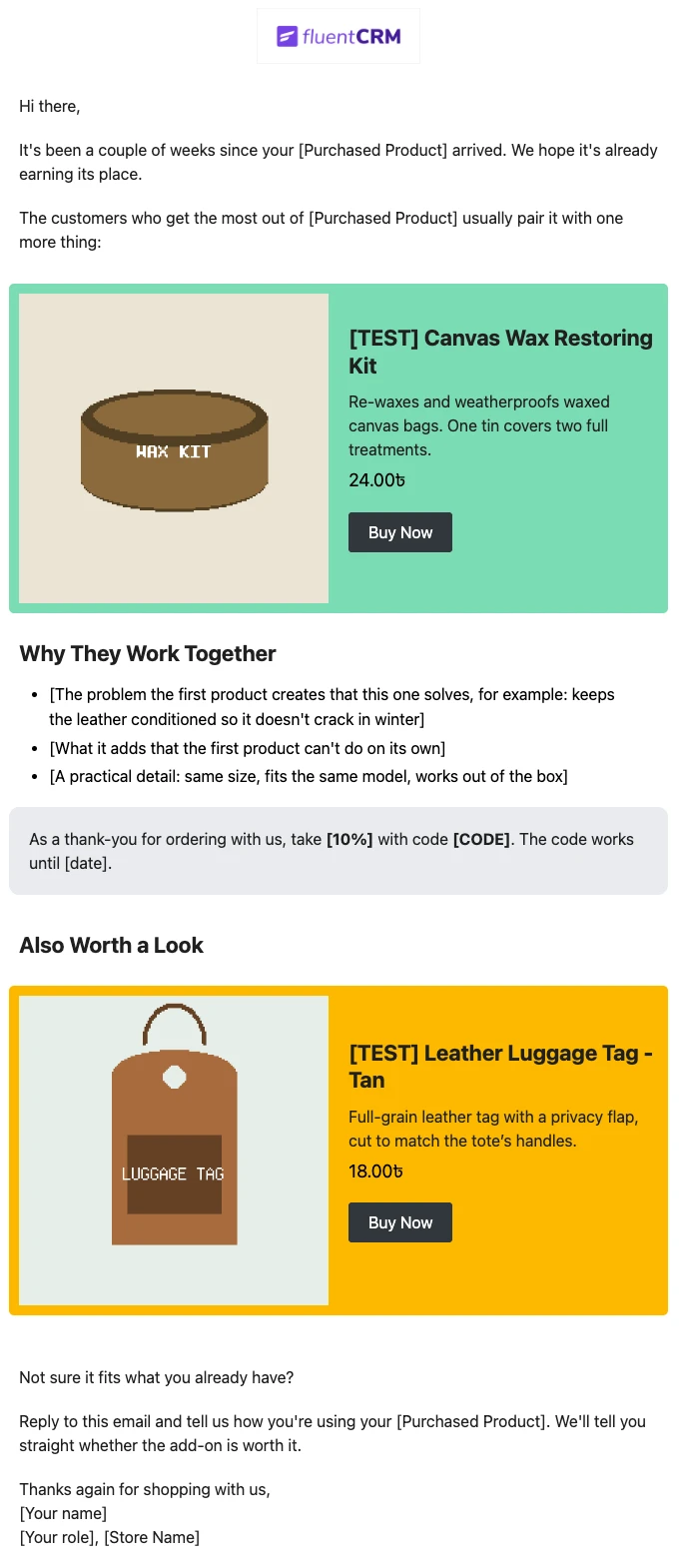
Product Recommendation Email for WooCommerce Cross-Sells
Recommend the one product that makes a customer’s last purchase better. Explain why the two products belong together, and sends customers straight to the add-on.
-
- eLearning Emails
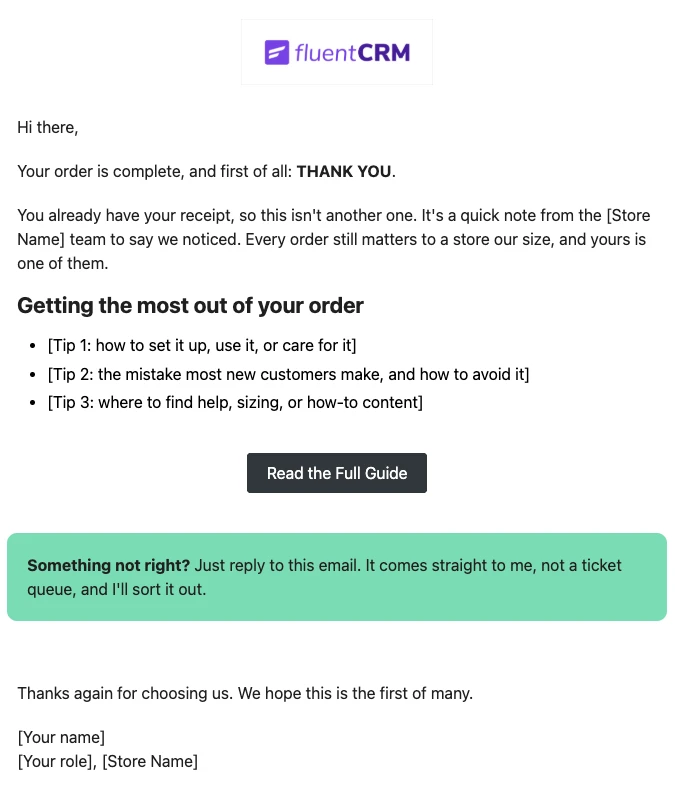
WooCommerce Post-Purchase Thank You Email
Thank customers like a person, not a receipt. Send a short, personal thank-you when a WooCommerce order is completed, with tips that help customers get real value from what they bought.
-
- eLearning Emails
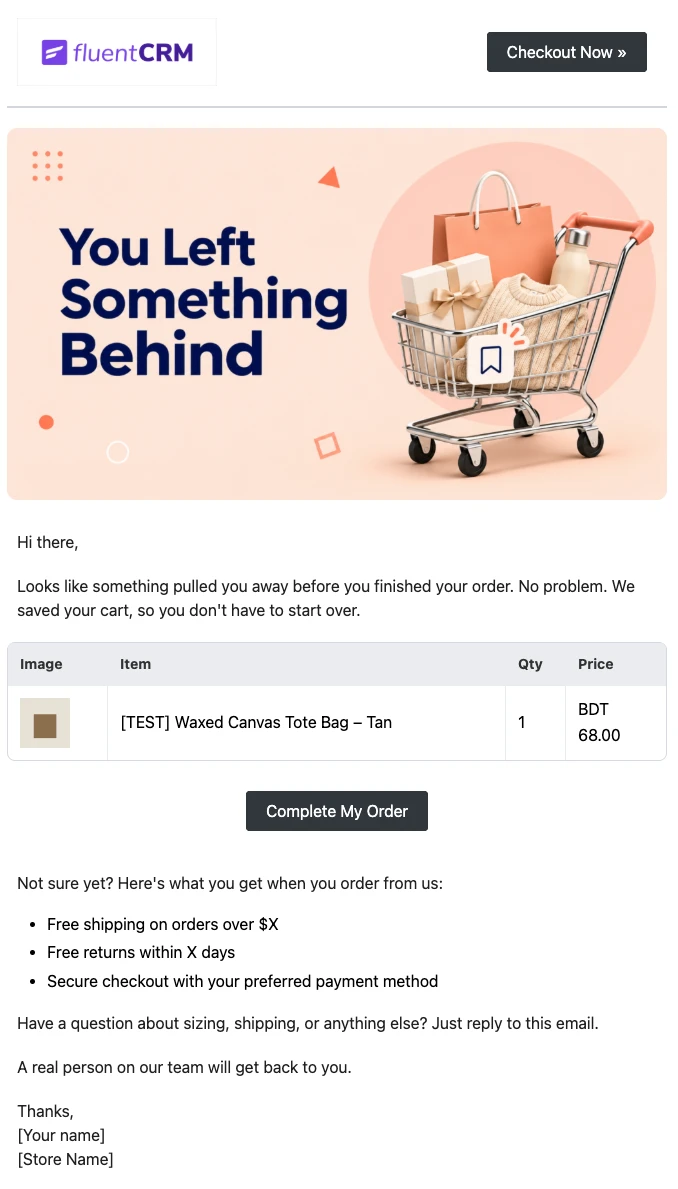
WooCommerce Abandoned Cart Email Template
Bring shoppers back to the checkout they left. Show each customer the exact products in their cart and send them back to a checkout that is already filled in, automatically.
Want More Resources?
Access resources to start faster, decide smarter, and grow your revenue with less complexity.