Free Resource Email for Any Lead Magnet
Deliver your ebook, checklist, guide, or any free resource the moment someone signs up for it. Hand over the download, point them to what next.
- Lead Magnet Email Templates
Get this template in your inbox
Thanks for sharing your email, please click below to download the template.
What is a Free Resource Email Template?
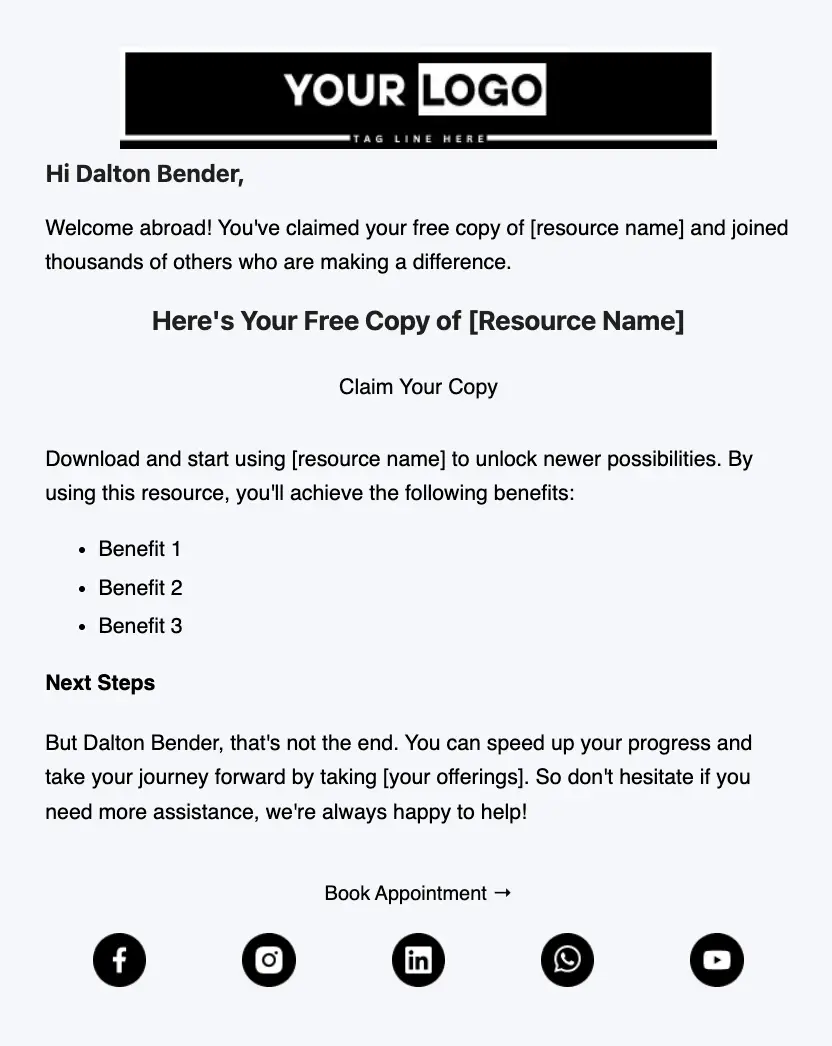
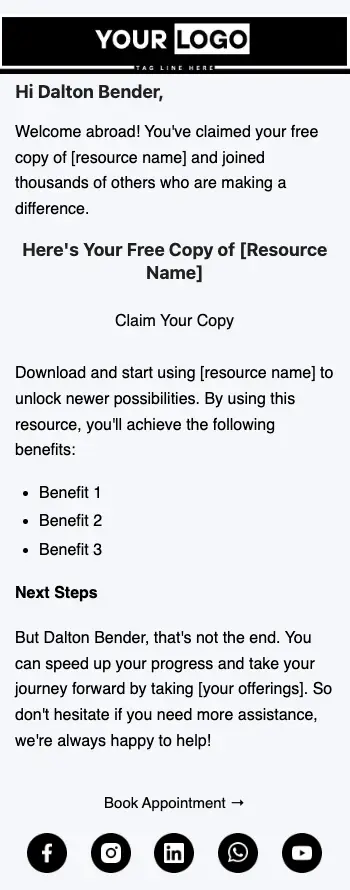
A free resource email template is a ready-made email that goes out automatically when someone signs up for your lead magnet. It delivers the download link, confirms they are in the right place, and tells them what to do once they have the file. This works as a free ebook email template and works just as well for a checklist, guide, swipe file, or recorded training.
The layout is deliberately plain so the download is impossible to miss. It opens with your logo and a short greeting, leads with a “Here’s Your Free Copy” headline and a download button, lists three benefits of the resource, and closes with a “Next Steps” section and a second button for booking a call or viewing your offer. With FluentCRM, you can personalize it with the subscriber’s name using merge tags and send it within seconds of form submission.
Best for:
- Bloggers and creators giving away an ebook, checklist, or guide in exchange for an email address
- Coaches and consultants who want to turn a free download into a booked call
- Agencies and freelancers sharing a template, audit, or case study with new leads
- Course creators offering a free lesson or workbook before the paid course
- Online stores and SaaS brands delivering a buying guide or starter kit
Where this Fits in Your Automation?
This template is the first email in a lead magnet automation, sent right after someone submits your opt-in form. It is usually followed by a check-in a couple of days later asking if they have opened the resource, one or two emails that expand on its most useful idea, and then a direct invitation to your paid offer or a call.
How do I Trigger this Email Automatically When Someone Signs Up?
Set it up once, and every new subscriber gets their download within seconds of asking for it.
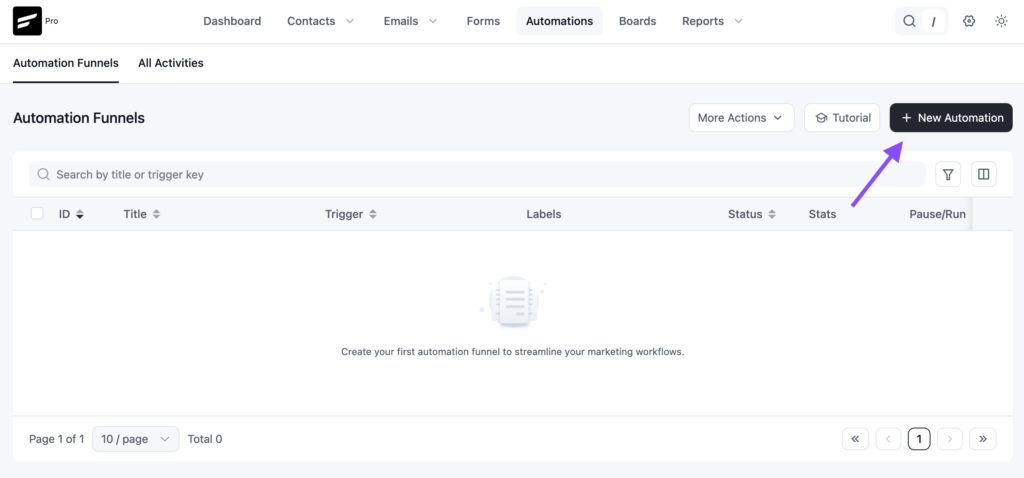
Step 1: In FluentCRM, go to Automations → Create New Automation
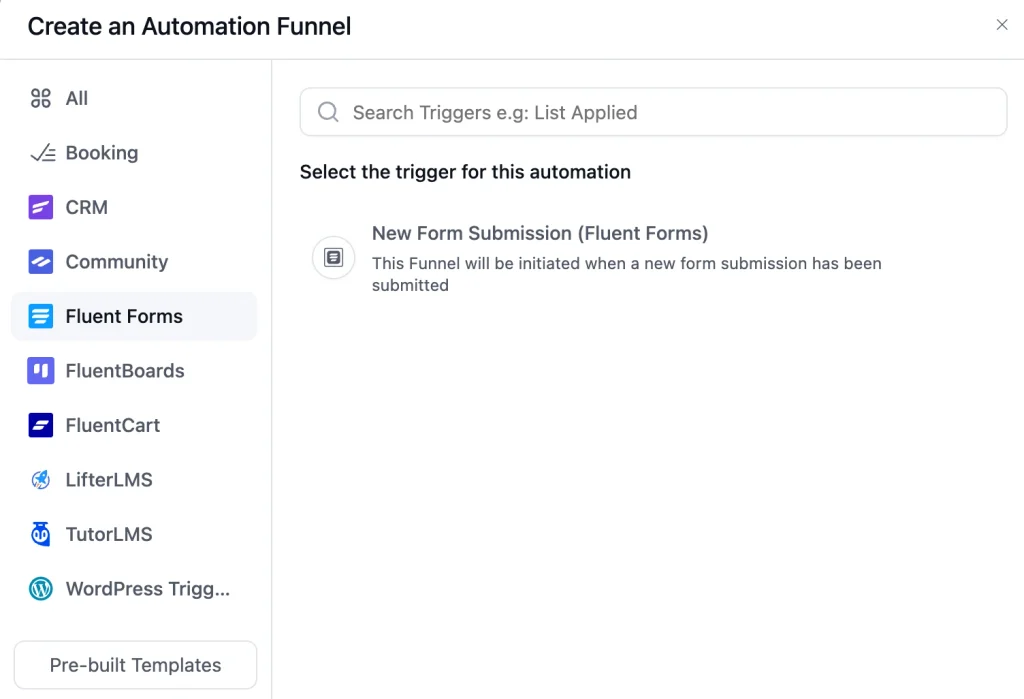
Step 2: Pick the trigger that matches how people request the resource. If the opt-in is a Fluent Forms form, choose the Fluent Forms submission trigger and select that form. If your form adds contacts to a list or tag, use “List Applied” or “Tag Applied” instead.
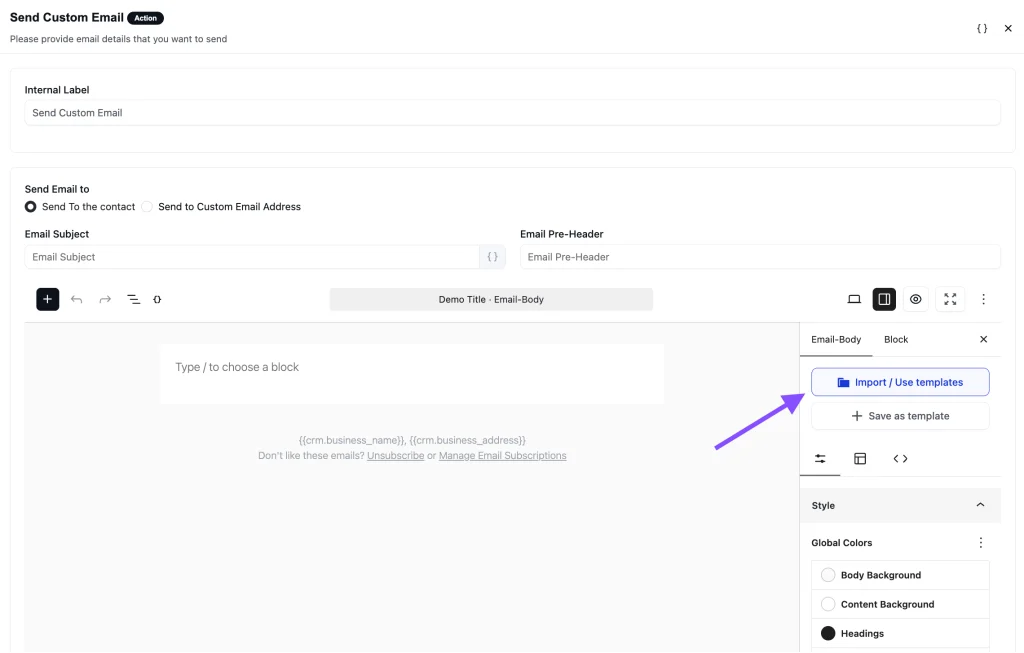
Step 3: Add a “Send Custom Email” action, click Import / Use Templates, and pick the Free Resource Email Template. Add your download link and resource name, then click Save.
Step 4: Toggle the button to Published to activate the automation
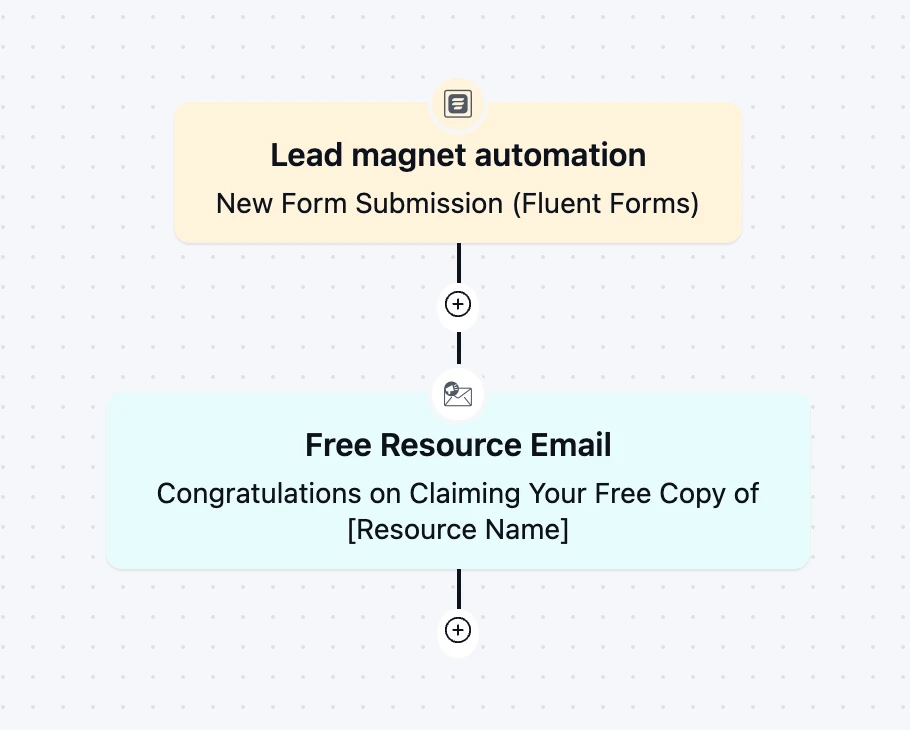
From then on, the automation runs in the background every time someone signs up.
Customization Tips
- Replace the “Your Logo” block with your own logo, so subscribers recognize the sender right away
- Add
{{contact.first_name}}after “Hi” so the greeting uses the subscriber’s name - Replace every [resource name] placeholder with the exact title people saw on your sign-up form, so there is no doubt they got what they asked for
- Link the first button straight to the file or its download page, and rename it to match the action, for example “Download the Ebook” or “Get the Checklist”
- Swap the three “Benefit” lines for specific outcomes, such as what the reader will be able to do after page ten, not general promises
- Use the “Next Steps” paragraph to name one offer only: a consultation, a paid course, a product, or a free trial
- Rename the “Book Appointment” button to fit that offer, and link it to your booking page or sales page. If you take bookings with FluentBooking, link your booking page here
- Keep only the social icons for channels you actively post on, and remove the rest
- Add your business address and an unsubscribe link in the footer to stay compliant with email-sending rules
Why Use a Free Ebook Email Template?
Someone who just asked for your resource is waiting for it. A good delivery email helps you:
Deliver on Your Promise Fast: The download arrives while the subscriber still remembers signing up, which is the first proof that your emails are worth opening
Get the Resource Actually Used: Three short benefits remind readers why they wanted it, so the file gets opened instead of sitting in a downloads folder
Start the Relationship Right: This is usually the first email a new subscriber gets from you, and a clean, useful one sets expectations for everything that follows
Turn a Download Into a Next Step: The “Next Steps” section and second button give interested readers a direct route to a call, a product, or a course
Deliver Every Request Without Extra Work: Every subscriber gets the same email, whether ten people sign up this month or a thousand
A clear, well-timed delivery email turns a one-time download into the start of a conversation.
Frequently Asked Questions
When should a free resource email be sent?
Immediately after the form is submitted. People expect the download right away, and a delay of even a few minutes leads to repeat sign-ups and support requests asking where it is.
Can I use this template for something other than an ebook?
Yes. The template uses a generic [resource name] placeholder, so it works for checklists, guides, templates, workbooks, video lessons, and discount codes. Change the headline and button label to match what you are sending.
Can I customize this template without coding?
Yes. You can change the logo, headline, text, button, and colors directly in FluentCRM’s email editor. No HTML knowledge is needed.
Should I attach the file or link to it?
Link to it. Upload the file to your WordPress media library or a download page and point the button there. Links keep the email small, and you can update the file later without sending a new email.
Related Templates
-
- eLearning Emails
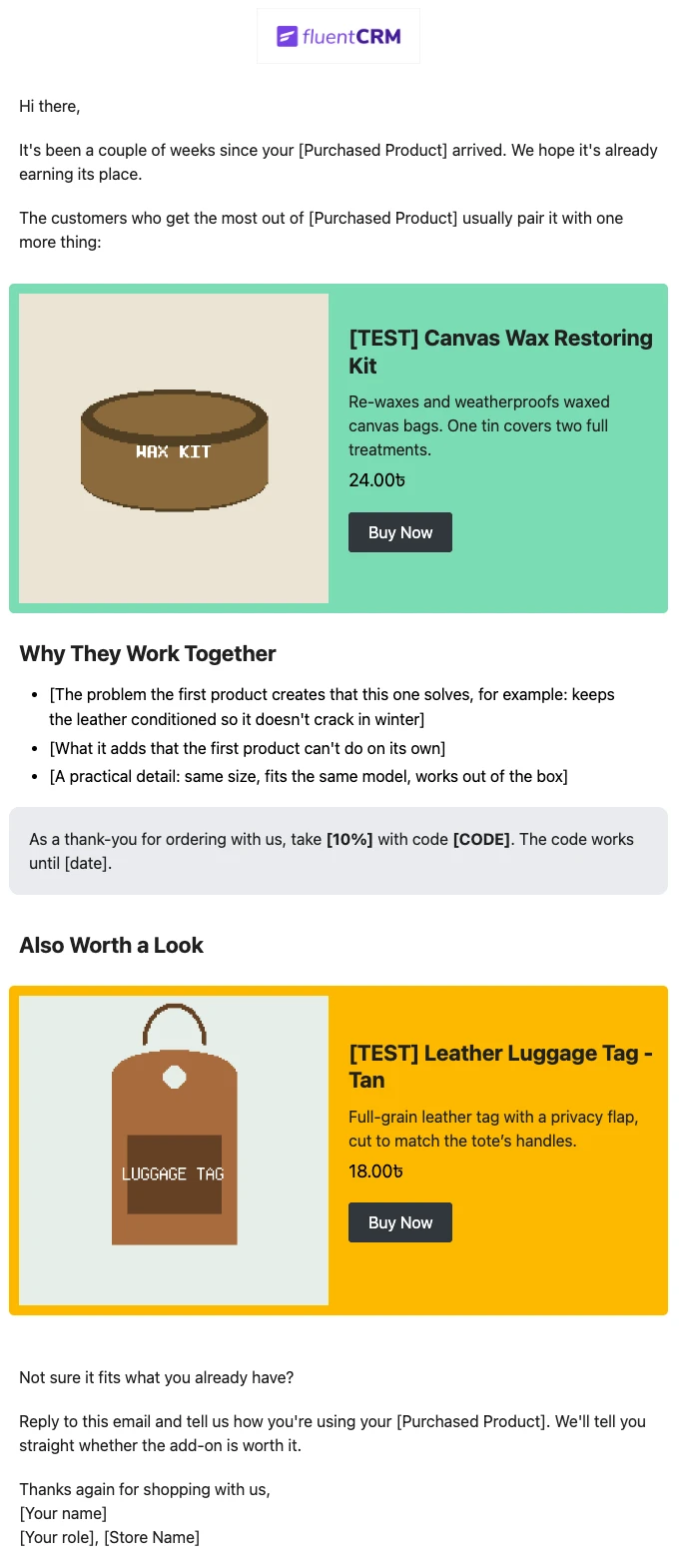
Product Recommendation Email for WooCommerce Cross-Sells
Recommend the one product that makes a customer’s last purchase better. Explain why the two products belong together, and sends customers straight to the add-on.
-
- eLearning Emails
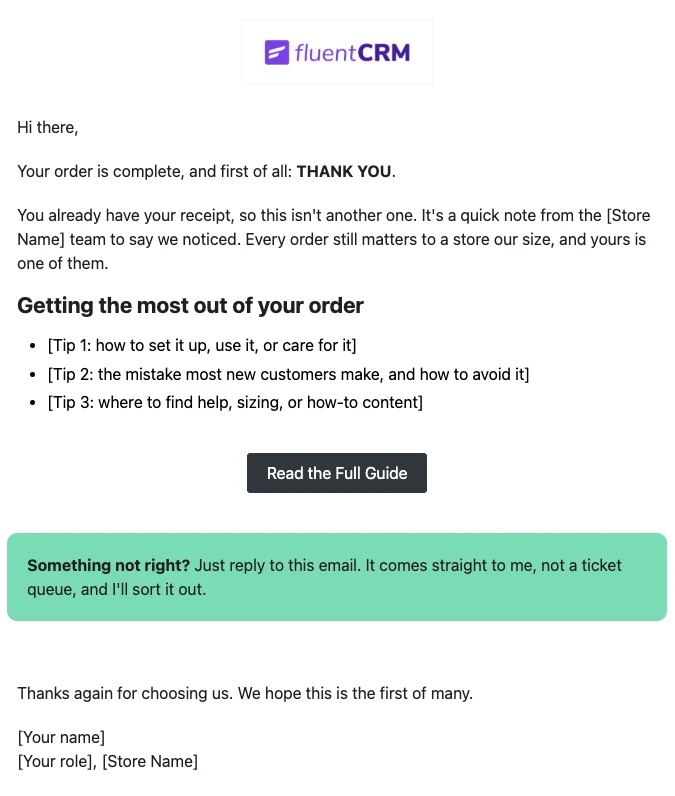
WooCommerce Post-Purchase Thank You Email
Thank customers like a person, not a receipt. Send a short, personal thank-you when a WooCommerce order is completed, with tips that help customers get real value from what they bought.
-
- eLearning Emails
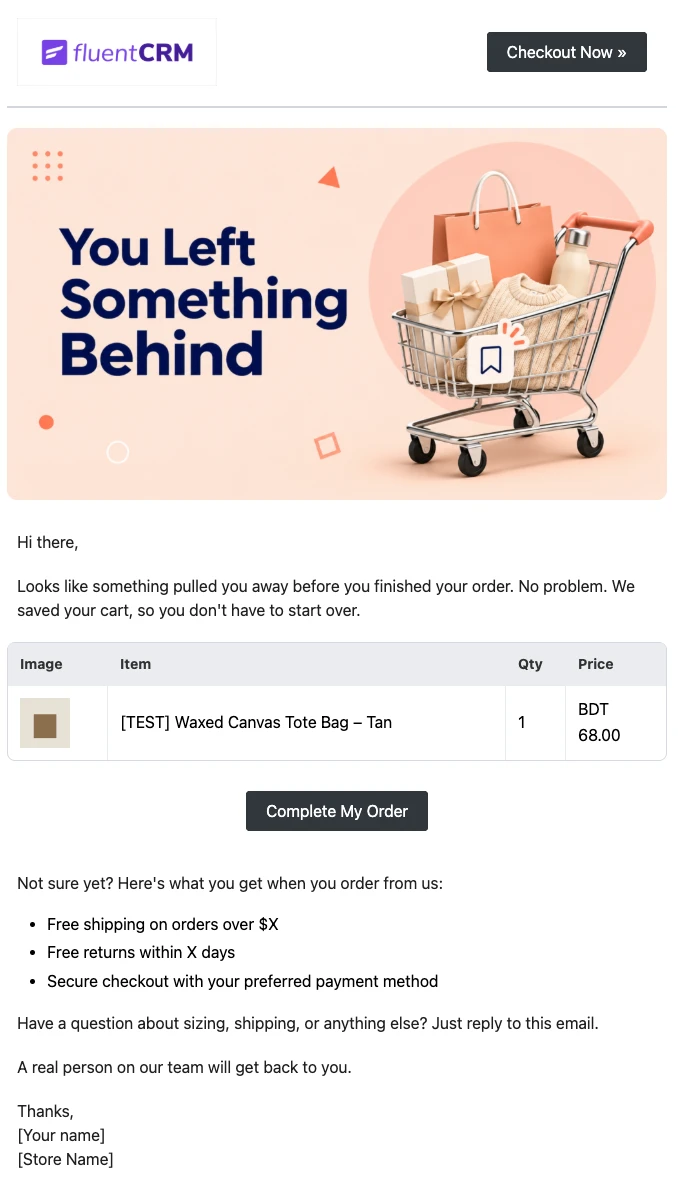
WooCommerce Abandoned Cart Email Template
Bring shoppers back to the checkout they left. Show each customer the exact products in their cart and send them back to a checkout that is already filled in, automatically.
Want More Resources?
Access resources to start faster, decide smarter, and grow your revenue with less complexity.