Halloween Email Template for Food Brands
Fill your Halloween orders with a spooky, ready-to-send email built for restaurants, cafes, and food brands
Get this template in your inbox
Thanks for sharing your email, please click below to download the template.

What is a Halloween Restaurant Email Template?
A Halloween restaurant email template is a ready-made promotional email you send to your customer list to announce a Halloween menu, meal deal, or limited-time offer. It sets the mood with a seasonal design, highlights your best dishes, and gives people one clear reason to order before the holiday ends.
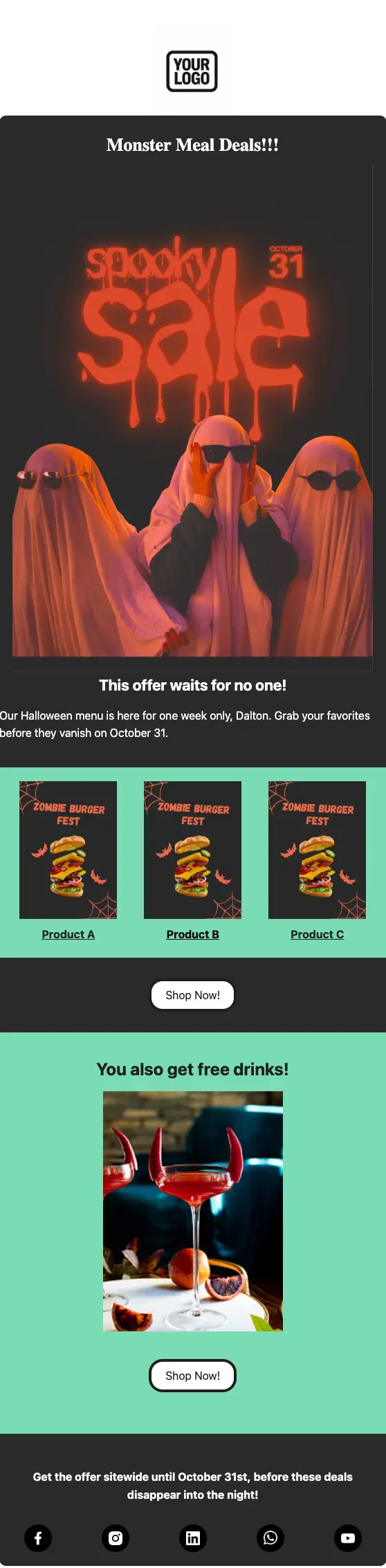
This template opens with a “Monster Meal Deals” headline and a full-width Halloween banner, then features three menu items and an order button, adds a free-drinks section with its own offer, and closes with a “Special Offer” block that states the deadline. With FluentCRM, you can personalize it with each customer’s first name using merge tags and send it only to the lists, tags, or segments you choose.
Best for:
- Restaurants, burger joints, and pizzerias with a Halloween menu or meal deal
- Cafes, bakeries, and dessert shops selling seasonal treats
- Food trucks and ghost kitchens taking orders through a WordPress site
- Packaged food, snack, and candy brands selling online through WooCommerce or FluentCart
- Meal kit and catering businesses promoting Halloween party orders
How do I Send this Halloween Email to My Customers?
A Halloween menu promotion is a one-time campaign, not an automation. Set it up once and schedule it for launch day.
Step 1: In FluentCRM, go to Email Campaigns → Create New Campaign
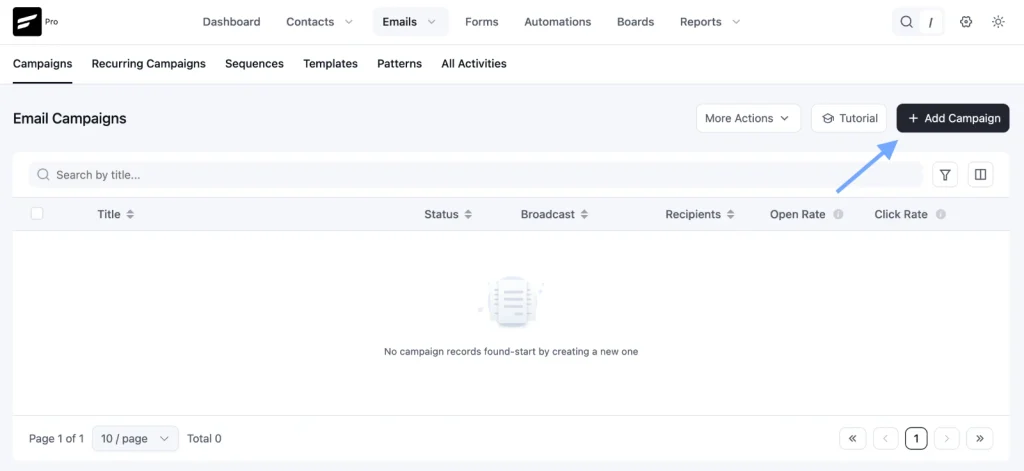
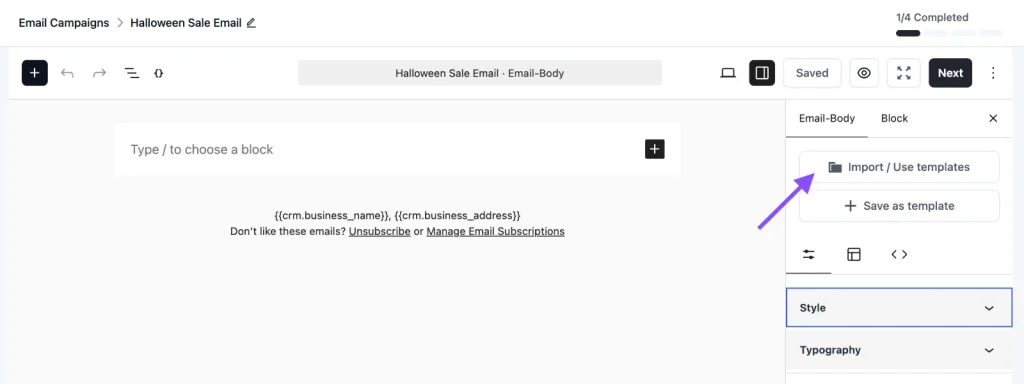
Step 2: Click Import / Use Templates and choose the Halloween Email Template for Food Brands. Add your dishes, offer, and order links, then click Save.
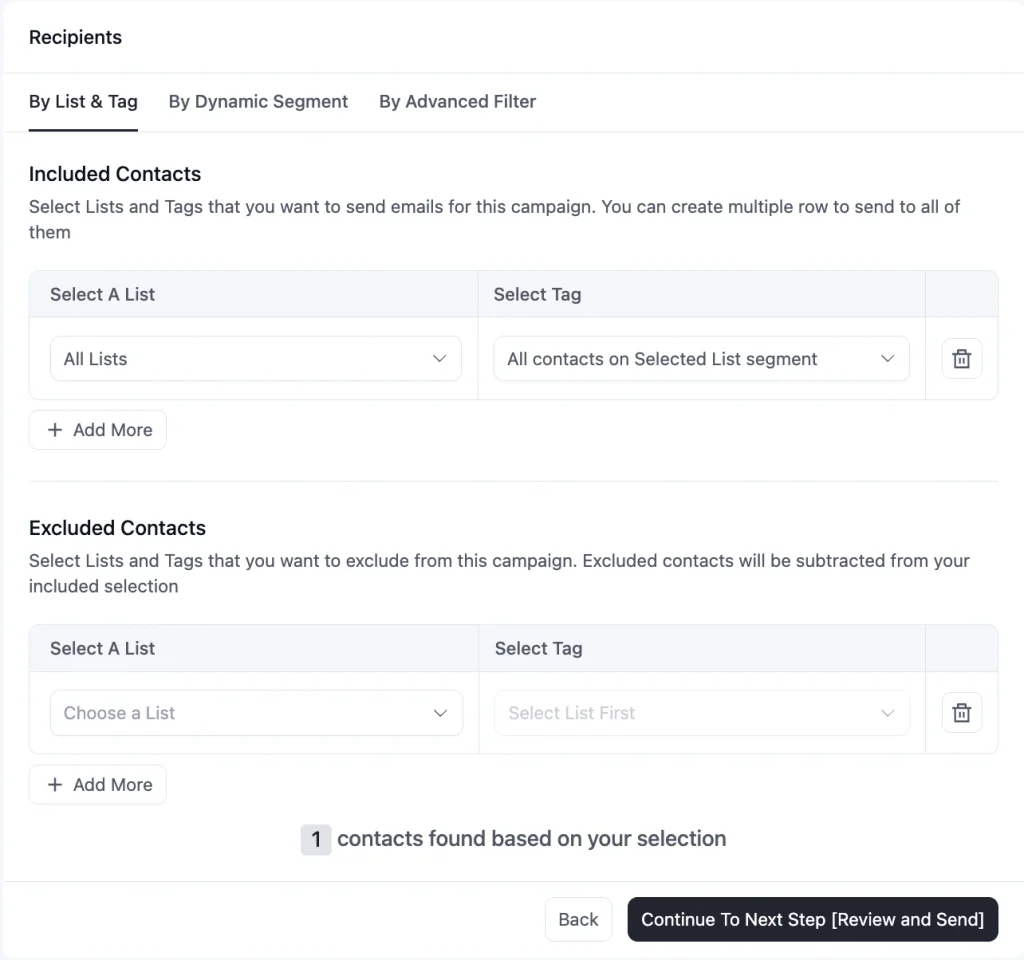
Step 3: Choose your recipients. Send to your full customer list, or use a tag or dynamic segment to target regulars, past party-order customers, or people who have not ordered in a while.
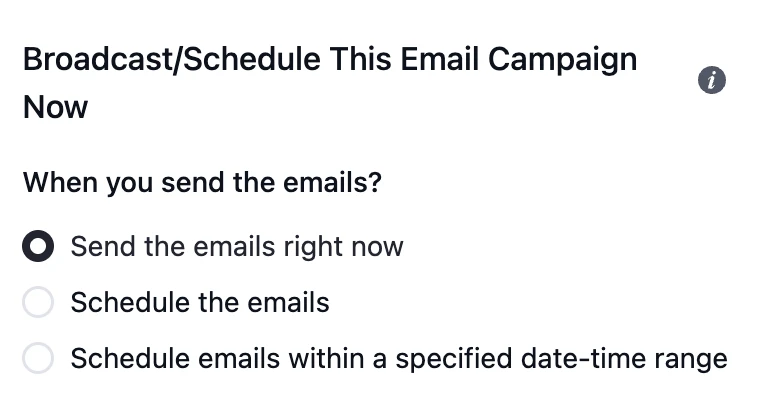
Step 4: Schedule the campaign for your launch date, or send it now
To send a reminder, duplicate the campaign, swap in the “last call” subject line, and schedule it for October 30 or 31. If you deliver, send it late morning so it lands before people plan dinner.
Customization Tips
- Replace the banner with your own Halloween artwork. The sample banner has “Spooky Sale” and “October 31” built into the image, so it cannot be edited as text
- Swap the three dishes for your real Halloween menu items, and replace “Product A”, “Product B”, and “Product C” with dish names and prices
- Use photos shot the same way, same background, same angle, so the three items look like one menu instead of three different ads
- Link every dish image and name to its order page, not only the main button, since people click on the food they want
- Rename “Shop Now!” to “Order Now” or “See the Halloween Menu.” Restaurant customers order; they do not shop
- Give the second button its own job, for example “Claim Your Free Drink,” instead of repeating the first button’s label
- State the offer in one sentence inside the “Special Offer” block, with the end date and, if your checkout needs one, the coupon code
- If the free-drinks offer includes alcohol, check your local liquor rules first, since several US states restrict free-drink and two-for-one alcohol promotions. Mocktails and sodas avoid the issue entirely
- Add
{{contact.first_name}}above the “This offer waits for no one” line for a more personal open - Keep only the social icons your customers actually use. Instagram and WhatsApp usually matter more for food than LinkedIn
- Add your restaurant address, opening hours, and an unsubscribe link in the footer to stay compliant with email-sending rules
Why Use a Halloween Restaurant Email Template?
Halloween is a spending holiday, and food is at the center of it. The NRF expects US consumers to spend $13.5 billion on Halloween in 2026, with 96% planning to buy candy, according to its annual survey. A ready-made restaurant email helps you claim a share of that:
- Launch Your Halloween Menu in Minutes: The layout, mood, and structure are done, so your time goes into choosing dishes and setting the offer
- Let the Food Do the Selling: Three large dish photos make people hungry in a way a discount line on its own never will
- Give People a Reason to Order This Week: A clear October 31 deadline turns “maybe this weekend” into an order now
- Raise the Order Value: The free-drinks section adds a bonus to every order, which works better than a deeper discount on the food itself
- Reach the Customers Most Likely to Order: Send it to regulars, party-order customers, or lapsed diners instead of the same offer to everyone
A good Halloween restaurant email turns a seasonal menu into a busy week of orders.
Frequently Asked Questions
When should a restaurant send a Halloween email?
Send the launch email about one to two weeks before October 31, a reminder midway through, and a last-call email on the final day or the day before. If you take party or catering orders, send earlier, since those customers plan ahead.
Can I customize this template without knowing how to code?
Yes. You can change the banner, dishes, text, buttons, colors, and social icons directly in FluentCRM’s email editor. No HTML knowledge is needed.
What should a Halloween restaurant email include?
A seasonal headline, photos of the dishes on offer, the deal stated in one sentence, a clear end date, and one main order button. This template covers all five. Keep the copy short and let the food photos carry the email.
Is this template only for burger restaurants?
No. The sample uses burgers and cocktails, but the layout works for any food business, from pizzerias and bakeries to coffee shops, snack brands, and meal kits. Swap the dishes, the drinks section, and the colors to match your menu.
How is this different from the Halloween Sale Email Template?
The Halloween Sale Email Template is built for online stores, with a six-product grid and a sitewide discount. This template is built for food, with fewer, larger dish photos, an order-focused button, and a bonus offer that fits how people buy meals.
Related Templates
-
- eLearning Emails
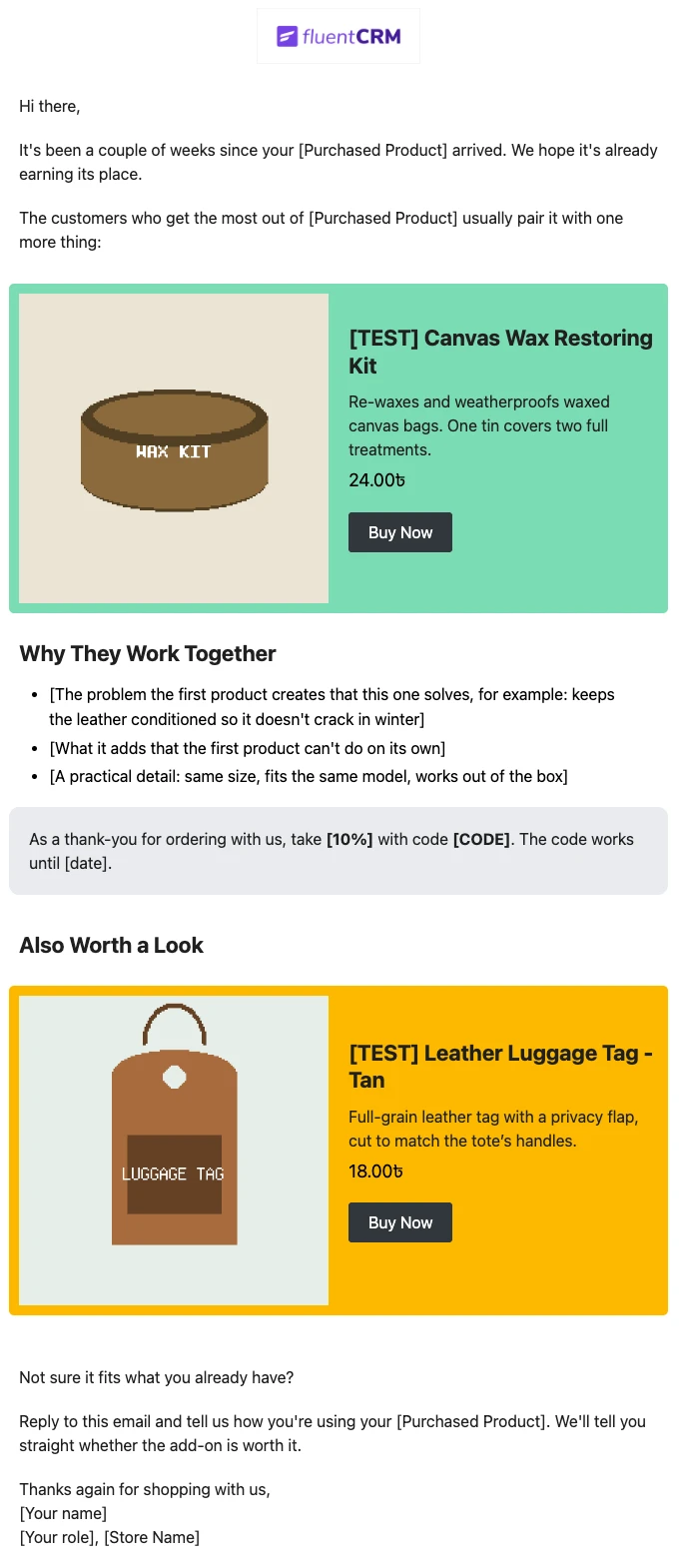
Product Recommendation Email for WooCommerce Cross-Sells
Recommend the one product that makes a customer’s last purchase better. Explain why the two products belong together, and sends customers straight to the add-on.
-
- eLearning Emails
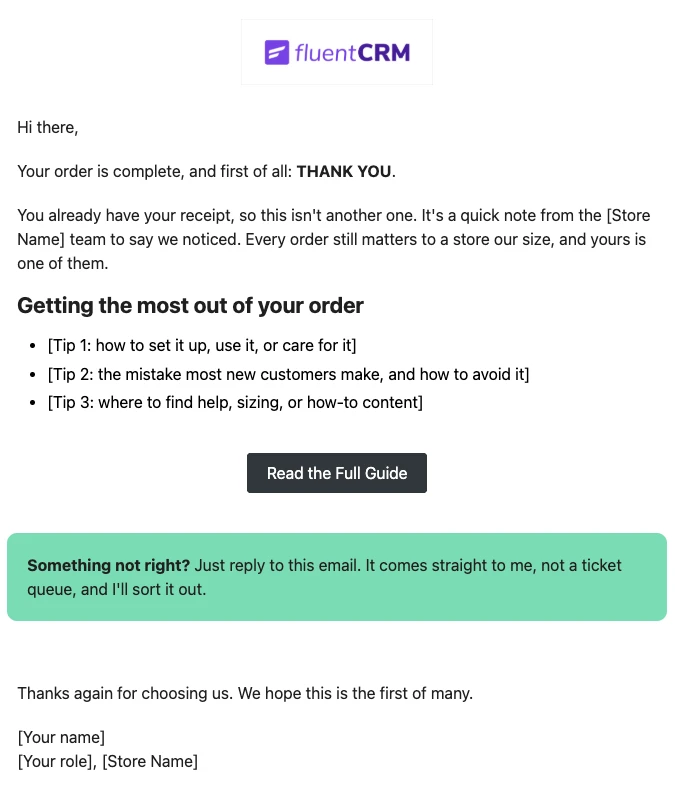
WooCommerce Post-Purchase Thank You Email
Thank customers like a person, not a receipt. Send a short, personal thank-you when a WooCommerce order is completed, with tips that help customers get real value from what they bought.
-
- eLearning Emails
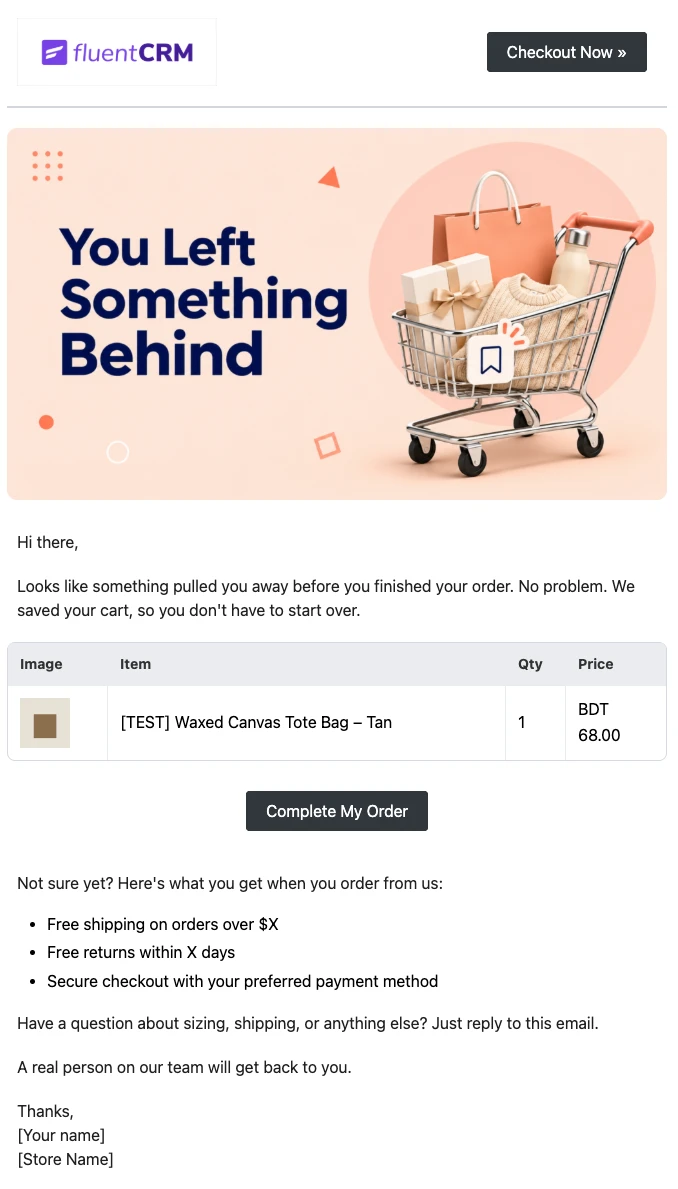
WooCommerce Abandoned Cart Email Template
Bring shoppers back to the checkout they left. Show each customer the exact products in their cart and send them back to a checkout that is already filled in, automatically.
Want More Resources?
Access resources to start faster, decide smarter, and grow your revenue with less complexity.