Welcome to Our Community Email
Make every new member feel at home the moment they join your online community, forum, or membership site. This free template greets them with a clean, friendly welcome and points them to one clear next step.
- Welcome Emails
Get this template in your inbox
Thanks for sharing your email, please click below to download the template.
What is a Welcome to Our Community Email Template?
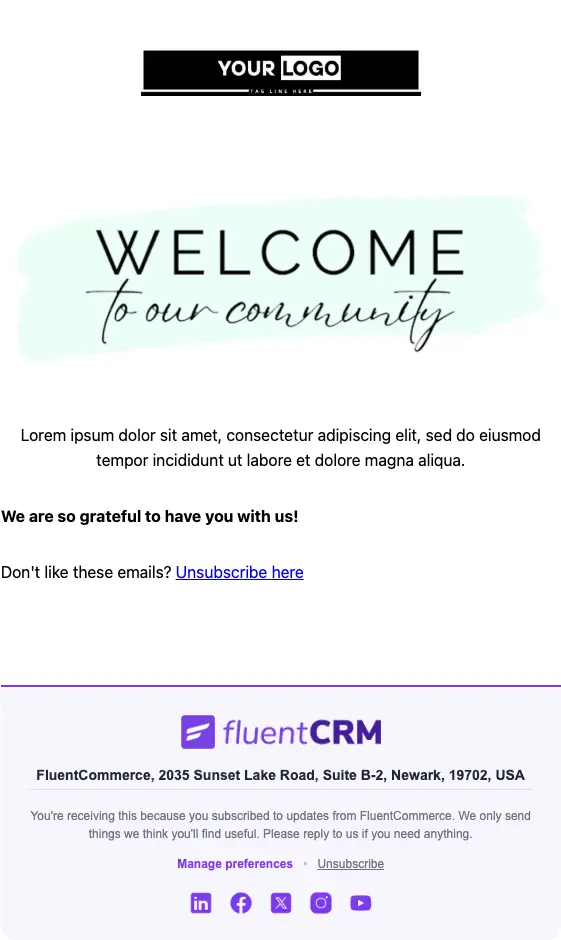
A welcome to our community email template is a ready-made email that goes out automatically when someone joins your online community, membership site, or member space. It thanks them for joining, tells them what the community is about, and sends them straight to the place where the conversation happens.
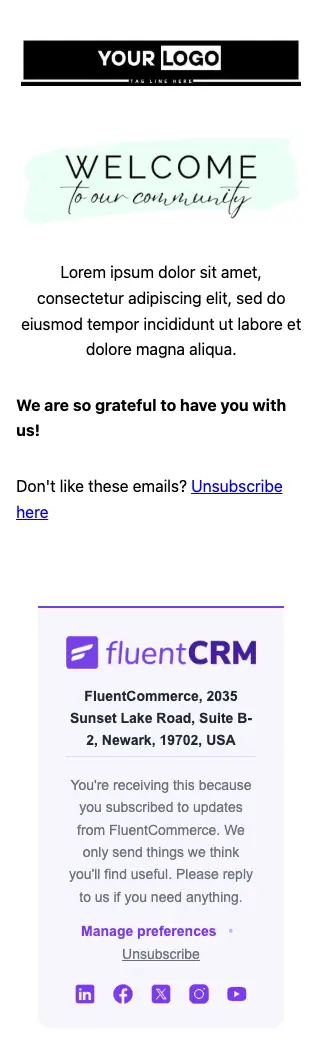
This template keeps things simple on purpose. It opens with your logo, leads with a large “Welcome to our community” headline, follows with a short introduction and a line of thanks, and ends with a single “Explore more” button. With FluentCRM, you can personalize it with the member’s name using merge tags and send it the second they sign up, with no manual work.
Best for:
- Online communities and member forums built on WordPress
- FluentCommunity spaces welcoming new members
- Membership sites and paid communities onboarding new subscribers
- Course creators with a student community or discussion space
- Creators, coaches, and brands running a private member group
Where this Fits in Your Automation?
This template is the first email in a community onboarding automation, sent right after someone joins. It is usually followed by a nudge to introduce themselves or make a first post a couple of days later, a roundup of popular discussions or upcoming events in the first week, and a check-in for members who have not logged back in after a few weeks.
How do I Trigger this Email Automatically When Someone Joins?
Set it up once, and every new member gets a welcome email within seconds of joining.
Step 1: In FluentCRM, go to Automations → Create New Automation
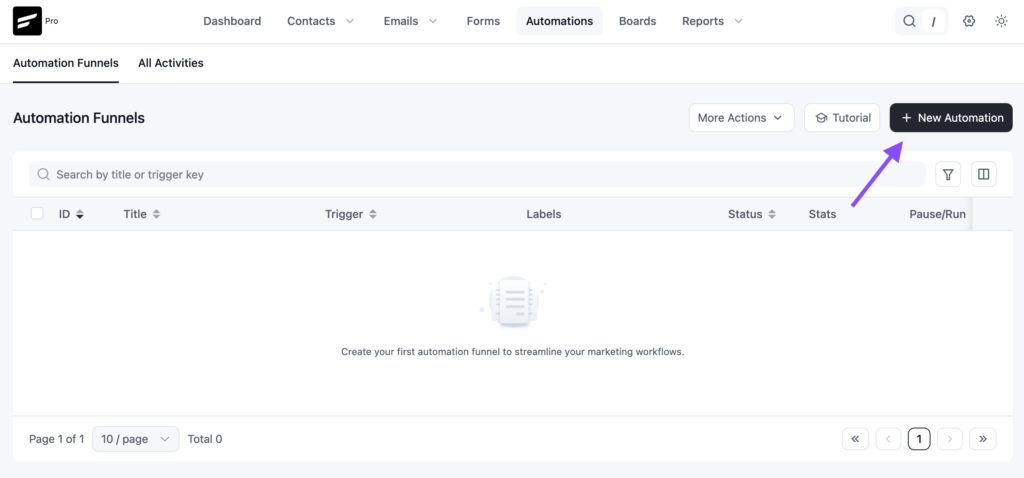
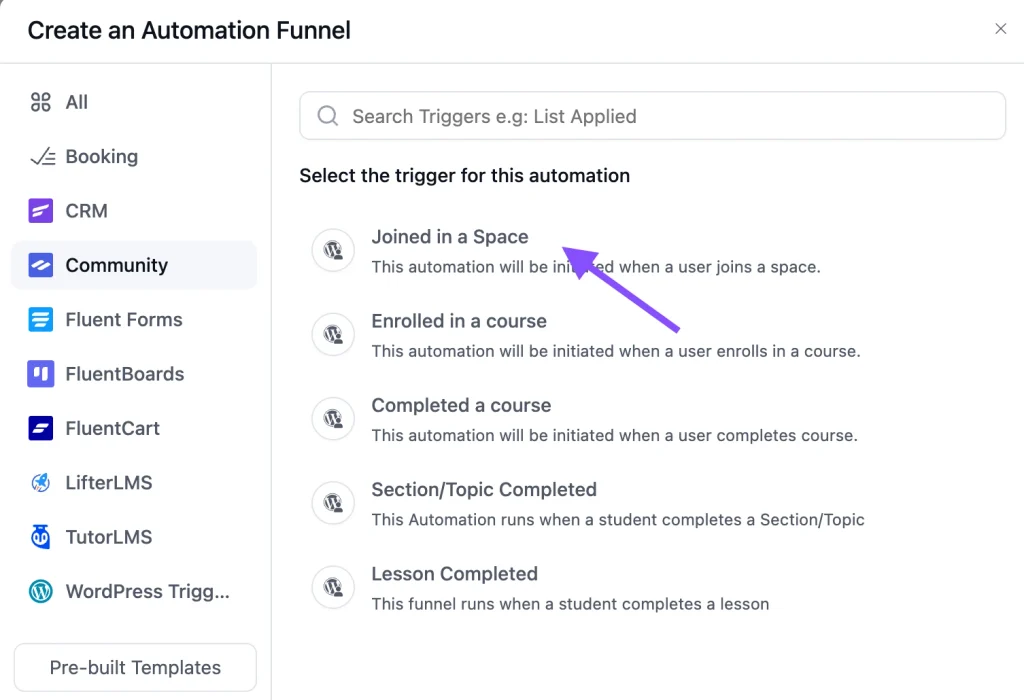
Step 2: Pick the trigger that matches how people join. If you run your community on FluentCommunity, open the Community category and choose “Joined in a Space”, then select the space.
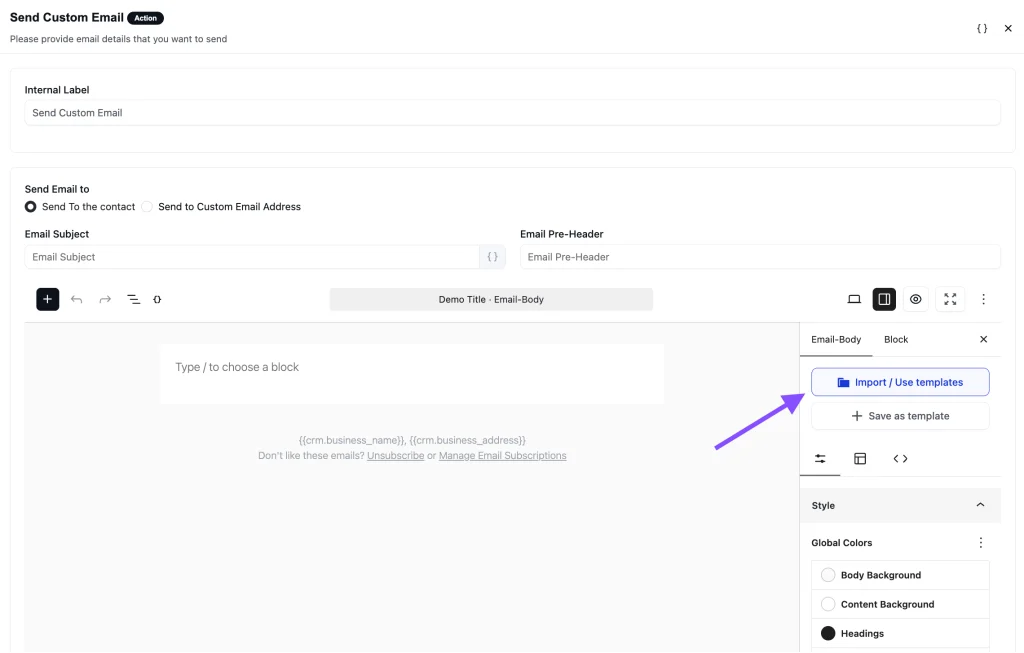
Step 3: Add a “Send Custom Email” action, click Import / Use Templates, and pick the Welcome Email for Community template. Customize the content and click Save.
Step 4: Toggle the button to Published to activate the automation
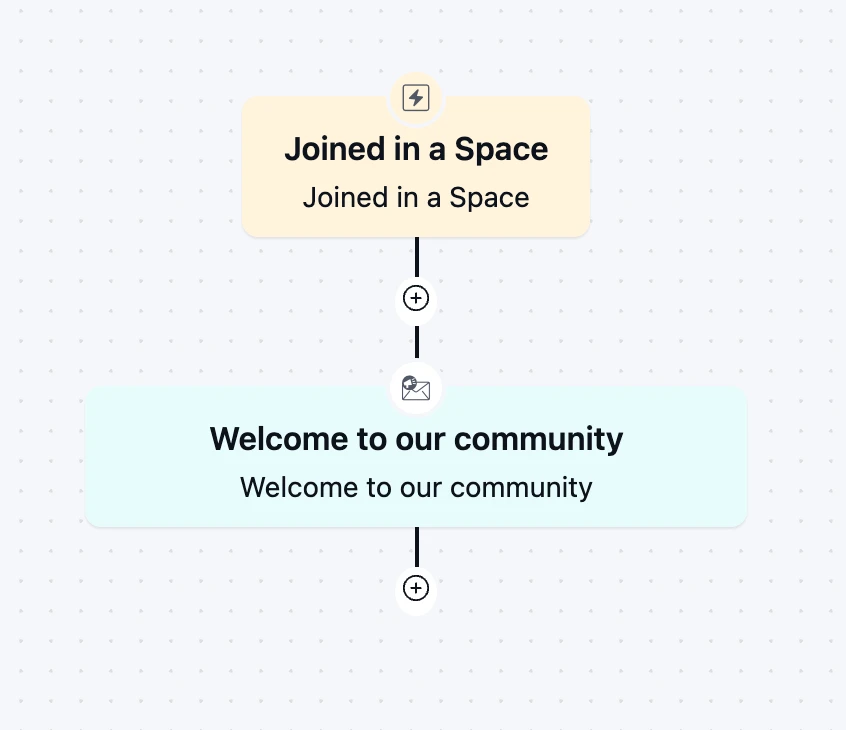
From then on, the automation runs in the background every time someone joins.
Customization Tips
- Replace the “Your Logo” block and the tagline with your community’s logo and a one-line description of what it is
- Add a greeting above the headline with
{{contact.first_name}}, since the default design has no personal greeting - Swap the lorem ipsum intro for two or three sentences on who the community is for and what members get out of it
- Keep the “We are so grateful to have you with us!” line, or rewrite it in your community’s own voice
- Point the “Explore more” button to the single best first stop: your community feed, an introductions thread, or a start-here post
- Rename the button to match that action, for example “Introduce Yourself” or “Visit the Community”
- If you have separate spaces, create one automation per space and change the intro copy so each group gets a relevant welcome
- Change the mint brush-stroke color behind the headline to match your brand palette
- Add your address and an unsubscribe link in the footer to stay compliant with email-sending rules
Why Use a Welcome to Our Community Email Template?
New members decide in the first few days whether they will show up again. A good welcome email helps you:
Make a Strong First Impression: A clean, warm welcome tells new members they joined a place that is organized and glad they are there
Get the First Visit Back: One clear button brings members back into the community while their interest is still high, instead of leaving them to find their own way
Reduce Silent Sign-ups: Many members join and never post. A direct invitation to explore or introduce themselves gives them a reason to take that first step
Set the Tone for Your Community: The intro paragraph is your chance to explain what the community is for and how people treat each other there
Welcome Everyone Without Extra Work: Every member gets the same thoughtful welcome, whether ten people join this month or a thousand
A simple, well-timed welcome turns a new sign-up into a member who actually shows up.
Frequently Asked Questions
When should a community welcome email be sent?
Immediately after someone joins. Members are most engaged in the first minutes after signing up, so an automated welcome catches them while they still have the community on their mind.
Can I send this email when someone joins a FluentCommunity space?
Yes. FluentCRM has a built-in “Joined in a Space” trigger for FluentCommunity. Select the space, attach this template, and every new member of that space gets the welcome email automatically.
Can I customize this template without coding?
Yes. You can change the logo, headline, text, button, and colors directly in FluentCRM’s email editor. No HTML knowledge is needed.
What should a welcome to our community email include?
A personal greeting, a short thank-you for joining, one or two lines on what the community is about, and one clear next step, such as visiting the feed or introducing themselves. Keep it short. The goal is to get them back into the community, not to explain every feature in one email.
Related Templates
-
- eLearning Emails
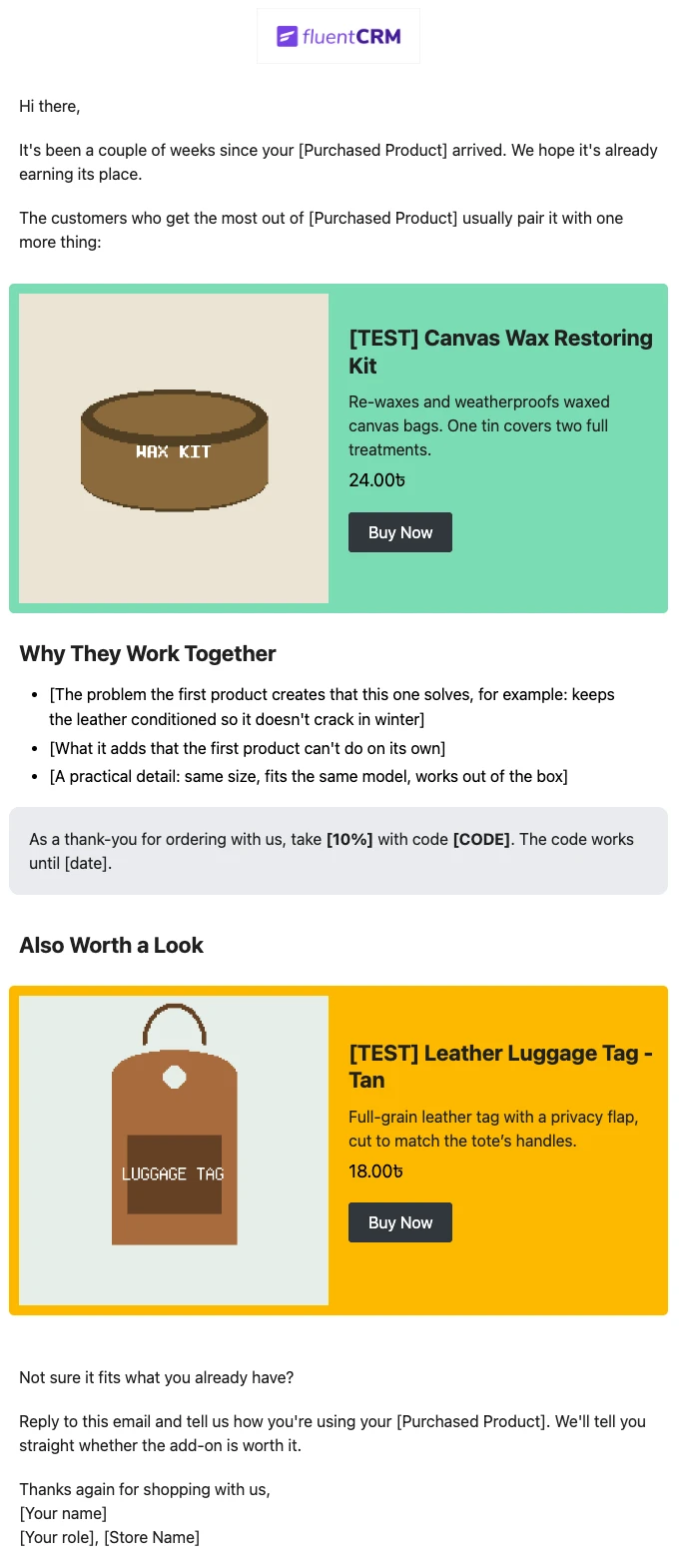
Product Recommendation Email for WooCommerce Cross-Sells
Recommend the one product that makes a customer’s last purchase better. Explain why the two products belong together, and sends customers straight to the add-on.
-
- eLearning Emails
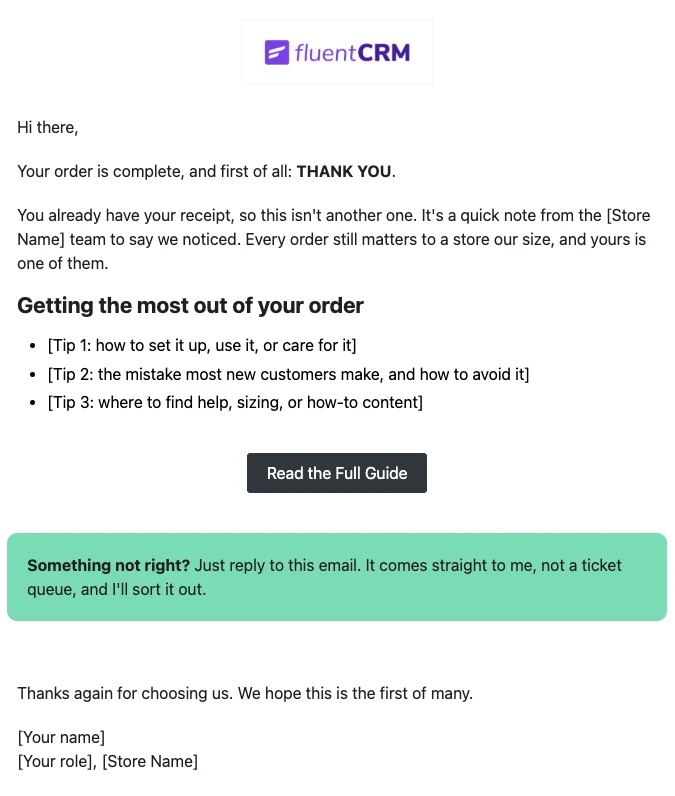
WooCommerce Post-Purchase Thank You Email
Thank customers like a person, not a receipt. Send a short, personal thank-you when a WooCommerce order is completed, with tips that help customers get real value from what they bought.
-
- eLearning Emails
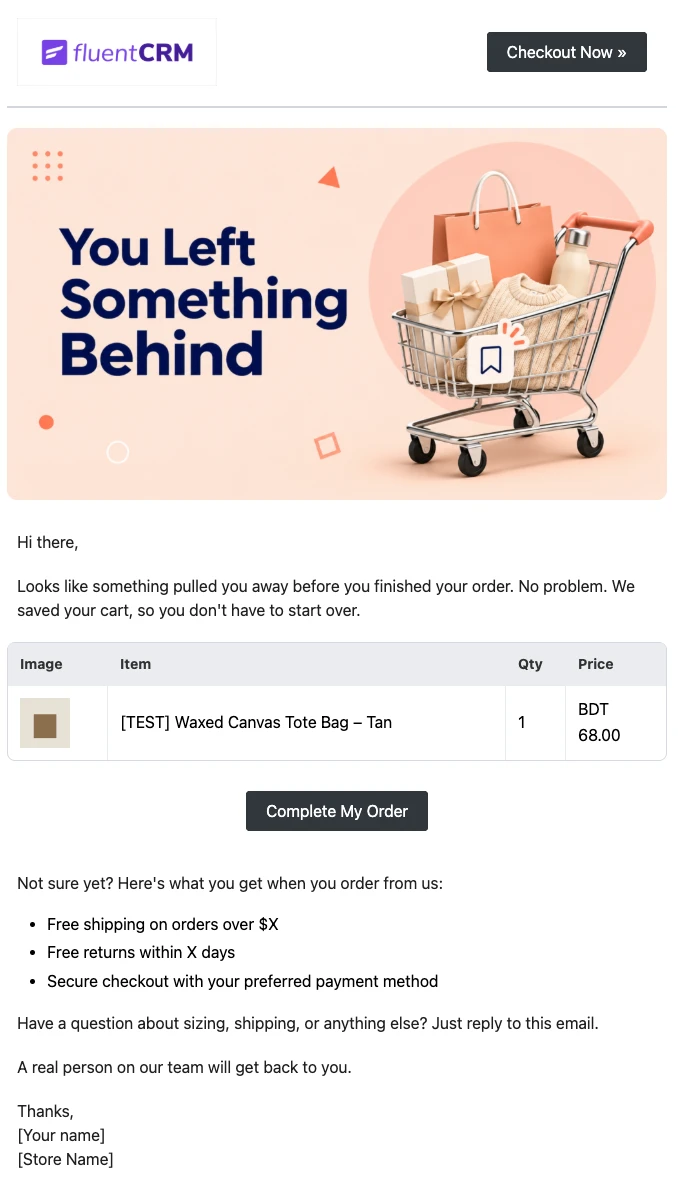
WooCommerce Abandoned Cart Email Template
Bring shoppers back to the checkout they left. Show each customer the exact products in their cart and send them back to a checkout that is already filled in, automatically.
Want More Resources?
Access resources to start faster, decide smarter, and grow your revenue with less complexity.