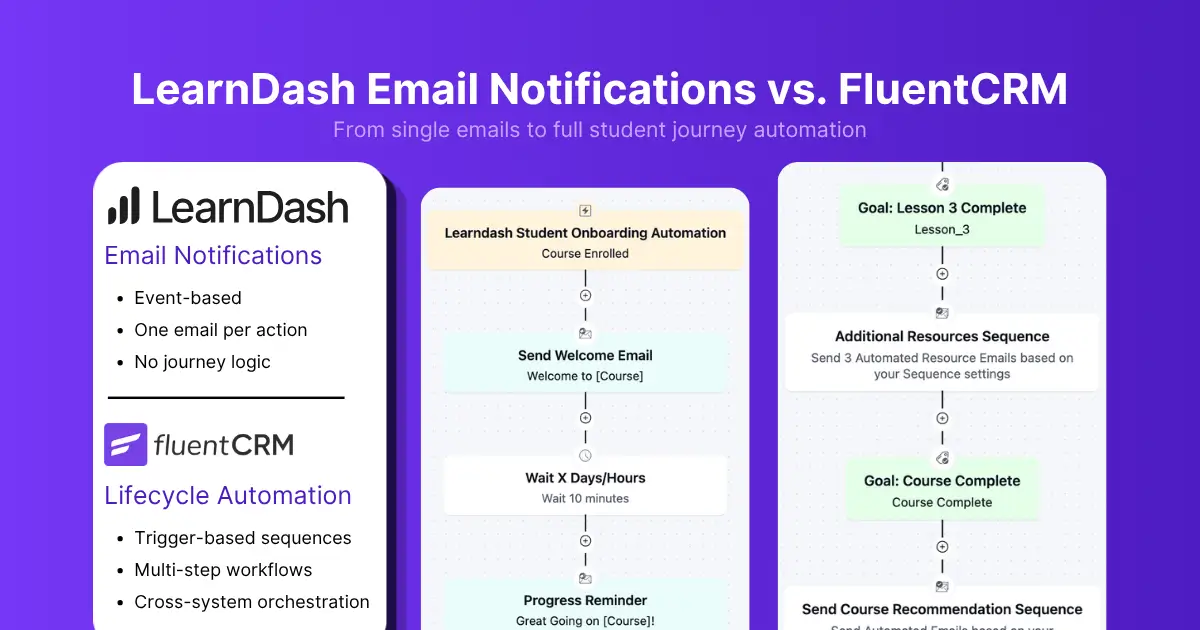
LearnDash Email Notifications vs. FluentCRM Email Automation: Workflows Beyond Notifications

Summarize with


Last Updated:
A student enrolls in your course.
LearnDash sends a purchase confirmation email. Maybe a registration email. Maybe an invoice. Then what?
- If the student never logs in, nothing happens.
- If they stop after the first lesson, nothing happens.
- If they disappear for two weeks, nothing happens.
- If they complete the course and are ready for the next step, nothing happens.
That’s because LearnDash’s email system was built to send notifications, not run automation.
That distinction becomes important the moment you want to onboard students, encourage course completion, recover inactive learners, or guide students toward their next course.
Let’s look at what LearnDash email notifications actually do, where they stop, and how FluentCRM extends LearnDash with behavioral email automation.
What LearnDash Email Notifications Actually Include
LearnDash offers a default email notification feature for sending registration, confirmation, and purchase notification emails. A student purchases a course, creates an account, or receives an invoice, and LearnDash sends the corresponding notification.
The platform includes four primary email types:
| Email Type | Trigger |
|---|---|
| Course Purchase Success | Successful course purchase |
| Group Purchase Success | Successful group purchase |
| New User Registration | User registration |
| Purchase Invoice | Successful purchase |
You can customize these emails with your own branding, subject lines, content, sender information, and personalization tags.
For example, LearnDash can automatically insert information like the student’s name, email address, or course title into the message. This works well for receipts, registrations, and purchase confirmations.
Where LearnDash Email Notifications Fall Short
LearnDash email notifications are genuinely useful for their intended purpose. The problem isn’t what they do. It’s what they don’t do, and whether your course site actually needs more.
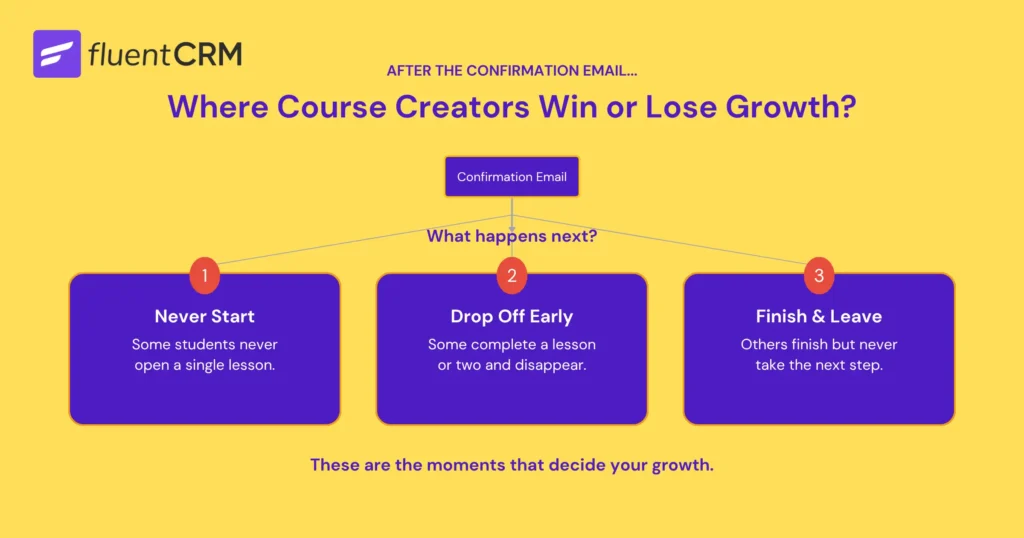
Notice what happens after a student gets a confirmation email after joining a course:
- Some students never start the course
- Some complete a lesson or two and disappear
- Others finish the course and leave without taking the next step
These are some common scenarios where course creators win or lose growth.
Every student who never starts misses the value of the course. Every student who drops off halfway reduces completion rates. Every student who finishes and leaves is a missed opportunity to deepen the relationship…
The moment student behavior becomes part of the equation, a single notification is no longer enough. The challenge is no longer sending the first email. It’s maintaining the conversation afterwards:
- How do you help students who never get started?
- How do you re-engage learners who drift away?
- How do you guide successful students toward their next course or milestone?
Those aren’t notification problems. They’re lifecycle problems. Solving them requires a system built around behavior, progression, and automation rather than one-time emails.
That’s where FluentCRM enters the picture.
What Changes When You Add FluentCRM to LearnDash
FluentCRM is a complete WordPress email automation tool that integrates with LearnDash. It allows you to maintain communication, increase student retention, and create opportunities for additional course enrollments.
Once connected, student actions stop being endpoints and start becoming triggers.
For example:
- A course enrollment can trigger a multi-step onboarding sequence.
- A completed lesson can unlock encouragement emails or additional learning resources.
- A period of inactivity can start a re-engagement campaign.
- Course completion can launch certification instructions, community invitations, or recommendations for advanced programs.
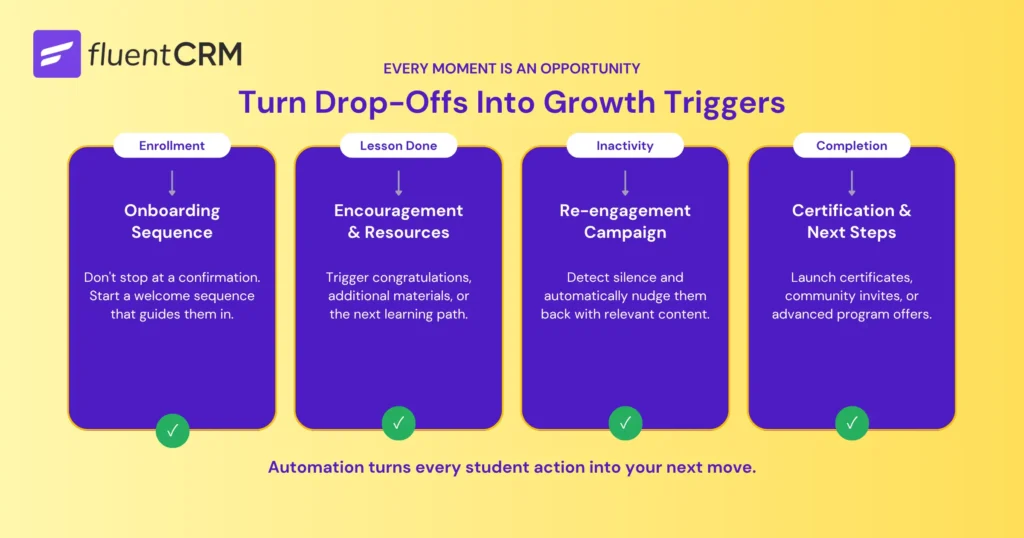
Instead of treating every interaction as a one-time event, FluentCRM allows communication to evolve as students move through their learning journey. The focus shifts from sending individual emails to designing what happens next.
That’s the fundamental difference between notifications and automation. LearnDash helps deliver the learning experience. FluentCRM helps guide students through it.
LearnDash vs FluentCRM: What Happens After Enrollment?
The easiest way to understand the difference between LearnDash notifications and FluentCRM automation is to look at what happens after a student joins your course.
Both systems can send emails. What differs is what happens next.
| Student Scenario | LearnDash Email Notifications | LearnDash + FluentCRM |
| Student enrolls in a course | Sends a confirmation email | Starts an onboarding sequence |
| Student never logs in | Nothing happens | Sends reminders and onboarding guidance |
| Student completes lessons regularly | No follow-up based on progress | Can send milestone emails and course-specific resources |
| Student becomes inactive | Nothing happens | Triggers a re-engagement workflow |
| Student completes a course | Workflow ends | Can start certification, community, or upsell workflows |
| Student purchases another course | Separate transaction | Updates segmentation and continues the customer journey |
At first glance, the differences may seem like a collection of extra features. In reality, they represent two completely different approaches to student communication. Notifications focus on individual events. Automation focuses on the entire student journey.
A student who just enrolled shouldn’t receive the same message as someone who completed 90% of a course. Likewise, an inactive student needs different communication than someone actively progressing through lessons every week.
Automation makes it possible to respond to those differences automatically.
Whether it’s helping new students get started, re-engaging inactive learners, celebrating course completions, or recommending the next step, communication can adapt as the learning journey evolves.
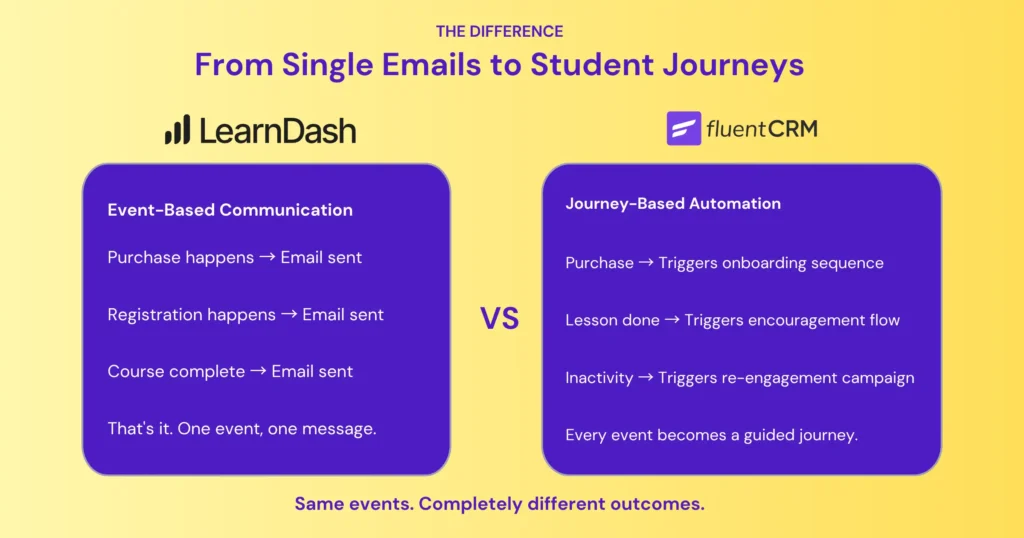
The Four Capabilities That Make FluentCRM + LearnDash Special
FluentCRM is designed to detect student activity, decide what should happen next, and trigger the appropriate communication. Instead of treating student actions as isolated events, it can turn students’ actions into ongoing workflows that adapt throughout the learning journey.
Four capabilities make that possible:
- Behavioral Triggers
- Student Segmentation
- Multi-Step Sequences
- Conditional Logic and Goals
Here’s how it all comes together:
1. Behavioral Triggers
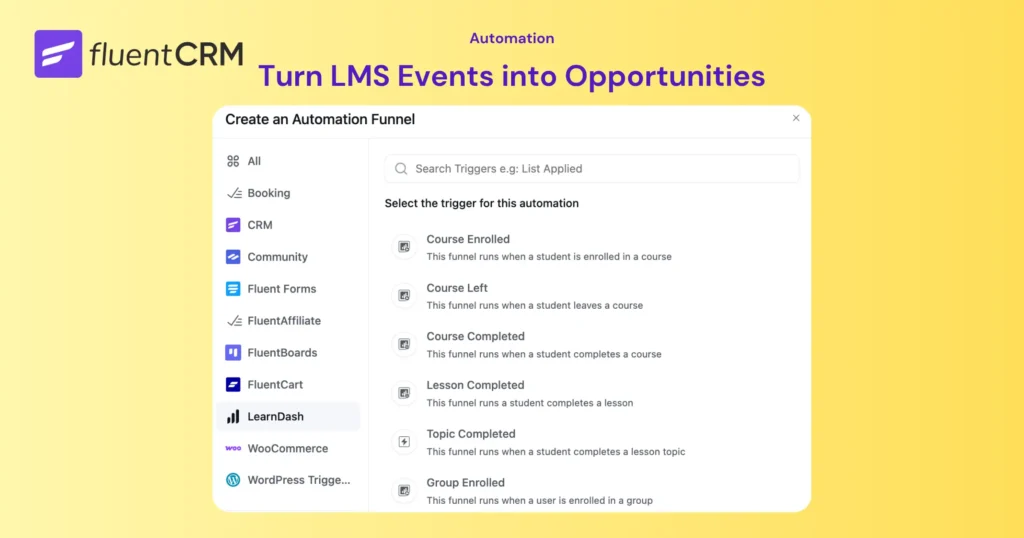
With LearnDash alone, communication is largely tied to individual events. A purchase happens, an email is sent. A registration happens, an email is sent. With FluentCRM, those same events become opportunities to guide students through a longer journey.
For LearnDash users, that could be:
- A student enrolls in a course
- A lesson is completed
- A topic is completed
- A course is completed
- A student joins a group
These actions don’t have to end with a notification email. These events can become the starting point for a larger student journey.
For example, course enrollment can begin an onboarding sequence, while course completion can trigger a certification workflow or advanced course recommendation.
Common LearnDash Triggers Inside FluentCRM:
| Trigger | Use Case |
|---|---|
| Course Enrolled | Start onboarding |
| Lesson Completed | Track engagement |
| Topic Completed | Trigger progression workflows |
| Course Completed | Certification or upsell sequence |
| Group Enrollment | Cohort automation |
| Course Left | Recovery workflow |
Student Segmentation
Another major difference is segmentation.
LearnDash stores LMS activity. FluentCRM converts that activity into CRM data that can be used for targeting and automation.
This is powerful because every student is at different stages of their learning journey. Some are brand new. Some are halfway through a course. Others have completed multiple programs. Segmentation allows you to organize students based on information such as:
- Enrolled courses and course categories
- Enrollment dates
- Learning groups
- Tags and Engagement activity
This allows communication to become contextual instead of generic. Students receive messages based on their situation rather than generic broadcasts sent to everyone.
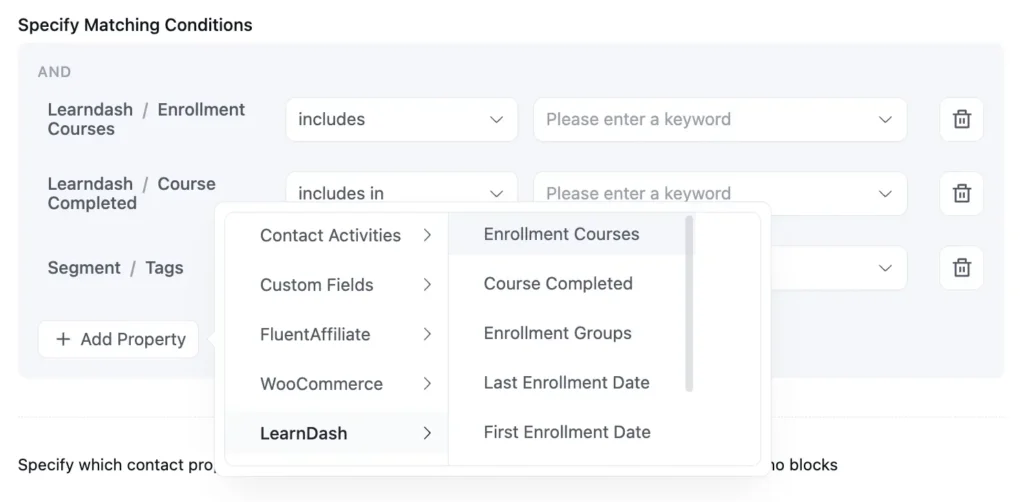
Once students are segmented, communication can become far more relevant.
For example:
- New students can receive onboarding guidance.
- Active learners can receive milestone-based encouragement.
- Inactive students can enter re-engagement campaigns.
- Course graduates can receive recommendations for advanced programs.
These are difficult to achieve with standard notifications, but it’s one of the biggest advantages of combining LearnDash with a CRM and automation platform.
Multi-Step Sequences and Delays
This is where the difference between notifications and automation becomes most obvious.
A notification is typically a one-time email sent immediately after an event occurs.
But students rarely enroll, complete a course, and make another purchase in a single day. They need guidance as they progress through a course. They may need reminders when they stop engaging or additional resources when they reach important milestones.
FluentCRM makes it possible to build those interactions into automated workflows. For example, a simple onboarding workflow might look like this:
- Welcome email immediately after enrollment
- Course navigation guide two days later
- Progress reminder after one week
- Additional resources based on engagement
Instead of ending after the first email, communication continues as students move through the course.
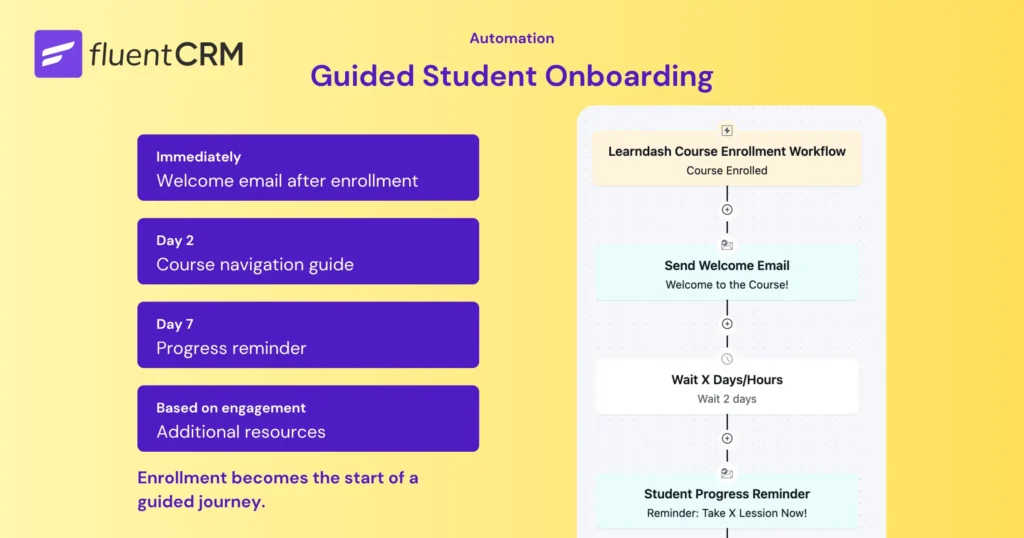
This is what “drip email” actually means in an LMS context. Not just delayed emails, but timed progression through a learning experience.
FluentCRM allows those workflows to run automatically without manual follow-up.
Multi-step sequences ensure communication continues over time. The next challenge is determining how those workflows should react when students behave differently.
Conditional Logic and Goals
Not every student follows the same path through a course.
Some move quickly from lesson to lesson. Others slow down, become inactive, or stop engaging entirely.
That’s why automation needs more than triggers and delays. It also needs the ability to make decisions based on student behavior.
This is where conditional logic and goals come in.
Imagine a student enrolls in a course and enters an onboarding workflow. After 14 days, the automation checks their progress:
- If they’ve completed several lessons, they receive encouragement and recommendations for the next milestone.
- If they haven’t logged in recently, they receive a re-engagement email.
- If they’ve already completed the course, they skip the remaining reminders and move directly into a completion workflow.
Instead of following a fixed sequence, the automation adapts based on what the student actually does.
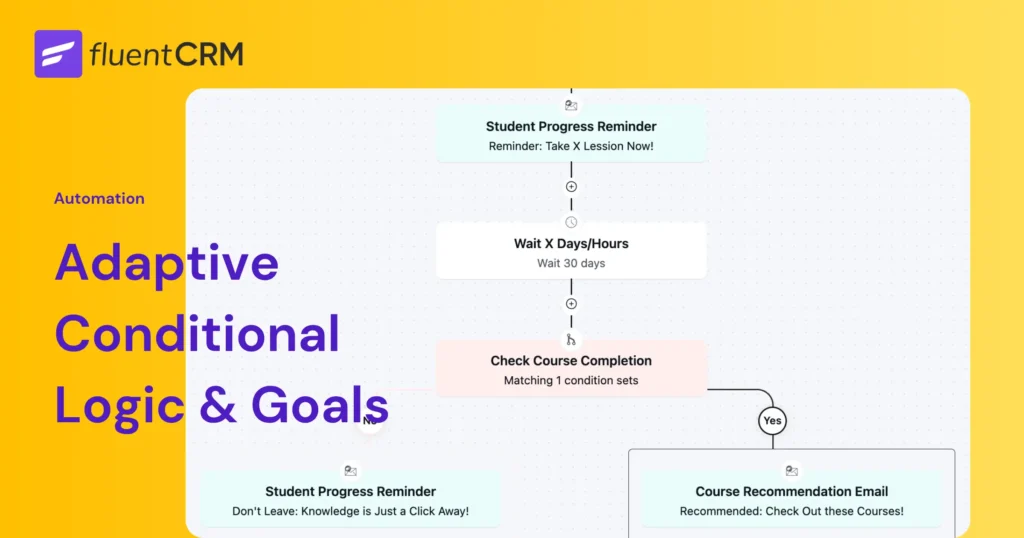
Goals work alongside this logic by helping students move through workflows more efficiently.
For example, if a student completes the course before reaching the final reminder email, a goal can automatically remove them from the reminder sequence and move them to the next stage of the journey.
This prevents students from receiving irrelevant emails and keeps communication aligned with their progress.
What You Can Actually Build: LearnDash Automation in Practice
Understanding automation concepts is useful. Seeing how they work in practice is even more valuable.
Here are a few examples of workflows that become possible when LearnDash activity is combined with FluentCRM automation.
Student Onboarding Automation
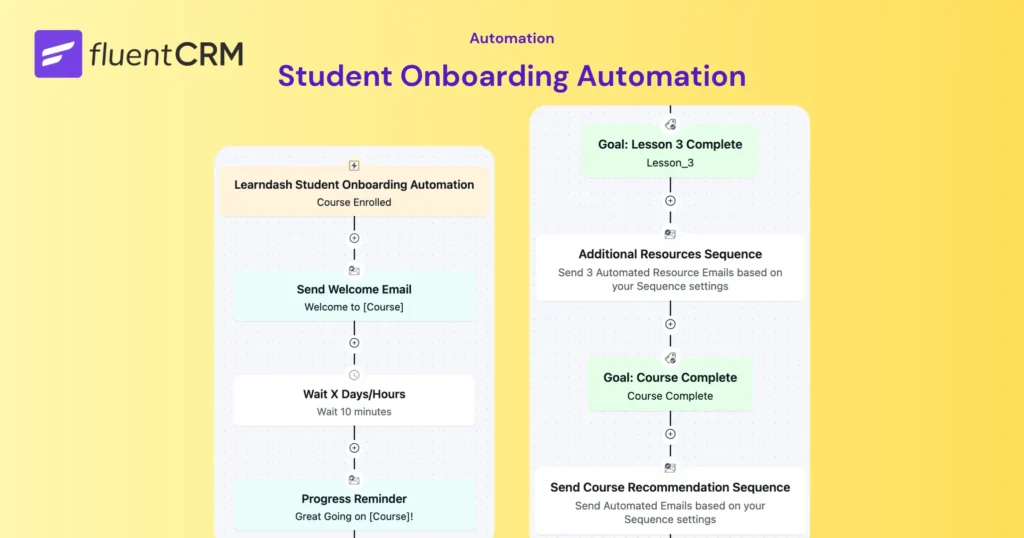
Enrollment is often the highest-engagement moment in a student’s journey. They’re motivated, curious, and ready to get started. A well-designed onboarding workflow helps maintain that momentum beyond the initial purchase.
- Student enrolls in a course
- Welcome email is sent immediately
- Course navigation guide arrives 10 Minutes later
- Progress reminder is sent after one week
- Additional resources are delivered based on engagement
- Completion workflow begins when the course is finished
Instead of leaving students to figure everything out on their own, the course actively guides them through the learning experience. The result is a smoother onboarding experience, better course activation, and more opportunities to keep students engaged as they progress.
Course Completion Funnel
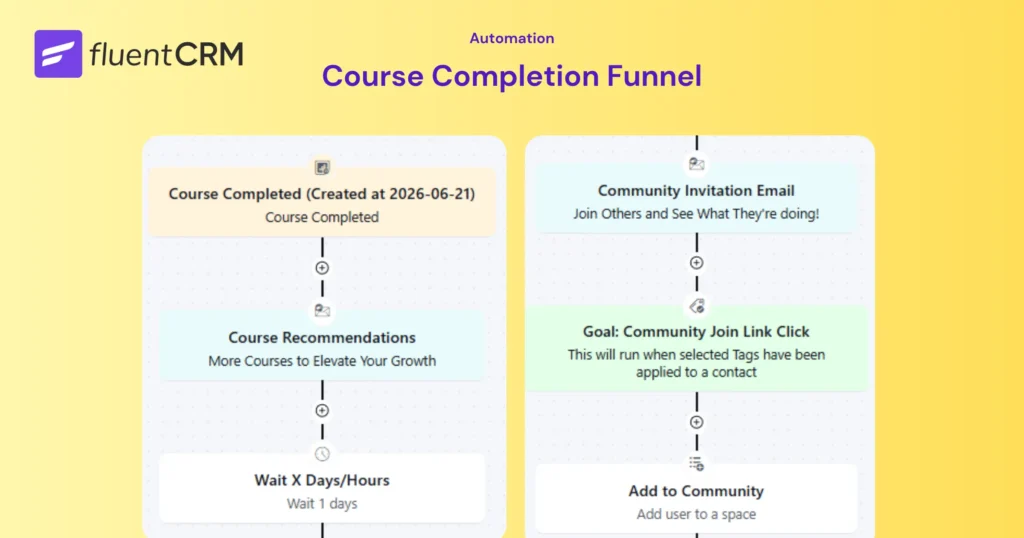
Course completion doesn’t have to be the end of the relationship. It’s actually the opposite: the beginning of the next opportunity. Instead of ending communication after completion, automation can continue the student journey.
An ideal completion workflow might look like this:
- Student completes a course
- Certification instructions are delivered automatically via LearnDash
- Advanced course recommendations are introduced
- Community invitations are sent via FluentCRM
- When they Click the Join Link, automatically add them to Community
This way, the learning journey continues instead of ending communication at course completion.
Ecommerce + LMS Automation
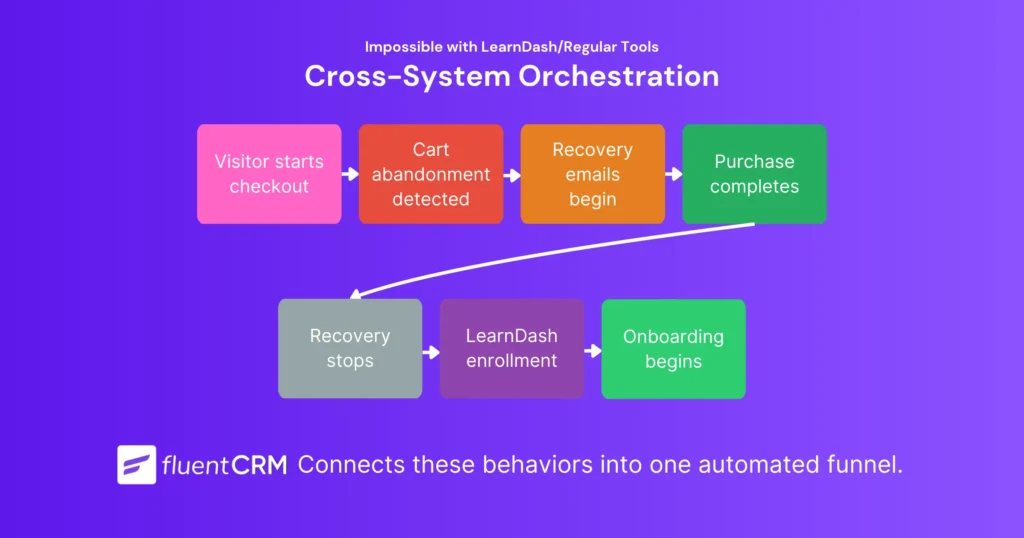
One of the biggest advantages of using LearnDash with FluentCRM is the ability to connect learning activity with the rest of your WordPress business. Imagine this workflow:
- Visitor starts checkout
- Cart abandonment is detected
- Recovery emails begin automatically
- Purchase completes
- Recovery sequence stops
- LearnDash enrollment occurs
- Student onboarding sequence begins
This type of cross-system orchestration is often expensive with LearnDash notifications or any other traditional email automation platforms. To pull this off, you’ll need expensive systems like ActiveCampaign connected to LearnDash using another third-party automation tool like Zapier.
Since FluentCRM lives inside your WordPress dashboard, it lets you connect those behaviors together natively. So you can automate funnels beyond basic eCommerce and eLearning automations without duct taping tools.
Also notice that, none of these workflows are really about email. They’re about helping students move from one stage of their journey to the next. Email simply becomes the mechanism that supports that progression.
Do You Still Need LearnDash Email Notifications?
Yes.
One of the biggest misconceptions about LearnDash and FluentCRM is that you eventually replace one with the other. In reality, most course websites use both.
The reason is simple: they solve different problems.
LearnDash handles transactional communication: course purchase confirmations, registration emails, invoices. These emails matter because students expect them immediately after an action occurs.
FluentCRM handles everything that happens around those events: onboarding, progression workflows, certification sequences, lifecycle marketing.
Used together, they create a more complete student experience— from enrollment and engagement to completion and beyond.
Learning Doesn’t End at Course Completion
One interesting takeaway from all of this is that automation eventually becomes part of the learning experience itself.
It’s no longer just about delivering lessons or sending confirmation emails. It’s about helping students make progress.
But many course creators eventually discover another challenge:
Student engagement doesn’t always happen inside the course. Students ask questions, share wins, connect with peers, and participate in discussions.
In many cases, the strongest engagement happens after the lessons are finished.
That’s one of the reasons we created FluentCommunity.
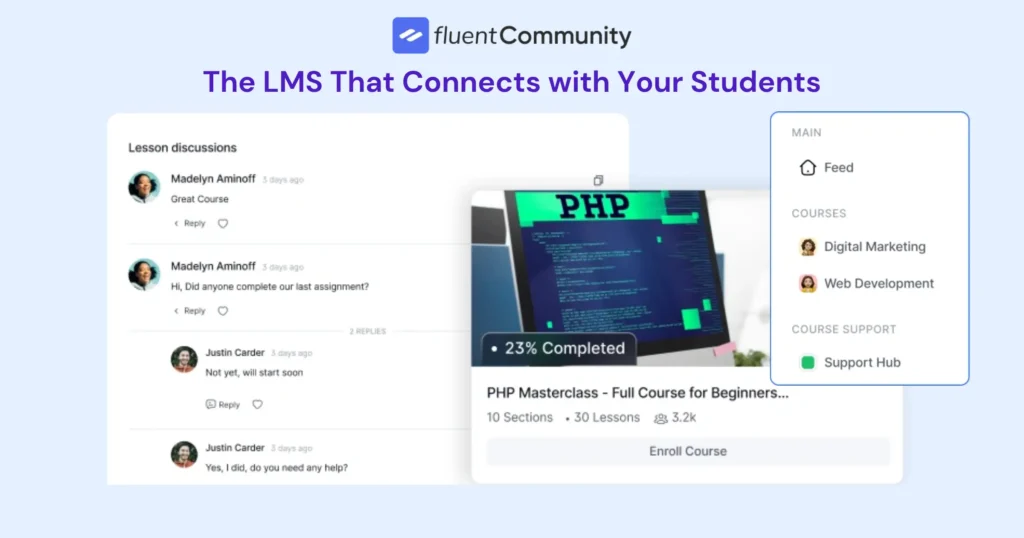
As we worked with course creators, we noticed that courses, community engagement, and automation were often managed through separate tools that didn’t work together naturally.
So rather than treating automation as something added later through integrations, we designed FluentCommunity to work closely with FluentCRM, making it easier to connect learning activity with communication and engagement workflows.
For creators building a new education business, that gives course creators a way to connect learning, engagement, and communication in a single ecosystem: a community with a built-in LMS to deliver learning and keep students engaged, and automation to guide the entire journey.
Together, they help create a more connected student journey from enrollment to long-term engagement. If you’d like to explore what’s possible, take a look at FluentCommunity.
Final Thoughts
The gap between LearnDash email notifications and FluentCRM email automation isn’t a matter of more features. It’s an architectural difference between two systems doing fundamentally different jobs.
Whether you use LearnDash, FluentCommunity, or another learning platform, the bigger takeaway remains the same: student engagement doesn’t start and end with a confirmation email.
The most successful learning experiences continue long after enrollment: through onboarding, progression, community, and meaningful communication at every stage of the journey. That’s the standard worth building toward.

Nazir Himel
Product Marketing Lead
Hey! I’m an inbound marketing specialist focused on email marketing automation. I love turning complex features into clear, user-centric messaging and when I’m not shaping product stories, I’m experimenting with content frameworks, conversion journeys, and helping others communicate value without sounding salesy!
Table of Content
Related Articles and Topics
-
How to Build a Course Certificate Automation Funnel in FluentCRM [+Setup Guide]
A student clicks “Finish Course,” the progress bar hits 100%, and a small message appears:…
-
How to Recover Inactive LearnDash Learners to Improve Student Engagement Using FluentCRM
Imagine a student who blazed through the first three lessons in two days, then went…