Black Friday Sale Email
Launch your Black Friday sale with an email that puts your best products and your discount in front of every subscriber.
Get this template in your inbox
Thanks for sharing your email, please click below to download the template.

What is a Black Friday Email Template?
A Black Friday email template is a ready-made promotional email you send on launch day to announce your Black Friday sale. It tells subscribers the sale is live, states the discount, shows what is on offer, and gives them a direct way to buy before the deal ends.
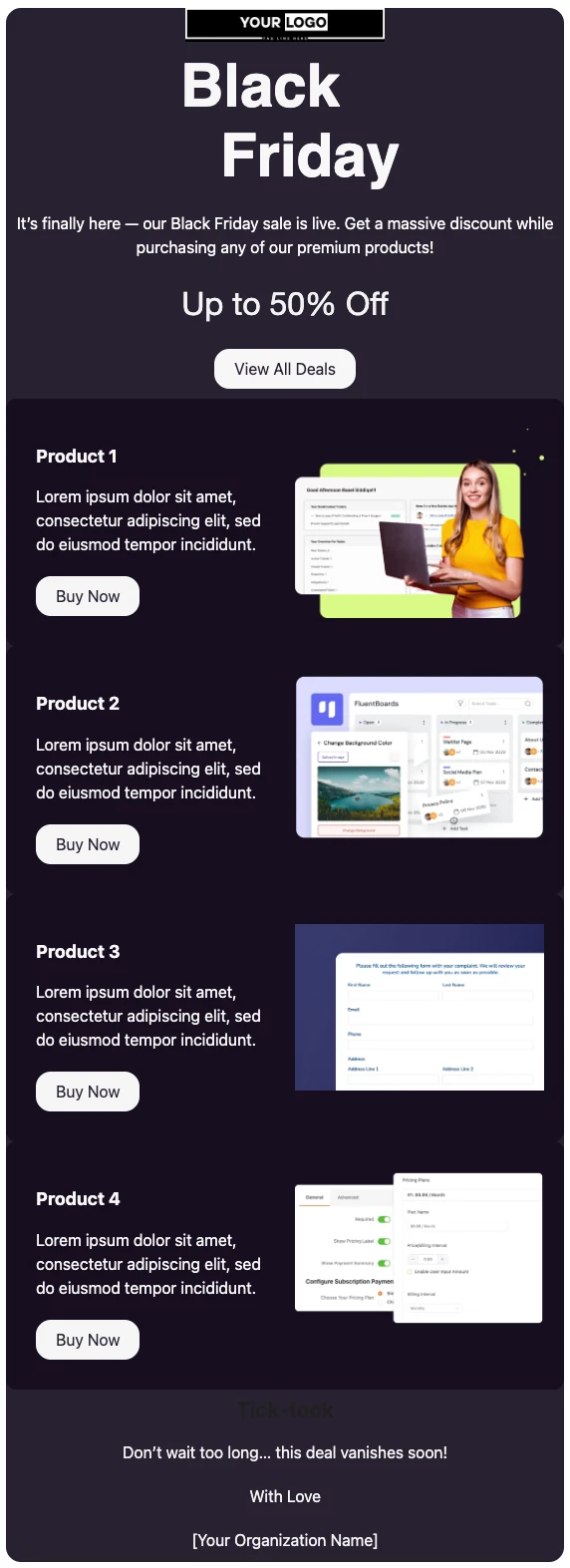
This template is built for brands with a handful of flagship products rather than a huge catalog. It opens with your logo, a bold “Black Friday” headline, a one-line announcement, and an “Up to 50% Off” offer with a “View All Deals” button. Below that, four product rows each pair an image with a short description and a “Buy Now” button, and a “Tick-tock” section closes with a final push of urgency. With FluentCRM, you can personalize it with each subscriber’s name using merge tags and send it only to the lists, tags, or segments you choose.
Best for:
- WordPress plugin, theme, and SaaS companies with more than one product
- Digital product sellers offering courses, templates, ebooks, or asset packs
- WooCommerce, FluentCart, and Easy Digital Downloads stores with a few hero products
- Small brands that want one polished Black Friday email without hiring a designer
- Businesses running a sitewide sale who want each product to get its own spotlight
Where this Fits in Your Black Friday Campaign?
This template is the launch email, sent the moment your sale opens. A typical sequence starts a week or two earlier with the Pre-Black Friday warm-up email, offers loyal customers first access with the Early Black Friday Offer Email, sends this email on Black Friday, follows with a reminder over the weekend, and closes with a last-day email on Cyber Monday.
How do I Send this Black Friday Email to My List?
A Black Friday sale email is a one-time campaign, not an automation. Set it up ahead of time and schedule it to land the moment your sale opens.
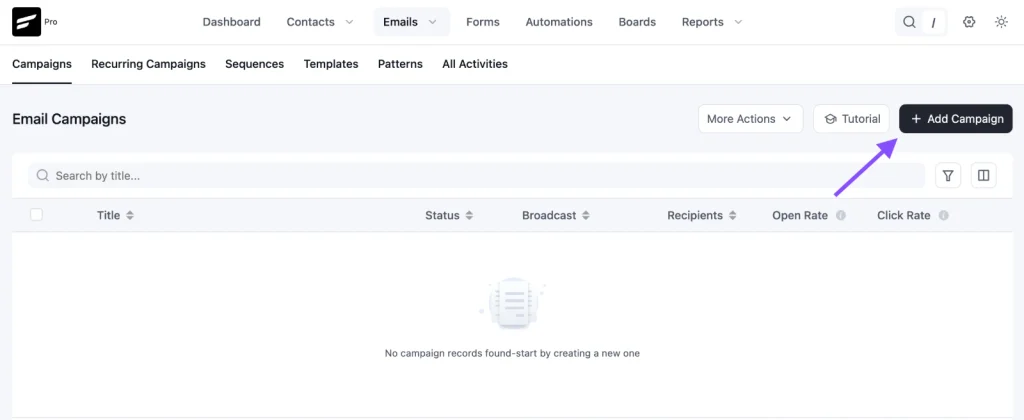
Step 1: In FluentCRM, go to Email Campaigns → Create New Campaign
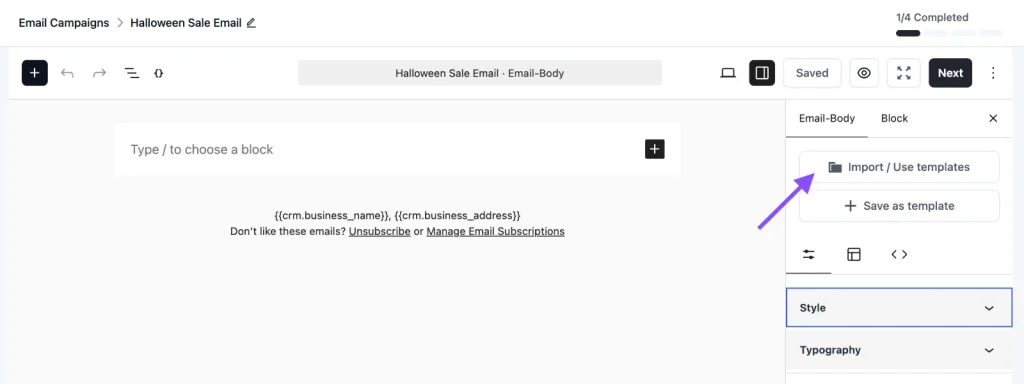
Step 2: Click Import / Use Templates and pick the Black Friday Sale Email template. Add your products, prices, links, and end date, then click Save.
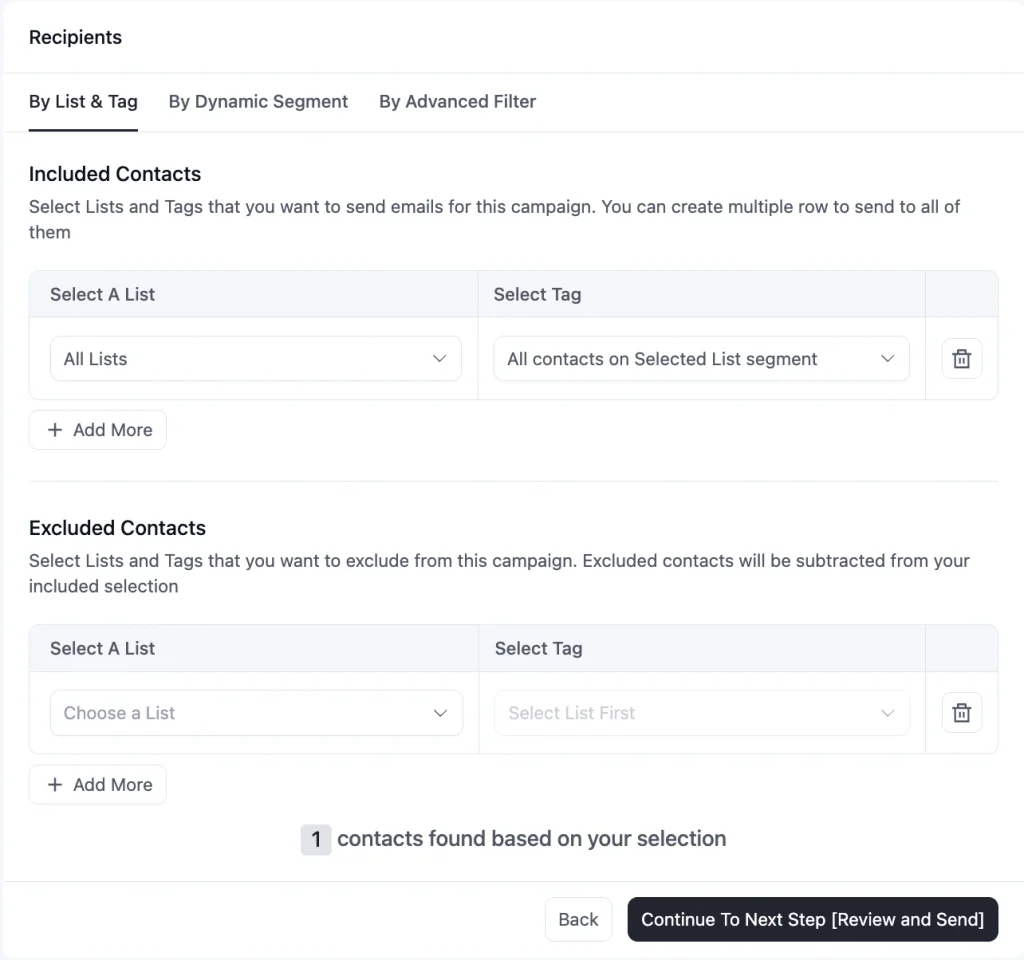
Step 3: Choose your recipients. Send to your full list, or use tags and dynamic segments to separate past customers from leads who have never bought.
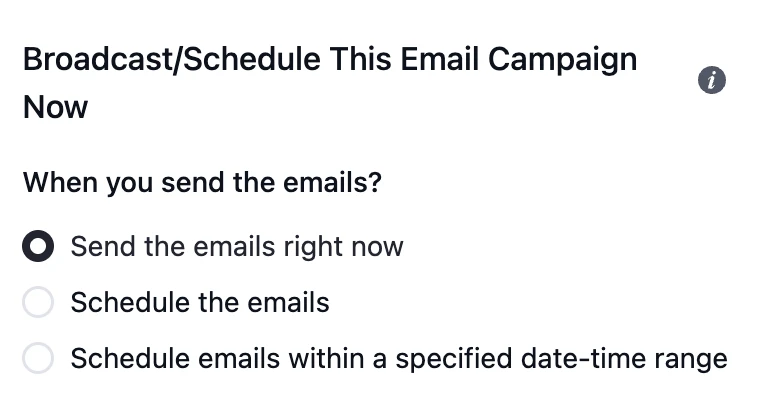
Step 4: Schedule the campaign for the start of your sale, or send it right away
To send a last-day reminder, duplicate the campaign, swap in the “last day” subject line, exclude anyone who already bought during the sale, and schedule it for the final morning.
Customization Tips
- Replace the “Your Logo” placeholder and the tagline line with your own logo
- Add a greeting with
{{contact.first_name|there}}above the headline, since the default design has no personal greeting - Replace “Up to 50% Off” with your real offer. If only one product hits 50%, say what each product is actually discounted by in its own row, so nobody clicks expecting a price they will not find
- Rename Product 1 to Product 4 with your real product names, and swap the lorem ipsum for one line on what each product does and who it is for
- Add the original and sale price to each product row. Shoppers want to see the savings, not just a button
- Link each “Buy Now” button straight to that product’s checkout or sale page, not your homepage
- Point “View All Deals” to a dedicated Black Friday page that lists every offer
- Have fewer than four products? Delete the rows you do not need. Two strong products beat four with filler
- Replace “this deal vanishes soon” with a real end date and time, including your timezone. A vague deadline creates no urgency
- Swap “With Love” for a sign-off from a real person, such as your founder or team name
- Keep the dark background as a solid color, and send a test to Gmail and Outlook before scheduling, since dark designs can render unevenly across email clients
- Add your business address and an unsubscribe link in the footer to stay compliant with email-sending rules
Black Friday Email Subject Lines You Can Use
Put the discount in the subject or the preview text, not both, so each line does a different job. Only use “lowest prices all year” if it is true. Save the “last day” line for a reminder on the final day of the sale.
| Subject line | Preview text |
|---|---|
| Our Black Friday sale is live 🖤 | Up to 50% off every product, until Monday. |
| {{contact.first_name}}, your Black Friday prices are in | Every product, up to 50% off. Ends November 30. |
| The lowest prices we’ll offer all year | Black Friday is live. Here’s what’s on sale. |
| Black Friday: pick your product, save up to 50% | Four products, four deals, one weekend. |
| Last day: Black Friday prices end tonight | Your discount disappears at midnight. |
☞ Get inspired by 100+ proven black friday email subject lines.
Why Use a Black Friday Email Template?
Black Friday is the busiest week of the year for inboxes, and your subscribers are already expecting offers. A ready-made template helps you:
- Launch on Time Without a Design Scramble: The layout is done, so your time goes into choosing products and setting the offer, not building an email the night before
- Give Every Product Its Own Spotlight: Separate rows with their own image, description, and button let each product make its case, instead of fighting for attention in a crowded grid
- Cut the Clicks to Checkout: Each Buy Now button goes straight to the product, so a shopper who has decided does not have to search your site
- Reach the Right People With the Right Offer: Send it to past customers, leads, or a specific segment, instead of one blast to everyone
- Build Urgency Into the Email: A clear discount at the top and a closing deadline at the bottom give people a reason to buy now instead of saving the email for later
A well-built launch email turns the biggest shopping weekend of the year into orders you can actually count.
Frequently Asked Questions
When should I send a Black Friday sale email?
Send it the moment your sale opens. For most stores, that is early on Black Friday morning, November 27 this year, or the evening before if you start early. Follow up with a reminder over the weekend and a last-day email on the final day.
How is this different from the Early Black Friday Offer Email?
The early offer email goes to a select group, usually past customers or VIPs, before the public sale starts. This template is the main announcement to your whole list on launch day. Many stores use both: early access first, then this email when the sale opens to everyone.
Can I use this template for digital products and software?
Yes. The sample design uses software screenshots, so it suits plugins, SaaS, courses, and digital downloads as well as physical products. Swap the images and descriptions to match what you sell.
What if I sell more than four products?
Feature your four best sellers or biggest discounts in the product rows, and link “View All Deals” to a page with the full list. If you need to show many products at once, a grid layout like the Halloween Sale Email Template is a better fit.
Can I customize this template without coding?
Yes. You can change the logo, headline, text, product images, buttons, and colors directly in FluentCRM’s email editor. No HTML knowledge is needed.
Related Templates
-
- eLearning Emails
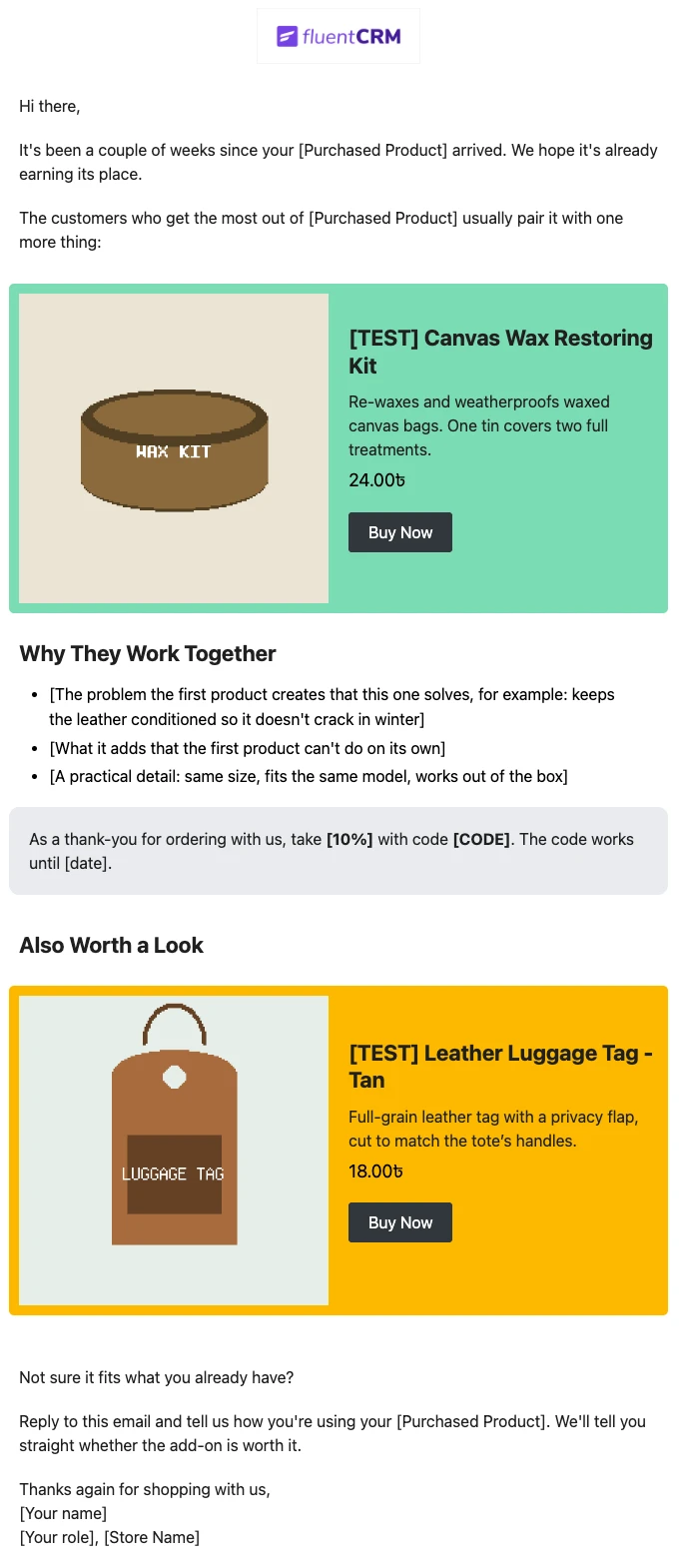
Product Recommendation Email for WooCommerce Cross-Sells
Recommend the one product that makes a customer’s last purchase better. Explain why the two products belong together, and sends customers straight to the add-on.
-
- eLearning Emails
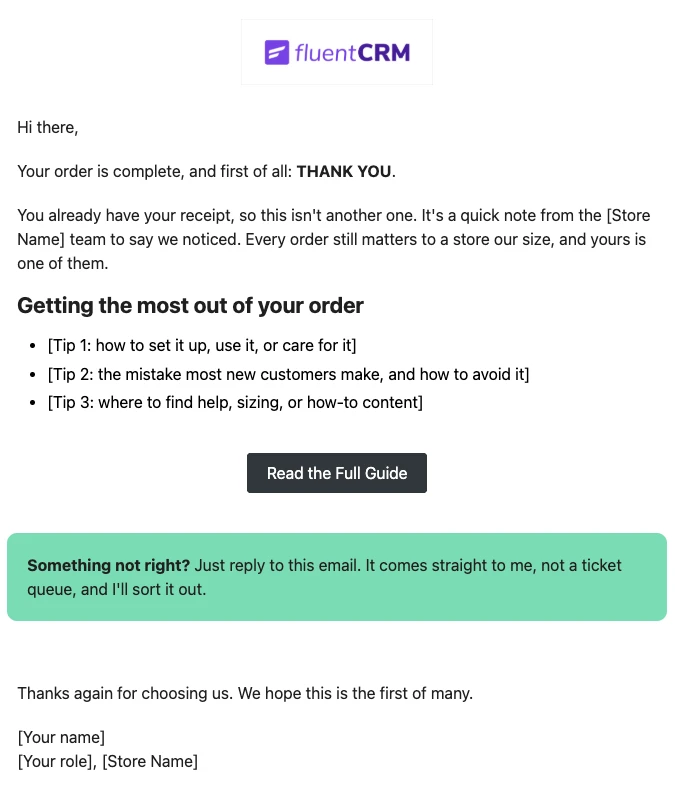
WooCommerce Post-Purchase Thank You Email
Thank customers like a person, not a receipt. Send a short, personal thank-you when a WooCommerce order is completed, with tips that help customers get real value from what they bought.
-
- eLearning Emails
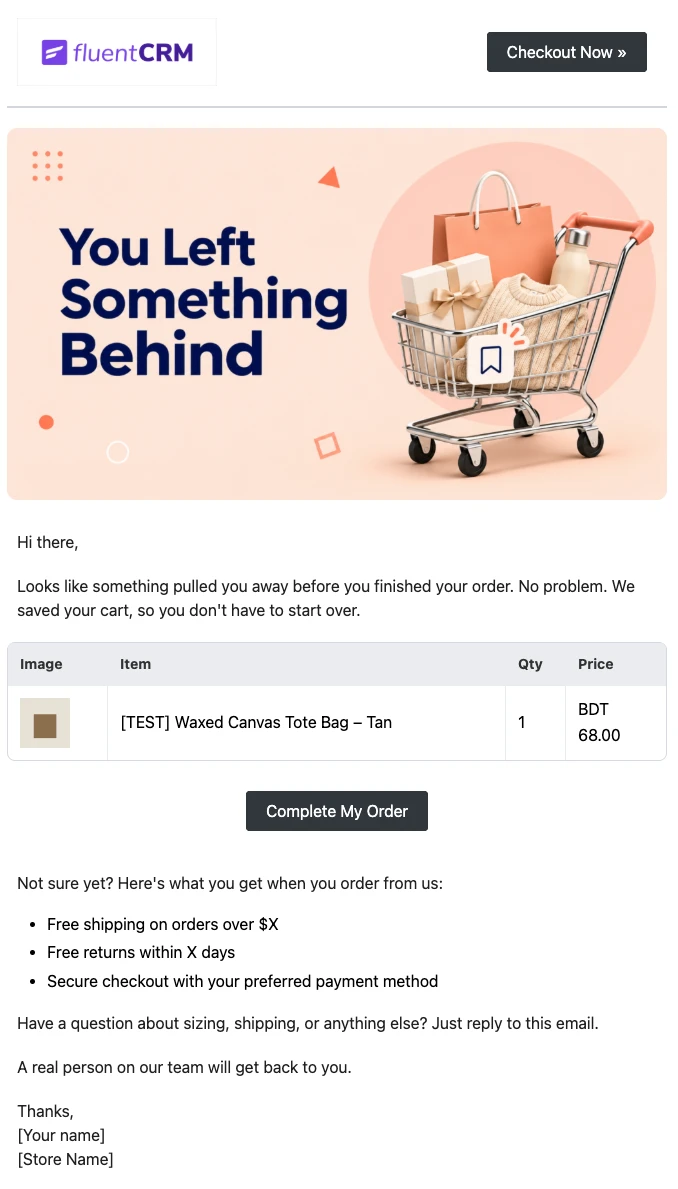
WooCommerce Abandoned Cart Email Template
Bring shoppers back to the checkout they left. Show each customer the exact products in their cart and send them back to a checkout that is already filled in, automatically.
Want More Resources?
Access resources to start faster, decide smarter, and grow your revenue with less complexity.