Halloween Sales Email
Announce your Halloween sale with a spooky, ready-to-send email that puts your products front and center. Shows off your best pieces, spells out the discount, and sends shoppers to your store.
Get this template in your inbox
Thanks for sharing your email, please click below to download the template.

What is a Halloween Sale Email Template?
A Halloween sale email template is a ready-made promotional email you send to your list to announce a limited-time Halloween offer. It grabs attention with a seasonal design, shows the products on sale, and gives shoppers one clear reason to buy before the deadline.
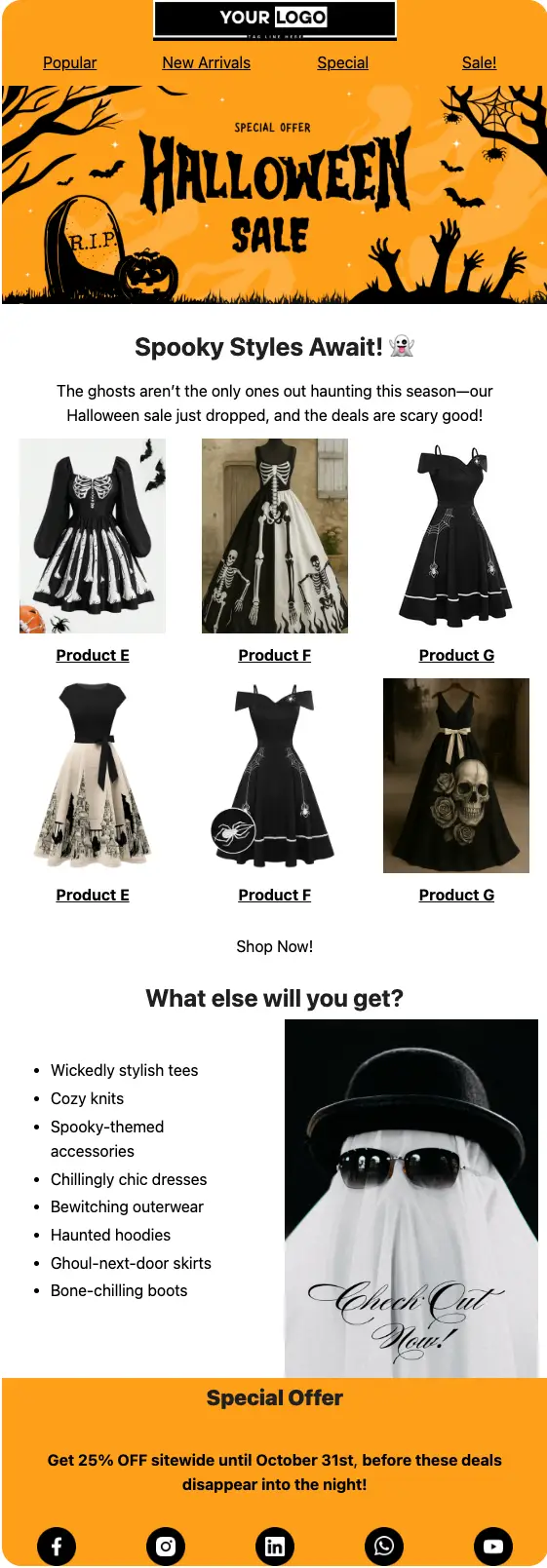
This template is built for online stores with something to show. It opens with your logo and a navigation bar, leads with a bold “Halloween Sale” banner, follows with a six-product grid and a “Shop Now!” button, lists what else is on sale, and closes with a “Special Offer” block that states the discount and the end date. With FluentCRM, you can personalize it with each shopper’s name using merge tags and send it to the exact list, tag, or segment you choose.
Best for:
- Fashion, apparel, and accessories stores running a Halloween promotion
- WooCommerce and FluentCart stores with a seasonal collection to push
- Costume, party supply, and home decor shops with a short October selling window
- Small brands that want one polished seasonal email without hiring a designer
- Stores warming up their list before Black Friday
Where this Fits in Your Seasonal Campaign?
This template is the launch email of a Halloween promotion. A typical sequence is a teaser a few days before the sale starts, this email on launch day, a reminder midway through, and a last-chance email on October 30 or 31. After Halloween, move straight into your Black Friday plan with the Pre-Black Friday Warmup Email and the Early Black Friday Offer Email.
How do I Send this Halloween Sale Email to My List?
A Halloween sale email is a one-time campaign, not an automation. Set it up once, and schedule it to land at the right moment.
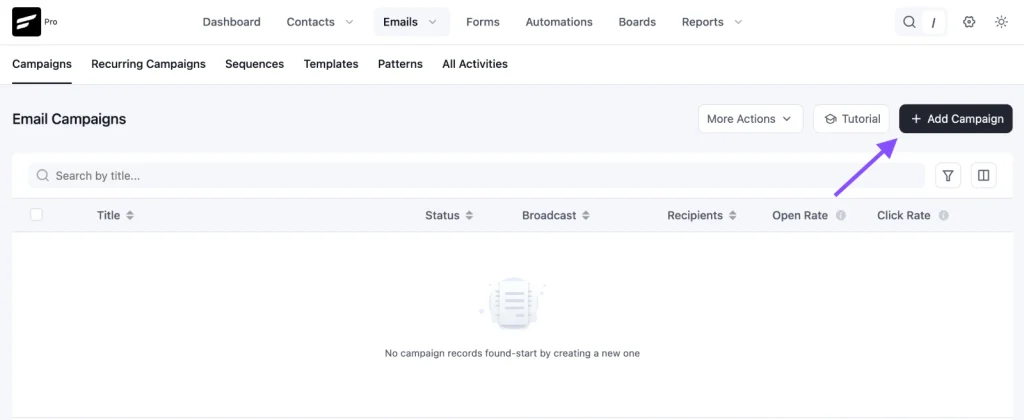
Step 1: In FluentCRM, go to Email Campaigns → Create New Campaign
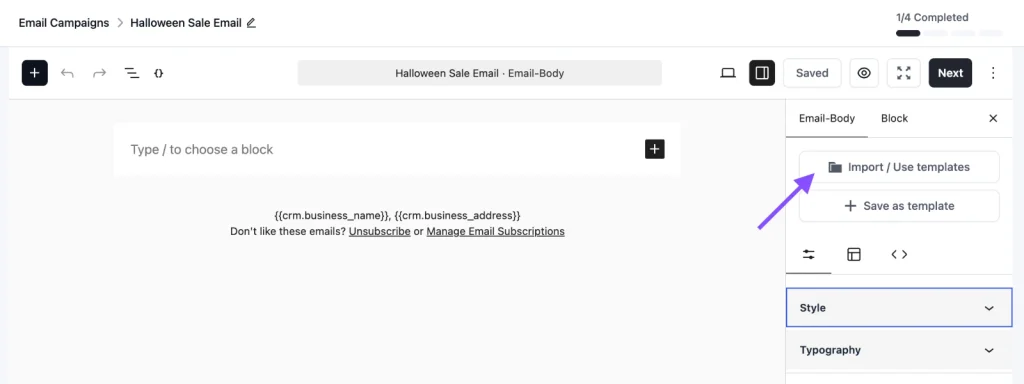
Step 2: Click Import / Use Templates, then choose the Halloween Sales Email Template. Add your products, links, and discount, then click Save.
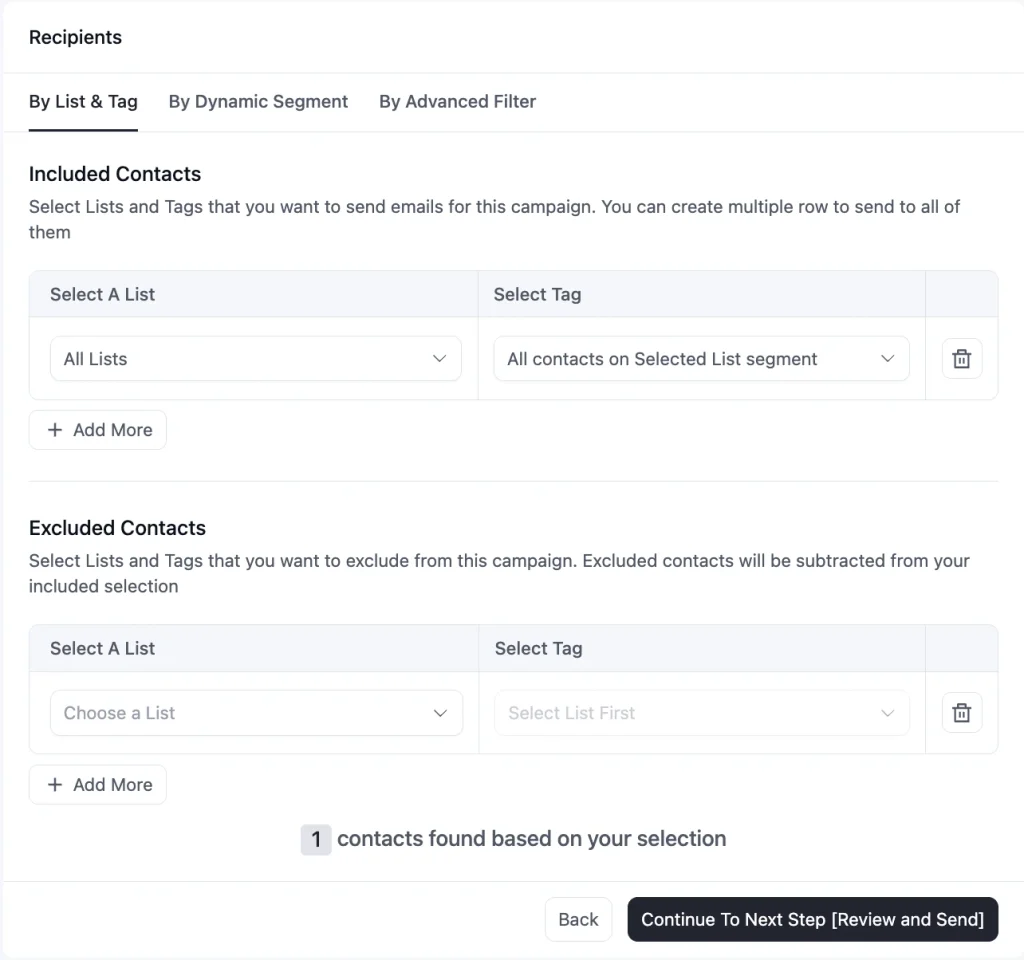
Step 3: Choose your recipients. Send to a full list, or use a tag or dynamic segment to target past customers, recent buyers, or shoppers who have not purchased in a while.
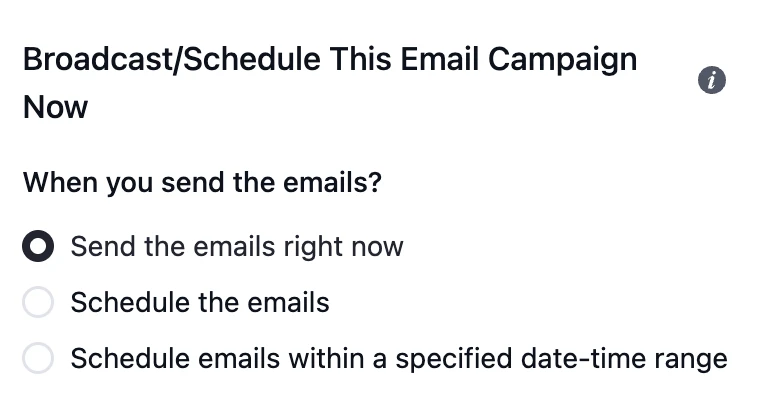
Step 4: Schedule the campaign for your launch date, or send it right away
To send a “last chance” reminder, duplicate the campaign, swap in the last-chance subject line, and schedule it for October 30 or 31.
Customization Tips
- Replace the “Your Logo” placeholder with your store’s logo so shoppers recognize you before they scroll
- Link the four navigation items (Popular, New Arrivals, Special, Sale!) to real collection pages, or delete the ones you do not have
- Swap the six product images for your own Halloween pieces, and replace “Product A” and the other labels with real product names
- Link every product image and name to its product page, not just the “Shop Now!” button, since shoppers click on what they like
- Point “Shop Now!” to a dedicated Halloween collection page instead of your homepage
- Edit the “What else will you get?” list to match the categories you actually have on sale
- Update the discount and end date in the “Special Offer” block, and add a coupon code if your checkout needs one
- Add a greeting with
{{contact.first_name}}above the “Spooky Styles Await!” headline for a more personal open - Keep only the social icons for channels you actively post on
- Add your store address and an unsubscribe link in the footer to stay compliant with email-sending rules
Why Use this Halloween Sale Email Template?
Halloween gives you a short, natural reason to run a sale, and email is the fastest way to tell people who already know you. This ready-made template will help you:
- Launch in Minutes, Not Days: The layout, imagery style, and structure are done, so your time goes into picking products and setting the offer
- Show the Products, Not Just the Discount: The six-item grid lets shoppers see what they would buy, which converts better than a percentage on its own
- Create Real Urgency: A clear end date of October 31 gives people a reason to buy now instead of saving the email for later
- Reach the Right Shoppers: Send it to past customers, a specific tag, or a segment, instead of blasting the same offer to everyone
- Warm Up Your List for Black Friday: A well-received seasonal email in October keeps your list active and your sender reputation healthy before your biggest sale of the year
A good Halloween sale email turns a seasonal moment into actual orders.
Frequently Asked Questions
When should I send a Halloween sale email?
Send the launch email about one to two weeks before October 31, with a reminder a few days later and a last-chance email on the final day or the day before. Starting too late leaves no room for reminders, and the final 48 hours usually drive a large share of a deadline sale.
Can I customize this template without knowing how to code?
Yes. The template is built with Gutenberg blocks and imports directly into FluentCRM. You can edit all text, change the button color, and update the CTA link from within the FluentCRM email editor with no coding required.
What should a Halloween sale email include?
A seasonal headline, the products on sale, the discount, a clear end date, and one main call to action. This template covers all five. Keep the copy short and let the product images do the selling.
Is this template only for clothing stores?
No. The sample design uses Halloween dresses and apparel, but the layout works for any store with products to show, from costumes and decor to beauty, jewelry, or digital goods. Swap the images and the “What else will you get?” list to match your catalog. If you sell food, see the Halloween Email Template for Food Brands.
Can I send this only to customers who bought from me before?
Yes. FluentCRM integrates with WooCommerce and FluentCart, so you can send the campaign to a tag or dynamic segment such as past customers, first-time buyers, or shoppers who have not ordered in 90 days.
Related Templates
-
- eLearning Emails
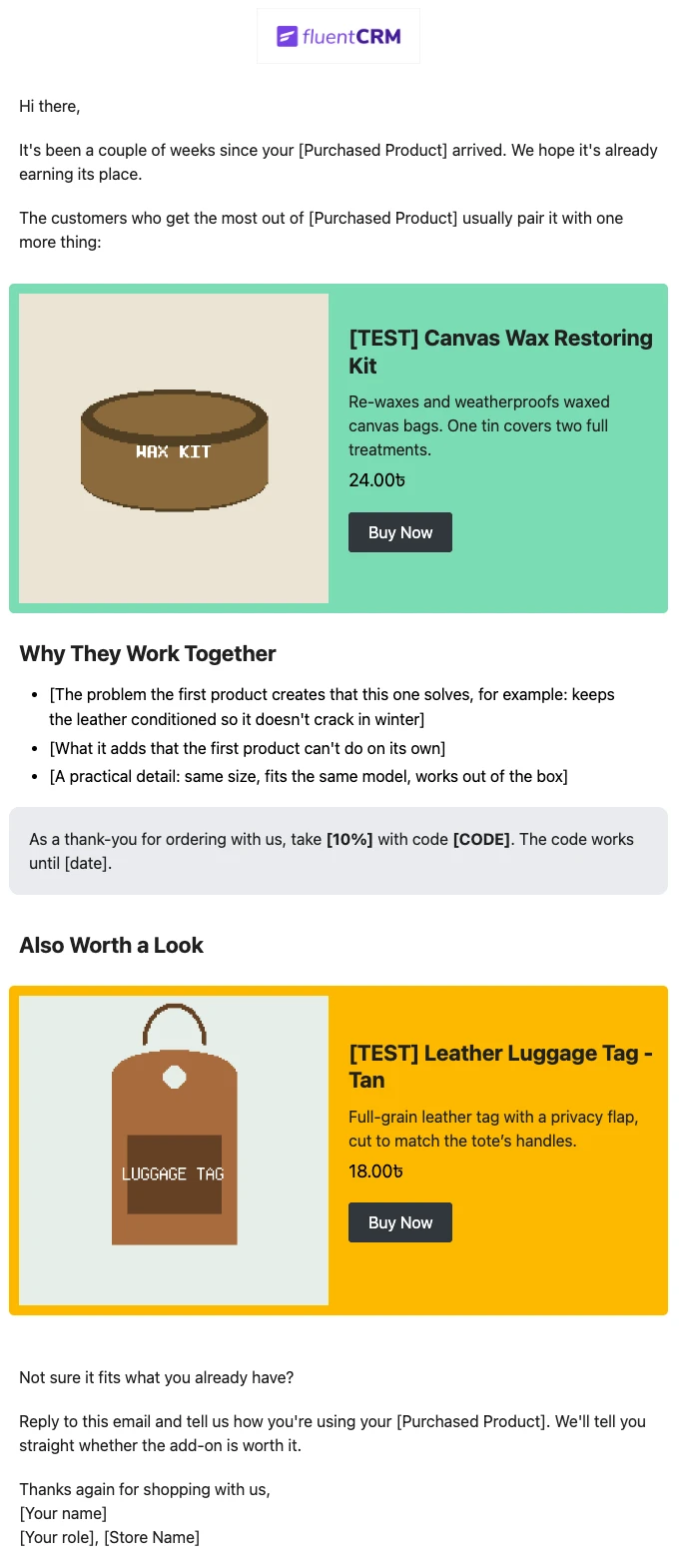
Product Recommendation Email for WooCommerce Cross-Sells
Recommend the one product that makes a customer’s last purchase better. Explain why the two products belong together, and sends customers straight to the add-on.
-
- eLearning Emails
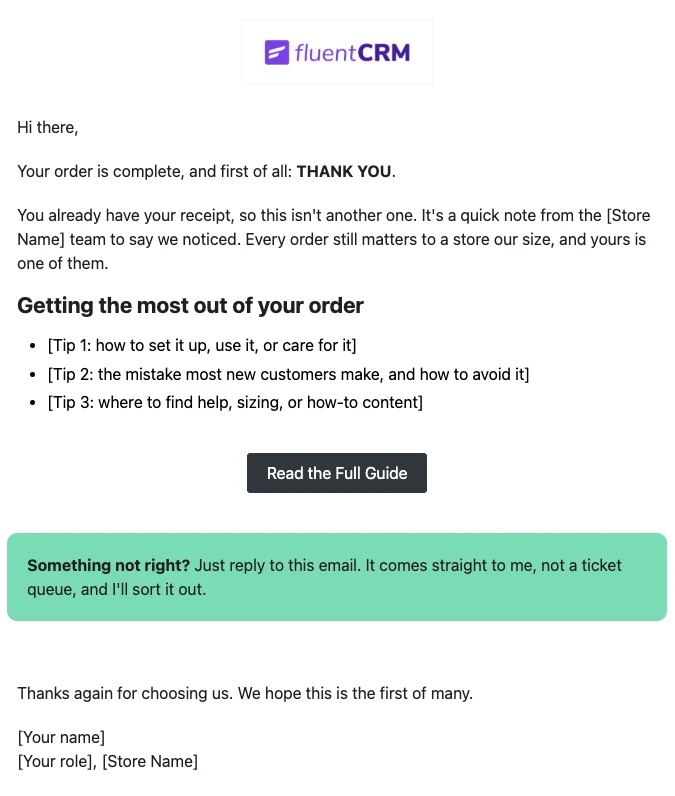
WooCommerce Post-Purchase Thank You Email
Thank customers like a person, not a receipt. Send a short, personal thank-you when a WooCommerce order is completed, with tips that help customers get real value from what they bought.
-
- eLearning Emails
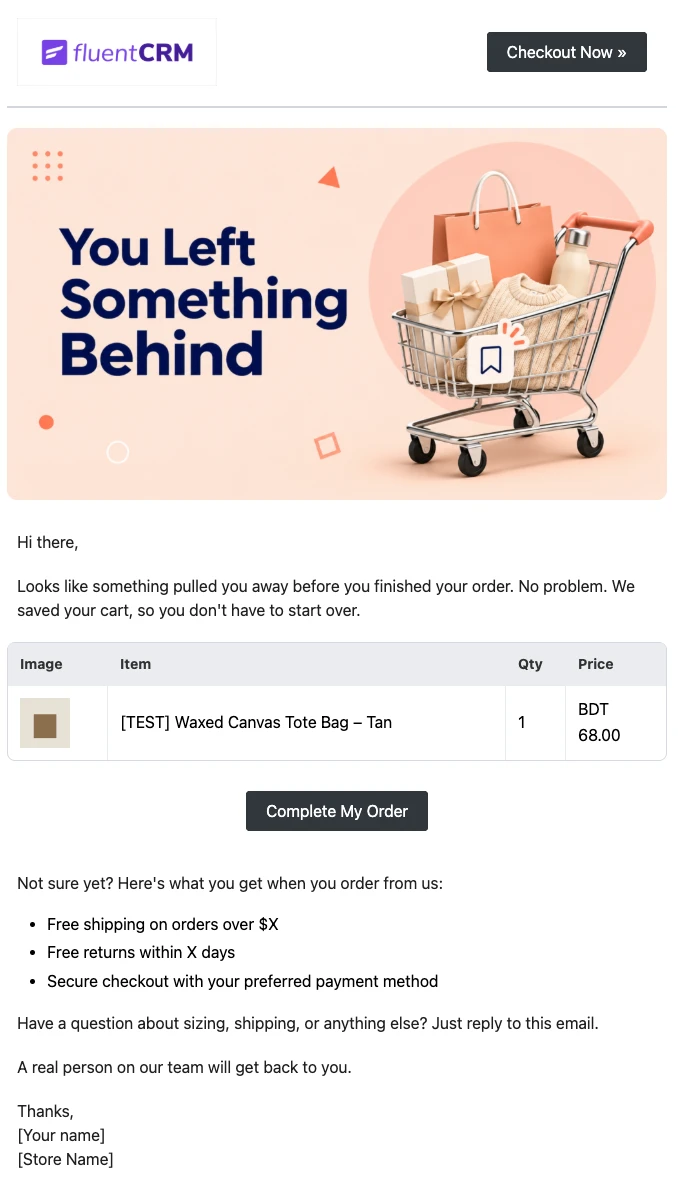
WooCommerce Abandoned Cart Email Template
Bring shoppers back to the checkout they left. Show each customer the exact products in their cart and send them back to a checkout that is already filled in, automatically.
Want More Resources?
Access resources to start faster, decide smarter, and grow your revenue with less complexity.