Black Friday Teaser Email Template
Build anticipation before your sale goes live. Announce the date, hint at what is coming, and let subscribers claim early access with a single click.
Get this template in your inbox
Thanks for sharing your email, please click below to download the template.
What is a Black Friday Teaser Email Template?
A Black Friday teaser email template is a ready-made email you send one to two weeks before your sale starts. It tells subscribers when the sale opens, gives them a reason to care, and asks them to raise their hand to get in first. It does not reveal prices. Its job is to get your sale on the calendar of the people most likely to buy.
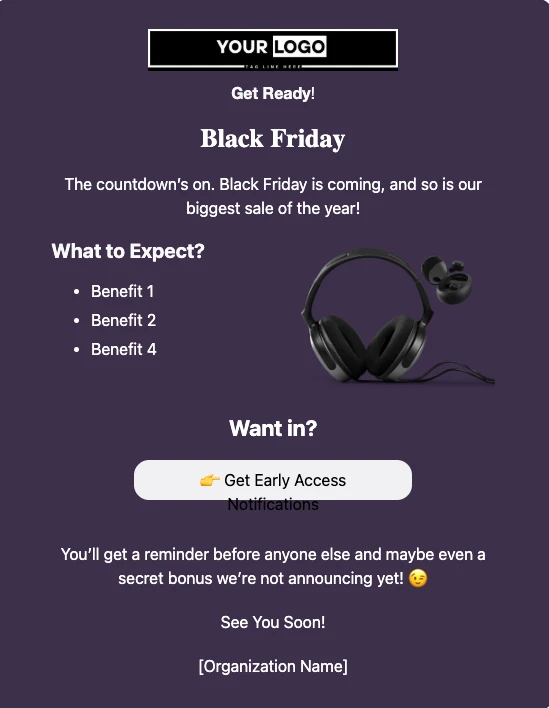
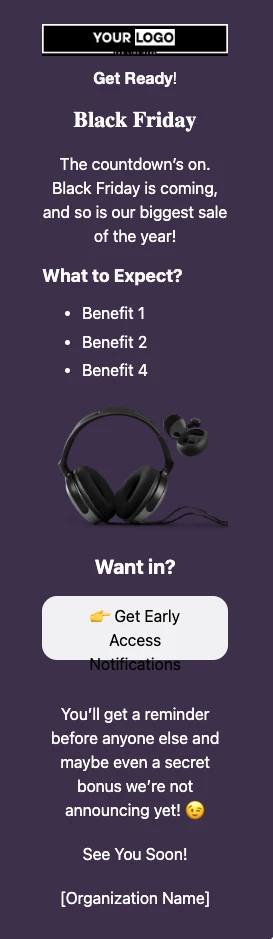
This template opens with your logo, a “Get Ready!” line, and a bold “Black Friday” headline. A short intro announces the sale, a “What to Expect” list highlights three reasons to look forward to it, and a “Get Early Access” button invites readers to join your early-access list. A note promising a reminder and an unannounced bonus closes the email. With FluentCRM, you can personalize it with each subscriber’s name using merge tags, and tag everyone who clicks so your early access email goes only to them.
Best for:
- WordPress plugin, theme, and SaaS companies planning a Black Friday license sale
- Digital product sellers offering courses, templates, ebooks, or asset packs
- WooCommerce, FluentCart, and Easy Digital Downloads stores with a few hero products
- Brands that want to reward their most engaged subscribers with early access
- Anyone whose list has gone quiet since summer and needs waking up before the busiest week of the year
Where this Fits in Your Black Friday Campaign?
This template opens your Black Friday campaign, sent one to two weeks before the sale. Everyone who clicks gets the Early Black Friday Offer Email when early access opens. The whole list gets the Black Friday Sale Email on launch day, and the campaign closes with the Black Friday Sale Reminder Email on the final day, sent only to people who have not bought.
How do I Send this Teaser and Collect Early Access Sign-ups?
A teaser is a one-time campaign. The setup that matters is the button: every click should tag the contact, so you know exactly who to send early access to.
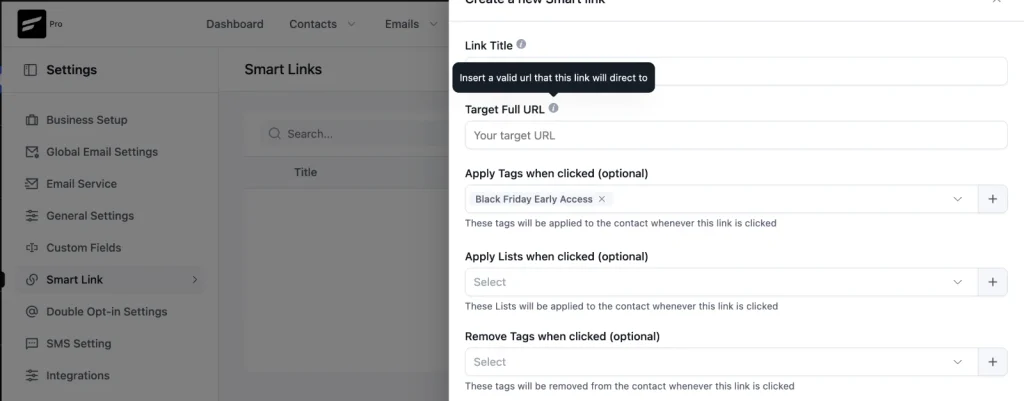
Step 1: In FluentCRM, create a tag such as Black Friday Early Access. Then go to Smart Links, create a new link that applies that tag, and set its target URL to a “You’re on the list” page on your site.
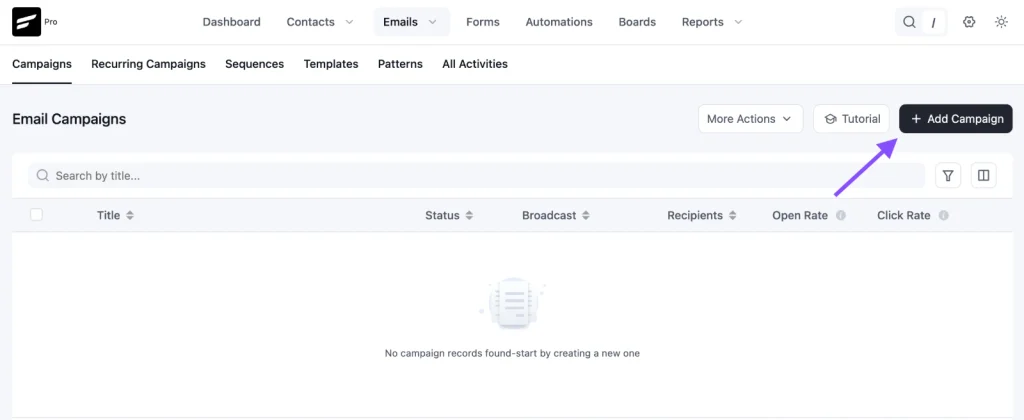
Step 2: Go to Email Campaigns → Create New Campaign.
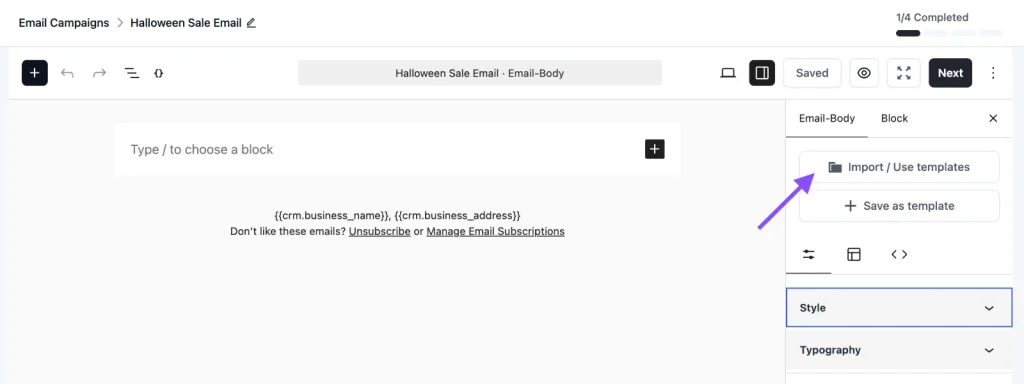
Step 3: Click Import / Use Templates, and pick the Pre-Black Friday Warmup Email template. Point the “Get Early Access” button to the Smart Link, add your sale date, then click Save.
Step 4: Choose your recipients. Send to your full list, or use tags and segments to send to past customers and engaged subscribers only.
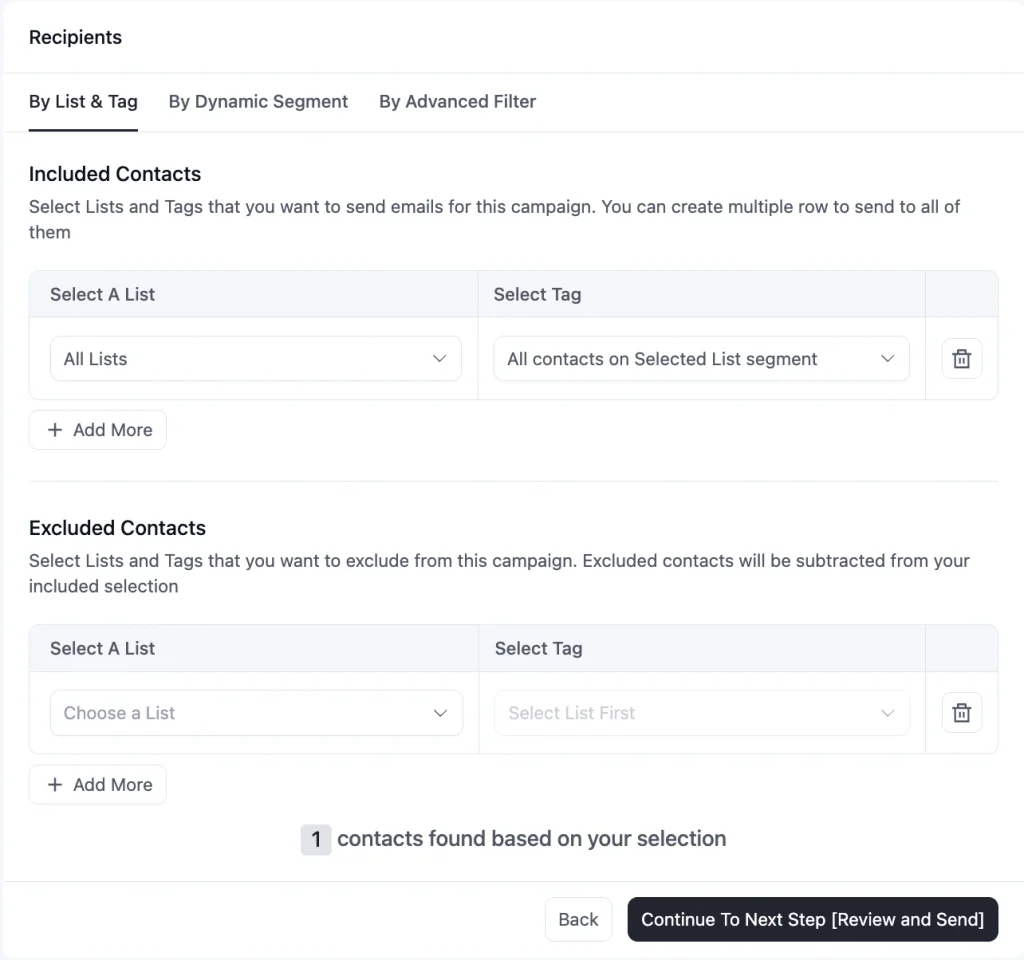
Step 5: Schedule the campaign for one to two weeks before Black Friday
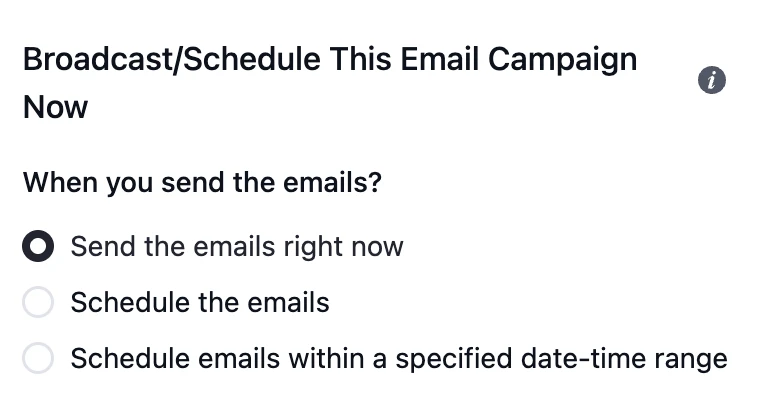
When the early access window opens, send the offer email to everyone with the Black Friday Early Access tag.
Customization Tips
- Replace the “Your Logo” placeholder and the tagline line with your own logo
- Add a greeting with
{{contact.first_name|there}}above the headline, since the default design has no personal greeting - Put the exact sale date in the intro. “The countdown’s on” means nothing without a date to count down to
- Replace the three “Benefit” lines with real reasons to wait for the sale, such as the size of the discount (“Our deepest discount of the year”), the head start (“Early access 24 hours before everyone else”), or a bonus
- Hint at the discount; do not state it. “Our biggest discount of the year” builds interest. “40% off” gives people everything they need to decide before the sale is live
- Link “Get Early Access” to a Smart Link that applies your early access tag, not a plain URL. Without the tag, you have no way to send early access only to the people who asked for it
- Create a short “You’re on the list” page as the Smart Link target, so clickers get a confirmation instead of your homepage
- Only mention a “secret bonus” if you have one. If you do, name what kind of bonus it is, for example, a free add-on or an extended license
- Replace the headphones image with your own product or a shot of your product lineup
- Swap “See You Soon! [Organization Name]” for a sign-off from a real person, such as your founder
- Keep the dark background as a solid color, and send a test to Gmail and Outlook before scheduling, since dark designs can render unevenly
- Add your business address and an unsubscribe link in the footer to stay compliant with email-sending rules
Black Friday Teaser Email Subject Lines You Can Use
A teaser email has nothing to sell yet, so the subject line has to create curiosity on its own. Pair the template with one of these:
| Subject line | Preview text |
|---|---|
| Black Friday is coming. Want in first? | Early access opens before everyone else. |
| {{contact.first_name}}, mark your calendar for November 27 | Our biggest sale of the year starts that day. |
| Something big is coming 👀 | Click once to get early access. |
| Our biggest sale of the year is almost here | The early access list closes [date]. |
| A Black Friday bonus we’re not announcing publicly | Only people on the early access list will get it. |
Use “biggest sale of the year” only if it is true, and only promise a bonus you have actually planned. A teaser that overpromises makes the launch email look small.
☞ Get inspired by 100+ proven black friday email subject lines.
Why Use a Black Friday Teaser Email Template?
By Black Friday morning, every inbox is full of sale emails. A teaser sent a week or two earlier gets your sale noticed before the noise starts. It helps you:
- Get Your Sale on the Calendar: Subscribers who know the date in advance are looking for your launch email instead of scrolling past it
- Find Out Who Is Ready to Buy: Every click on the early access button is a subscriber telling you they plan to buy. Tag them, and you have a warm segment before the sale even starts
- Reward Your Best Subscribers: Early access gives your most engaged people a real reason to stay on your list, which costs you nothing but a head start
- Wake Up a Quiet List: If your list has not heard from you in a while, a light teaser re-engages it before your most important emails of the year, which helps them land in the inbox instead of spam
- Launch Without Extra Design Work: The layout is done, so your time goes into the date, the hints, and the early access setup
A good teaser does not sell anything. It makes sure that when you do, the right people are already waiting.
Frequently Asked Questions
When should I send a Black Friday teaser email?
One to two weeks before your sale starts. For Black Friday on November 27 this year, that means between November 13 and 20. Earlier than that and people forget. Later, and there is no time to build an early access list.
Will a teaser email stop people from buying before the sale?
It can. Anyone who was about to buy at full price may wait once they know a sale is coming. That is why this template hints at the deal instead of stating prices. If full-price sales in November matter to your business, send the teaser closer to Black Friday, or only to subscribers who have never bought.
How do I send early access only to people who clicked?
Link the “Get Early Access” button to a FluentCRM Smart Link that applies a tag, such as Black Friday Early Access. When early access opens, send the Early Black Friday Offer Email to that tag only.
How is this different from the Early Black Friday Offer Email?
The teaser announces the sale and collects interest, with no prices and nothing to buy. The Early Black Friday Offer Email is the email that actually gives those subscribers access to the sale before everyone else.
Can I customize this template without coding?
Yes. You can change the logo, headline, text, product images, buttons, and colors directly in FluentCRM’s email editor. No HTML knowledge is needed.
Related Templates
-
- eLearning Emails
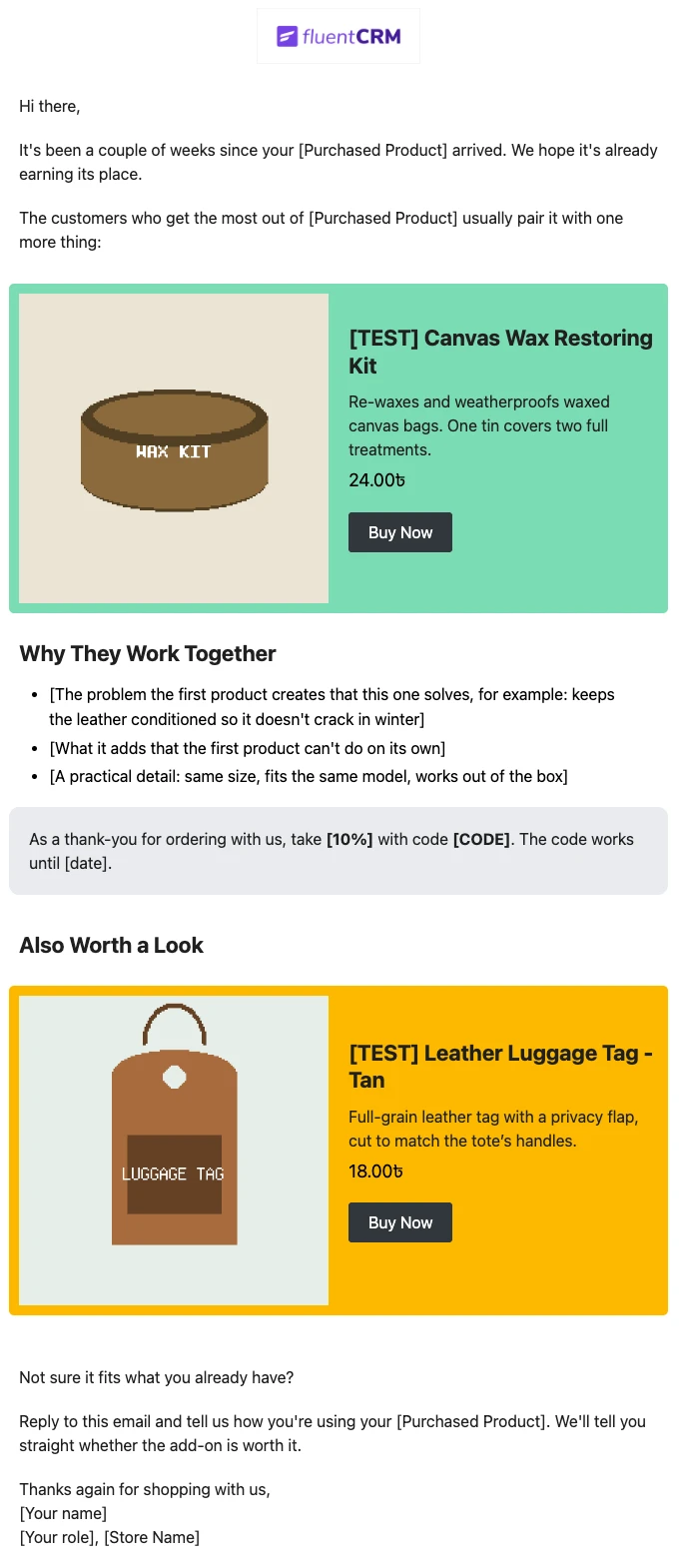
Product Recommendation Email for WooCommerce Cross-Sells
Recommend the one product that makes a customer’s last purchase better. Explain why the two products belong together, and sends customers straight to the add-on.
-
- eLearning Emails
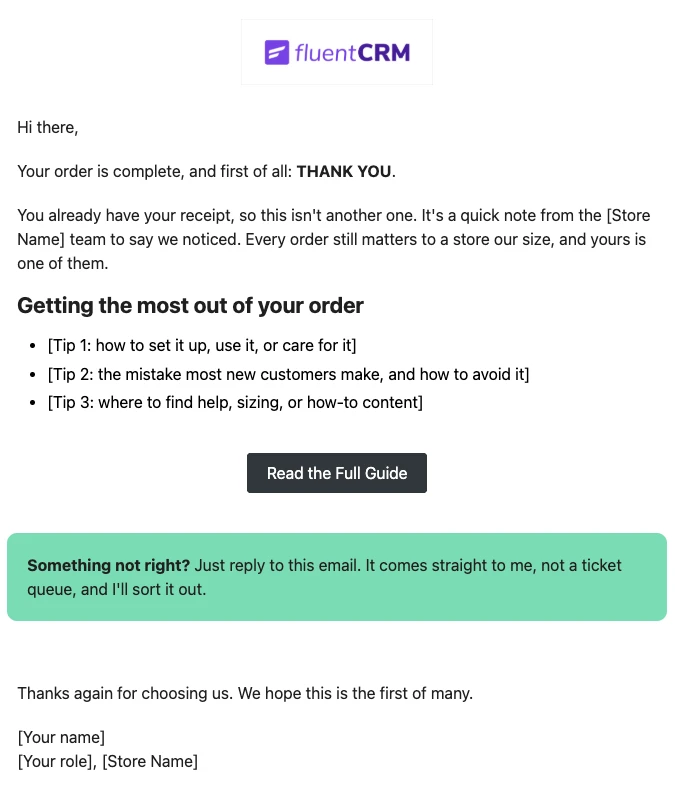
WooCommerce Post-Purchase Thank You Email
Thank customers like a person, not a receipt. Send a short, personal thank-you when a WooCommerce order is completed, with tips that help customers get real value from what they bought.
-
- eLearning Emails
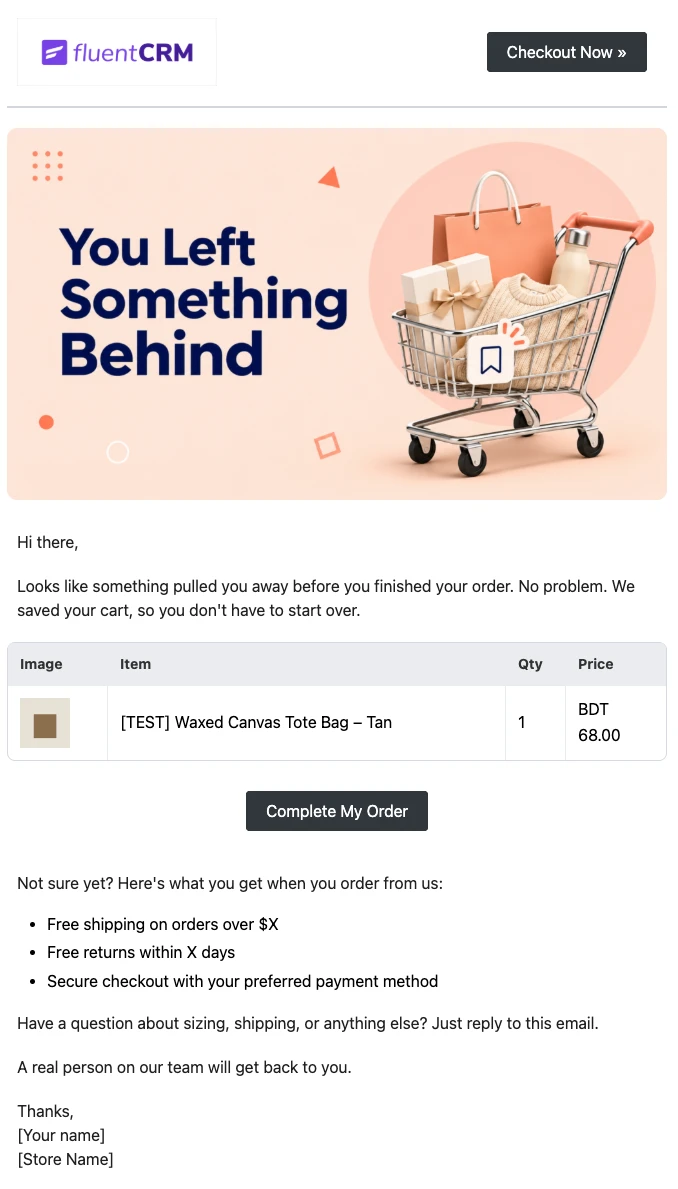
WooCommerce Abandoned Cart Email Template
Bring shoppers back to the checkout they left. Show each customer the exact products in their cart and send them back to a checkout that is already filled in, automatically.
Want More Resources?
Access resources to start faster, decide smarter, and grow your revenue with less complexity.