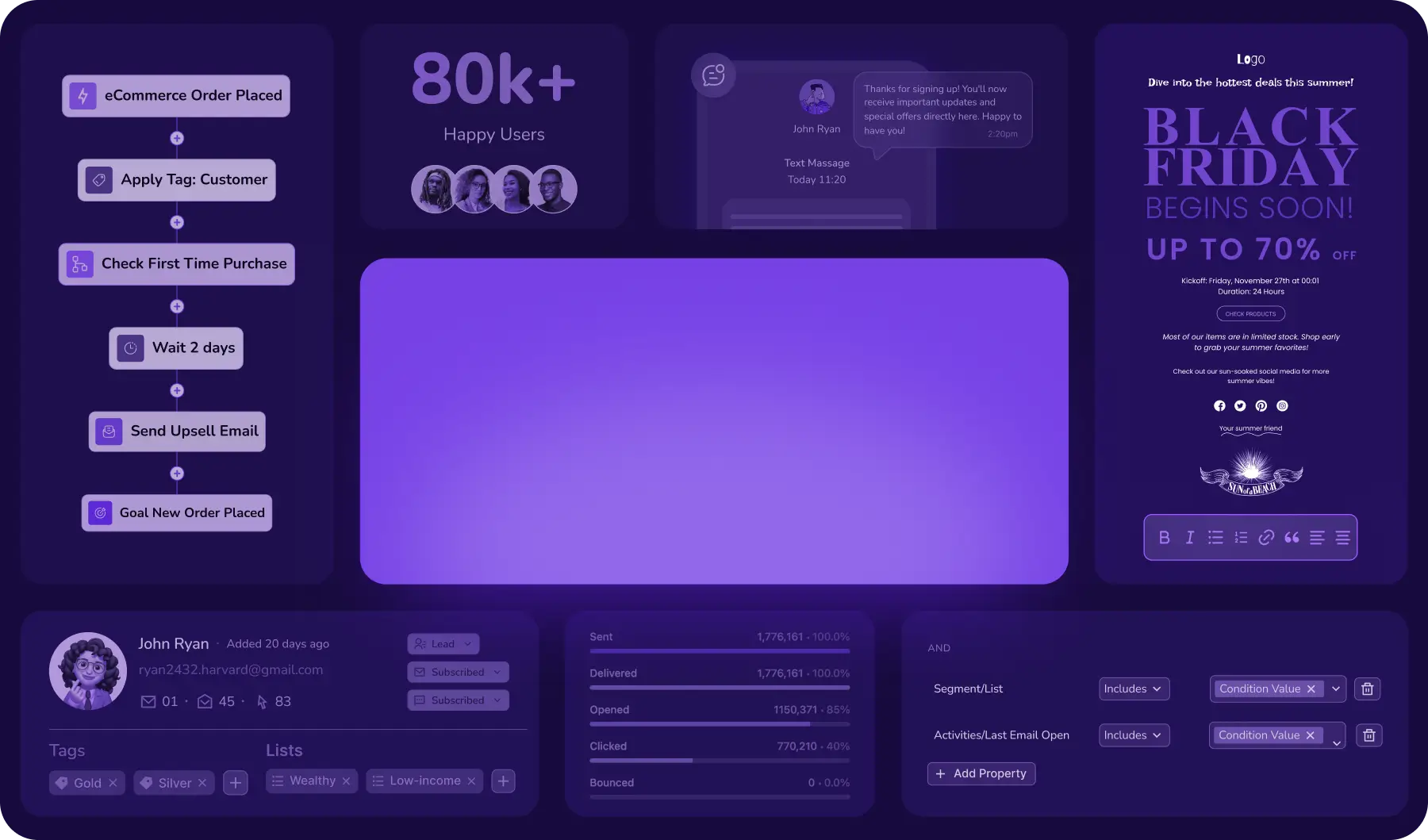
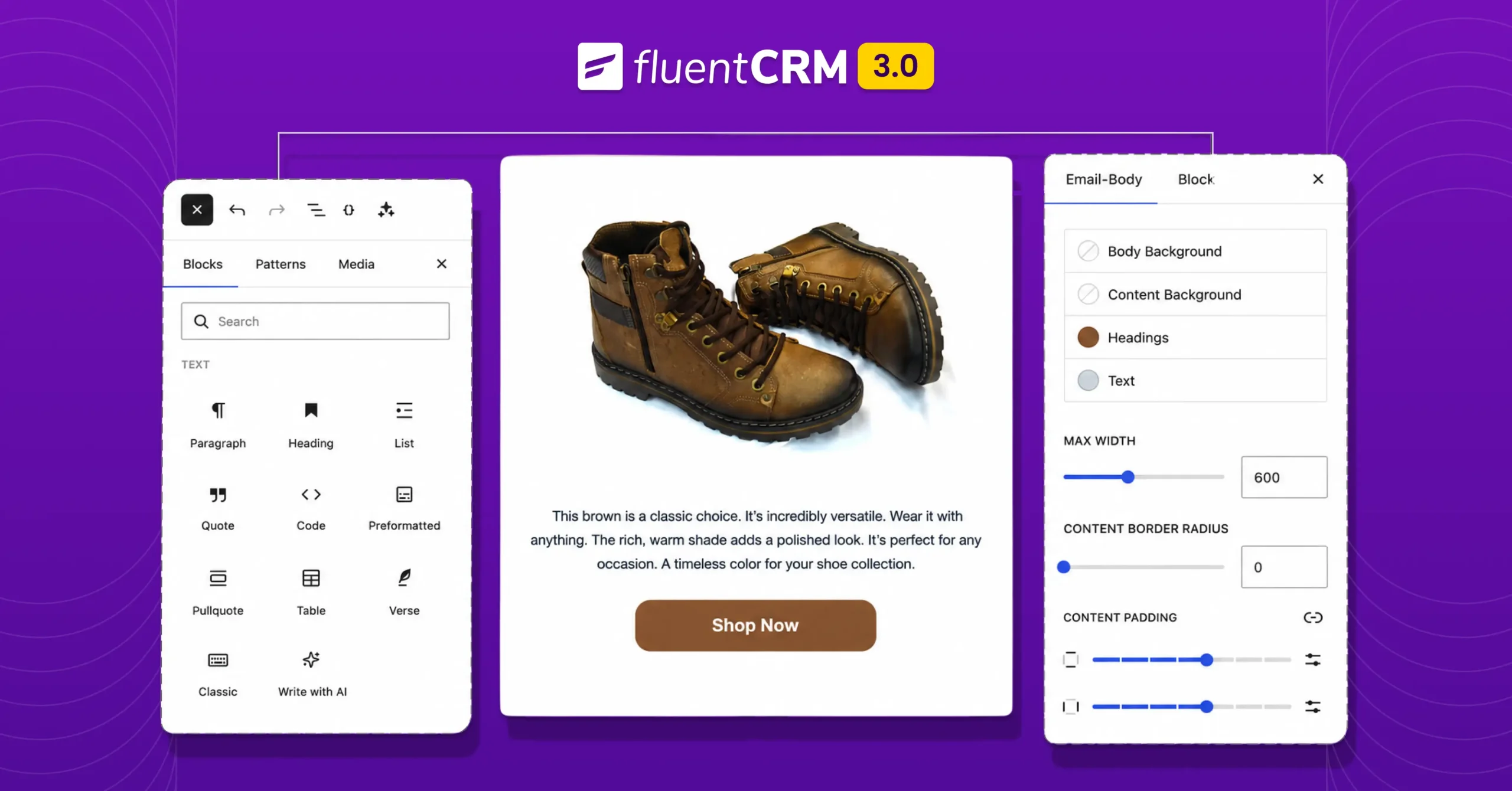
New Gutenberg Editor: The Email Builder WordPress Users Always Wanted in FluentCRM

Summarize with


Last Updated:
If you’re a WordPress user, isn’t it satisfying to write in Gutenberg?
You click the “+” button, a block appears, and you just build.
The words, the layouts, the ideas, they come together in a way that feels completely natural and hassle-free.
When we were building FluentCRM 3.0, we wanted our users to feel the same.
We wanted the FluentCRM email editor to provide the,
- Same ease
- Same familiarity
- Same creative flow
With FluentCRM 3.0, the team took everything that makes Email Campaigns Builder feel like home for WordPress users.
Why the Old Editor Fell Short?
Honestly, the previous block editor worked, although it was partially native to Gutenberg.
People used it, built campaigns with it, and got results.
But the problem was somewhere else! It never felt like a natural part of WordPress.
You’d jump from building pages with Gutenberg to the old editor, which had its own quirks, its own limitations, and its own learning curve.
That mismatch added friction. Every time you sat down to write a campaign, there was a tiny mental pressure of remembering the editor’s rules instead of just building.
In short, the cognitive load was too much for users.
So, the goal in FluentCRM 3.0 was to close that cognitive gap once and for all.
When both your pages and your emails live inside the same block-based world, there’s no gear-shifting.
So, your brain stays in one mode: building.
The New Gutenberg-native Email Editor: What Actually Changed?
The new editor isn’t a full rebuild; it’s an architectural transition from a block-based editor to the true Gutenberg-native editor.
From now on, the editor should act like how WordPress users already think and work. Same blocks, same controls, same muscle memory you’ve built using Gutenberg.
And, now, it’s powering your email campaigns too.
Here’s everything that’s new and what it means for you.
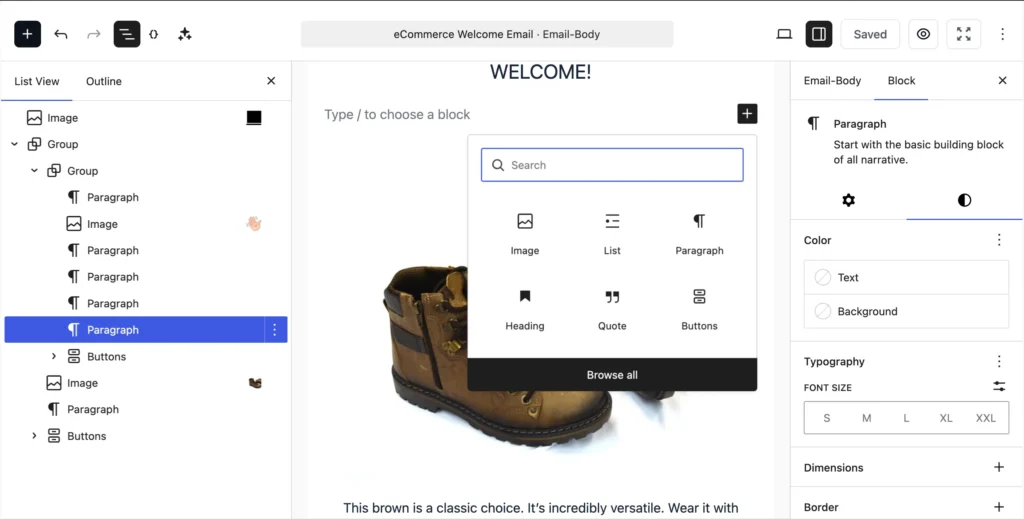
Truly WordPress-native Experience
The new editor isn’t just Gutenberg-inspired. It’s genuinely built on Gutenberg’s block infrastructure.
That means if you’ve ever built a page or a post in WordPress, you already know how to use it.
All the familiar block types are right there, working exactly the way you’d expect:
- Headings & paragraphs: Write and format text without touching a single setting
- Columns: Create multi-column layouts by simply adding a block
- Tables: Structure data cleanly inside your emails
- Media: Drop in images and visual content right where you need them
No new interface to learn, no mental context switch. You open the email editor, and it just makes sense.
For new FluentCRM users, this dramatically lowers the barrier to creating their first campaign.
For expert users, it removes the friction point in their workflow.
Your Work is Always Saved Automatically
Previously, if you didn’t manually hit the save button, your campaign was gone.
Close the tab by accident, lose your internet connection, or simply forget, and everything you’d written vanished. No warning, no recovery. Just a blank editor staring back at you.
That’s no longer something you need to worry about.
The new editor autosaves as you go, preserving your work in the background without you having to think about it.
Whether you’re mid-draft or just stepping away for a minute, your campaign stays exactly where you left it.

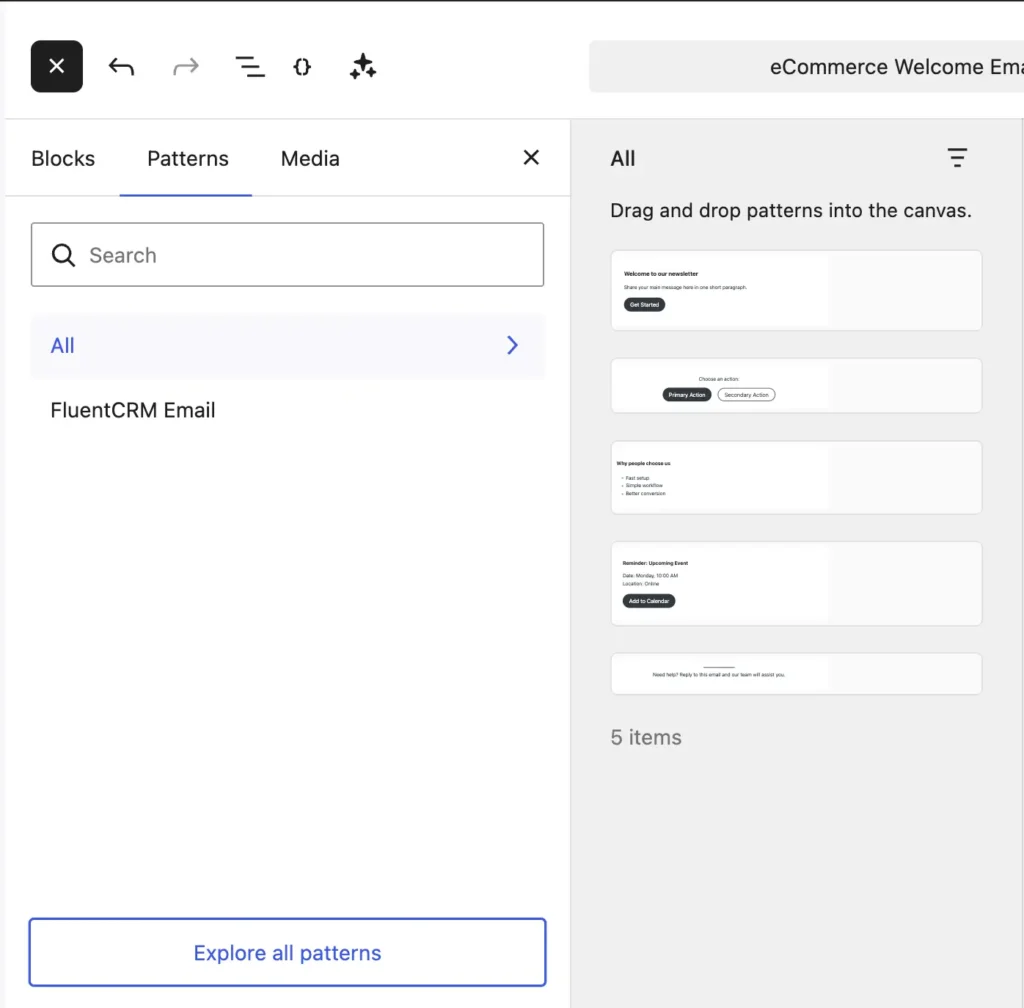
Reuse Patterns Across Email Campaigns & Pages
This might be the single most underrated feature in the entire update.
We know you’ve rebuilt the same email sections from scratch many times.
Now you save them once as reusable patterns and drop them into any campaign in seconds.
For example, things like:
- Your branded header with logo and navigation
- Your CTA block with the button style you always use
- Your product spotlight layout for promotional emails
- Your newsletter footer with the unsubscribe link and social icons
Moreover, it goes beyond email sections. If you already have beautifully designed patterns built for your WordPress pages, you can take those same patterns and paste them directly into your campaigns.
No redesigning, no tweaking for responsiveness, no fixing layouts to make them email-friendly. They just work exactly as they are.
Build, Preview & Test Campaigns in One Place
An email that looks polished on your desktop might be a disaster on mobile.
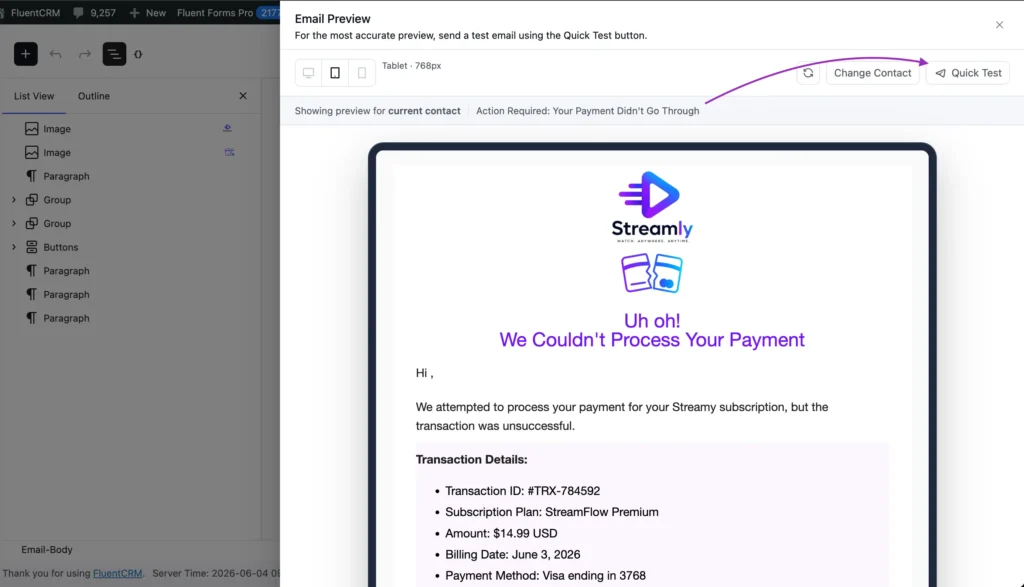
The new editor brings device preview directly into the compose panel, so you can check how your email looks on different screen sizes before it goes out.
Also, previously you had to go through a few more steps before testing your campaign; now you can do it right from the compose dashboard.
These aren’t revolutionary features in the email marketing world, but they’re a welcome addition that removes steps from the pre-send checklist.
Add Product Blocks in Emails
For store owners running FluentCRM alongside FluentCart, WooCommerce or with other products, this one’s specifically for you.
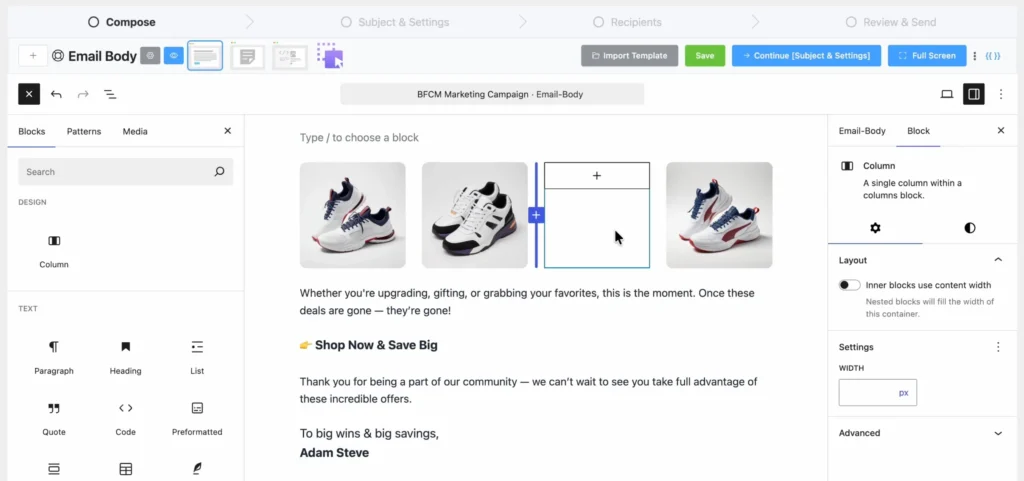
The new editor includes dedicated product showcase blocks, letting you drop store products beautifully into your email layouts, no extra effort required:
- No custom HTML to write
- No third-party workarounds
- No manually cobbling together images and price text
Just drag in the block, connect your product, and the layout handles itself.
With this inclusion, promotional emails for product launches, seasonal sales, and abandoned cart follow-ups just got a lot less painful to put together.
Footer Customization & Better Spacing Control
Two things that sound small but matter more than you’d think.
The footer has always been one of those areas where small tweaks turned into a bigger job than they should’ve been. And, spacing control at times gave users nightmares. FluentCRM 3.0 changes that entirely.
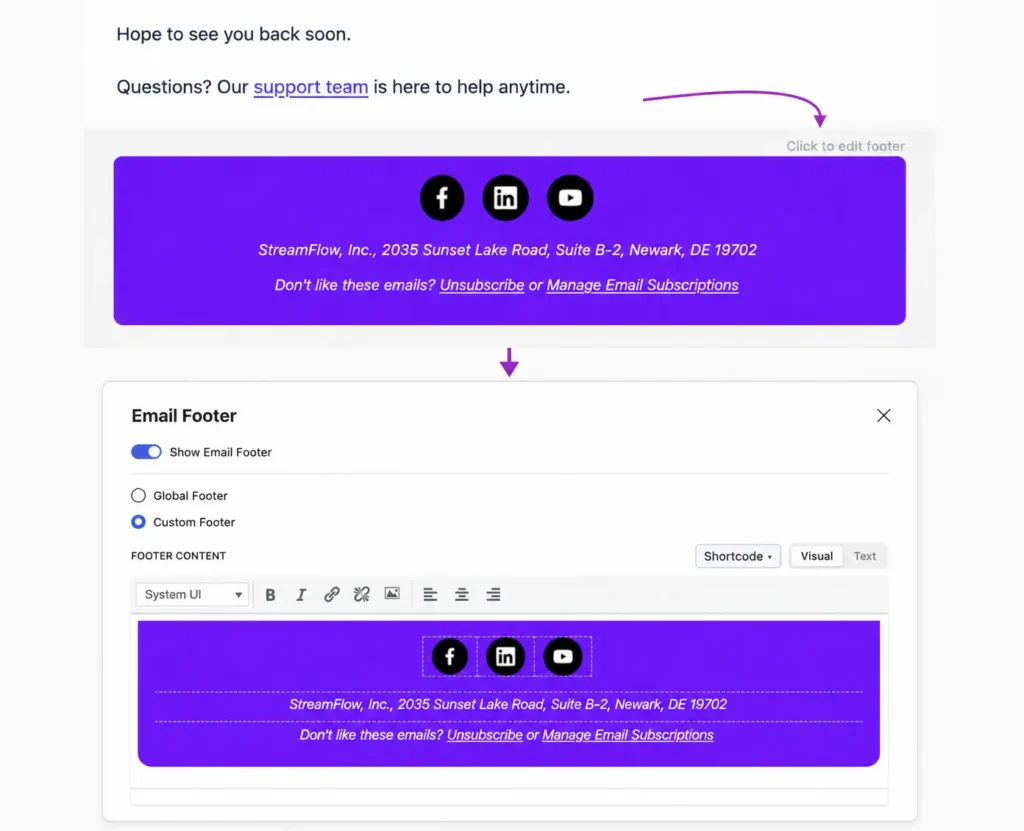
Everything now works effortlessly and is accessible without leaving the composer:
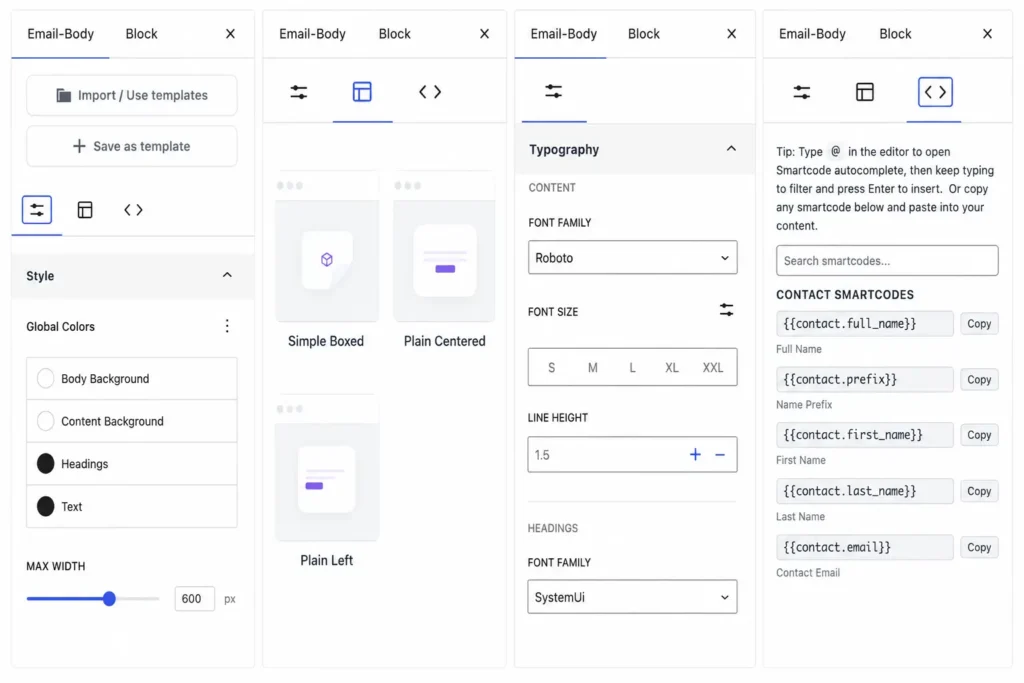
- Global Footer Settings: This lives inside the footer area. Click on it, and a settings window pops up instantly.
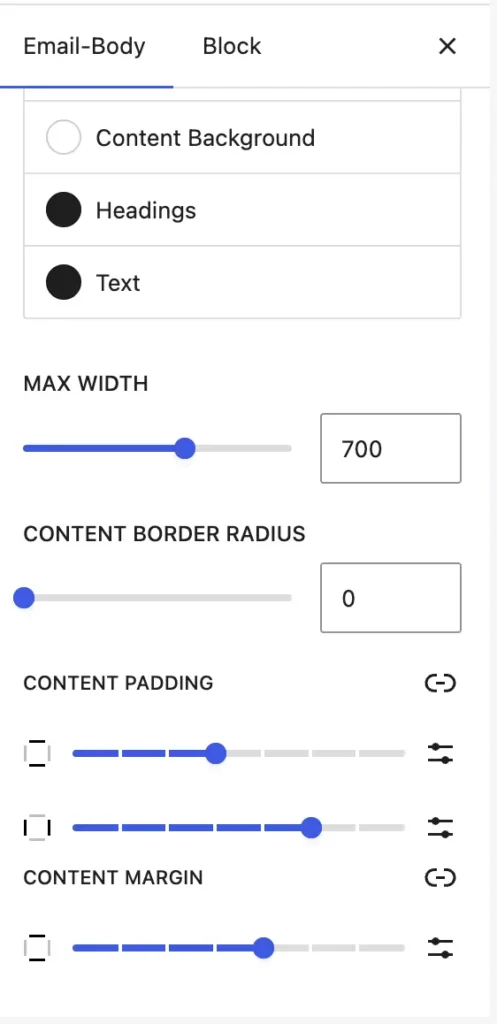
- Spacing Control: Padding and margins are adjustable from a dedicated side panel, right within the compose area.
- Font Family: Fonts can be set directly, no CSS workarounds needed
Full Customization Freedom
FluentCRM 3.0 brings every customization control into a single, unified right panel. Everything is neatly tucked in, right where you need it:
- Colors: Set and adjust your email palette on the fly
- Typography: Control fonts, sizes, spacing, and weights without leaving the composer
- Body Content Layout: Structure your email canvas exactly how you want it
- Dynamic Shortcodes: Insert personalization tokens without switching screens
- Editor Switching: Switch editors right from the compose panel
The goal for keeping everything in one place is to make the compose area completely clutter-free. No floating toolbars, no scattered menus, no constant context-switching.
Your canvas stays clean, your settings stay accessible, and your focus stays exactly where it belongs.
Embed Social and Video Blocks
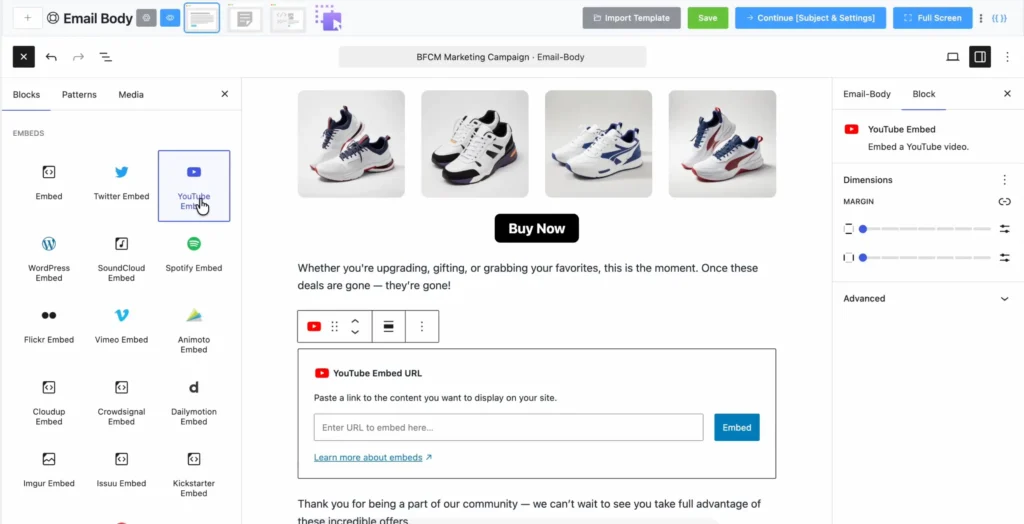
Adding social widgets to emails used to be a hectic task. FluentCRM 3.0 makes it effortless.
You can now embed social widgets with custom links directly while composing your email.

And for video, it works exactly the way you’d expect from Gutenberg: drop in a dedicated YouTube block, paste your link, and it’s done.
It’s the same experience you already have when embedding videos in your pages and posts is now available inside every campaign you write.
AI-Powered First Draft
Every email starts the same way: a blank screen and a blinking cursor. And sometimes, that’s the hardest part.
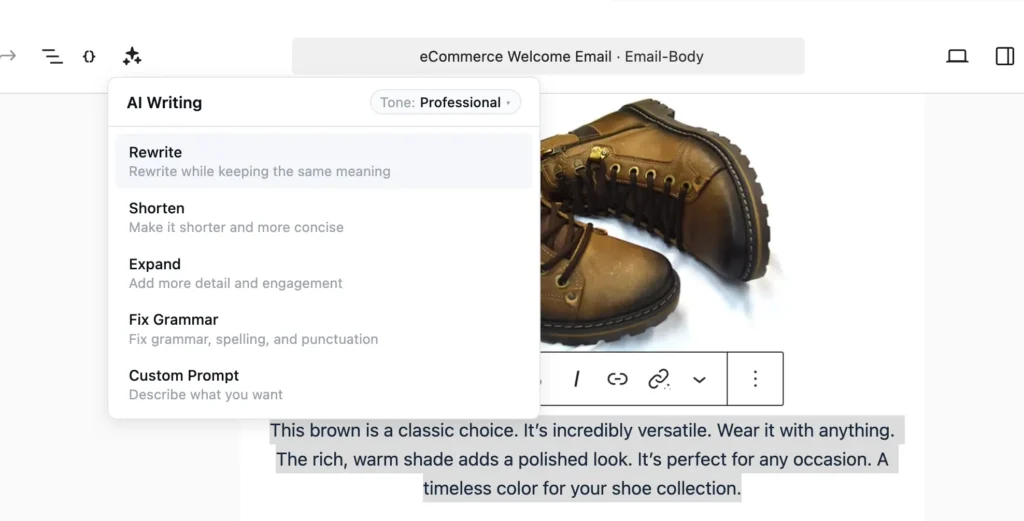
FluentCRM 3.0 brings AI directly into the email builder to help you get past that moment.
Instead of staring at an empty canvas, wondering how to open, you get a working first draft to react to. Edit it, reshape it, make it yours. The hardest part of starting is already done for you.
This inclusion is not here to write your emails. It’s here to make sure you never feel stuck at the beginning again.
What It Means for Your Actual Email Workflow
Every feature in this update points to a faster, smoother, more confident email-building experience.
Here’s what the new editor really changes, day to day:
- The editor works like Gutenberg, so you stay in flow from the moment you open it. No more switching mental gears.
- Autosave means a closed tab or lost connection never costs you a campaign again. Your drafts are always safe.
- Reusable patterns keep every email looking on-brand without rebuilding from scratch. Brand consistency on autopilot.
- Device preview and email testing let you catch layout issues before they reach anyone’s inbox. What you see is what they get.
- Product blocks let you showcase your store without any manual setup. Just drag, drop, and sell.
- Social widgets and YouTube blocks are a single click away; no technical workaround is needed.
- The customization panel keeps colors, typography, spacing, and shortcodes within reach without cluttering the canvas.
- New team members hit the ground running. If they are familiar with Gutenberg, they already know how to use this editor.
The Editor Is Just Part of the Story
It’s worth noting that the Gutenberg editor arrives alongside a wave of other major changes in FluentCRM 3.0.
- Architectural Rebuild: The entire platform was rebuilt on Vue 3, which means the dashboard loads faster, feels smoother, and handles complex workflows without the lag that crept in over time.
- FluentCRM AI: AI-powered email writing and contact summaries are now baked in.
- Multi-channel Communication: SMS marketing has been added as a full channel: campaigns, automations, and two-way conversations.
- UI Revamp: The entire product UI is revamped with reports and dashboards, seeing major changes from the ground up.
But for many users, the email editor is where they spend most of their time.
And making that experience feel truly at home inside WordPress rather than adjacent to it changes the texture of every single workday.
Should You Upgrade?
If you’re already on FluentCRM, yes, upgrade.
Because this change isn’t a visual refresh. It’s a whole new chapter for how FluentCRM users write, design, and send emails.
And if email is where you spend most of your time in the platform, you’re going to feel the difference from the very first draft.
Moreover, the performance improvements from the Vue 3 rewrite mean everything feels noticeably faster.
But if you’ve been on the fence about FluentCRM and you’re a WordPress user, 3.0 removes one of the last reasons to hesitate.
The email builder now fits naturally into the WordPress ecosystem instead of asking you to adapt to it.
Thanks to the team that worked behind it. They could’ve patched the older version, but they chose to rebuild it from the ground up.
That’s the kind of update that earns trust.
Tanzil Ebad Efti
Content Writer & Strategist
Words are my favorite playground. As a Creative Writer at WPManageNinja, I don’t just produce content; I tell stories. By mixing fiction and metaphors with real-life examples, I turn my writing into a creative journey that’s easy for readers to digest and relate to.
Table of Content
Related Articles and Topics
-

6 Years, 80K+ Businesses: A Story of Rapid Rebuild, Revamp, and Transformation
Six years! Isn’t this incredible? Back in 2020, we had one big dream: to build…
-
Meet FluentPlayer: The Interactive Video Plugin Built for WordPress
Most marketing automation funnels start with a signal. Someone submits a form, makes a purchase,…