

Presto Player – A Complete Media Player Plugin for WordPress

Summarize with


Last Updated:
Video has become part of the work for nearly every WordPress marketer and course creator. It explains a product better than a paragraph, makes lessons easier to follow, and gives people a reason to stay on a page longer.
But a plain YouTube or Vimeo embed only gets you so far. Once you want branded playback, chapters, lead capture, or a better way to understand what viewers actually watch, you need a dedicated player.
Presto Player has long been one of the better-known WordPress options. In this updated review, we look at where it still fits, what its current plans include, and why FluentPlayer is now worth considering if video is part of your marketing or course workflow.
TL;DR: Presto Player remains a capable WordPress video and audio player, especially for course sites already using its LMS integrations. But if you want video to capture leads, trigger the next action, support branded learning content, and connect naturally with the Fluent ecosystem, FluentPlayer is the better fit for most marketers and course creators.
What is Presto Player?
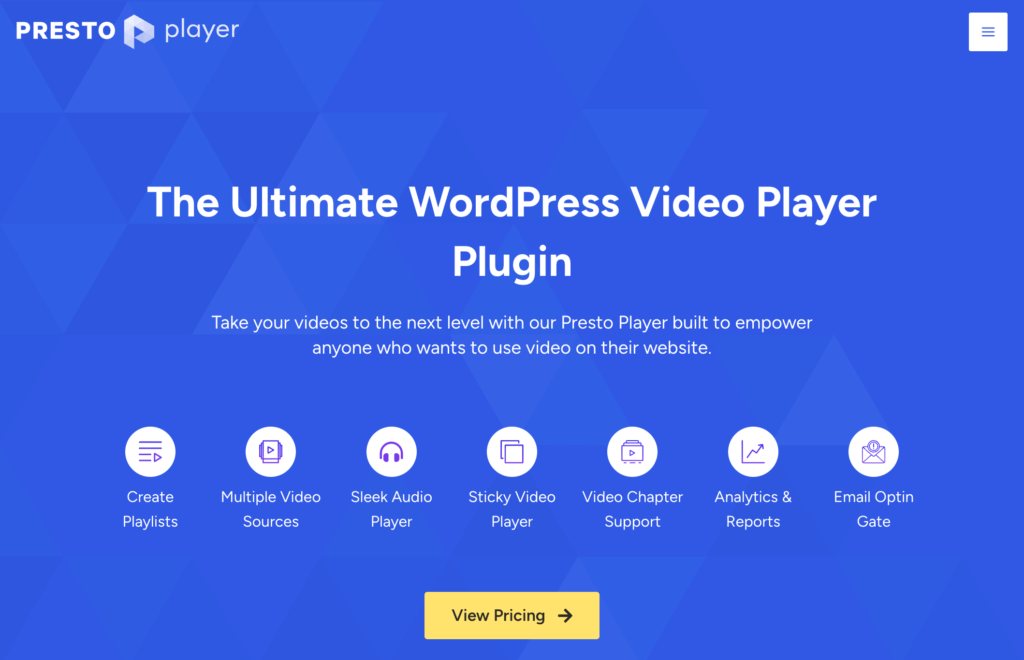
Presto Player is a WordPress video and audio player plugin. It lets you use self-hosted media and external sources such as YouTube, Vimeo, Bunny.net, HLS streams, and direct video URLs while presenting them in a more controlled player experience on your site.
Its focus is broader than basic playback. Presto Player includes player presets, chapters, playlists, viewer progress, CTA and email-capture tools, analytics, and integrations for popular WordPress page builders, LMS platforms, CRMs, and automation tools.
That is why it can still be a sensible choice for a course business with an established Presto setup—or for a creator who wants a mature video layer without changing their broader stack.
Presto Player Review: What it Does Well
Presto Player has a wide range of video player customization and privacy features. It works with popular page builders like Elementor, Divi, and Beaver Builder alongside the default Gutenberg builder. If you’re a course creator, integration with LMS plugins such as Learndash, LifterLMS, and Tutor LMS will help you build a world-class learning experience for your students. Presto Player features include:
- Video restriction: Automatically show or hide a video depending on your visitor’s login status.
- Muted Autoplay: This one is especially for brands that want to grab people’s attention instantly. If you’re a brand that’s looking to subtly slip into your audience’s psyche without causing any annoyance to them, this feature is a must-have!
- Action bar: Add CTA’s to drive conversion to your product pages, courses, and so on.
- Focus mode: Automatically pause the video if your visitors aren’t actively watching.
- Sticky video: Another feature that allows people to keep watching your videos while scrolling on your website.
- Autosave last watch time: Automatically starts playing the video from the last saved position.
- Overlay on video: Got a nice image or want to engage your customer with catchy texts? This feature is for you! You can overlay an image or text with this feature!
- 10-sec skip: Want to allow your users to skip videos as they can do on YouTube or Facebook? Well, Presto Player has got you covered!
- Playback speed control: Let your audience choose a video speed that’s comfortable for them.
- Lazy load: Want to improve page speed by controlling if the video is played or not? This feature will help you do so!
- Add video Caption: Needs no explanation. However, Presto Player also allows you to edit your video caption style and background colors!
- Video skins: This lets you modify the video skin for both new and existing videos. You can effortlessly change the look of your videos and approach your audience in a more exciting way.
- Video Analytics: Analytics will show you the number of video views, top videos, top users, unique views, average view time, audience retention rate, etc., metrics that’ll help you understand how your videos are performing.
- Save play position and volume preference: An innovative feature that allows Presto Player to remember your audience’s volume preferences and Video play position. So next time your users resume watching the videos, they can begin from where they left off!
- Audio player: The brand-new “Audio Player” feature lets you embed a sleek audio player on your WordPress websites. You can include any sort of audio in your posts or pages without impacting the loading speed. Think of sharing your podcasts!
- Timestamp links: The Timestamp link is another interesting feature that guides viewers or listeners to particular sections of the video or audio. As a result, your listeners or viewers won’t have to read extensive paragraphs or wait through lengthy audio or video to get the desired information.
- Shortcode: Apart from the Gutenberg blocks, Presto Player also allows you to place your video/audio anywhere using shortcodes. Although this isn’t an optimal solution, it’ll work with any page builders. Besides, the team will be rolling out more native page builder integrations soon!
- YouTube subscription bar: Boost your YouTube channel subscription by allowing users to subscribe directly from your website.
- Schema: Add rich text snippets to your video content to help boost your technical SEO.
Why You Should Consider Presto Player?
Presto Player is primarily designed for embedding optimized video and audio on WordPress. It works well with all popular video hosting providers, is secure, and doesn’t impact website speed much.
Video Hosting and Playback Control
Presto Player works with common WordPress video sources, so you don’t have to move everything to a new host. You can use self-hosted video, YouTube, Vimeo, Bunny.net, HLS, and public video URLs. It also supports audio, which is helpful for podcast episodes and audio lessons.
For the viewer, useful controls include chapters, playback speed, saved position, sticky playback, autoplay options, captions, and custom presets. These are practical features when your content is longer than a quick product clip.
A Strong Option for Existing LMS Sites
This is one of Presto Player’s clearest strengths. It has dedicated integrations for LearnDash, LifterLMS, and Tutor LMS, alongside course-oriented features such as playlists, chapters, private video, saved progress, and student viewer tracking.
If those integrations are already part of your course delivery, do not switch players simply because a new option exists. Confirm your lesson flow, access rules, and progress requirements before changing anything.
Marketing and Lead-capture Tools
Presto Player can show CTA and email-capture experiences in video, and its Pro plans include integrations with tools such as FluentCRM, Mailchimp, MailerLite, ActiveCampaign, WP Fusion, and automation plugins. That makes it more than a display tool: a viewer can become a subscriber while they are engaged with the content.
Flexible Embedding
Presto Player includes a Gutenberg block, shortcodes, and dedicated options for builders including Elementor and Beaver Builder. This flexibility matters when your video appears in more than one template or page-building environment.
Where Presto Player May Not be the Best Fit
Presto Player is feature-rich, but a feature-rich player is not automatically the right answer for every workflow. If you are starting fresh and want your video experience to work closely with Fluent Forms, FluentCRM, or FluentCommunity, you may prefer a player built around those tools from the start.
The other question is where you want the action to happen. For marketers, a video is often the moment a visitor is most interested—not the moment to send them to another page. A player that can collect a registration, subscription, or response in the video itself can make that path simpler.
Why Consider FluentPlayer Instead?
FluentPlayer is a WordPress video and audio player built for playback, engagement, and conversion. It supports self-hosted video, YouTube, Vimeo, audio, BunnyCDN, Mux, external URLs, and HLS streaming.
The important difference is its role in a WordPress marketing workflow.
FluentPlayer lets you place an email-capture layer or a native Fluent Forms layer inside a video at the moment you choose. A visitor can subscribe, register, answer a question, or submit a form without leaving the page. Captured contacts can be added to FluentCRM with the lists and tags you choose, so the next step in your marketing workflow starts with the context you intended.
For course creators, FluentPlayer also brings together chapters, playlists, subtitles, remembered playback position, custom presets, and video analytics. Those tools help learners navigate longer content and help you see where attention drops.
Presto Player vs FluentPlayer at a glance
| What matters | Presto Player | FluentPlayer |
|---|---|---|
| Core playback | Supports video and audio from common sources, with player controls and presets. | Supports video and audio from common sources, with reusable player presets and branding. |
| Long-form learning | Strong existing LMS integrations, plus chapters, playlists, saved position, and private-video tools. | Chapters, playlists, subtitles, remembered playback, and analytics for structured learning content. |
| In-video conversion | Email capture, CTAs, and marketing integrations are available in Pro. | Email capture and native Fluent Forms layers are available in the free plugin; Pro adds CTA banners, hotspots, ads, shortcode layers, and conditions. |
| FluentCRM workflow | Integrates with FluentCRM for captured leads. | Captured contacts can go directly to FluentCRM with list and tag assignments; Pro conditions can use CRM contact, list, and tag context. |
| Analytics | Pro analytics dashboard and Google Analytics integration. | Pro engagement analytics, retention reporting, and Google Analytics integration. |
| Best fit | Existing Presto sites and course stacks that rely on its LMS integrations. | Marketers and course creators who want video, forms, CRM capture, and conversion layers in one WordPress-native workflow. |
This is not a claim that one player wins every category. Presto remains a valid choice when its current integrations are central to your site. FluentPlayer is the clearer recommendation when you want the player itself to participate in lead generation and the rest of the Fluent ecosystem.
Moving from Presto Player to FluentPlayer
Switching does not have to mean rebuilding every video from the beginning. FluentPlayer includes a Presto Player migration feature that imports eligible media, per-video colors, thumbnails, YouTube no-cookie settings, and email submissions.
Treat this as a migration assistant, not a substitute for QA. Before deactivating Presto Player, use a staging site or backup, run the import, and test a representative sample of videos, embeds, email capture, and any course lesson flow. Recreate or verify anything that depends on a Presto-specific integration or custom setup.
For a closer look at the product and its role in the Fluent ecosystem, read our FluentPlayer launch announcement.
FluentPlayer is officially here! Get lifetime access with our Earlybird launch pricing before the offer ends.
Presto Player vs. FluentPlayer Pricing
Pricing changes, so confirm it before purchasing. At the time of this review, Presto Player lists introductory annual prices are:
- $79/year for one site
- $119/year for 25 sites
- $399 lifetime plan for 25 sites
The pricing page notes that annual renewals return to the regular price.
FluentPlayer offers a free plugin with core playback, chapters, branding, email capture, and native Fluent Forms layers. Its current Early Bird lifetime offer lists all premium capabilities, with plans beginning at $199 one-time for one site.
The number of sites and promotional pricing can change, so check the current FluentPlayer plans before making a decision.
The decision should not come down to the headline price alone. Compare the license scope with the workflow you need: your video source, learning environment, lead-capture path, analytics needs, and the WordPress tools you already use.
Is Presto Player Still a Good Choice?
Yes. Presto Player is still a capable option for WordPress video and audio, particularly if you already use its LMS integrations or have an established Presto library that is working well.
For a new marketing or course workflow, however, we recommend FluentPlayer when you want more than polished playback. Its in-video forms, email capture, CRM-aware conditions, playlists, analytics, and native connections to Fluent tools make it easier to turn attention into a next step without piecing together a separate experience.
If you are building a contact strategy around the leads your videos generate, this guide to organizing contacts with lists and tags in FluentCRM is a useful next read.
Disclosure: FluentPlayer is made by WPManageNinja, the company behind FluentCRM. This review is designed to help readers choose the right WordPress video player for their use case.
First Published: February 18, 2021
Reviewed: July 10, 2026
Frequently Asked Questions
FluentPlayer is officially here! Get lifetime access with our Earlybird launch pricing before the offer ends.
Shahjahan Jewel
Hello, this is Jewel, CEO & Head of Ideas at WPManageNinja. I am obsessed with WordPress since 2009. My aim is to be a user-centric developer first, and a serial entrepreneur second. You will find me discussing various tech issues and trying to come up with scalable solutions on different forums when I am not busy coding.
Table of Content
Related Articles and Topics
-
Meet FluentPlayer: The Interactive Video Plugin Built for WordPress
Most marketing automation funnels start with a signal. Someone submits a form, makes a purchase,…
-
FluentCart: The Next-Level, Lightning-Fast WordPress eCommerce Solution
Humans often see the glory, not the grind. When Michael Phelps won 8 gold medals…


Comments
-
When is expecting integration with FluentCRM?
-
Hi Michal,
No estimated release date yet. But the Presto team is working on the integration and we are helping them. So you can expect an integration very soon.
-
-
I use your products (FluentForm and FluentCRM) and Presto Player, can’t wait to see the integration.
-
Is it less JS resource hungry upon page load than a Youtube player?
-
As per our test, it loads less js resource than the native Youtube player.
-
-
The price’s posted are no longer accurate.
Specifically the one labeled “deal.”
-
Hi Jon, yes, they updated the deal yesterday and it’s time for the launch price (25 sites lifetime update+3 year support: $199).
-
-
Where is this deal – Deal: 25 sites Lifetime update and Support: $179 Only?
-
Hi Debo, they have updated the pricing yesterday. the deal is 25 sites lifetime update+3 year support for $199.
-






Leave a Reply