
Webhooks let you send or receive data from any third-party service without writing code or running servers. FluentCRM comes with both incoming and outgoing webhooks.
Incoming webhook #
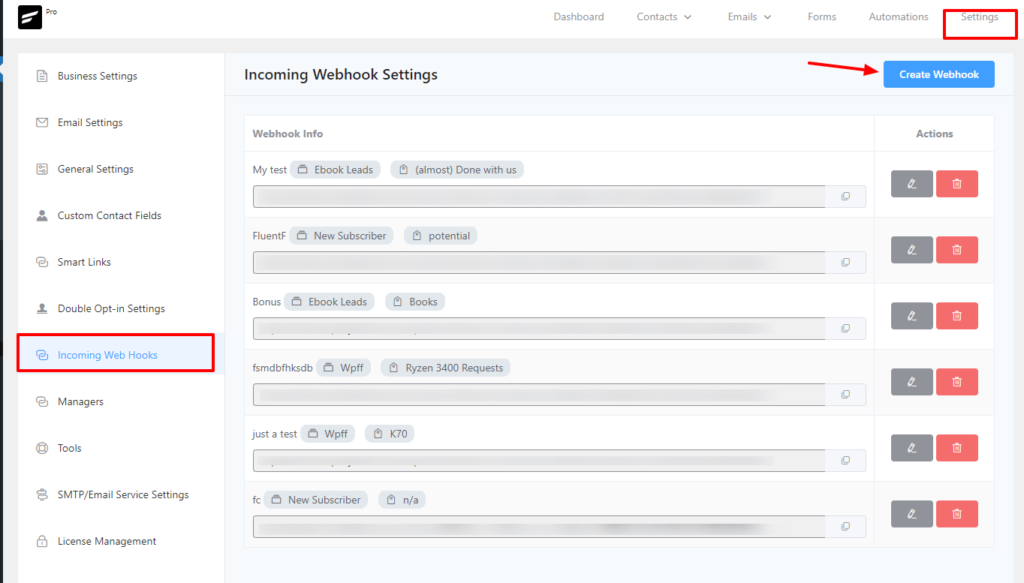
Incoming webhooks let you collect contacts automatically from an external platform or server. To create an incoming webhook, go to Settings, select WebHook Settings from the left sidebar, and click on Create Webhook.
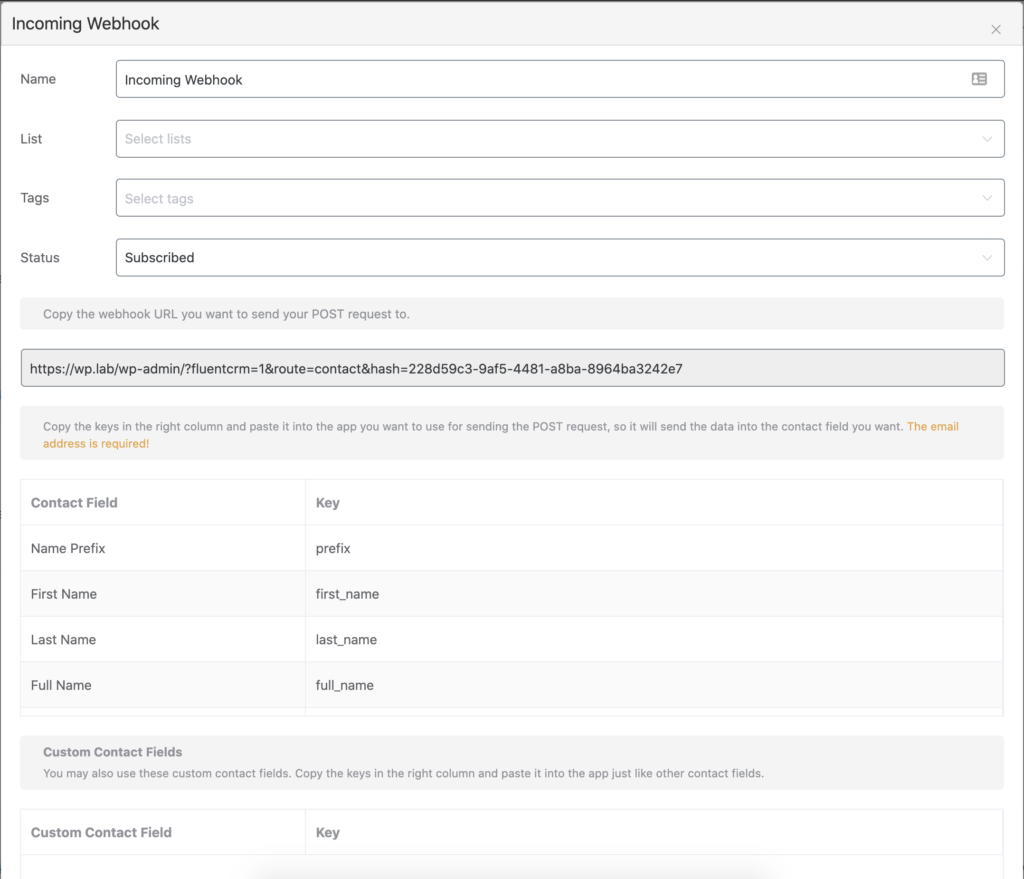
A pop up will appear and you will need to provide the required details. Give the Hook a name at first, Choose lists and tags (optional) for the user who will subscribe through the webhook, and finally give a subscription status to the user. Mostly you want to give the Subscribed status.
Additional Data #
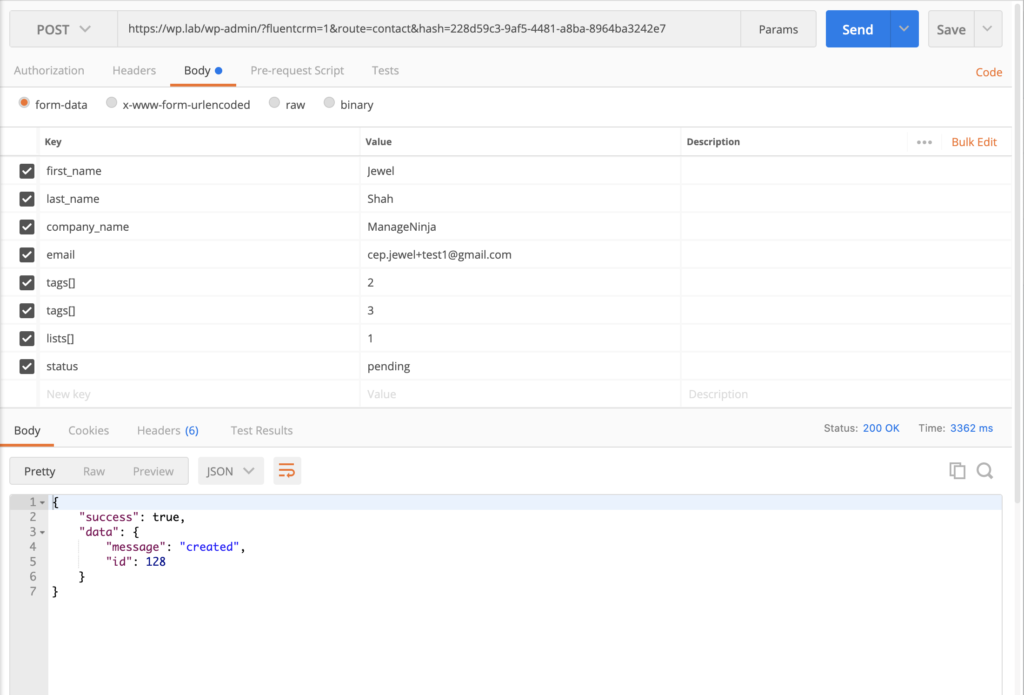
In your webhook source send a post request to the generated URL. Send the data as key pair formdata or JSON object. You can specify the tags, lists, and status in the webhook source and that will overwrite the defined value in the feed
| Title | Data Key | Data Type |
|---|---|---|
| Tags | tags | array ex: [1,2,3] |
| Lists | lists | array ex: [5,6,7] |
| Subscription Status | status | string ex: subscribed | pending | unsubscribed |
Example POST request in postman #
Here is the example post request via postman
Outgoing Webhook #
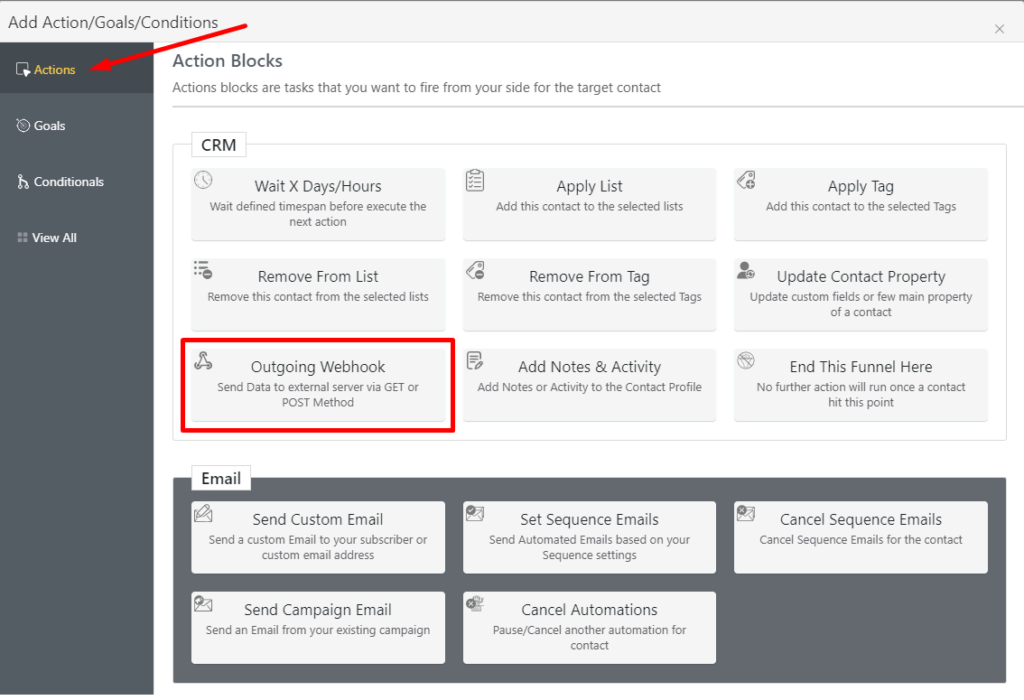
Outgoing webhooks let you send your subscriber data within the automation to external servers and platforms. To send data to external servers and platforms, go to Automations, create or open an automation funnel, and click the plus(+) button to see available actions. Then select Outgoing Webhooks from the available Actions.
Next, select your Data Send Method, you can choose both Get and Post methods. Provide your Webhook URL and Select Request Format(you can do both JSON and Form).
Choose what data you want to send(you can send Full Subscriber Data or Custom Data) and select whether you want to Request Header or not.
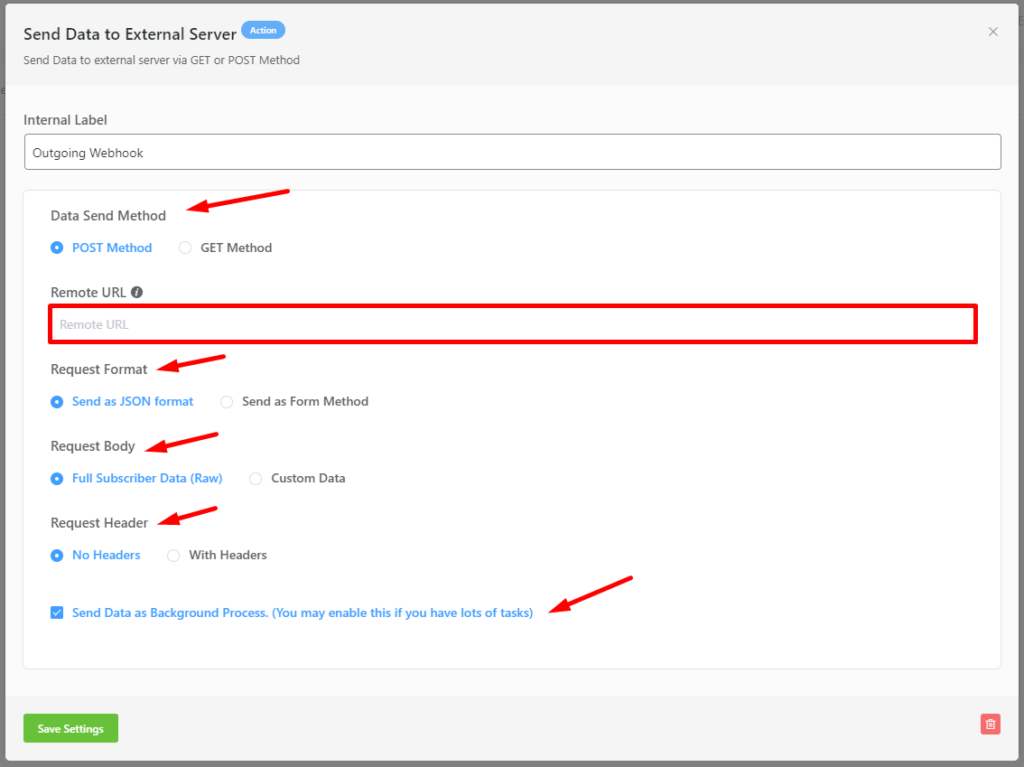
If you have a lot of tasks running, you may want to enable the option to Send Webhook Data as Background Process as well. Click Save Settings once you’re done!



How do we add tags based on logic?
Hi Matthew, not sure what you mean. Webhooks can pass the data and you can set which tag to add to the contact. If you mean adding tags based on if/else logic, you’ll need some custom development.
This article needs updating – where are the tags in the outgoing webhook? how come the doc doesn’t show examples of the outgoing webhook JSON body it sends? If i select Custom Data for outgoing webhook – i cannot seem to find the TAGS available to send… any good CRM worth their salt will allow me to send a copy of the tags to an outgoing webhook. Please extend this documentation, and enhance the functionality of the outgoing webhook module to send tags, and list name information in both the full subscriber data and the custom data setup.
Hi Dan, we will be updating the doc shortly. Thanks for commenting. 🙂
How to receive a webhook from manychat?
How can i see the response log of the webhook, so i can debug?
And how can i send a JSON with nest values?
Like:
{
keyA: valueA,
keyB:{
keyB1: valueB1,
keyB2: valueB2
}
}
heloo
How can I send multi-line text via outgoing webhook?
hello
i want send multi text field in outgoing webhook. but can sent single text line in outgoing webhook.
please help me.
Hi,
I want to send webhook that will add or update a contact tags. I’m using “Add a contact” in integration but it only adds new user. If the user is in my email list, it does nothing. This is the message: “Duplicate email: Justtal91@gmai.com, please use different email address.”
how can make it update a user?
Hi Shanie, I’m not sure why it won’t update tags. Could you please submit a support ticket?
Nazir, I have a similar issue, trying to update birthdate.
Please submit a support ticket.
Hi Fluent,
How can I trigger an email campaign to be resent? It’s fine if it doesn’t work with this interface and I have to call a PHP function through code, just tell me where I can find it in your codebase.
Thanks!
Kevin
Hi,
How to use FluentCRM webhook for jet engine form?
Kindly guide me