

Creating a new Email Template #
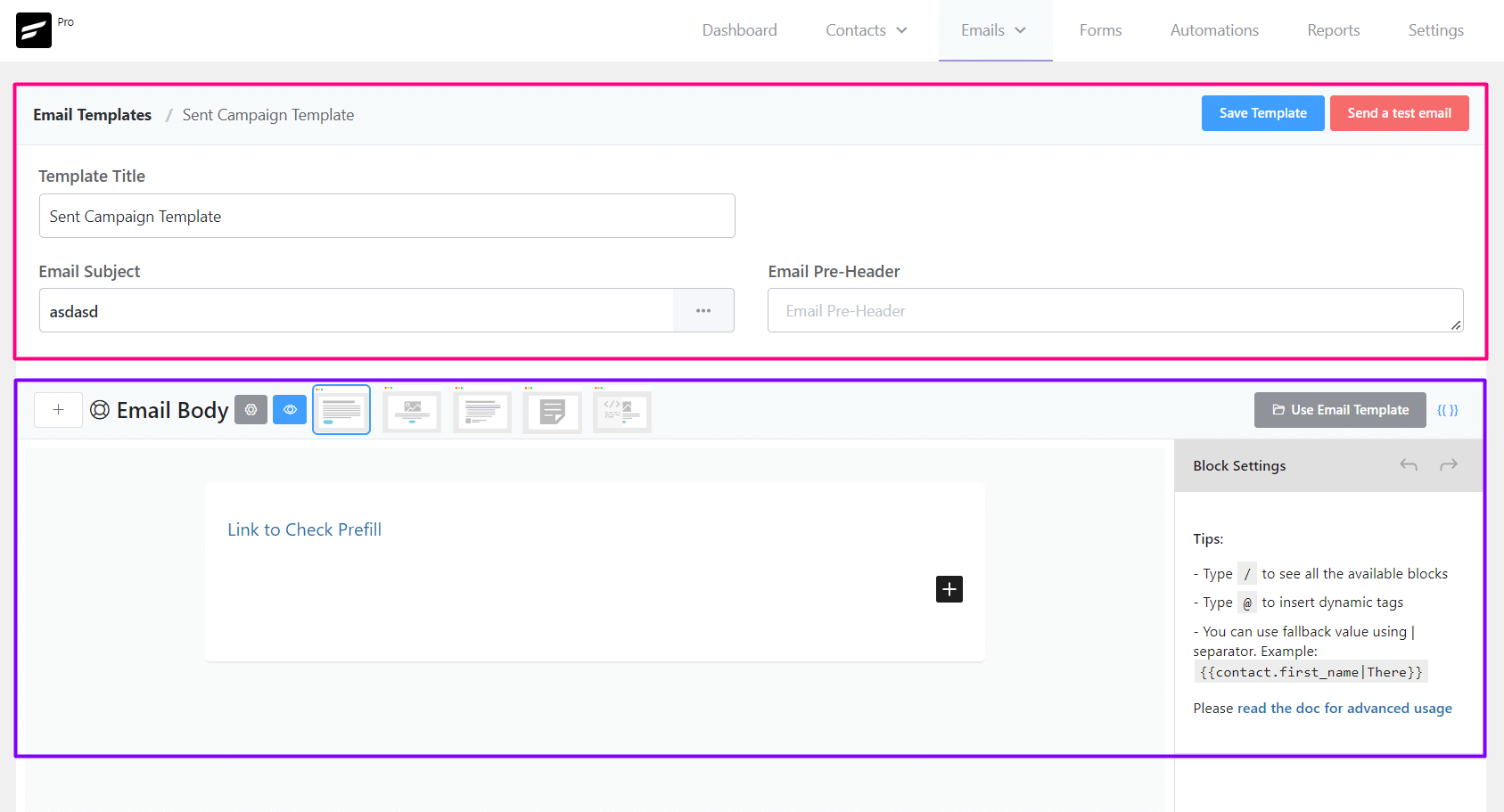
From Emails ➜ Email Templates you can create a template that can be used later around the FluentCRM. The available settings options for Email templates are:
- Template Title: The Title, as an identifier for later use for the Template.
- Email Subject: The Email Subject that is shown as a subject or topic in the recipient’s email clients.
- Email Pre-Header: An Additional short subject that is shown as a small subject line beside the primary subject.
- Save Template: Button to save the template.
- Email Body: Compose your email body using the block editor or visual builder
Sending a Test Email from Email Templates #
To send a test email from Email Templates, please click on the Send a test email button from the top right corner of the Email Templates Settings section as shown in the below screenshot and then input the email address where you want to receive the test email and click on the Send button.
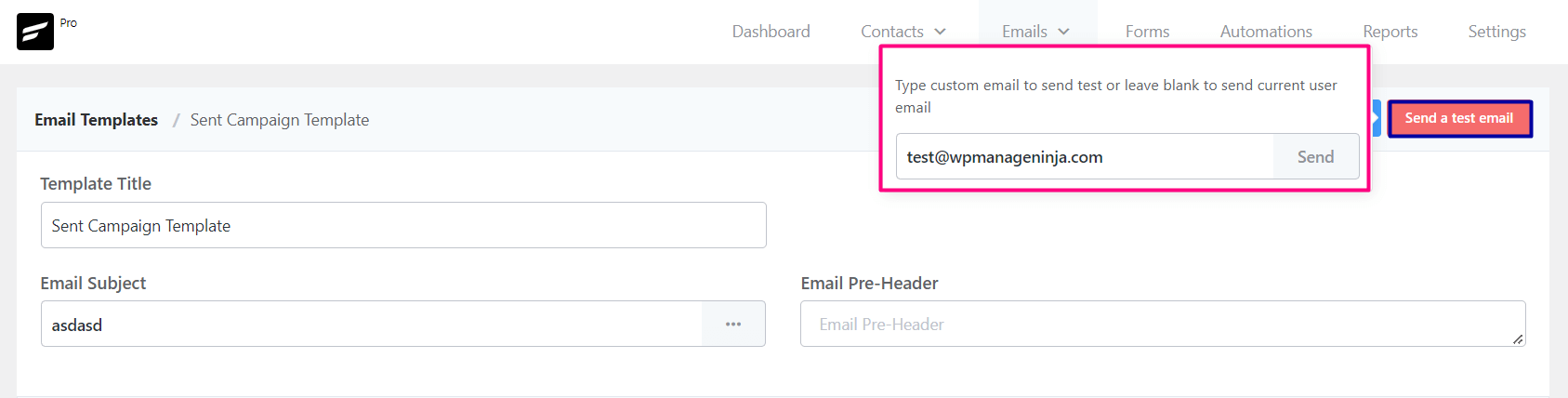
Once the email is sent successfully you will see a Success Message saying the Test email is sent successfully. on the top right corner.
Importing Email Templates into FluentCRM #
To import a predesigned email template from any other sources,
- Go to Emails -> Email Templates and Create a new Email Template. The RAW HTML template type needs to be selected.
- Upload the relevant images to the WordPress website and keep note of the media URLs.
- Open the HTML template with any text editor and update the image URLs.
- Copy the updated code and paste it into the FluentCRM RAW HTML template as the source.
- *** DO NOT CHANGE THE RAW HTML TEMPLATE TYPE ***.
- Now Preview by clicking on the Eye icon and see if the template looks promising.
- Now Save the template and you can now also send a test email to your email address to see how it looks practically.
That’s all about the Email Template. Now use the Email Template from other places in the FluentCRM without recreating the whole template again.



I would like to be able to change the font and font size of the text in my buttons. I have tried in HTML but it does not seem to save. Is there a way to do this? Otherwise the button style does not match the rest of the email. Cheers
Is Stripo html no longer compatible? Seems like this to me: the RAW html templates from Stripo Mail suddenly stopped working. Suddenly error messages, the previously successfully used HTML code is blocking the campaigns. Even “saving” campaigns is no longer possible. Identical HTML code.
Update bug?
UPDATE – the Stripo html issue is solved:
The cause was the Wordfence Security plugin, more precisely the WAF firewall contained there. So NO FluentCRM bug and NO FluentCRM update issue.
Thanks to the WP Manage Ninja support, who helped me a lot and also the WP forum, where the problem was already discussed: https://wordpress.org/support/topic/rest-api-blocks/
The Wordfence WAF firewall must first be put into learning mode – after that everything worked again. Will activate the WAF firewall again after 1-2 weeks and check compatibility.
Something is missing. I follow the Fluent instructions. I create and build a new email template.
There is no save button. So, when I take the next step, it exits the template, and my template is gone.
Bottom line is it is impossible to build and SAVE an email template in Fluent CRM.
Hello, I want to create a Raw HTML Template but facing some difficulties with some tags, I want to implement some media queries to introduce a dynamic layout but does prevent me from saving and moving forward. Please Advice
I want to understand, when I try to use a template and start adding elements such as images, Heading, text, etc. Once I send the test email I receive an email full of HTML coding, why I’m not able to see the elements and insead I get the code?
It’s a shame that the template editor is 20 years behind on the rest of the plugin. It’s basically impossible to design an email that doesn’t look generic. The whole point of addressing your customers is to maintain solid branding, while creating proper emails, which the template editor doesn’t support. No headers, no social media icons, no padding in columns or buttons. Working in RAW HTML is the only option, but switching back and forth between views, puts and tags everywhere. And honestly, having to copy/paste code for every email is not a thing I want to do in 2022. I should have checked this feature better before purchasing a license, because it make a very good plugin (with – ironically – a very slick design) basically useless. I really hope improving on the email editor is at the top of your priority list.
I am reading this comment two and a half years later and sadly it’s still true.
Hi Chris, did you check our visual builder? It’s the simpler one for writing & designing emails. Just switch to Visual Builder as you’re writing emails and you’ll see. 🙂
Hello,
I’m using FluentCRM for my mailing campaigns.
Where can I edit/optimize the email template for mobile?
Thanks
RS
A couple of questions.
1) Is it possible to make re-usable ‘global’ blocks in emails which can be changed in one place and will update all occurrences? If this isn’t native to the plugin, do you know of a way I can achieve this?
2) How do I override the default footer centre alignment? I’m using a custom HTML block on the
I can’t seem to change the alignment of my default footer. Is there a particular CSS rule I need to override in my code?
Hola Nazir,
Fluent Form crm supports the stripo template well?
Yes, just switch to the custom HTML and paste the code. Don’t switch back.
Stripo still compatible with Fluent? Using the free mode I didn’t see the option to export directly to fluent. And exporting in html fluent does not import.
Hi Rodrigo, Stripo isn’t integrated with FluentCRM and we don’t recommend using stripo anymore, our visual builder has got you covered!
Is there a way to put in a separator or divider between blocks? The Gutenberg Editor has a Separator Block that’s not available in the email editor for FluentCRM. I’d just like to add a line to separate blocks. Thanks!