

Creating a new Email Template #
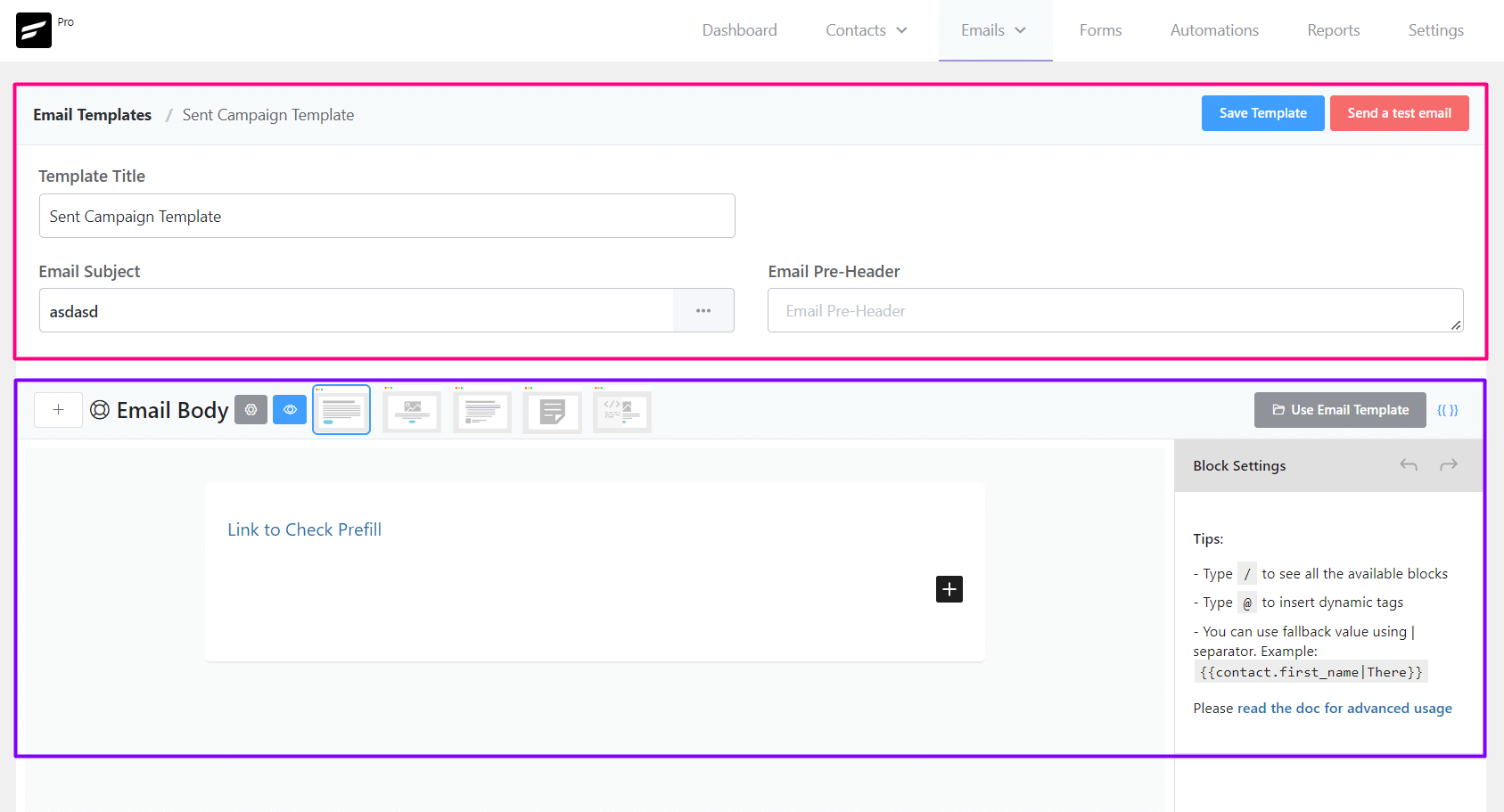
From Emails ➜ Email Templates you can create a template that can be used later around the FluentCRM. The available settings options for Email templates are:
- Template Title: The Title, as an identifier for later use for the Template.
- Email Subject: The Email Subject that is shown as a subject or topic in the recipient’s email clients.
- Email Pre-Header: An Additional short subject that is shown as a small subject line beside the primary subject.
- Save Template: Button to save the template.
- Email Body: Compose your email body using the block editor or visual builder
Sending a Test Email from Email Templates #
To send a test email from Email Templates, please click on the Send a test email button from the top right corner of the Email Templates Settings section as shown in the below screenshot and then input the email address where you want to receive the test email and click on the Send button.
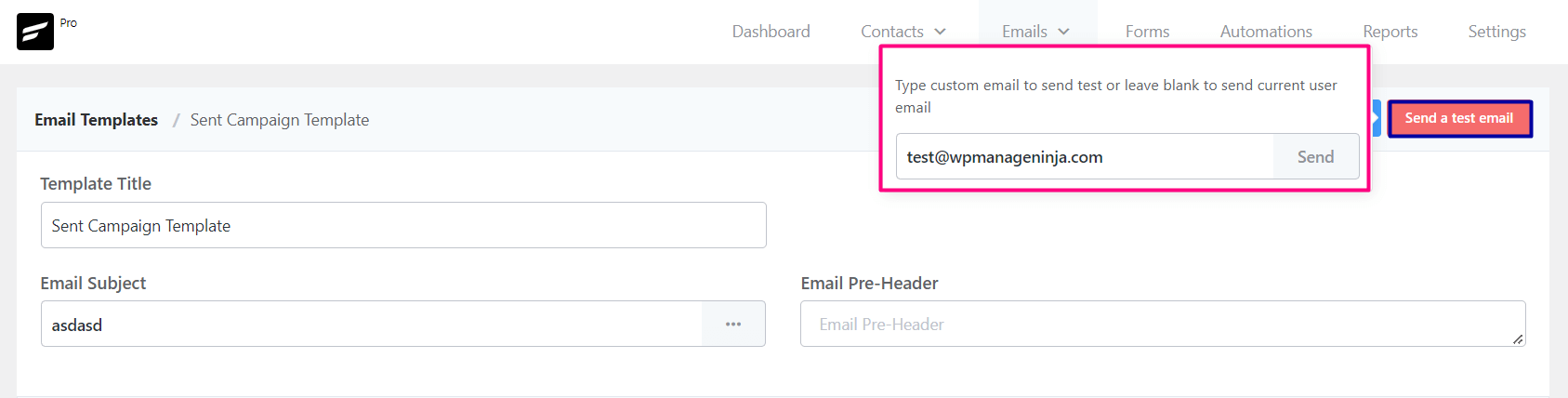
Once the email is sent successfully you will see a Success Message saying the Test email is sent successfully. on the top right corner.
Importing Email Templates into FluentCRM #
To import a predesigned email template from any other sources,
- Go to Emails -> Email Templates and Create a new Email Template. The RAW HTML template type needs to be selected.
- Upload the relevant images to the WordPress website and keep note of the media URLs.
- Open the HTML template with any text editor and update the image URLs.
- Copy the updated code and paste it into the FluentCRM RAW HTML template as the source.
- *** DO NOT CHANGE THE RAW HTML TEMPLATE TYPE ***.
- Now Preview by clicking on the Eye icon and see if the template looks promising.
- Now Save the template and you can now also send a test email to your email address to see how it looks practically.
That’s all about the Email Template. Now use the Email Template from other places in the FluentCRM without recreating the whole template again.



I love FluentCRM but one gripe I have is there are no premade email templates for various use-cases. Why aren’t there any? I also see like 2 custom sections in the Layouts tab and that’s it lol. Will you be adding more sections or elements here as well?
Overall it feels like the development of FluentCRM seems to be slowing down lately. Would like to see more innovative additions and improvements being pushed to production in order to remain competitive versus other email marketing platforms that have really been stepping up their game, especially with the surge in AI-related features.
Hi Xopher, Email templates have been in development since the last 5 months and it’s finally live: https://fluentcrm.com/fluentcrm-2-9-6/
We couldn’t release it because we did not want it to be a half baked feature. We wanted to have total control so we could add them without requiring assistance from developers. So we haven’t slowed anything down, we’re just trying to ensure you guys don’t run into any issues.
I need to add emojis to my emails, but after doing that, the email doesnt send or proceed to the next phase in the sending process, what do I do?
Hi Emily, It’s not supposed to behave this way. Please submit a support ticket so our technical experts can look into your issue.
Can we attach documents to it as PDF
Hi Palak, no, you can upload the pdf to your media library and add link to it in the email.