

FluentCRM is a powerful email marketing & automation application that enables its users to market through emails, run automation based on various triggers, and perform different actions. To do this, FluentCRM admins may need to segment the contacts to identify the contacts later while filtering them out and performing bulk actions, selecting them in the campaign setup, or also assigning the specific contacts in automation as below screenshots.
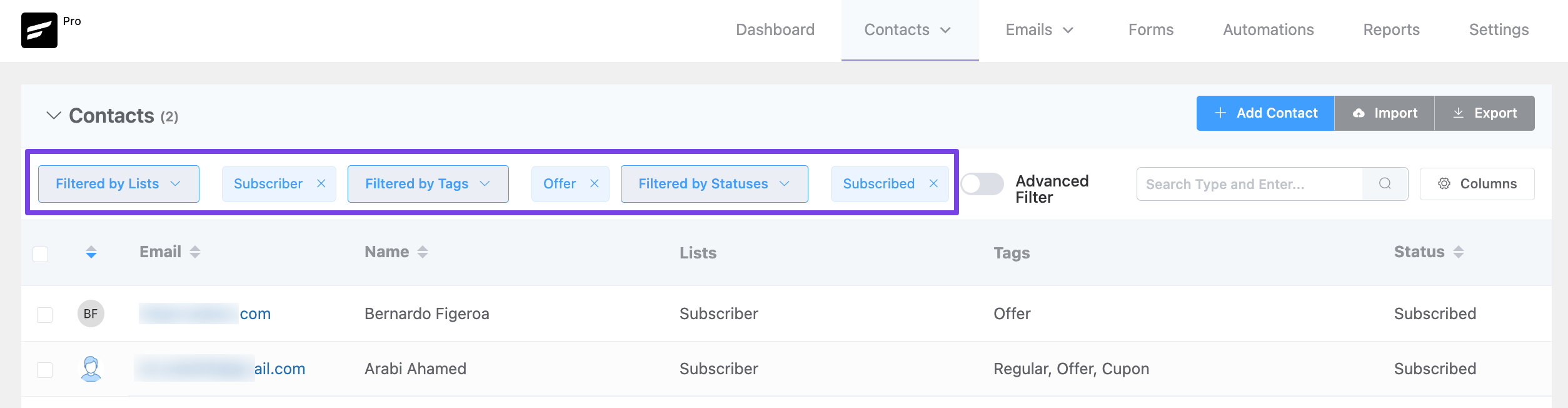
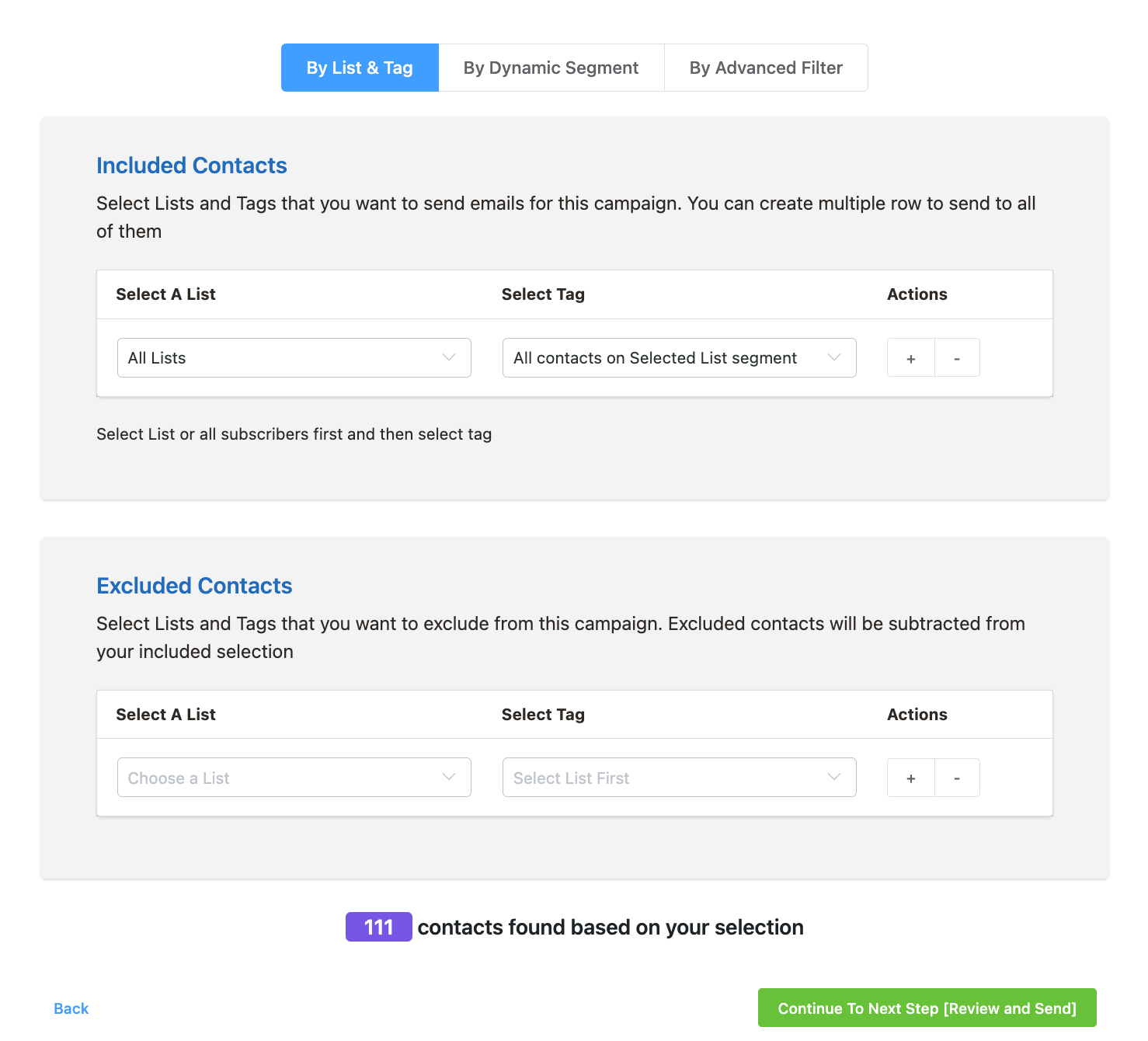
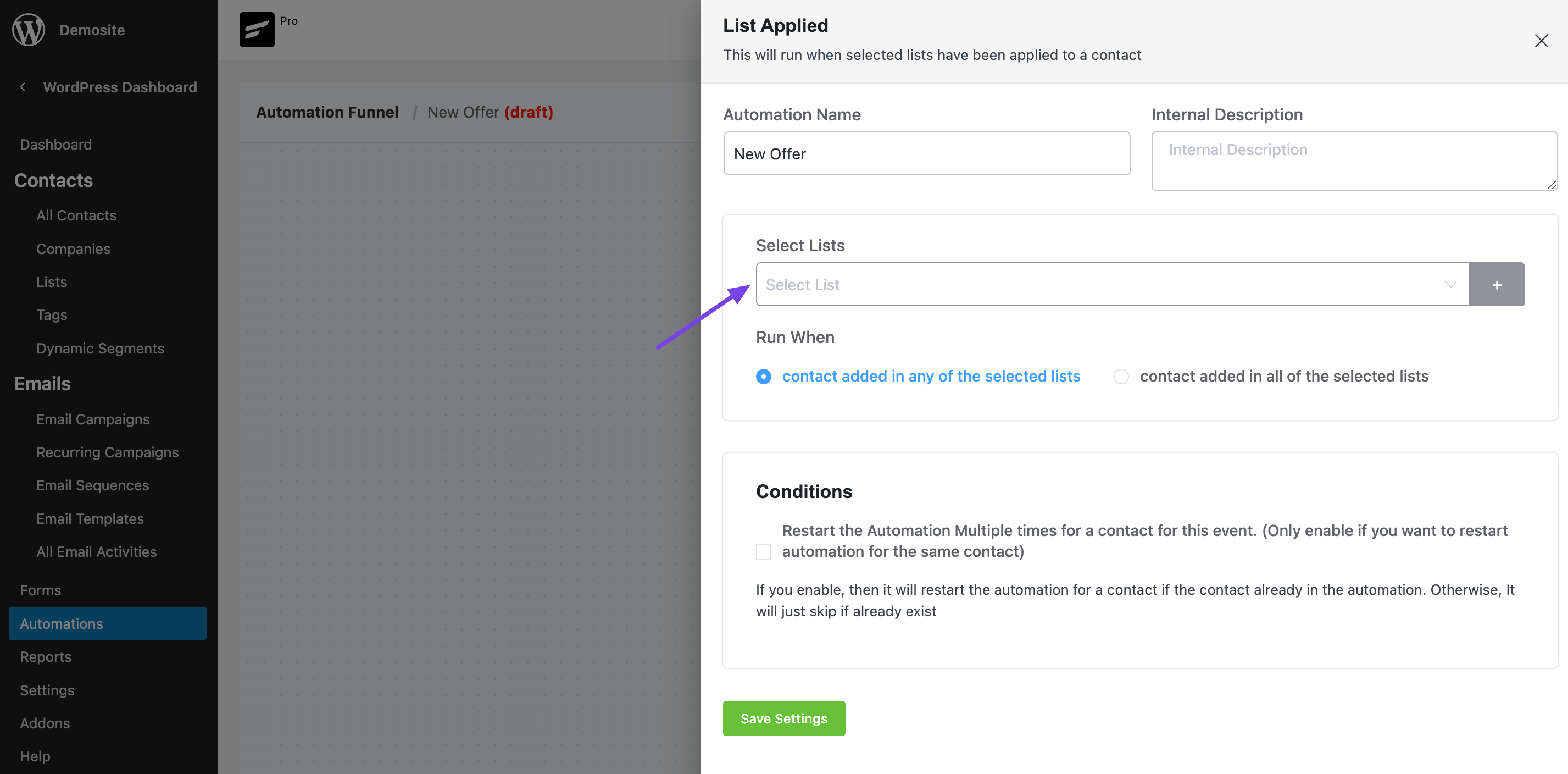
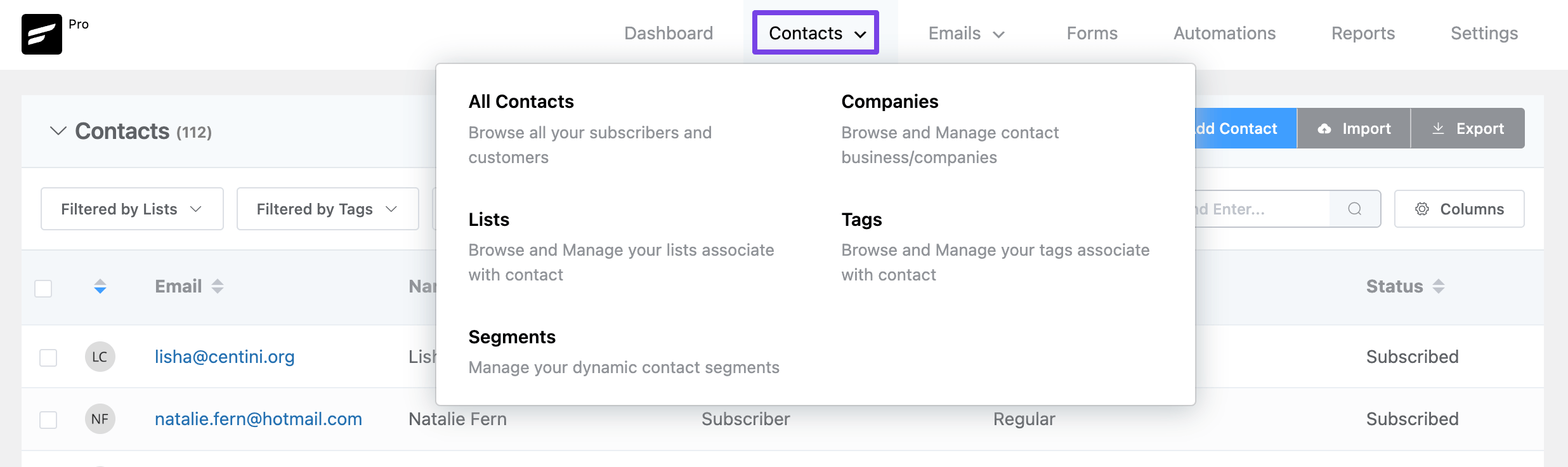
In this tutorial, we will be learning about the General & Dynamic Segmentation of FluentCRM. You can access All the contacts, Lists, Tags, and Dynamic Segments by hovering over the Contacts Menu from the FluentCRM Dashboard.
General Segments #
You can segment your audience or contacts with multiple lists, tags, and/or dynamic segments. The general segmentation is based on static Lists or Tags. Having segments of the contacts are very useful to categorize audiences for better-targeted email campaigns. In this article, we will take a deeper look into the segmentation of contacts with FluentCRM.
Lists #
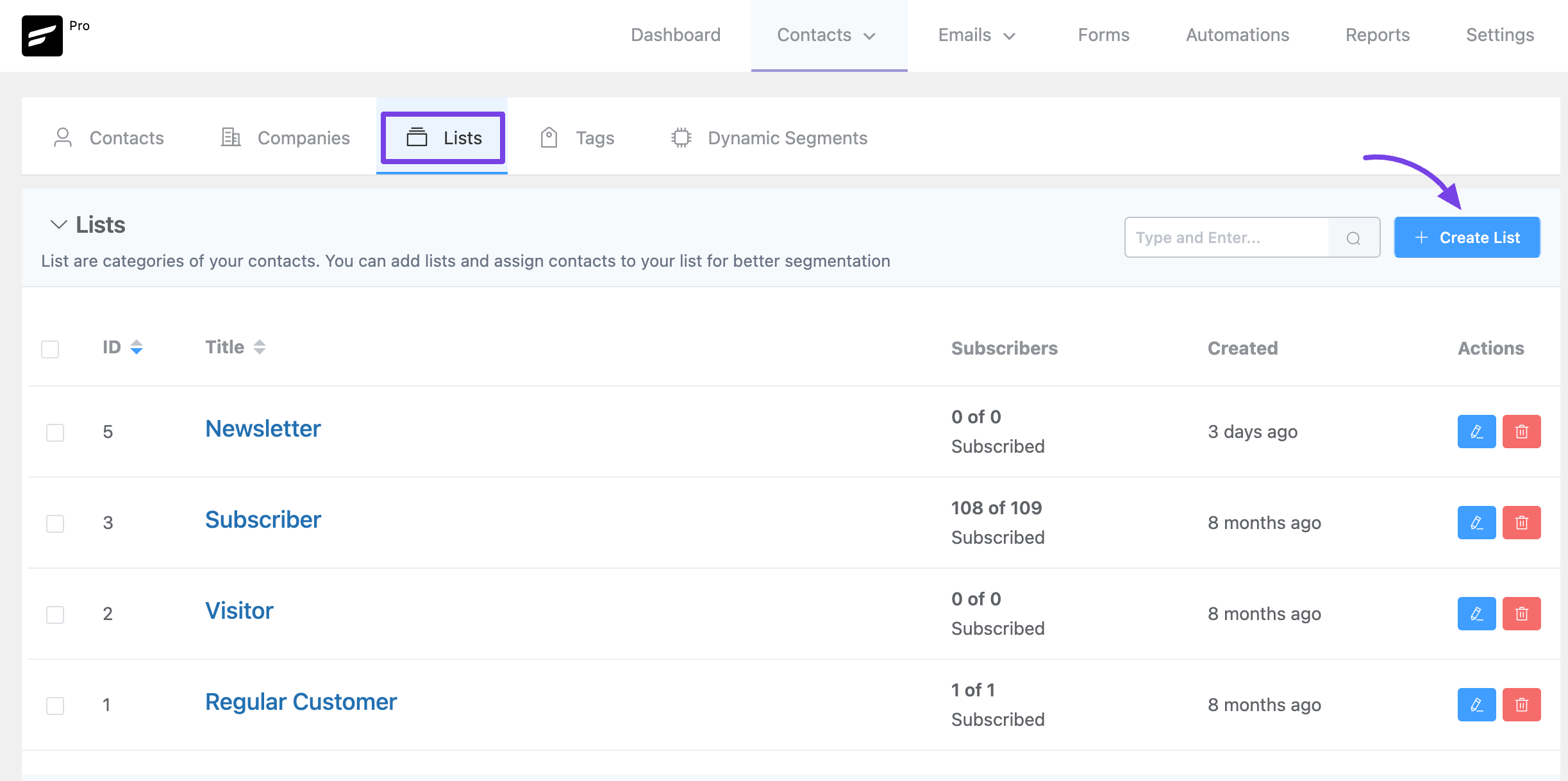
Lists are one of the segmentation processes of your contacts. You can add lists and assign any contacts to your list for better segmentation. You can also create multiple lists based on your use cases. To add a list Go to Contacts ➜ Lists and click on the “Create List” button located in the near top right corner.
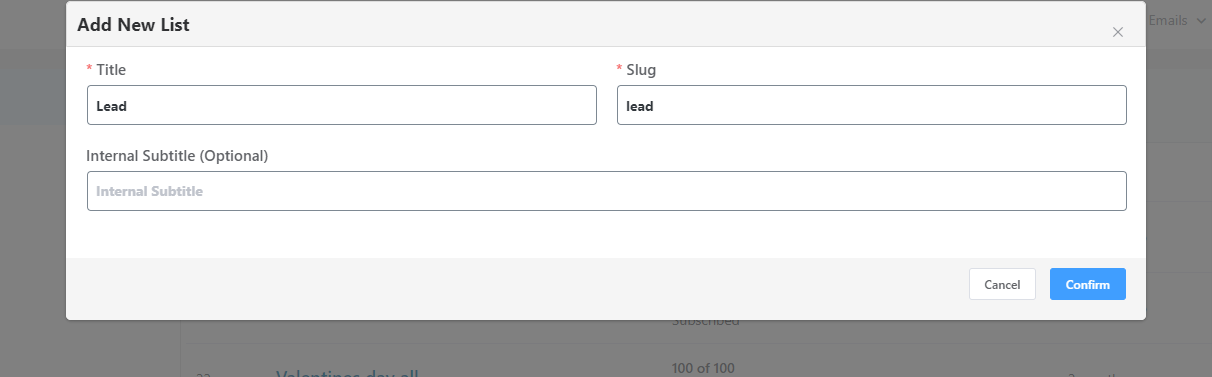
A popup will appear where you need to give the list a Title and the list Slug will be added automatically based on the list name. Click Confirm and the list will be created instantly.
Tags #
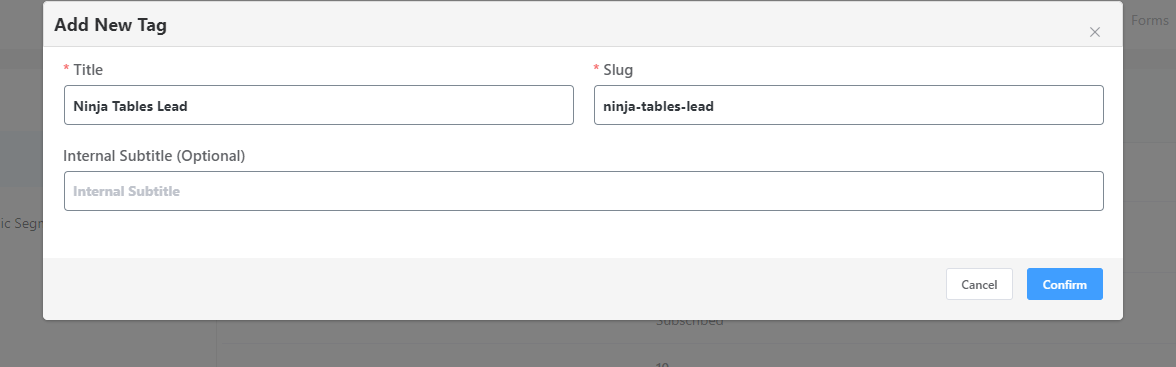
Tags are used to classify your FluentCRM audience in a more meaningful way. Tags are like Lists but more ways to filter your contacts inside a list. A list can have multiple tags, also multiple tags can be assigned to a particular contact. To create a tag Go to Contacts ➜ Tags click on the “Create Tag” button and a modal window will appear where you will need to give the Title and Slug (Automatically generated if leave it blank) of your Tag.
You can assign a single contact to multiple Lists and Tags.
Dynamic Segments #
FluentCRM audience has a lot of data about the contacts, for example their signup date, how they are added where they are from, their signup source, and how they are interacting with your emails, and e-commerce data such as order quantity, revenue from the contact, and products ordered. Create Dynamic Segments using these data and send targeted marketing campaigns. Dynamic Segments is very handy to filter and divide similar contacts for a meaningful purpose.
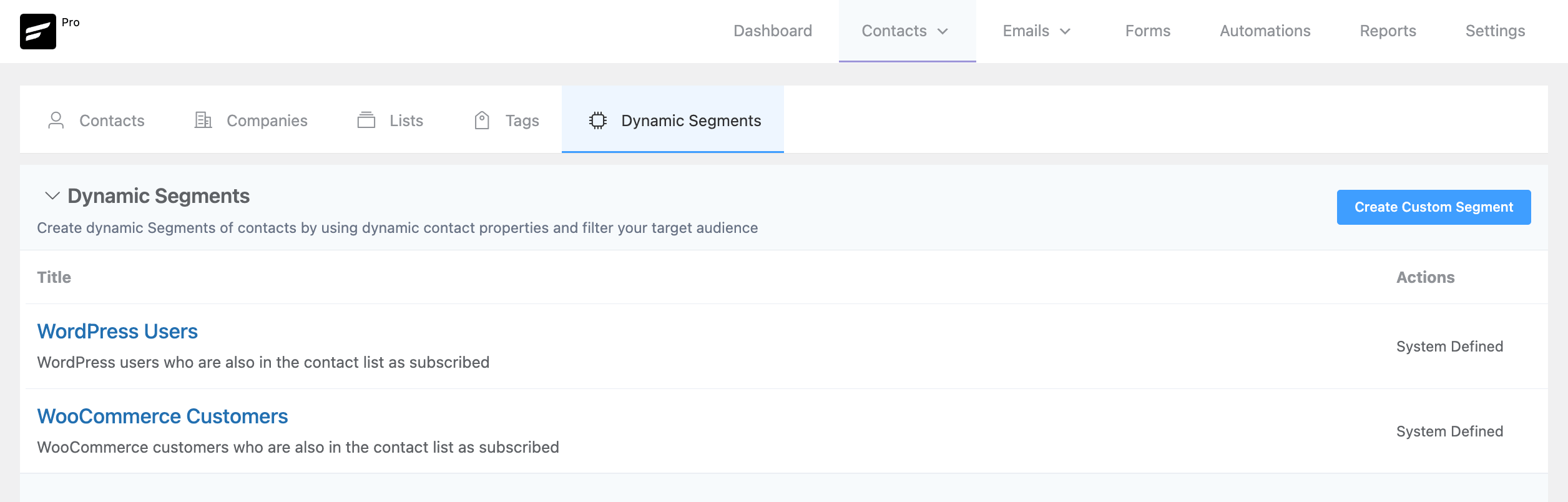
To create Dynamic Segments go to Contacts ➜ Segments. Now click on “Create Custom Segment” to add a new Dynamic Segment that will provide a few options. There will be a built-in Dynamic Segment available named WordPress Users to identify WordPress Users later. Adding more integrations like Woocommerce will also add more Dynamic Segments such as WooCommerce Customers based on their Users Lists.
Please provide a descriptive title name to the Custom Segment. It is shown on internal pages only. Now you’ll need to set conditions to filter contacts based on the information available inside FluentCRM. You can use the Advanced Filter feature to learn deeply about such data filtering to segment the contacts.
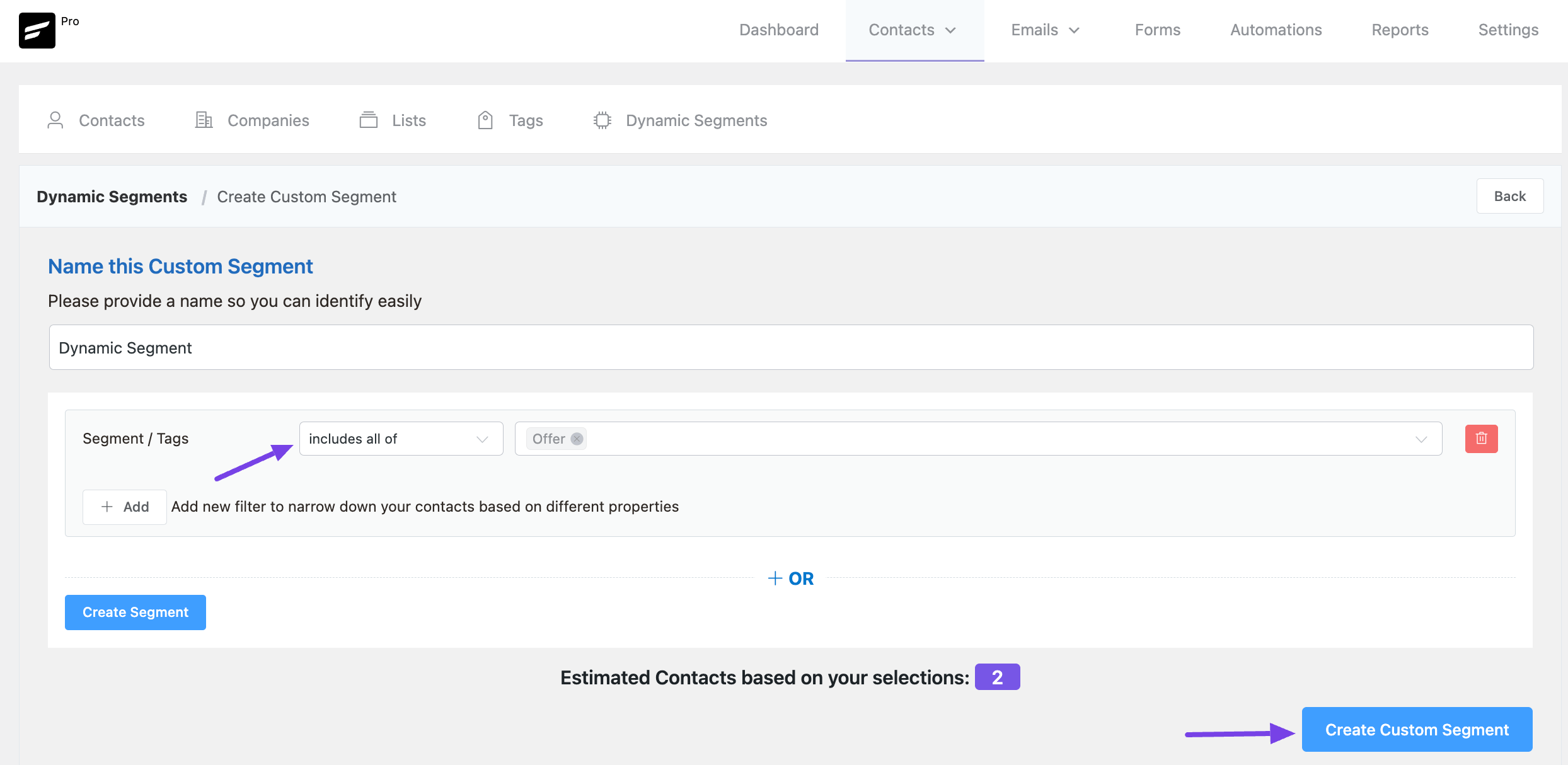
If you do not put any conditions, all of your contacts available in the FluentCRM will be selected for the Dynamic Segment.
Once you are done with the Data Selection and Conditions please click on Create Segment button on the bottom left to preview the contacts based on your filtering. And to finally create and save this Dynamic Segment please click on the Create Custom Segment button from the bottom right corner.
That’s all about segmenting contacts in the FLuentCRM. Especially Dynamic Segments is really a powerful feature that helps select the users dynamically. To utilize this feature and get the most out of it please check the Advanced Filtering guide to put conditions in Dynamic Segmentation.



Thank you for your reply.
For Dynamic Segments, is it possible to create a Custom Segment for a specific user role?
Thank you.
Unfortunately, that’s not possible. You can create an automation based on a specific WordPress user role.
I would like to ask whether the Custom Segment described above is a one-off manual process or an automatic process after it is created.
Using your example above, after creation of the Custom Segment “User from USA (Joined within 30 days)”, when a new user sign up and country is US, will this new user be automatically added to this Custom Segment?
Further, does such automatic addition of a new user to the Custom Segment qualify as a “List Applied” trigger for Automation Funnel?
Thank you.
1. Yes, the list gets updated automatically.
2. No, you can’t combine dynamic segments with an automation funnel yet.
Hi Nazir,
I created one tag when I set up my account initially.
Then I created a few tags after I got the account setup.
I create a new automation, that is supposed to trigger when a tag is added.
The only tag that is available in the drop down is the original tag. The new tags I created are not available.
Is there something else that needs to be done in order for automations to have access to those tags?
Hi,
Can I create dynamic segments by the number of orders or by the total amount of purchases in Woocommerce?
Thanks
Hi Eduardo, unfortunately, that feature isn’t available at the moment.
Hola ¿como puedo hacer segmentación dinámica basada en la base de contactos de Fluent? solo me permite hacerlo desde WordPress o Woocommerce
Hola Alejandro, solo crea un segmento personalizado y define tus condiciones. El segmento dinámico capturará todos los contactos con la misma condición (espero que no le importe una respuesta traducida)
Thanks for the quick response and answers, Nazir. Please count #3 as a feature request. The need to search through one’s entries and manipulate the results is something that happens quite frequently with databases/CRMs.
Hi Nazir. I’m having a hard time learning how to manage my contacts. Here are three cases:
1. I’ve imported a bunch of contacts from my Mailchimp. I want to perform a search on all my contacts, and find only those that segment that I imported. Then I want to tag all of these with “Mailchimp”.
2. I want to create a list with all of my WordPress contacts. I know there is a segment “WordPress Users”, but I can’t *do* anything with this — I can’t add tags to it, add all those contacts to a list, etc.
3. Under “All Contacts”, I can check individual contacts to add them to lists. But I want to do a search on my entire database, and find all contacts who have not filled in their names, then create a list out of these.
How do I do these? Thanks.
Hi Wilaya,
1. When you imported contacts, you needed to add the tag. or else you can look into the list you applied for the contacts and then bulk select them and apply the tag.
2. Select contact import> WordPress Users and then apply your list and tags.
3. I’m not sure if you can do that.
I’d like to segment based on a Custom Contact Field.
Hi Chris, you can trigger automation based on lists and tags and then use the contact property condition to segment based on the custom contact field.
The “Filter by Email Activity” subheader should be revised / rewritten. The rest of this support article is pretty straightforward and well-written; however, I’ve read this last section several times and I’m still having difficulty understanding the author here. Needs to be broken down in clearer detail.
Hi,
2 pre-sale questions:
-Can I add custom fields to the contacts?
– If yes, is it possible to filter the audience “on-the-fly” using URL parameters?
Something like “https://mydomain.com/?country=uk&gender=male&age=25-35&maxprice=200000&bedrooms=3”
Thanks. Best