

Adding Custom Contact Field #
When you need additional fields to gather information for your business, you can create new Custom Fields. From your FluentCRM dashboard, click on the Settings in the top right corner of the main navigation bar. Now from the left sidebar menu, navigate to Custom Contact Fields and click on the “Add Field“.
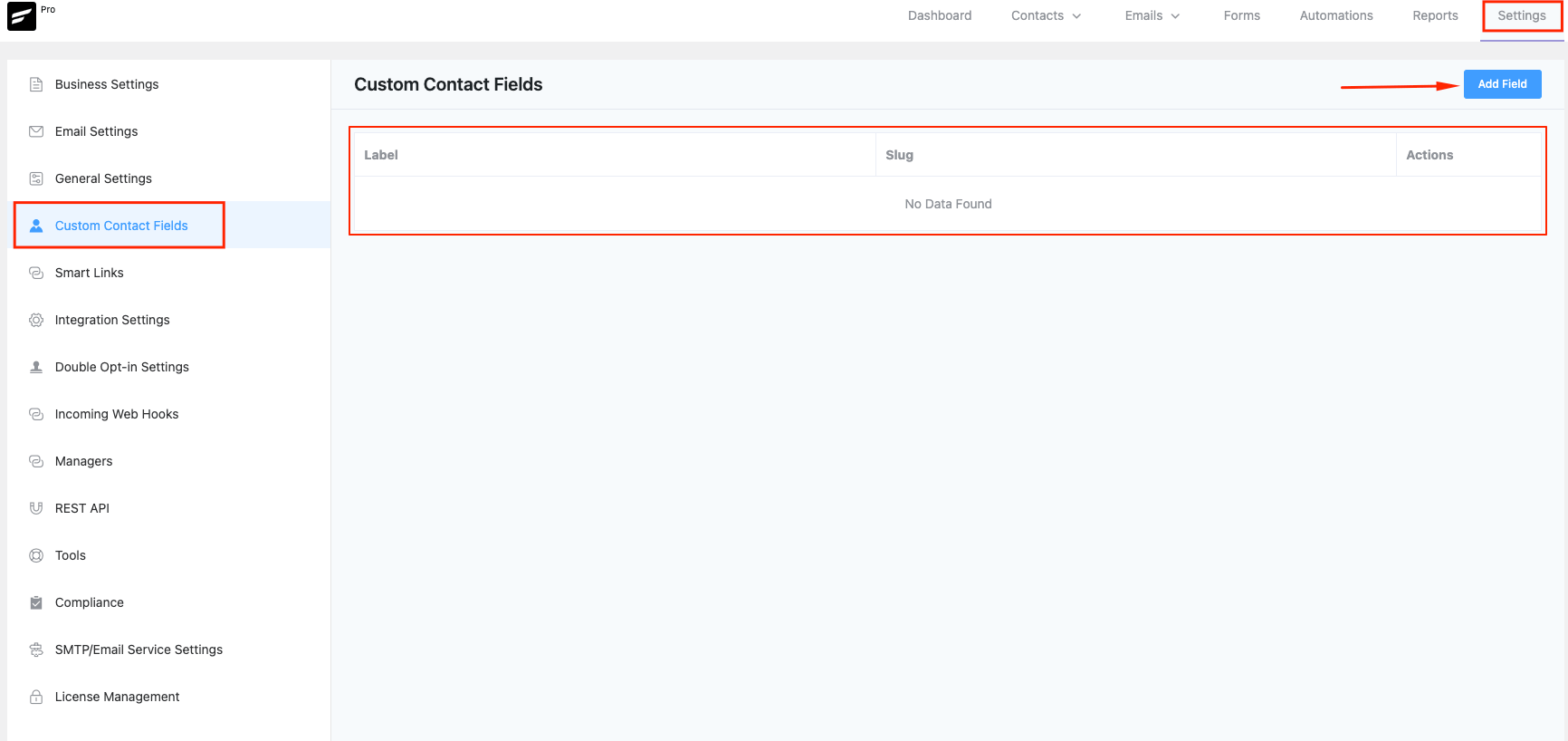
A popup form will appear, and you will see the available Field Types.
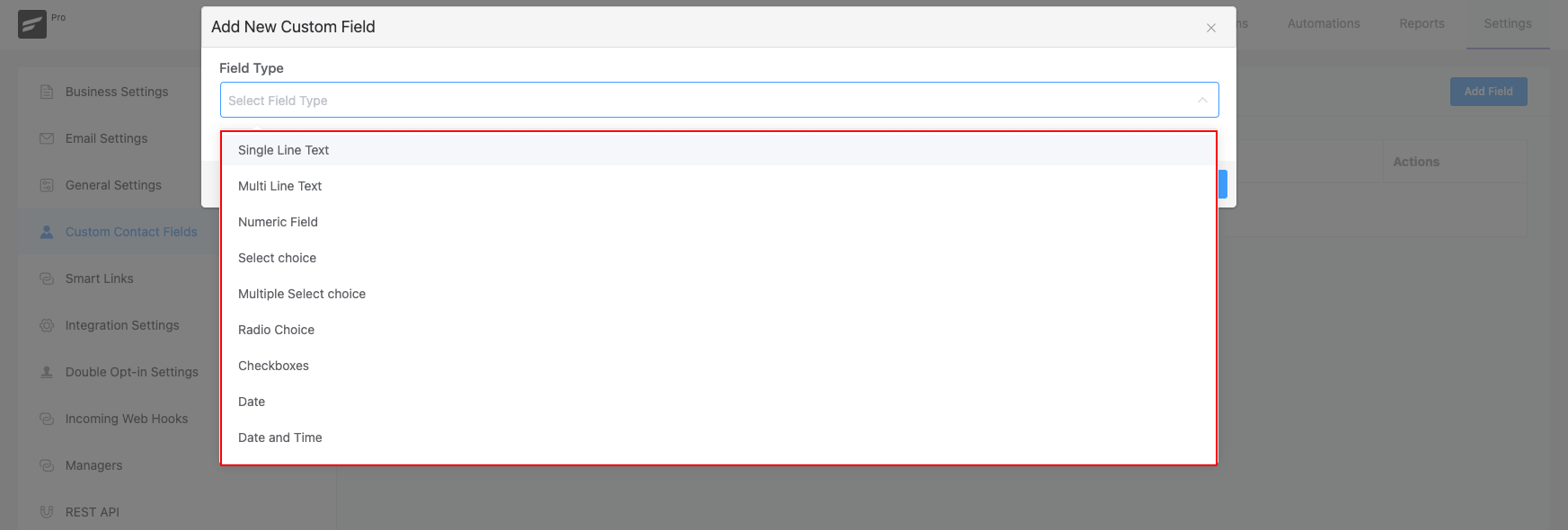
You can choose from the various field types listed in the below screenshot. After choosing the field type, give the field a Label. Based on the field type you might need to enter some more info. For example, if you select the type “Radio Choice” you will also need to enter the options. For Radio Input type of fields such as Radio Choice, Select Choice, Multiple Select Choice, and Checkboxes when you add options, enter the option value and press Enter on the Keyboard when you are done with the input.
Rearranging Custom Contact Fields #
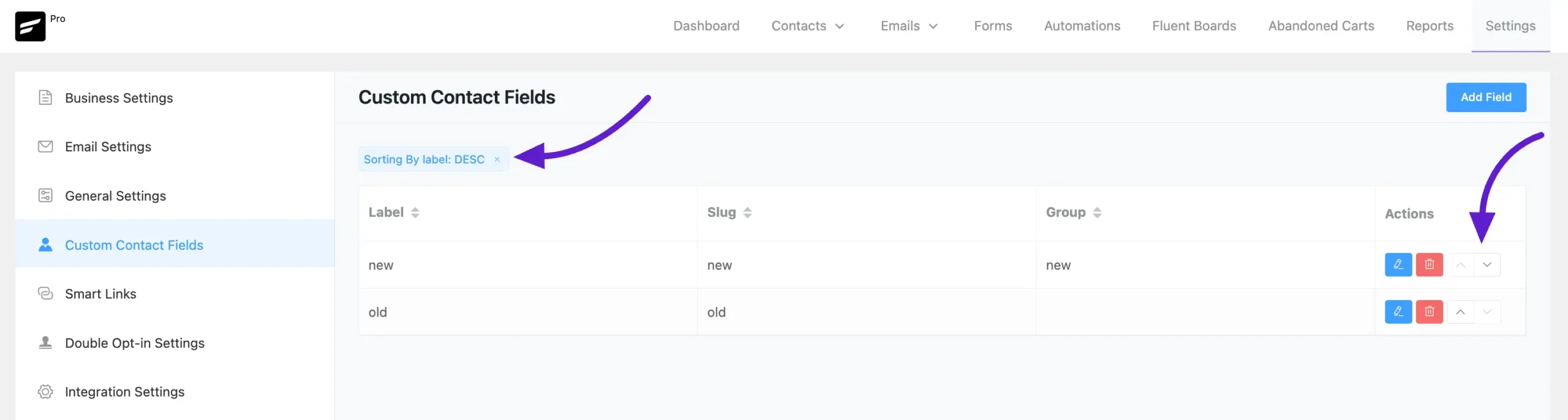
Now when you add multiple Custom Contact Fields they will be arranged or organized in the Custom Profile Data serially as you added them. But if you want them to be organized according to your own requirements you can do so by using the Up and Down Arrows as in the below screenshot. If you want to Edit or Delete any of the Custom Contact Fields you can do so by clicking on the Edit or Delete buttons.
Also, you can sort custom fields by going to Custom Contact Fields and clicking on the labels to access the sorting options.
Update Custom Fields Using Bulk Actions #
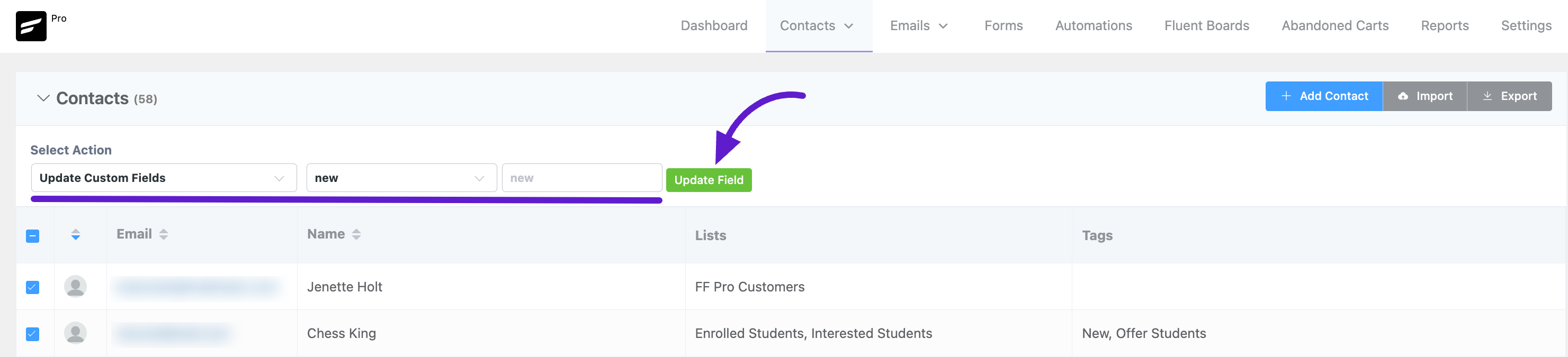
You can add custom fields to your users using the Bulk Action feature in FluentCRM. To do this, go to the Contacts section and select the contacts you want to update. Now, click on the Select Action dropdown, where you’ll see the Update Custom Field option—select it.
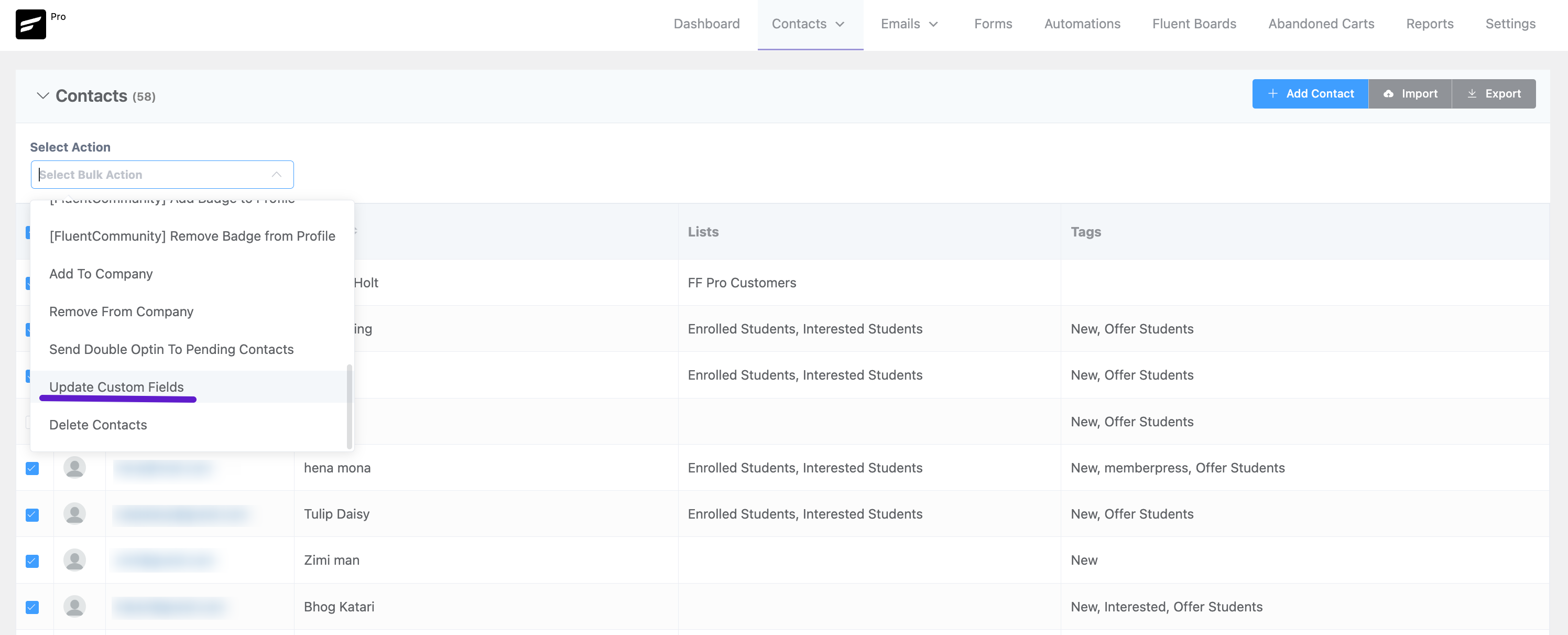
After that, another dropdown will appear, allowing you to choose the custom field you want to add. Once selected, click the Update Field button to save the changes.
Preview #
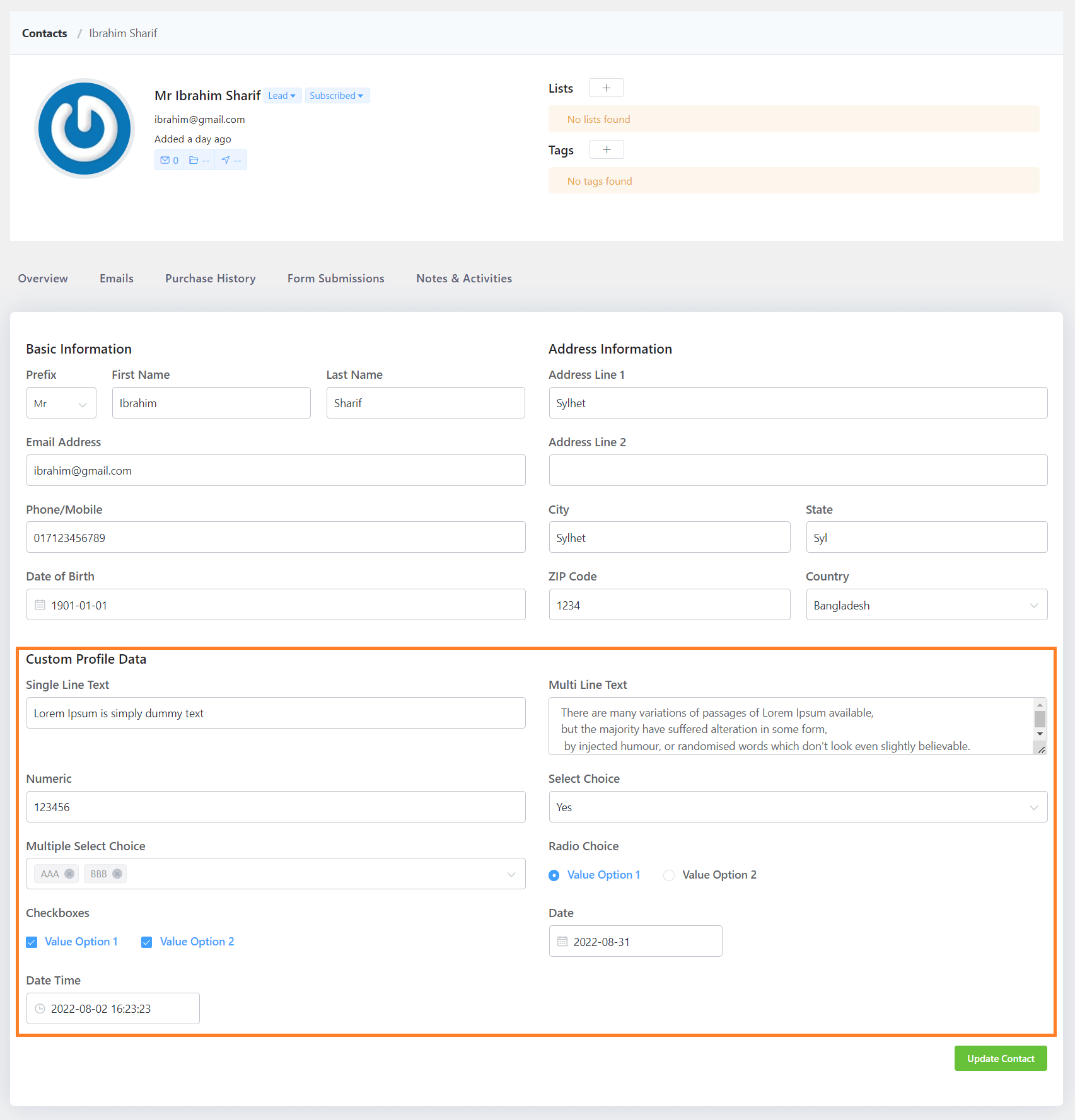
After Adding the Field Type, you can see the added Custom Contact Fields on your Contact Information Under the Custom Profile Section.
.



How can a custom profile field be filled by the Contact API? Can’t find any informations inside the documentation.
Thanks and best regards
Stanlay
It would great to be able to add section headings so that fields can be displayed in groups.
Thanks!
hi
what about allocating custom fields for contact or company . Right now it goes to contact but what if we want to create custom field for companies ?
same question here. I would like to import company records from HubSpot and I need custom fields during the import. I see them for contacts, but is it possible to have custom fields for companies?
Yes. Custom Field Creation for companies already exist! If you check our latest release note you will find the detailed instructions there.
Here’s the link: Fluentcrm 2.9/
Clicking up and down buttons is fine, but time consuming. Any plans to add drag and drop capability to this feature?
Hi John, great idea. I’ll suggest to our R&D about this UX improvement suggestion. Thanks!
When I add a field other than a Single Line Text, I get this error message:
{“code”:”rest_forbidden”,”message”:”Sorry, you are not allowed to do that.”,”data”:{“status”:401}}
How do I solve this?
ok, how to make a form with elementor based on this custom fields?
If we have already created the custom field, for example Department as user_department, can this be mapped into this field.
Custom field file upload?
Is it possible to make a custom contact field sortable in the contacts list table?
Hey Charly, No, we don’t have that feature yet. Added to feature requests.
Thanks 🙂
What is the ETA in sortable custom fields? Is there a work around or something I can code to make work? We added a FollowUp date we use to call back customers. Ideally we need to sort this so we know who to call back first.
Got it ben. It’s still work in progress but you may use FluentBoards for this. Works as a temporary pipeline alternative.
Thanks for the suggestion Nazir, I just looked at fluentboards and it is not obvious how I would be able to create a Contact List that can be sorted by a custom followup date. If this is the only feature I need, would the free version work? Can you link to something that would give me a little more insight on how to implement such a feature with fluentboards? Thanks again, I have a few fluent plugins already and they are great!
Hi Ben, unfortunately I don’t have any resource but you can connect date fields to FluentBoards to create tasks and then when you view FluentBoards in calendar mode, you have the exact phone call lined up as a task. Sound list the solution? Let me know. 🙂
I was just looking for this feature! Hope it comes soon